Table of Contents
This updated guide examines How to Share Videos and Movies on Mocha with Facebook, Messenger and organizes the essential facts, background, and practical takeaways in clear American English.
And you can share these videos or movies if you see good on Mocha application, you can share on social networking applications like Facebook, Zalo, Messenger, Gmail. to share with your friends. Instructions for sharing videos and sharing movies on Mocha via social networking applications you can see under this article.
- How to change the chat wallpaper on Mocha
- How to sync phone contacts with Mocha
- How to send HD photos on Mocha
How to share videos and share movies on Mocha via social networking applications
Step 1: You can select short video clips in the Comedy section, or the latest livestream games, hot videos, or popular movies in the Video section to share with friends.
When selecting the video, please click on the sharing icon as shown below, here you will be prompted to Send friends on Mocha or post to Interactive or share on Facebook , want to share on many applications More than that, please click Other Options .
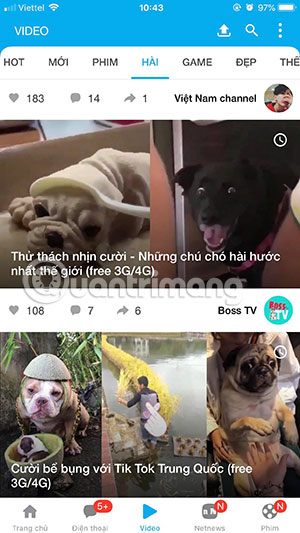
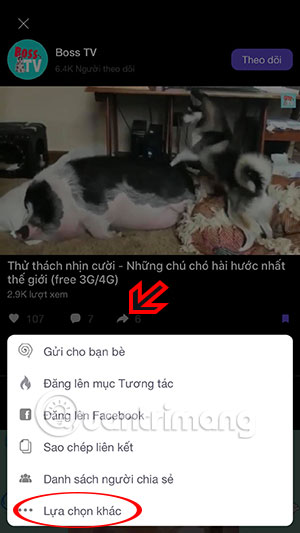
Step 2: In the list of social networking applications that appear later, you can select Zalo, Viber, Messenger. In general, chat, messaging or social networking applications you can share with everyone.
If you want to add the app to the Mocha video sharing list, click the Add icon at the end, then add the application you want to share.
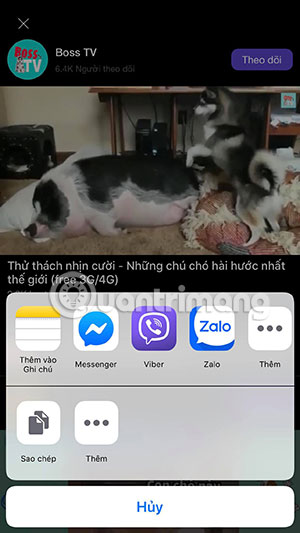
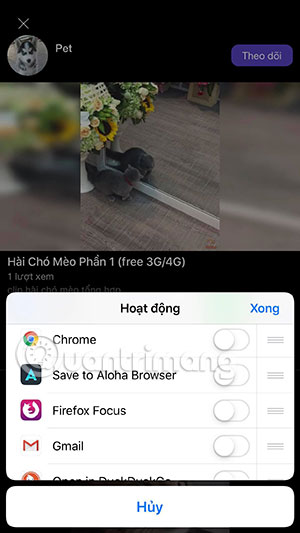
You can then share videos by posting to newsletters or sharing with many Messenger friends. You can also search the Movie section, select the episode you want to share with your friends.
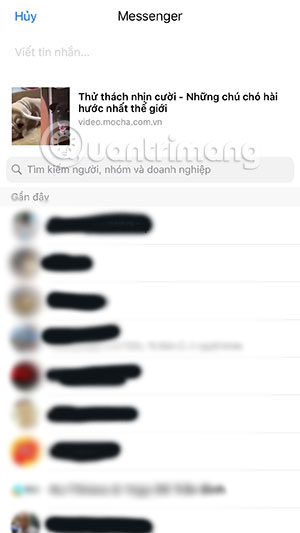
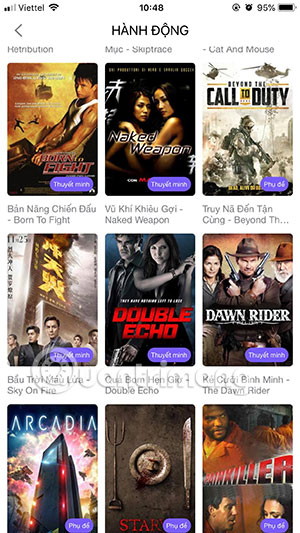
Through the tutorial on sharing videos on Mocha in this article, you can share videos or good movies with friends in a convenient way instead of finding on Google before sharing them with friends.
If you have videos back when traveling or going out somewhere and want to share with friends via Mocha, you can upload videos to Mocha to share with friends. See instructions for downloading Mocha videos in the article How to post videos on Mocha.
FAQ
What is How to Share Videos and Movies on Mocha with Facebook, Messenger about?
It provides a structured overview of share videos on Mocha, explains the main context, and highlights practical takeaways for readers.
Why does this topic matter?
Understanding the main concepts helps readers evaluate the issue, avoid common mistakes, and make better-informed decisions.
How should readers use this information?
Use the guidance as a practical starting point, confirm details that may have changed, and follow current product, safety, or security recommendations.
Related Articles
 How to Post Videos on Mocha5 minutes read
 Facebook Messenger Supports Sharing HD Videos and 360-degree Photos3 minutes read
 How to Delete Videos Posted to Mocha3 minutes read
 Share Dropbox Files Via Facebook Messenger4 minutes read
 Instructions to Delete Mocha Account on the Phone4 minutes read
 Instructions for Using Mocha on the Phone7 minutes read
Reader Comments 0
Sign in with email or Google to join the discussion.