Table of Contents
The Google Messages app has a lot of cool features, one of which is the ability to pin important conversations to the top of the interface.
The Google Messages app has many cool features, one of which is the ability to pin important conversations to the top of the interface. Pinning conversations in Google Messages ensures that the app stays on top and doesn't get pushed down. Here's how to pin messages on Android phones.
How to pin messages on Android
Step 1:
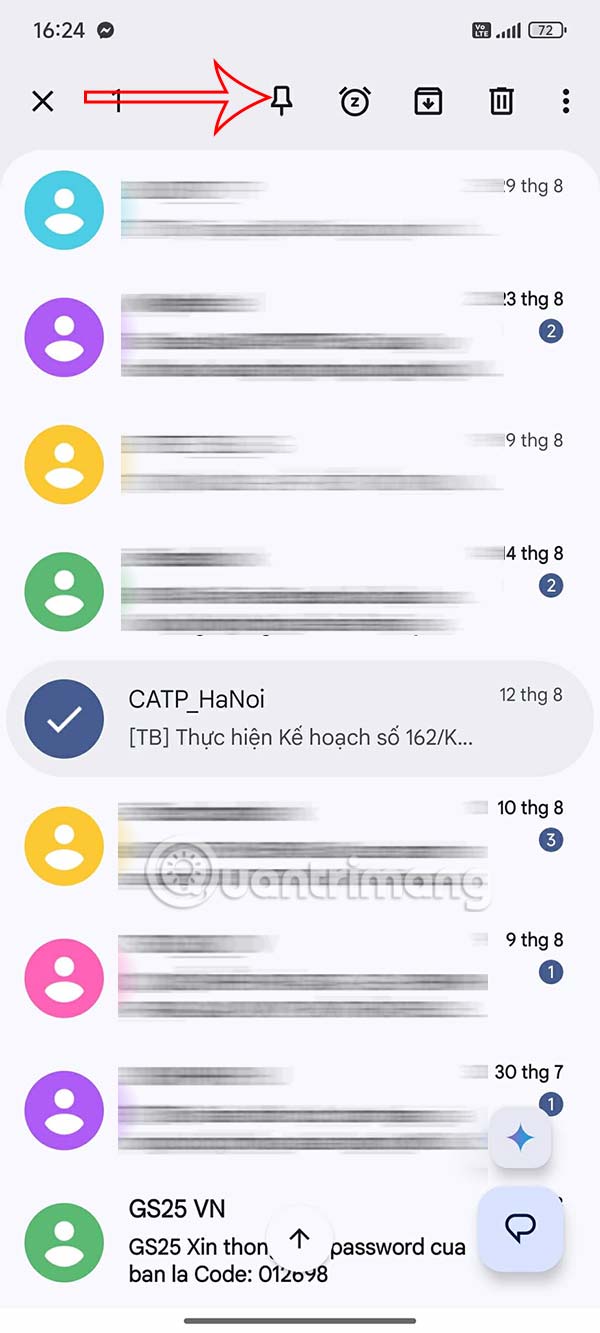
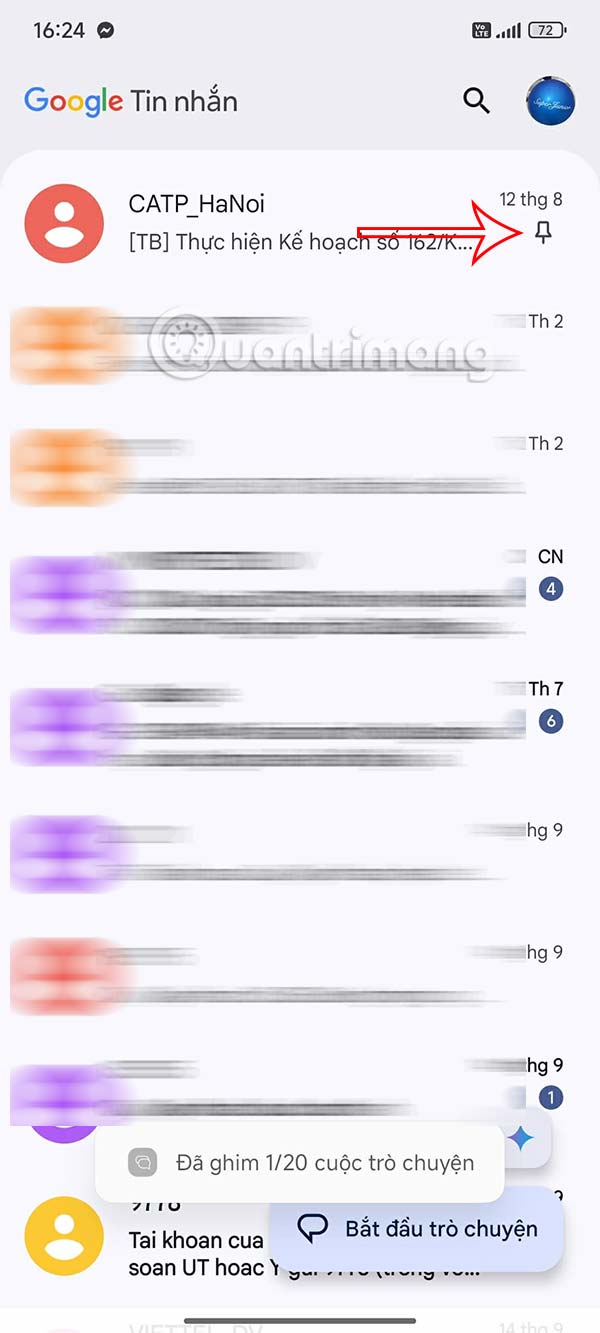
You open the Google Messages app on your Android phone, then you Hold down the message And tap The pushpin icon At the top. Now you see The pinned message at the top of the Message interface.
Step 2:
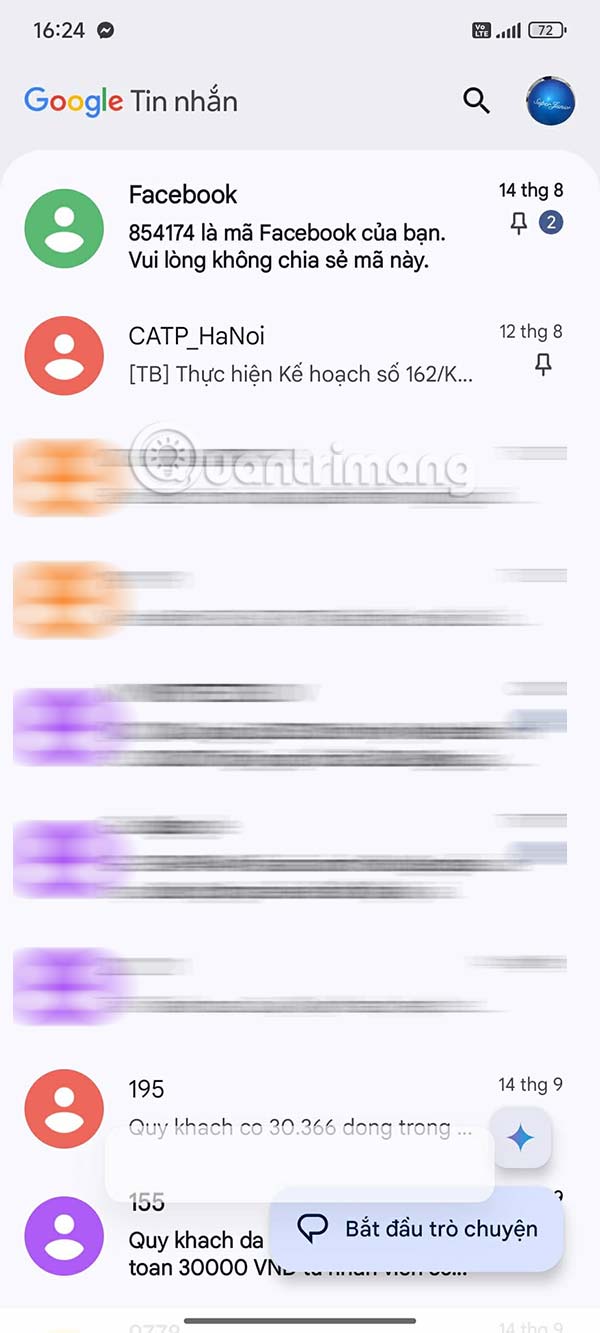
You can pin multiple messages on Android phones if we want.
Step 3:
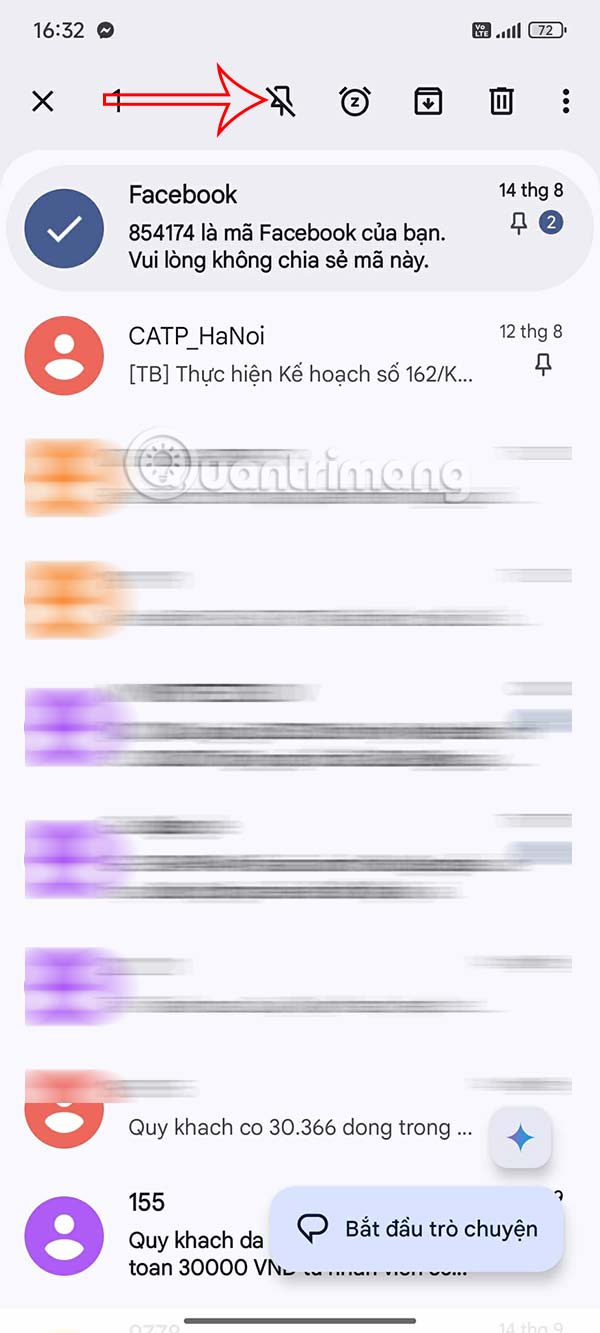
To Unpin a message on Android , Press and hold the pinned message And then tap The unpin icon To do so.
Step 4:
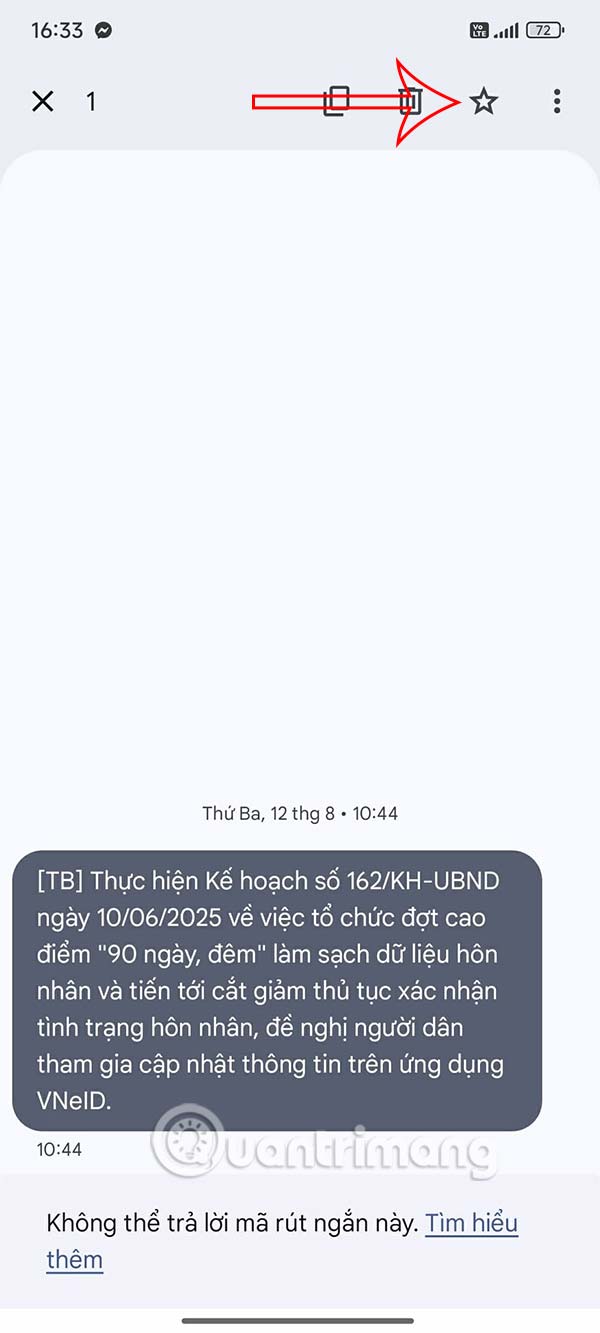
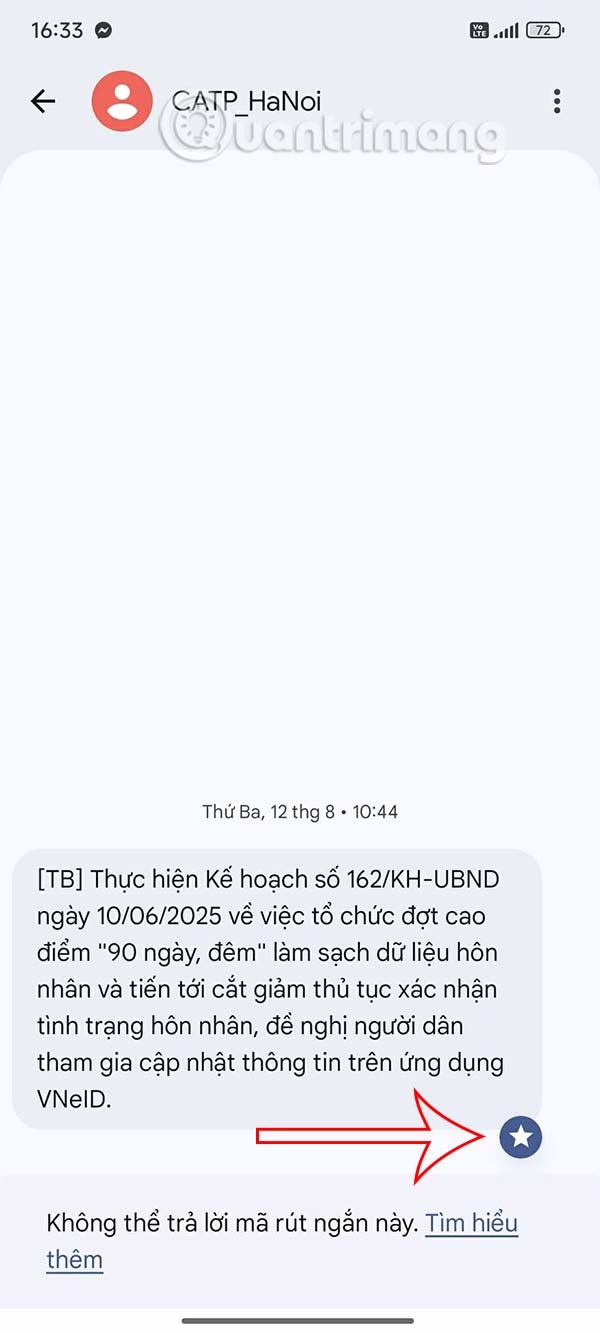
Also, You can Star important messages . You Press and hold on the message you want to star And then select The star icon Above. Then the message has a Star icon below . You continue to star other messages.
Step 5:
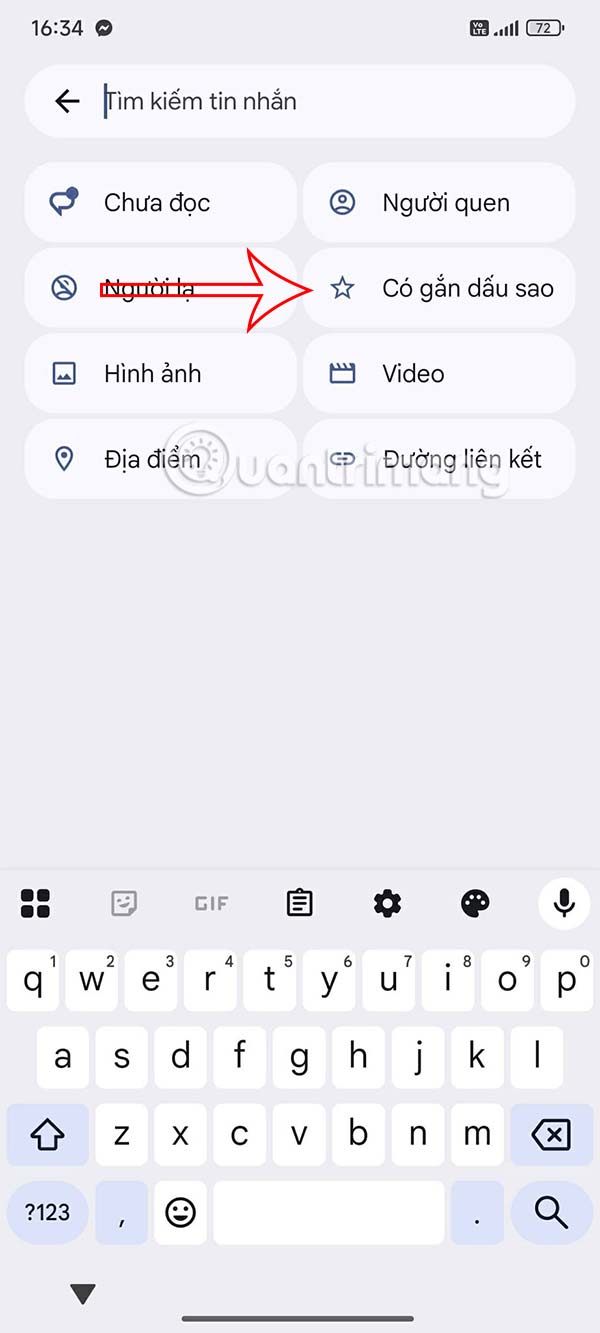
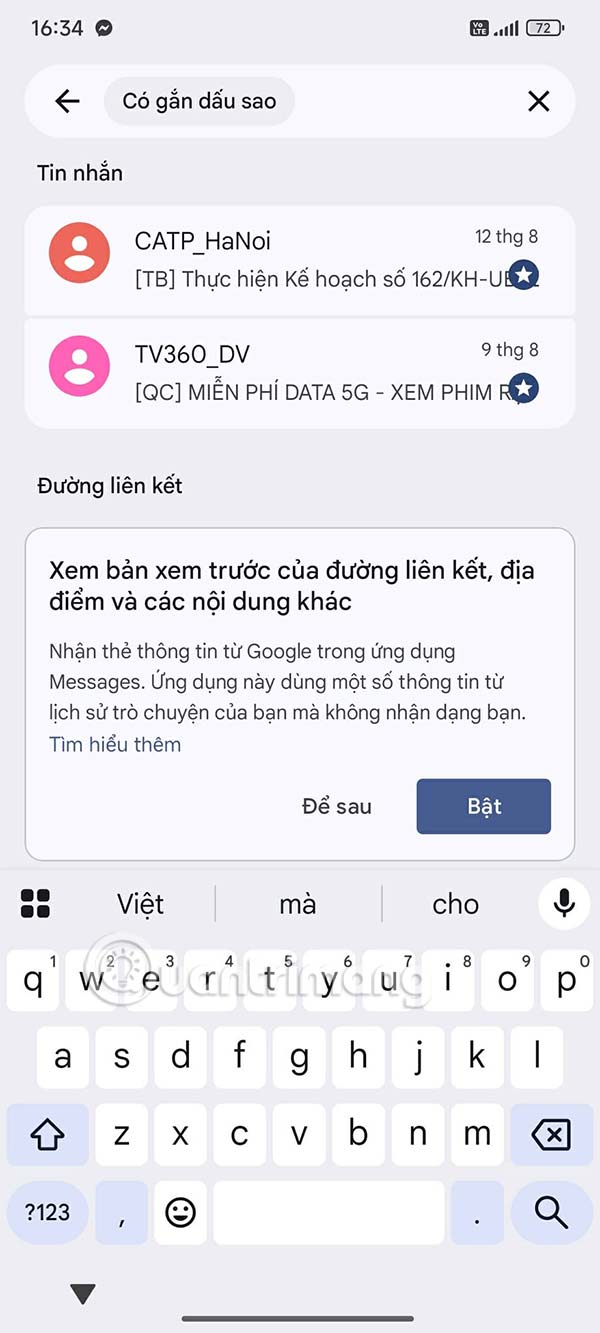
When you click on The search icon, You just need to Click on the Starred item To quickly find the starred message you want to find on your phone.
FAQ
How do you pin messages on Android phones: step-by-step guide?
In practical terms, the Google Messages app has a lot of cool features, one of which is the ability to pin important conversations to the top of the interface.
What should you check before getting started?
Review the requirements, compatible device or software version, and any warnings described in the guide before making changes.
What should you do if the steps do not work?
Repeat the steps in order, confirm that your app or system is up to date, and review the troubleshooting details provided above.
Related Articles
 How to Backup and Restore Zalo Messages on Android Phones5 minutes read
 Send, Receive Encrypted Messages, Self-destruct Messages, Secure Chat4 minutes read
 Sync Android SMS Messages to PC Using Mightytext7 minutes read
 How to Transfer All Data from an Old Android Phone to a New Phone?11 minutes read
 Tips Schedule Text Messages on Android Smartphone6 minutes read
 Google Translates Web Messages Applications from Android.com to Google.com3 minutes read
Reader Comments 0
Sign in with email or Google to join the discussion.