Table of Contents
TikTok has just updated the feature to retrieve deleted videos within 30 days to avoid accidentally deleting videos. Videos deleted on TikTok are saved and managed in a separate section for you to easily access and review when needed. In general, this operation is similar to the operation to retrieve deleted Instagram videos. Below are instructions for retrieving deleted TikTok videos.
How to get back deleted TikTok videos
Step 1:
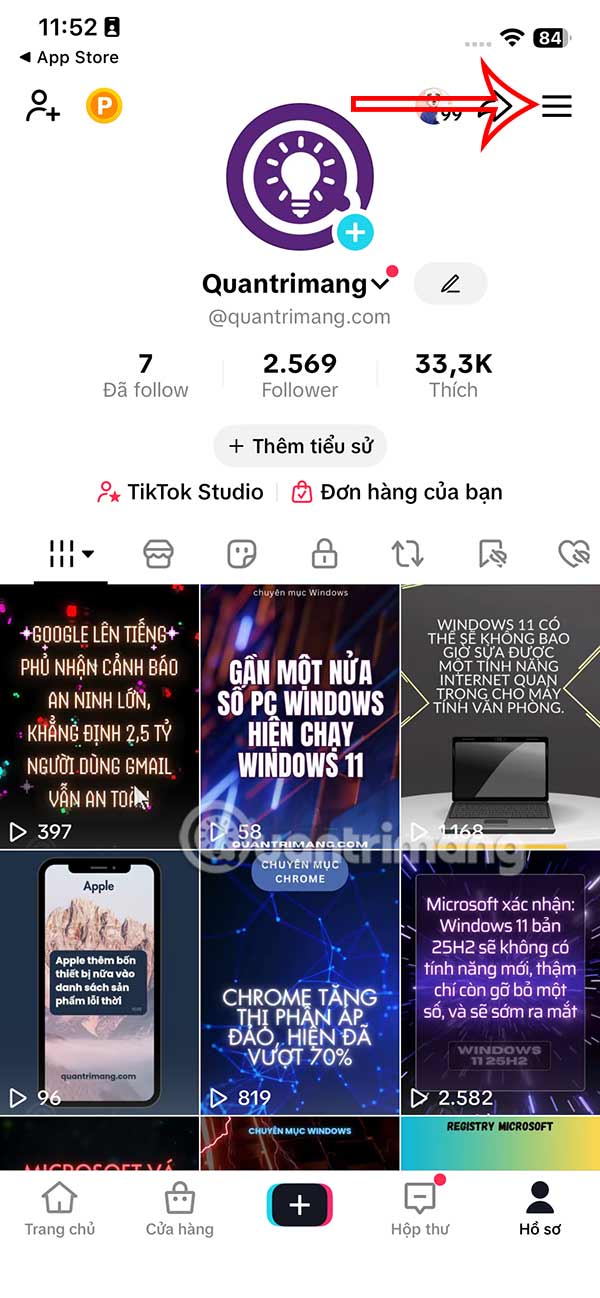
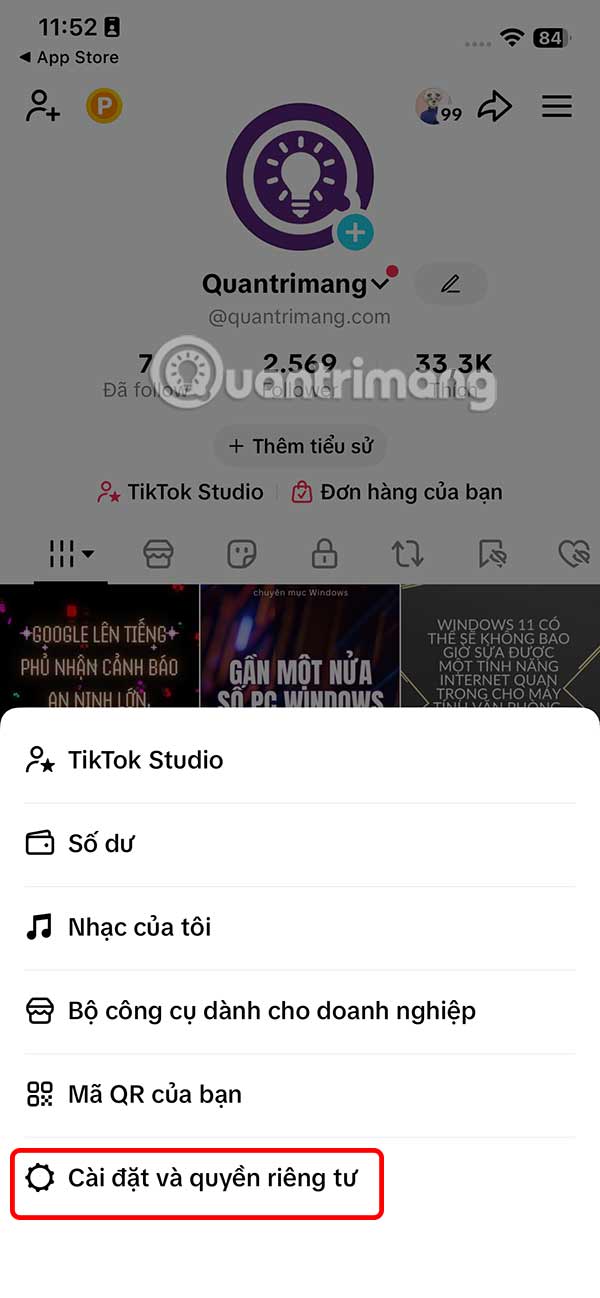
On the personal TikTok app interface, select the 3-dash icon in the top right corner. Then click Settings and privacy .
Step 2:
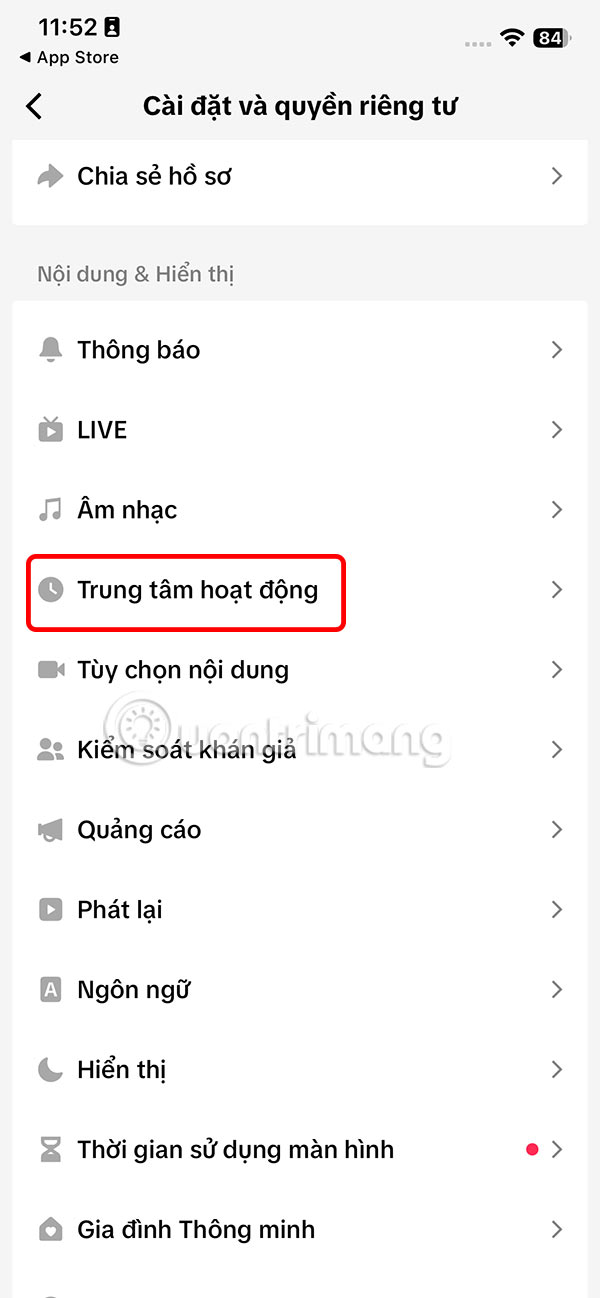
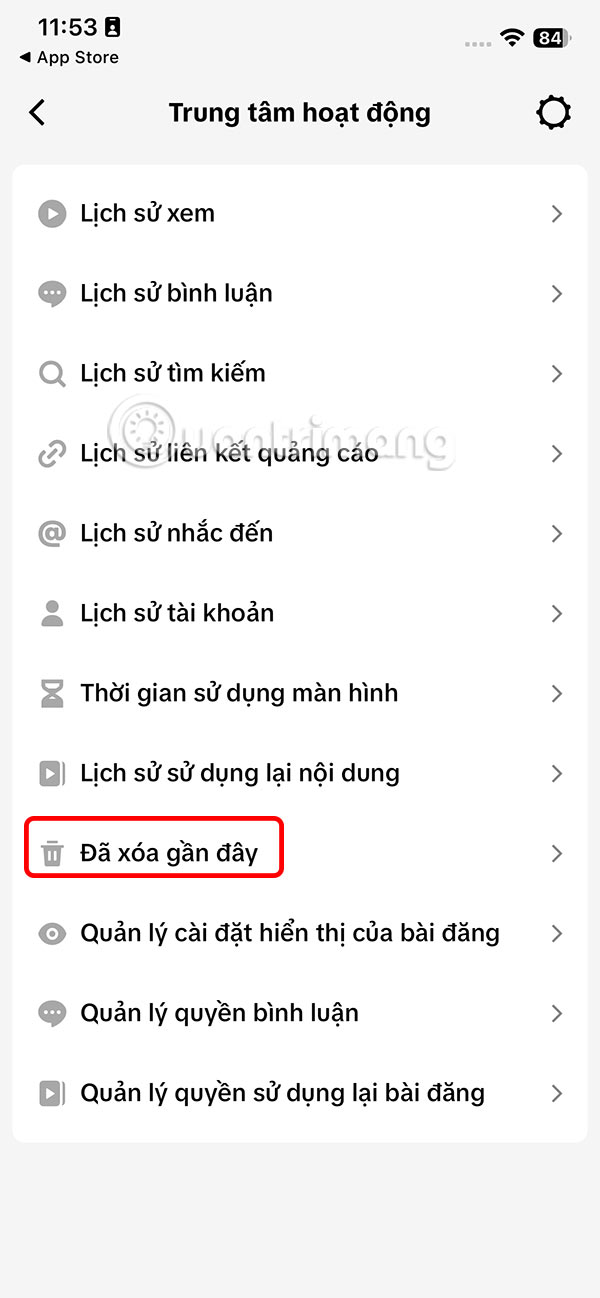
In the all settings interface for TikTok, you select Activity Center . Switch to the new interface, you select Recently Deleted .
Step 3:
The result is that you will see the deleted TikTok videos within 30 days of deletion. If you want to retrieve any TikTok video , select it. Then you need to select the Recover button at the bottom of the interface to retrieve the deleted TikTok video.

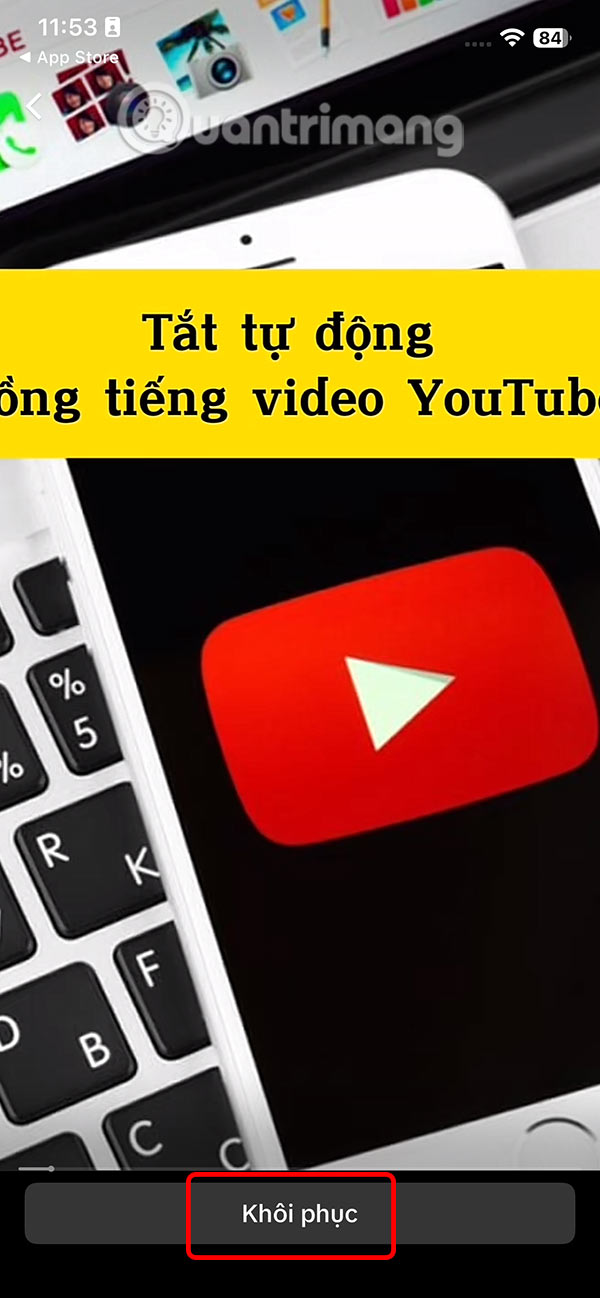
Step 4:
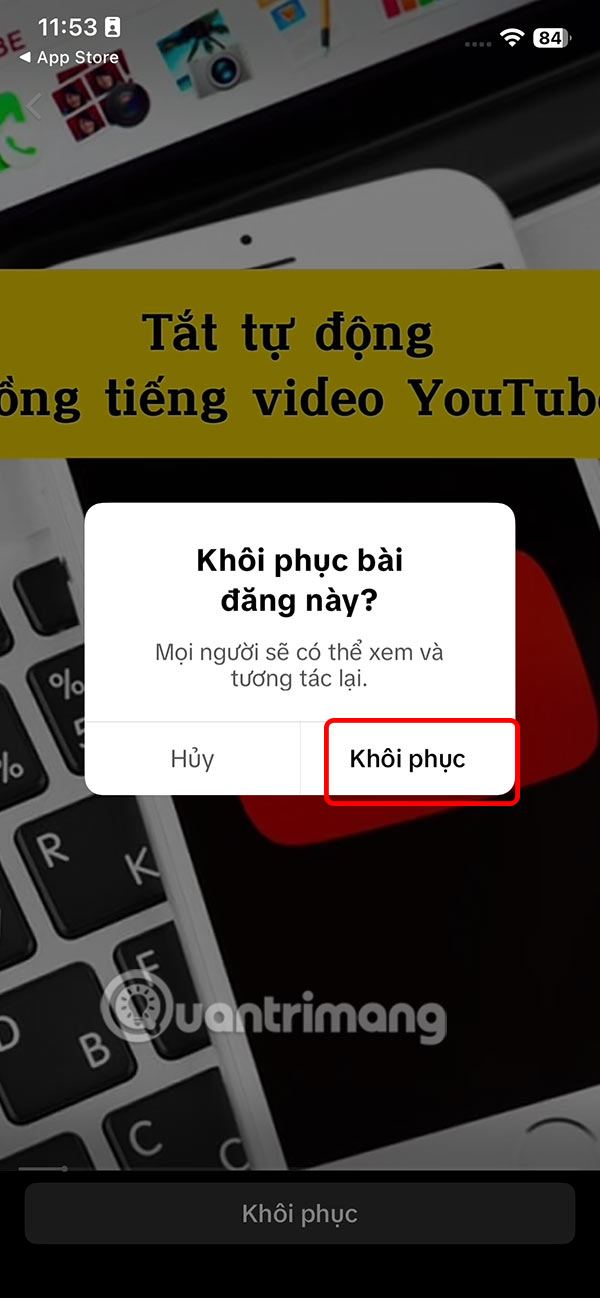
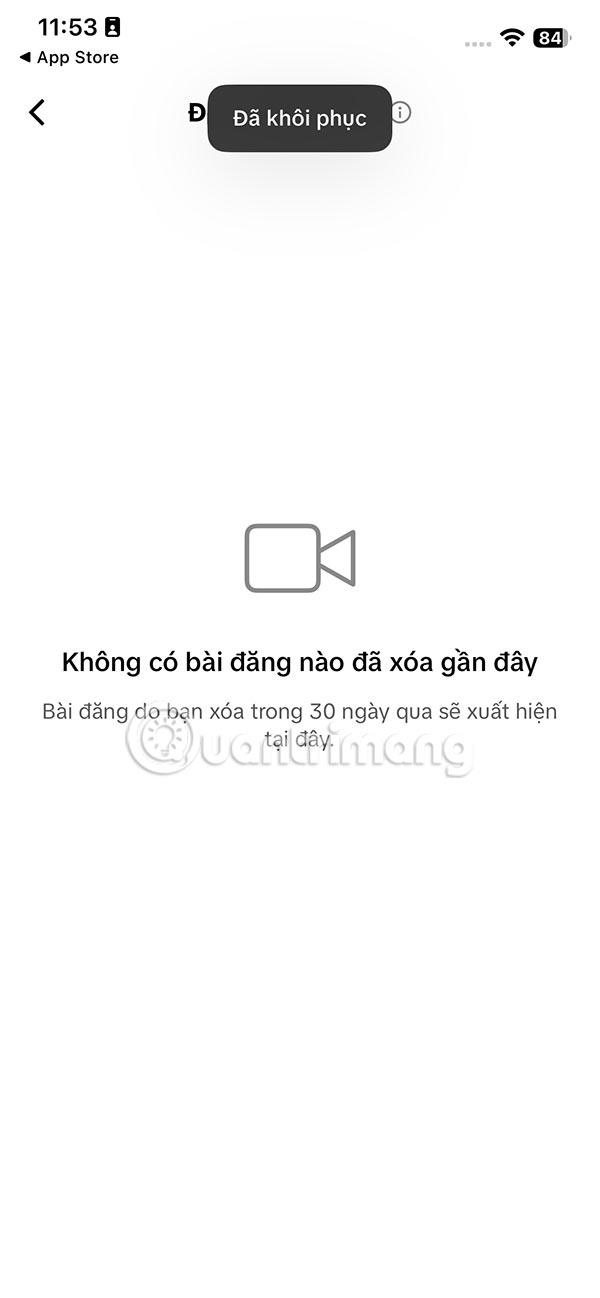
TikTok will now ask you if you are sure you want to restore this TikTok video, click Restore to proceed. The video will now display your TikTok interface again so that others can view, interact with, and comment on the video.
Final Thoughts
Following the steps in order and checking version-specific settings should make it easier to Recover Deleted TikTok Videos. If an option looks different, verify the device, app, or operating-system version before changing additional settings.
FAQ
What is the best way to Recover Deleted TikTok Videos?
Start with the requirements described in the article and follow the steps in order. TikTok has just updated the feature to retrieve deleted videos within 30 days to avoid accidentally deleting videos. Videos deleted on TikTok are saved and managed in a separate section for you to easily access and review when needed.
What should you know about How to get back deleted TikTok videos?
On the personal TikTok app interface, select the 3-dash icon in the top right corner. Then click Settings and privacy.
What should you do if the instructions do not match your screen?
Check the device, software version, account permissions, and regional settings. Interfaces can change after updates, so use the closest matching option and consult the official support documentation when necessary.
Related Articles
 How to Recover Deleted Images and Videos on Android7 minutes read
 How to Recover Deleted Images and Videos on Android Phones6 minutes read
 How to Make an Anime TikTok Video2 minutes read
 Tips for Using Tiktok for Beginners8 minutes read
 How to Recover Deleted Photos and Videos on OPPO Phones6 minutes read
 How to Watch Tiktok Videos on Computers Without an Account5 minutes read
Reader Comments 0
Sign in with email or Google to join the discussion.