Table of Contents
This updated guide explains how to create your WhatsApp sticker pack with clear steps, practical tips, and useful context. WhatsApp has officially rolled out the ability to create and share custom sticker packs right from within the app. Users can freely choose any sticker they like, from the app's stock stickers, or stickers created on WhatsApp to combine into their own WhatsApp sticker pack.
How to Create WhatsApp Sticker Packs
Step 1:
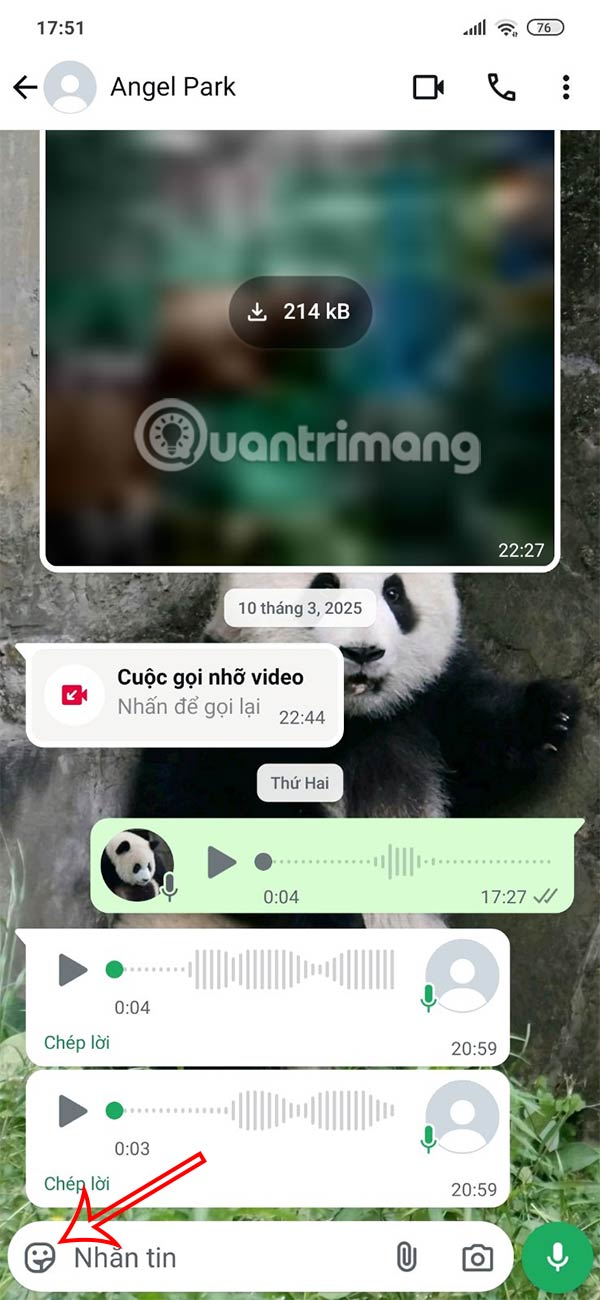
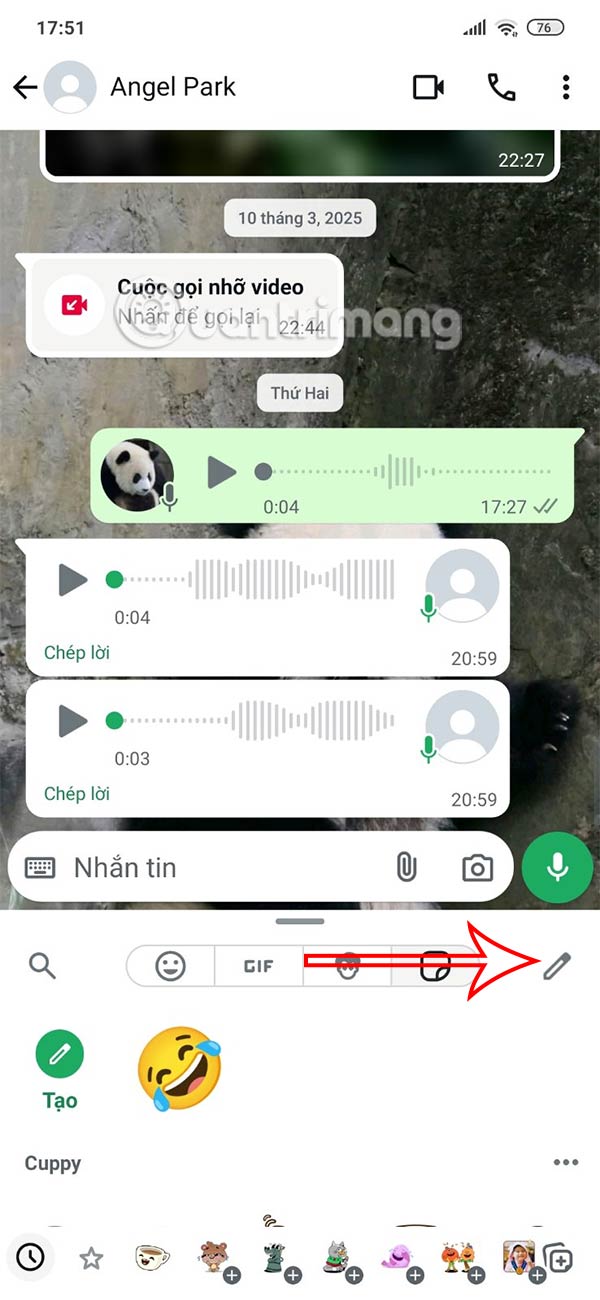
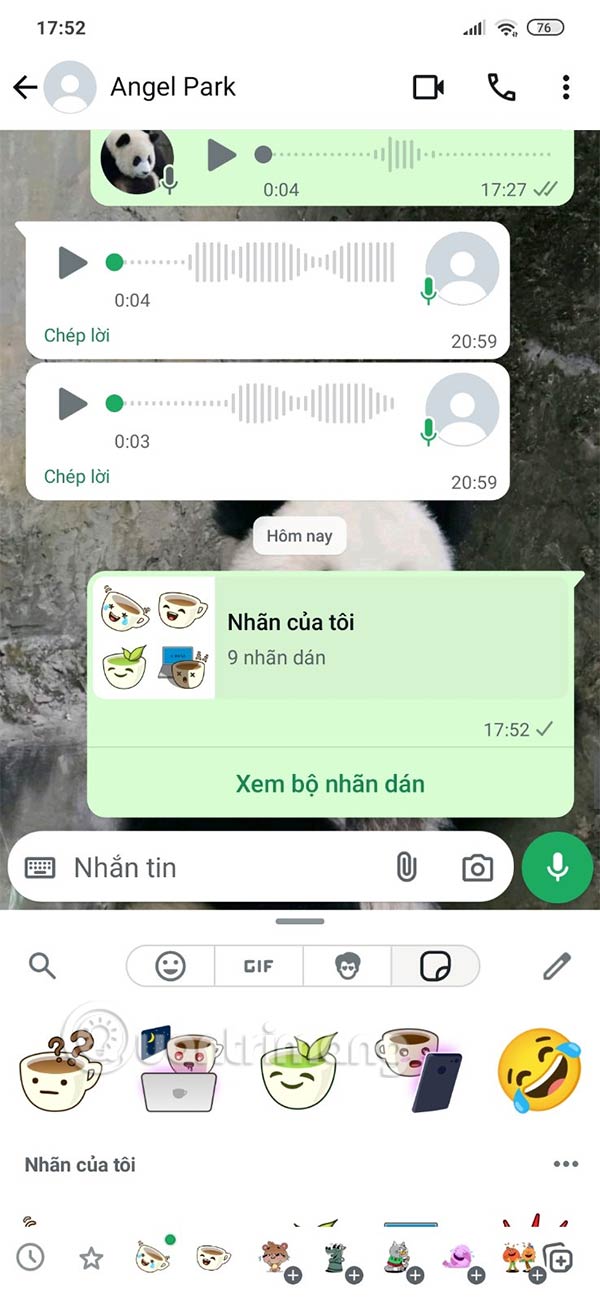
You open the chat on WhatsApp then tap the chat as usual. Continue tapping on the sticker icon to open the sticker library. Then tap the pen icon .
Step 2:
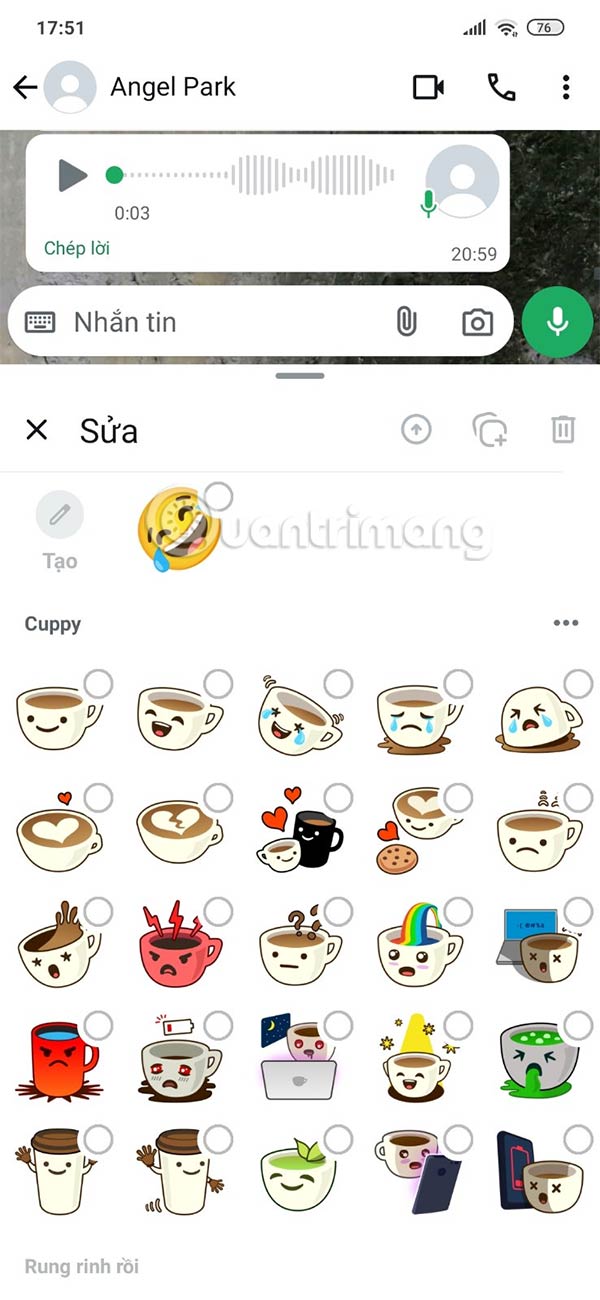
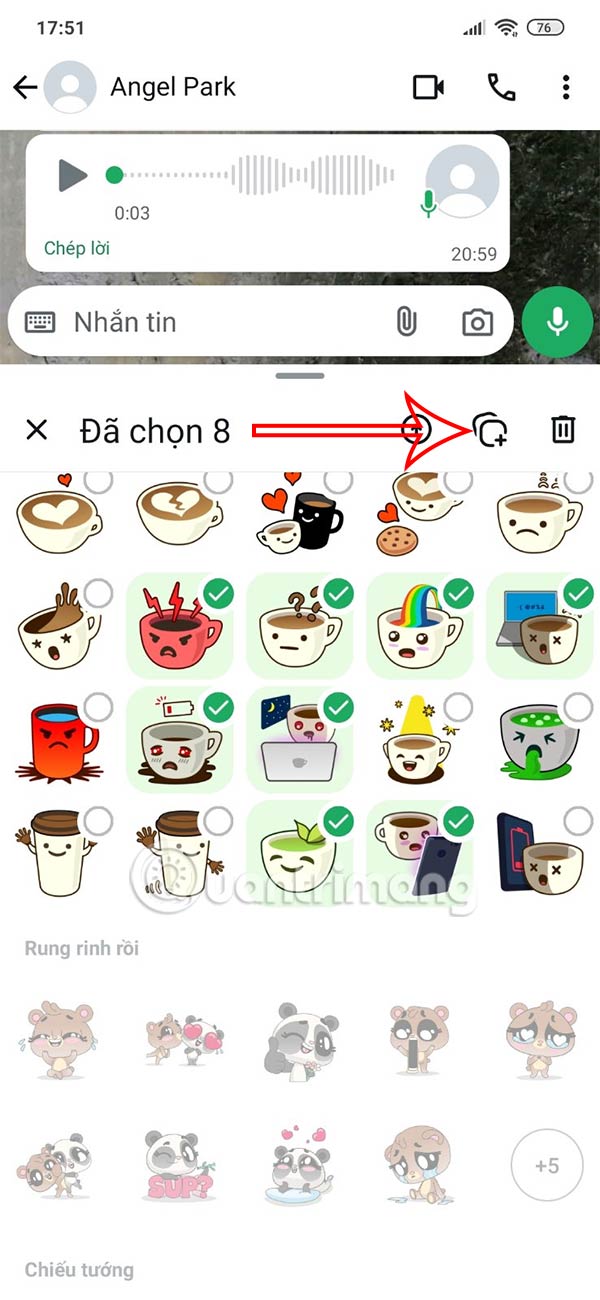
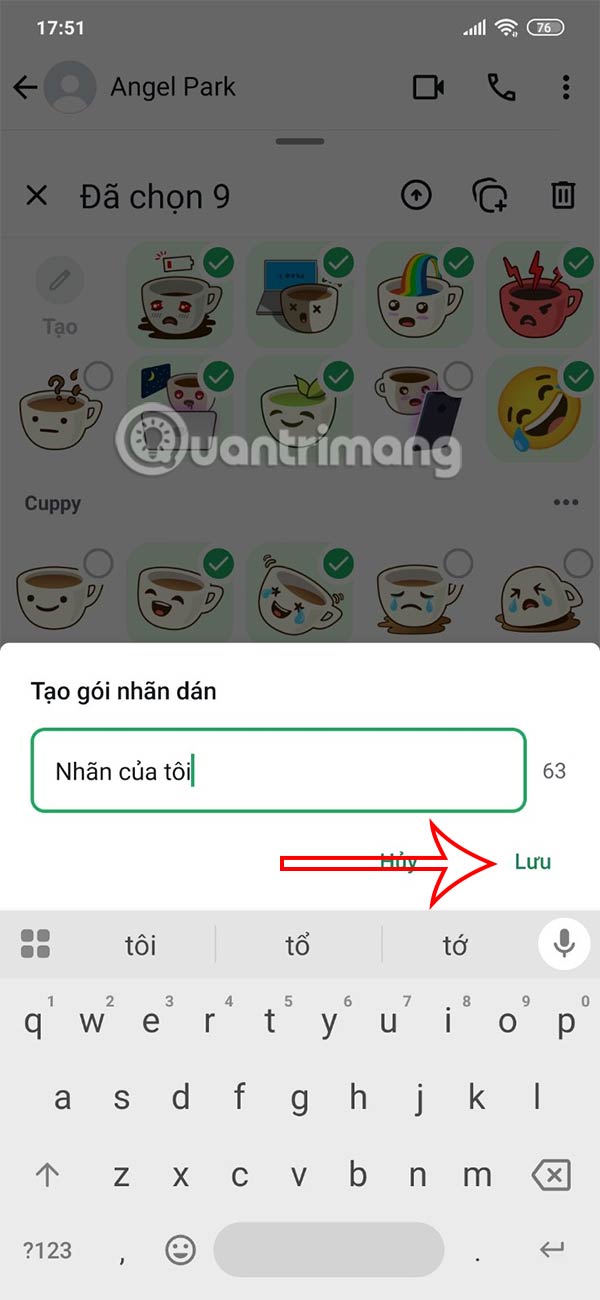
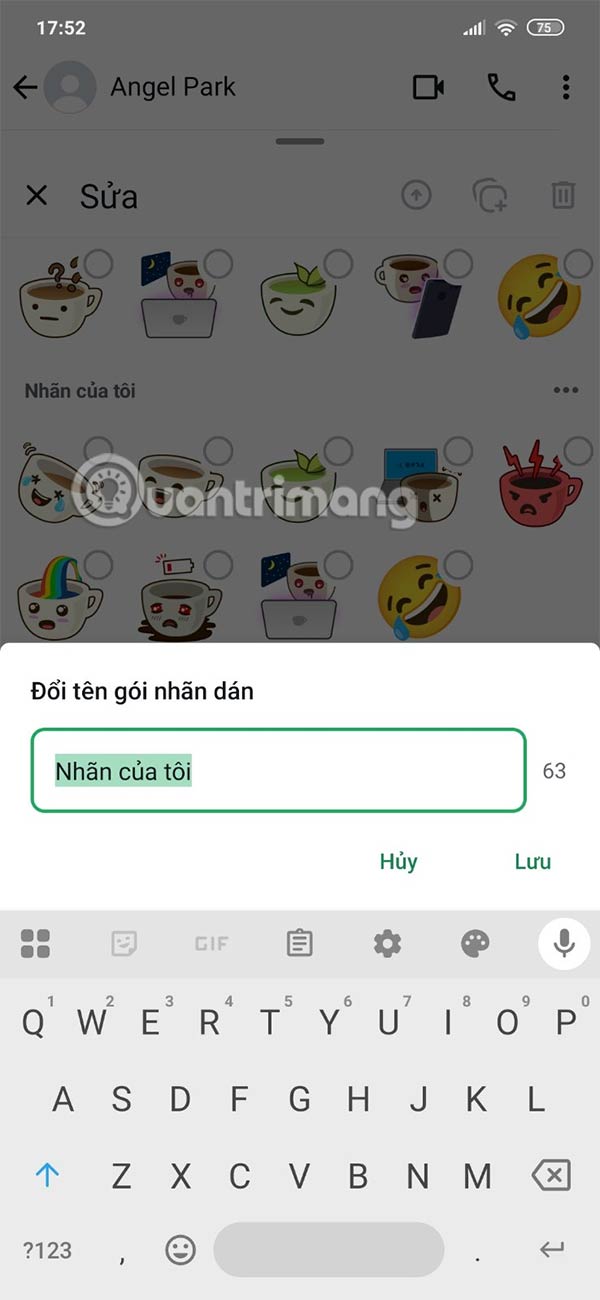
Display existing WhatsApp stickers, tap the stickers you want to combine into your package. Continue tapping the sticker pack creation icon as shown below.
Step 3:
Enter a name for the sticker pack and select Save to create your own WhatsApp sticker pack. You have now created a WhatsApp sticker pack.
Step 4:
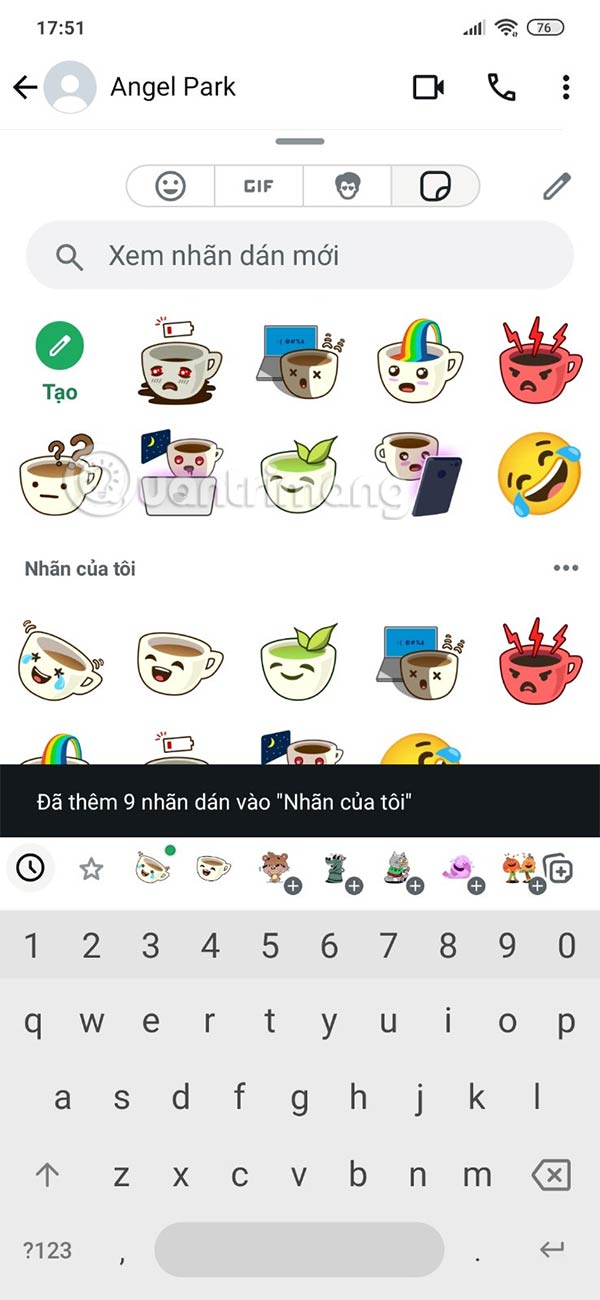
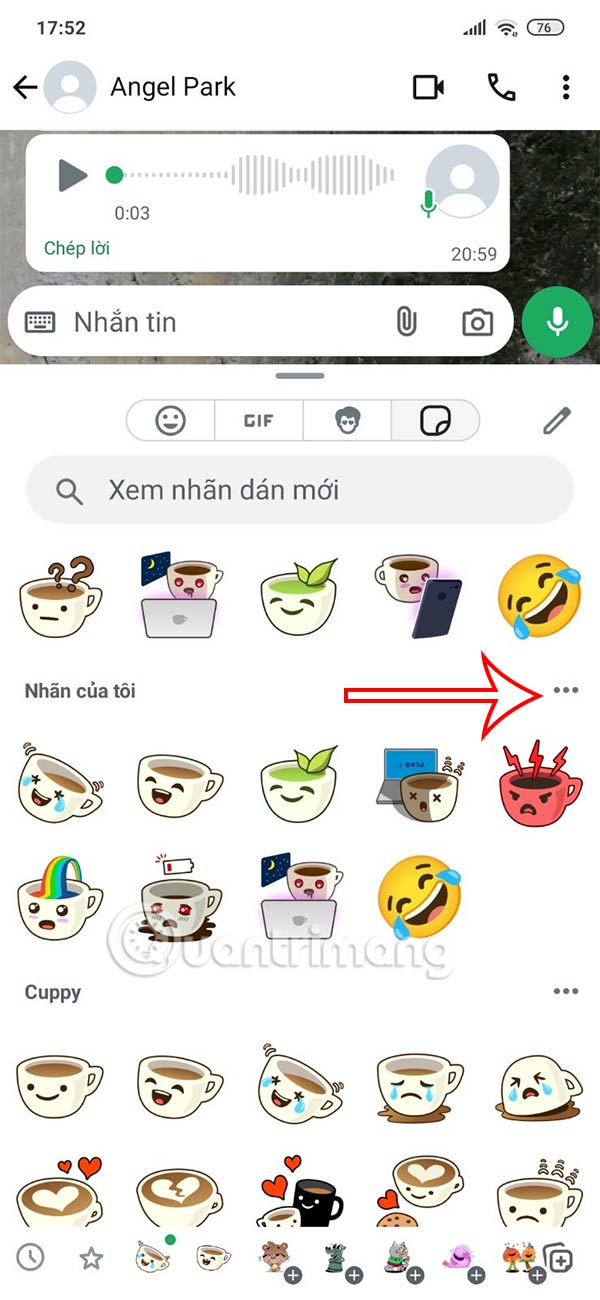
Go back to the WhatsApp sticker store interface and you will see the custom WhatsApp sticker pack. Tap the 3 dots icon to bring up the customization menu with this sticker pack.
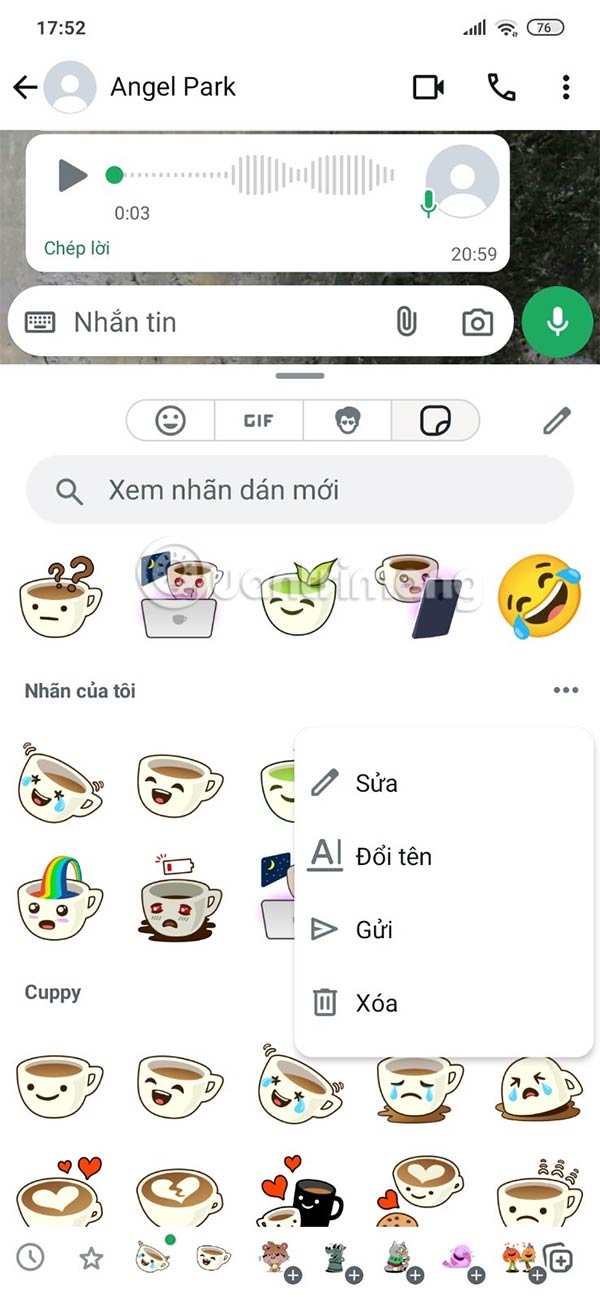
You can send WhatsApp sticker packs to your friends , or rename this WhatsApp sticker pack.
FAQ
What should I prepare before I create your whatsapp sticker pack?
Review the requirements and options in the guide first. Having the correct device, app version, account access, or materials ready helps prevent avoidable errors.
How long does it take to create your whatsapp sticker pack?
The time depends on the task and your setup. Most basic steps can be completed quickly, while downloads, updates, scans, or troubleshooting may take longer.
What should I do if the steps do not work?
Repeat the instructions in order, confirm that your software or device is supported, and check permissions, connectivity, and available updates before trying again.
Related Articles
 The Easiest Way to Create Whatsapp Sticker5 minutes read
 WhatsApp Adds Custom Stickers and New Text Formatting Options on Android4 minutes read
 Instructions for Sharing WhatsApp Stickers: Key Facts3 minutes read
 10 Top Sticker Packs for WhatsApp: Top Picks and Buying Guide9 minutes read
 How to Post Question Status on WhatsApp3 minutes read
 How to Create Facebook Sticker with Zamoji Application7 minutes read
Reader Comments 0
Sign in with email or Google to join the discussion.