Table of Contents
This updated guide explains how to cancel telegram premium subscription with clear steps, practical tips, and useful context. Telegram Premium package has many more upgraded features than the regular Telegram version on phones and computers. Accordingly, when registering for Telegram Premium, you will be able to use more features than the regular version, such as increased download capacity of 4GB.
How to Cancel Telegram Premium Android
Step 1:
On the phone interface, we choose on Play Store and then select our account avatar.
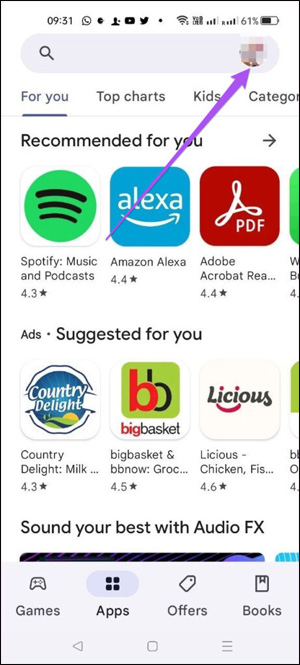
Step 2:
Switch to the new interface, users will see the settings for your account, we select Payments and Subscriptions . You will select Subscriptions .
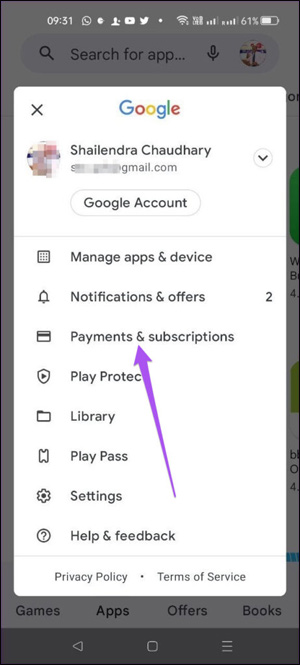
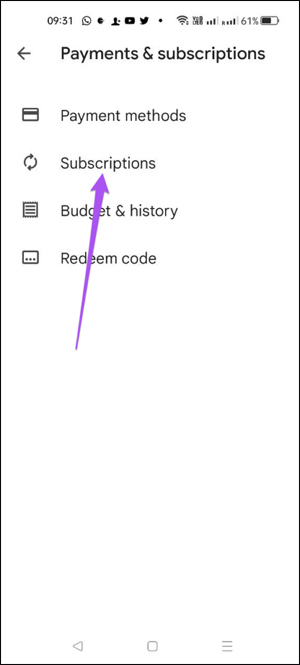
Step 3:
At this time, users will see the application packages that we have registered for, including the Telegram Premium package. select this Telegram Premium package to proceed to cancel the registration.
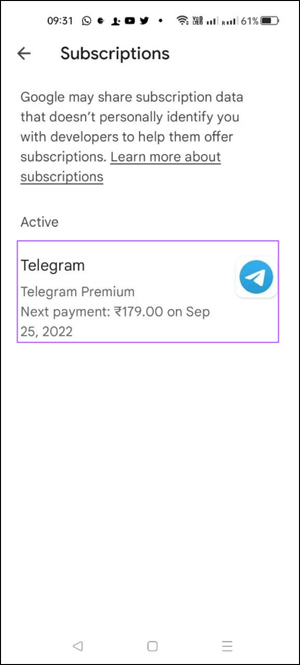
Step 4:
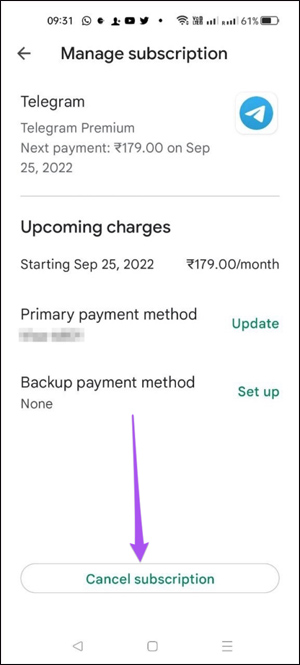
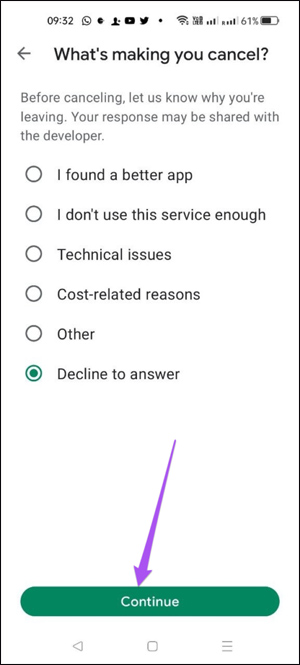
At this interface, users select the Cancel Subscription setting to cancel the Telegram Premium subscription. Then you will be asked the reason for canceling the Telegram Premium package . Users select a reason and then choose Continue below.
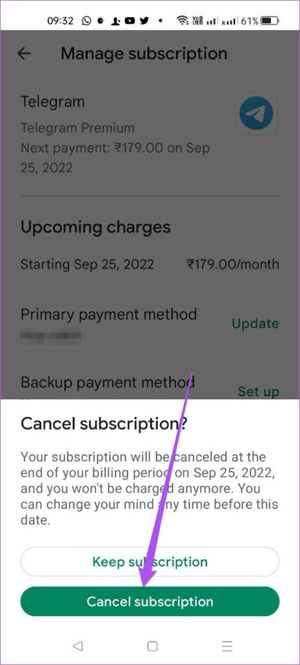
Finally, choose Cancel Subscription to complete the Telegram Premium cancellation process.
Immediately after that, the Telegram application will send a notification about your successful cancellation of the Premium subscription.
How to Cancel Telegram Premium iPhone Subscription
Step 1:
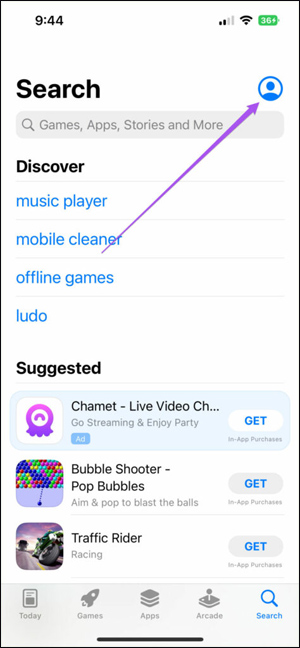
On the iPhone interface, select App Store . Next, the user also clicks on the person icon in the interface as shown below.
Step 2:
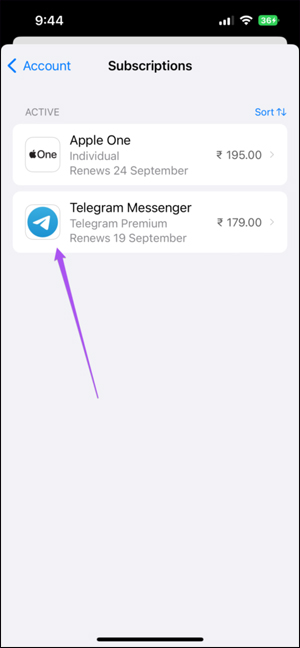
In this new interface, we continue to select Subscriptions to track which paid application packages you are using. Users will select the Telegram Messenger application .
Step 3:
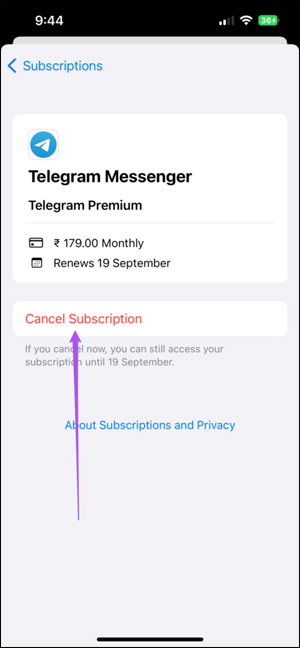
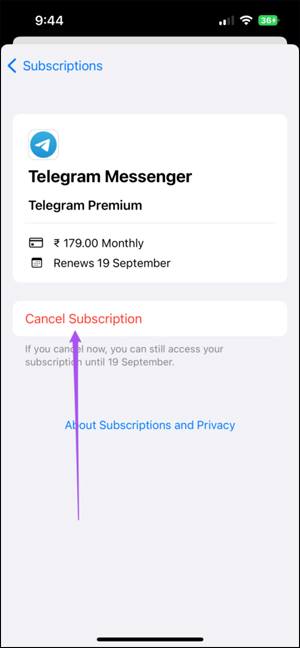
In this new interface, users select the Cancel Subscription option to cancel the Telegram Premium package subscription.
Finally, you just need to choose Confirm to confirm the cancellation of the Telegram Premium package.
Instructions to Cancel Telegram Premium on Computer
Note, You need to install iTunes on Windows before you can cancel your subscription.
Step 1:
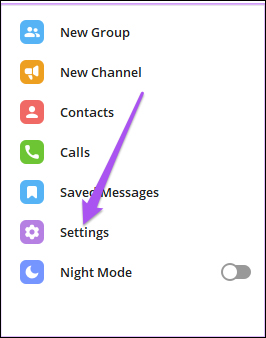
At the Telegram interface on the computer, we select the 3-dash icon and select Settings in the next displayed list.
Step 2:
In this interface, you continue to select Telegram Premium to see the package you have registered for.
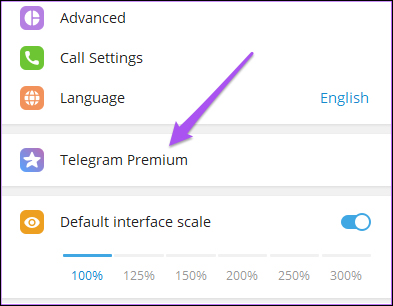
Step 3:
Now the pop-up interface appears on the right side of the interface, you select App Store in this interface.
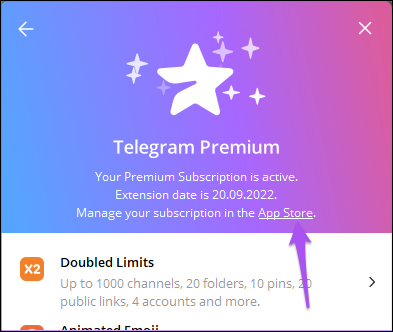
Immediately the iTunes interface on the computer will appear. Here the user clicks on Edit to proceed to edit the Telegram Premium subscription package.
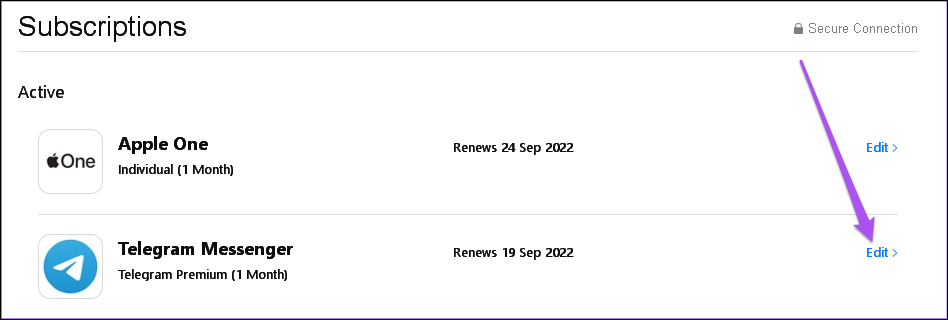
Step 4:
Now, you also need to choose Cancel Subscription to deactivate the Telegram Premium package.
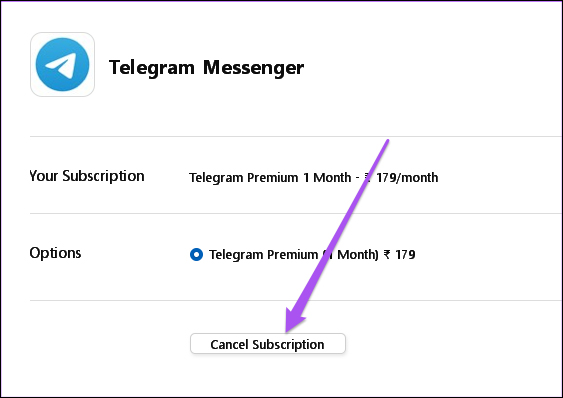
FAQ
What should I prepare before I cancel telegram premium subscription?
Review the requirements and options in the guide first. Having the correct device, app version, account access, or materials ready helps prevent avoidable errors.
How long does it take to cancel telegram premium subscription?
The time depends on the task and your setup. Most basic steps can be completed quickly, while downloads, updates, scans, or troubleshooting may take longer.
What should I do if the steps do not work?
Repeat the instructions in order, confirm that your software or device is supported, and check permissions, connectivity, and available updates before trying again.
Related Articles
 How to Cancel an Office 365 Subscription3 minutes read
 How to Cancel iCloud + Subscription on iPhone3 minutes read
 How to Cancel or Pause Your Netflix Subscription: Step-by-Step Guide5 minutes read
 This Is Why People Cancel Their X Premium Subscription!: What You Need to Know6 minutes read
 Why Did YouTube Cancel Your YouTube Premium Subscription?4 minutes read
 Instructions for Canceling Canva Package Subscription3 minutes read
Reader Comments 0
Sign in with email or Google to join the discussion.