Table of Contents
This updated guide explains how to create stickers on messenger using AI with clear steps, practical tips, and useful context. Messenger is testing an AI sticker creation feature so you can create stickers based on your imagination, Along with the option to create stickers from photos on Messenger.
How to Create AI Stickers on Messenger
Step 1:
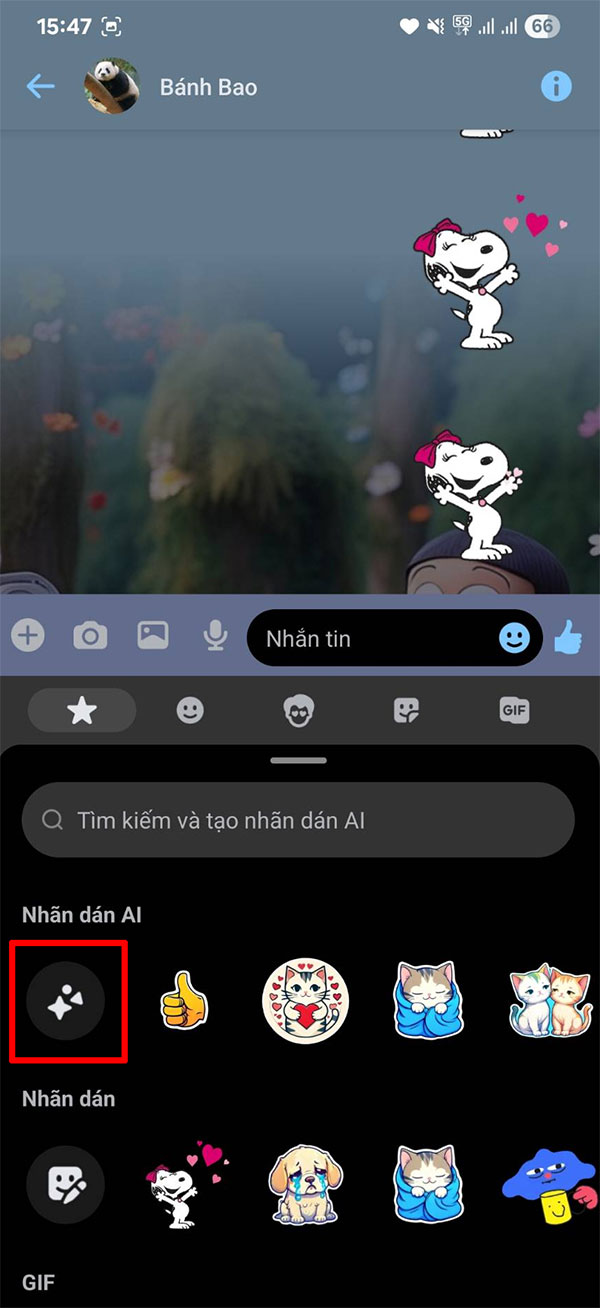
First, you update the Messenger app to the beta version to experience the latest features. Then access the app as usual. In the chat box, select the icon and then select the sticker section. We will see the AI Sticker option to do it.
Step 2:
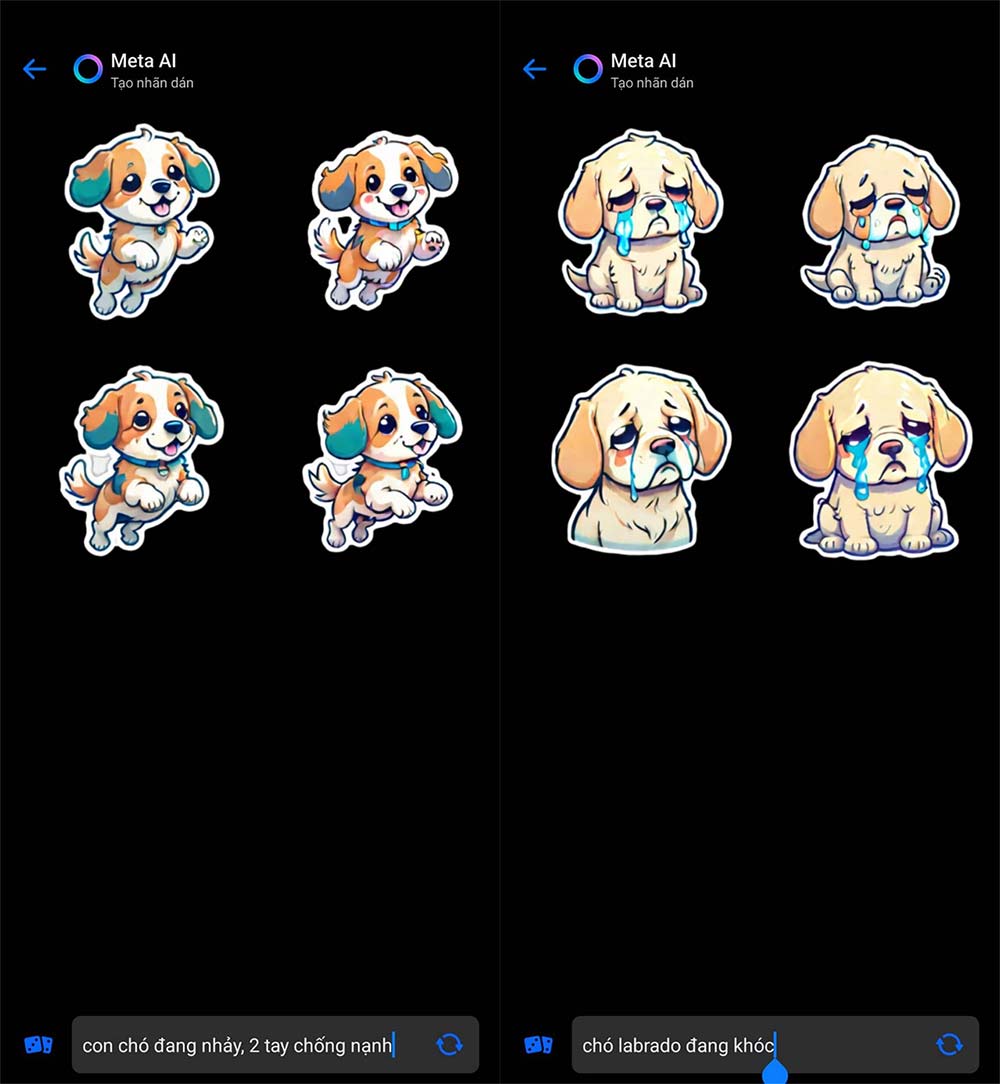
We enter the sticker description as usual. The more detailed you enter, the easier it is to create the sticker, then we wait a moment to create the sticker. As a result, you will see the AI sticker create Messenger name as shown below.
Finally, we send AI stickers on Messenger as usual.
FAQ
What should I prepare before I create stickers on messenger using ai?
Review the requirements and options in the guide first. Having the correct device, app version, account access, or materials ready helps prevent avoidable errors.
How long does it take to create stickers on messenger using ai?
The time depends on the task and your setup. Most basic steps can be completed quickly, while downloads, updates, scans, or troubleshooting may take longer.
What should I do if the steps do not work?
Repeat the instructions in order, confirm that your software or device is supported, and check permissions, connectivity, and available updates before trying again.
Related Articles
 How to Create Stickers from Photos on Messenger3 minutes read
 Instructions for Creating Stickers on Canva3 minutes read
 How to Create Stickers from Photos on Samsung: Step-by-Step Guide4 minutes read
 Have You Tried the Sticker Search Feature on Facebook Messenger Yet?5 minutes read
 How to Manually Create Stickers in Messages on iPhone3 minutes read
 How to Create Stickers Using ChatGPT4 minutes read
Reader Comments 0
Sign in with email or Google to join the discussion.