Table of Contents
This guide explains how to convert Video to MP3, with clear steps, practical tips, and important checks before you begin.

Freemake Video Converter software can help you convert Video formats to MP3 quickly and easily. This article will guide in detail how to install the software and use Freemake Video Converter software to convert Videos to MP3.
Instructions for installing Freemake Video Converter software
Step 1: Download the software to your device.
Step 2: Open the Freemake Video Converter software installation file, select the language to install (choose Vietnam for ease of use) and select OK .

Step 3: Select Continue .

Step 4: You choose 1 of the 2 options: Express (recommended): The software will install 360 Total Security (computer protection software), Custom installation ( custom installation ): if not want to install 360 Total Protection. Then select Continue .
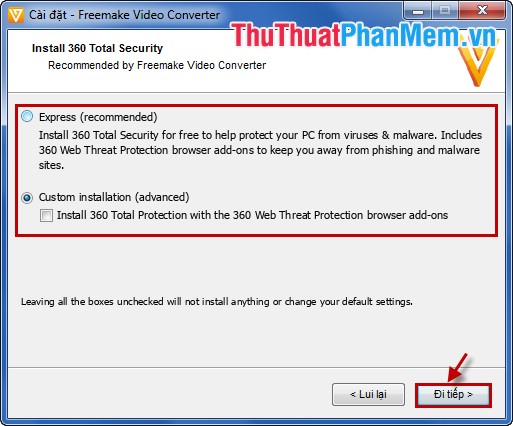
Step 5: You choose to customize the installation of TuneUp Utilities and select Continue .

Step 6: Customize the installation of additional Wajam software, if you want to install more, select I accept otherwise you select I do not accept and then choose Continue .

Step 7: Next, you choose the installation bar: Full installation , Install options and then select Continue .
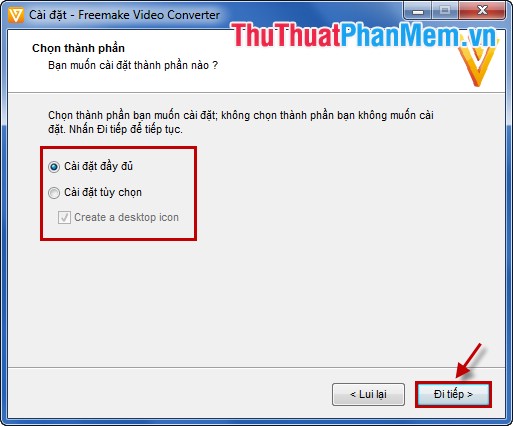
Step 8: Wait for the software to download and install, after the message box has completed installing you select Finish to finish the installation process.

Instruction for using Freemake Video Converter software to convert Videos to MP3
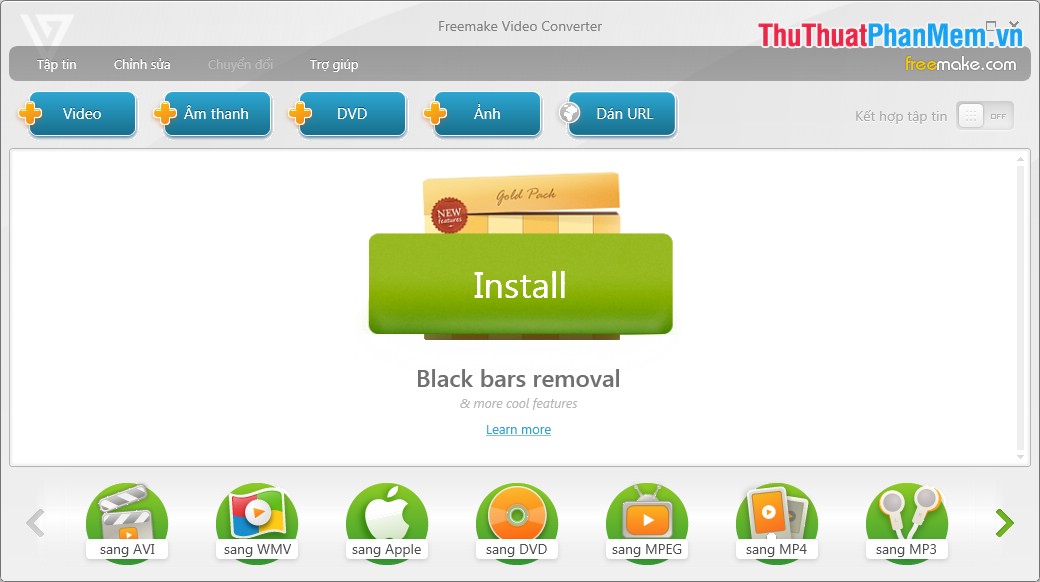
Step 1: Open the software after installation.
Step 2: Click File -> Add Video or click + Video in the interface to select Video to transfer. Also you can give the URL of the Video you need to convert to MP3.
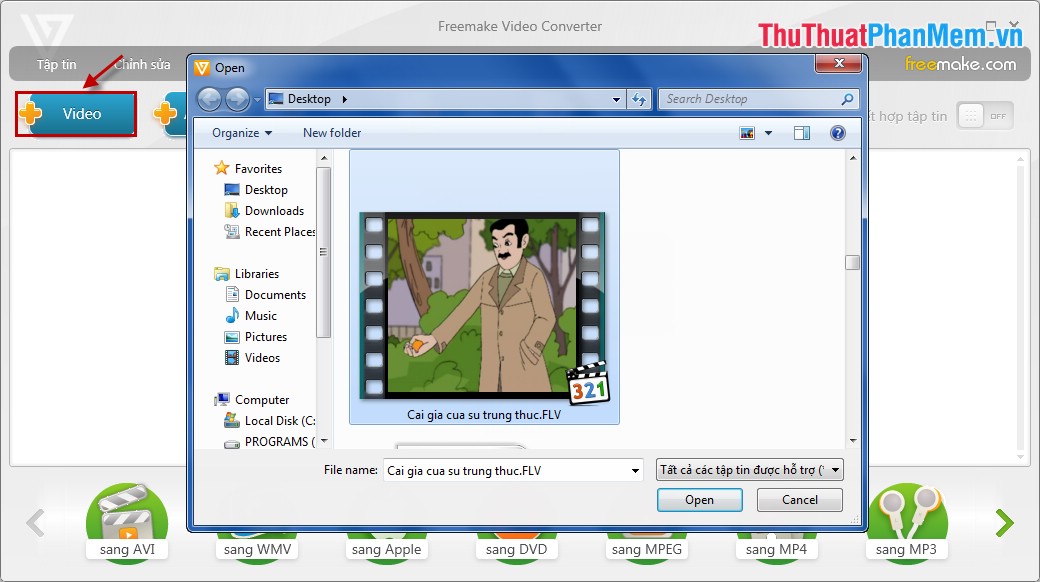
Step 3: Select the icon next to the Video you just selected to edit, cut Video.

Step 4: Select to MP3 to convert Video to MP3 format.

Step 5: A small dialog box appears, select the icon. of Browse to change the folder containing the MP3 file after conversion is complete. Then select Convert to start the conversion software.

Step 6: After the conversion process is completed, the software will give the message that the Conversion is complete and select OK to finish.

Then close the software, and open the converted MP3 file from the Video to see the results together.
With Freemake Video Converter software free, install and convert quickly, you can convert Video to MP3 depending on your needs. Good luck!
FAQ
What should I know about Convert Video to MP3?
Focus on the key features, requirements, limitations, and practical use cases explained in this guide.
How do I get the best results with Convert Video to MP3?
Follow the recommended steps, use current software or information, confirm compatibility, and review settings before major changes.
Are there any risks or limitations?
Potential limitations depend on compatibility, data quality, cost, privacy, support, and how the product or method is used.
Related Articles
 How to Convert Video to Mp3 Using Free Video to MP3 WMA Converter8 minutes read
 Guide to Convert Video to MP4 by Total Video Converter3 minutes read
 How to Convert Video to Audio for Free: Download Mp3 on YouTube4 minutes read
 How to Convert Online Video Format with Zamzar5 minutes read
 How to Convert Video Format for Smartphones with Qtlmovie5 minutes read
 How to Rip Music from Video on Computer with AV Video Converter6 minutes read
Reader Comments 0
Sign in with email or Google to join the discussion.