Table of Contents
Learning how to call cars online on grabshare is easier when the steps are completed in the correct order. Use this guide to prepare, make the changes, and verify the result.
GrabCar or GrabBike are popular and familiar car calling services for many users today. GrabShare is also Grab's service but it is still relatively new to users. Basically GrabShare also supports users to call cars online, but can save up to 30% of the fees you pay.
That means you will share a car, share the trip with the passengers in the same direction. Since then, the amount to be paid will be shared among the same people. The steps below explain how to use GrabShare to call online cars.
- How to register as a motorbike driver GrabBike
- How to find Grab trips with invoices
- How to use Grab Call to GrabCar
Instructions for calling GrabShare online
1. What is GrabShare?
GrabShare is Grab's carpooling service, with passengers with the same travel route, namely 2 trips. Each booking request will have 2 passengers, ie, with GrabShare flights, there will be a maximum of 4 passengers, excluding drivers.
Passengers in the car will only experience a maximum of 2 stops before reaching their desired stop. In terms of costs, customers will be reduced by 30%, while driving will increase about 15% of income. If with GrabCar, you will have to pay the full amount for the trip, with GrabShare we will share the money with you.
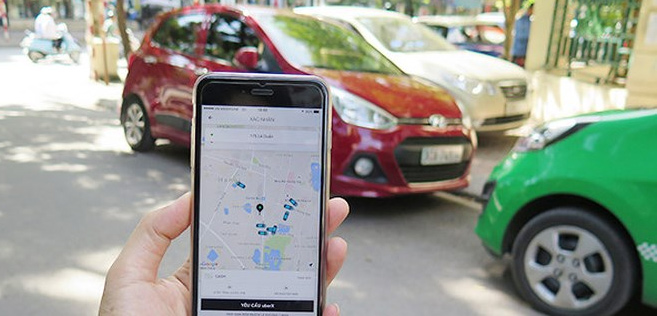
2. How to call GrabShare cars
- Download the Android Grab app
- Download the iOS Grab app
Step 1:
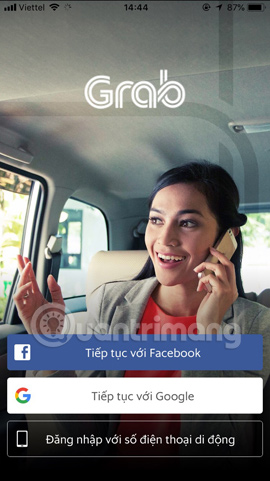
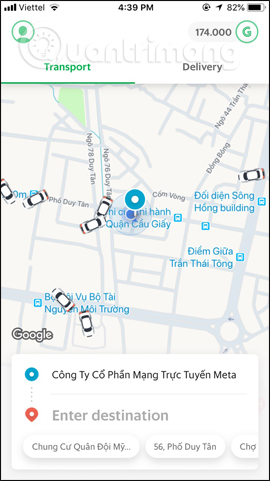
First, you also need to download Grab application to your device and then sign in via phone number, Facebook or Google account. Next you will see the main interface of the Grab application.
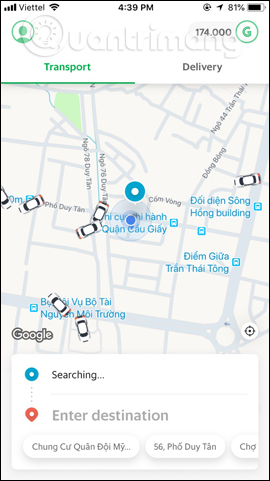
Step 2:
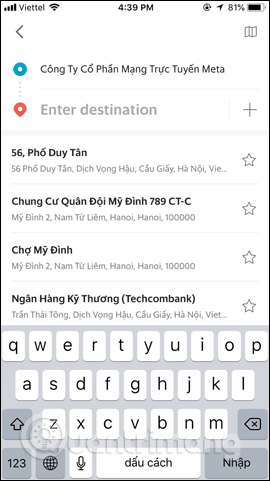
First click The green circle icon To enter your current location. Then click The red positioning icon To enter the location you need. Places that we frequently enter will be saved by the app to find faster.
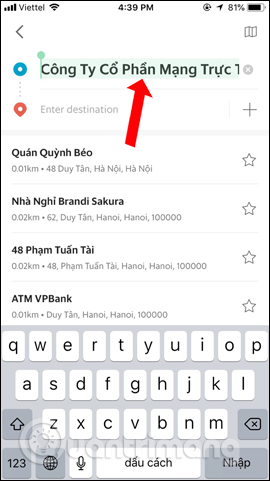
Step 3:
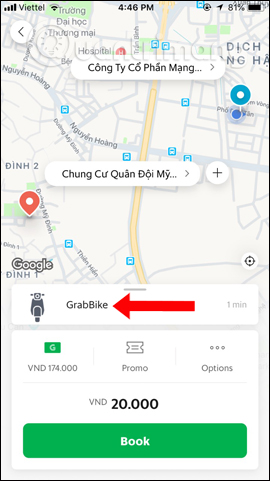
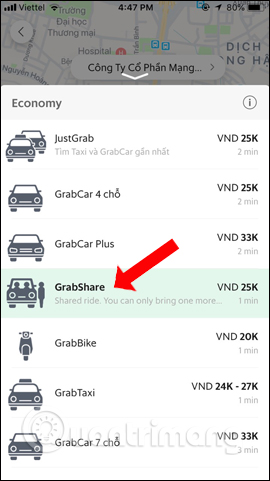
Then select the transport medium you want to use. We will choose GrabShare To use.
Step 4:
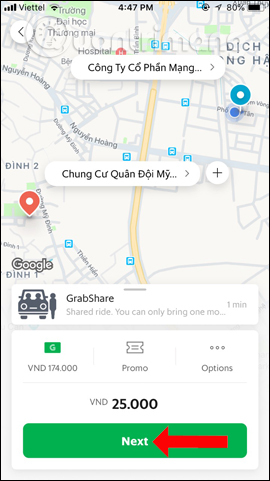
You will then see the amount we pay. This amount will be shared with other riders with the same route as you. Click Next To continue.
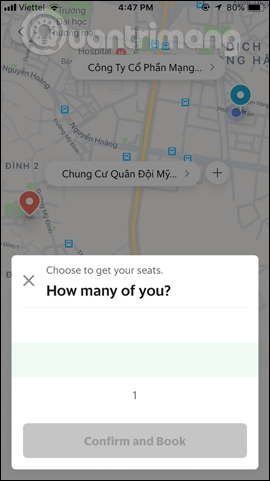
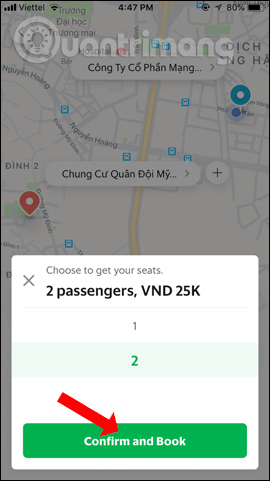
Next the app will ask users How many people are with you . At most, only 2 people will be allowed to go in one ride. Click Confirm and Book Below.
Step 5:
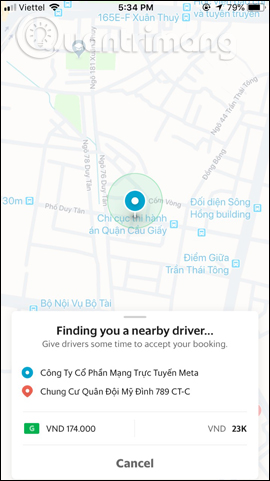
At the same time the driver will receive an additional ride with the same route as you and then pick up the passengers. the app will search for drivers who are near your area, and show when drivers receive the trip. This interface will show driver photos, names, license plates, vehicles and colors.
The time the driver will be present at the location to pick you up will also show up on the screen. Finally, when you arrive at the place you want to go, the app will then pay the money with the person traveling the car.
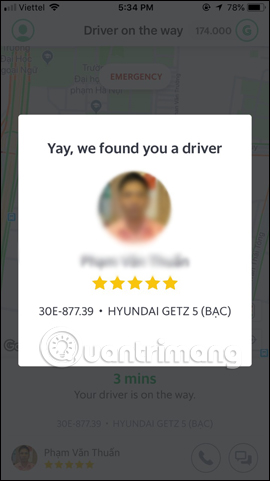
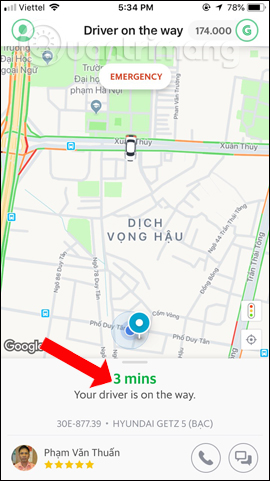
This is considered as a solution to save the cost of calling a car, vehicle fee when using GrabShare compared to GrabCar or GrabTaxi. The driver will also have additional income. Note that the surcharge will only be charged for trips with extra charges, or split if both parties go through a surcharge.
- How to register for Mai Linh taxi driver
- How to call Mai Linh taxi on the phone
- Instructions for booking online train tickets by phone
I wish you all success!
FAQ
What should I prepare before I call cars online on grabshare?
Review the requirements in the guide, confirm that your device or software is compatible, and save important work before changing settings related to call cars online on grabshare.
Why might call cars online on grabshare not work as expected?
The most common causes are incompatible versions, missing permissions, incorrect settings, or an interrupted internet connection. Recheck each step and restart the app or device when appropriate.
Can beginners follow these call cars online on grabshare steps?
Yes. Follow the steps in order, avoid skipping confirmation screens, and compare your interface with the screenshots because labels may differ slightly between versions.
Related Articles
 Guidance on Registration of Cars, Granting of License Plates via6 minutes read
 How to Use Grab Call to Grabcar5 minutes read
 How to Use Cars 4D + Automotive Screenings and 4D Car Kits6 minutes read
 How to Call Grabtaxi Online: How to Grab Grabs Online5 minutes read
 Sony Is Producing Cars, with 33 Sensors, This Will Be the 'Most4 minutes read
 Free Conference Call - Free Conference Call Download and4 minutes read
Reader Comments 0
Sign in with email or Google to join the discussion.