Table of Contents
Claude Code helped identify 143GB of recoverable space on one Windows PC by auditing large folders and explaining what they belonged to. Most of the space came from old virtual-machine disks, downloaded AI models, development tools, and application caches—not ordinary Windows temporary files.
This is a case study, not a list of folders that everyone should delete. An AI tool can misidentify files or suggest a damaging command. Back up important data, use Windows' built-in cleanup tools first, review every path yourself, and never approve a deletion you do not understand.
Why the C: drive was still full
Windows Storage settings are useful for common categories such as temporary files, the Recycle Bin, and old update files. They may not clearly explain large data left inside user profiles, development environments, virtual machines, or third-party application folders.
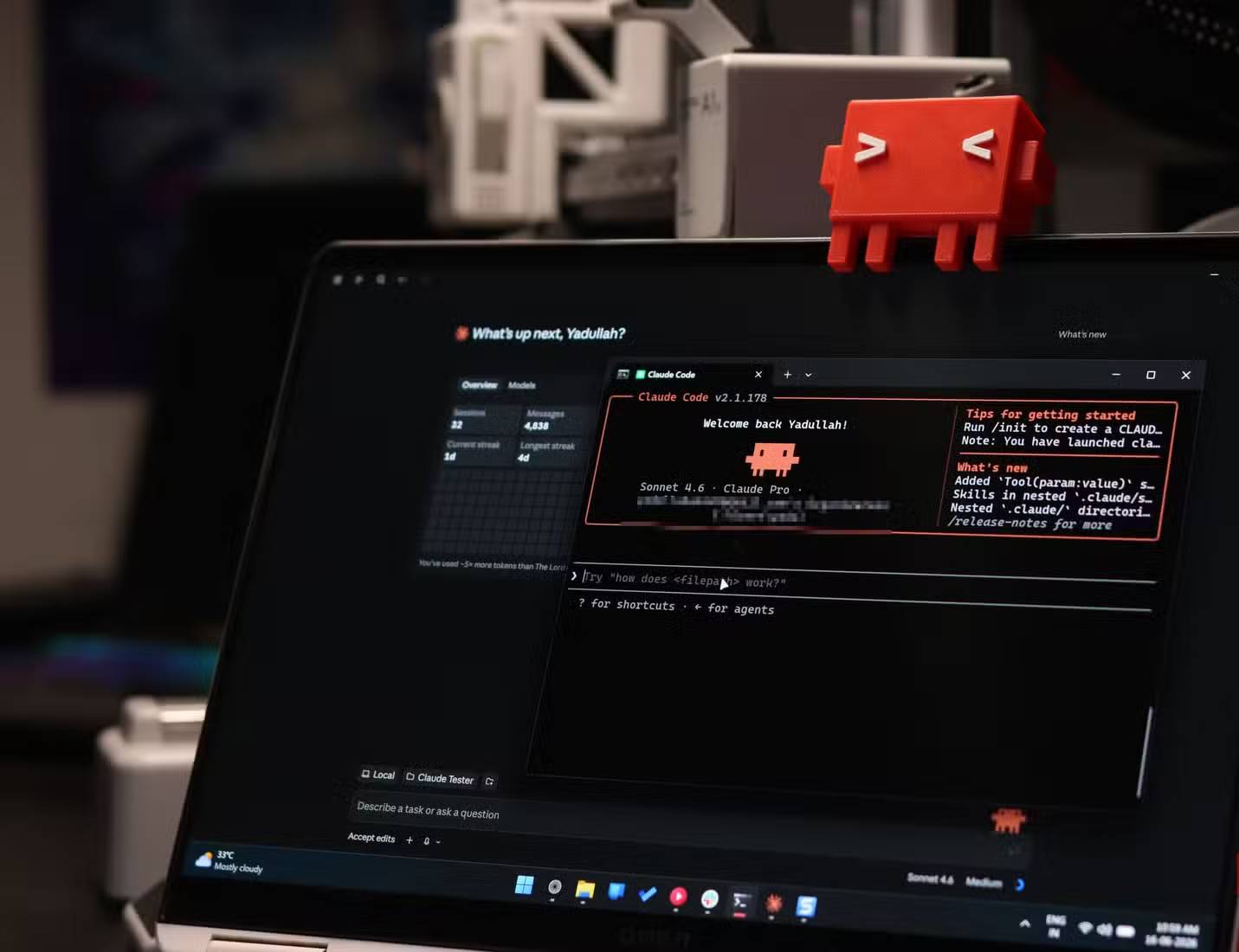
Claude on the web cannot directly inspect a PC. Claude Code, however, runs in a terminal and can analyze command output from the local machine when the user grants access. In this audit it was used to inventory folders and interpret likely contents; the owner made the final decisions.
Safety checks before investigating
- Back up irreplaceable documents and project files.
- Create a list of installed applications and active development environments.
- Empty space through Settings > System > Storage before examining third-party folders.
- Ask the tool to report file paths and sizes only; do not begin with an automatic deletion request.
- Check whether an application provides its own uninstall or cache-clearing option.
- Keep a record of every approved change and restart the relevant application afterward.
What the audit found
Old virtual-machine disks
The largest discovery was approximately 72.6GB of VirtualBox images belonging to virtual machines that had not been used for months. Virtual disks may contain an entire operating system and personal files, so they should be opened or backed up before removal.
Downloaded AI models
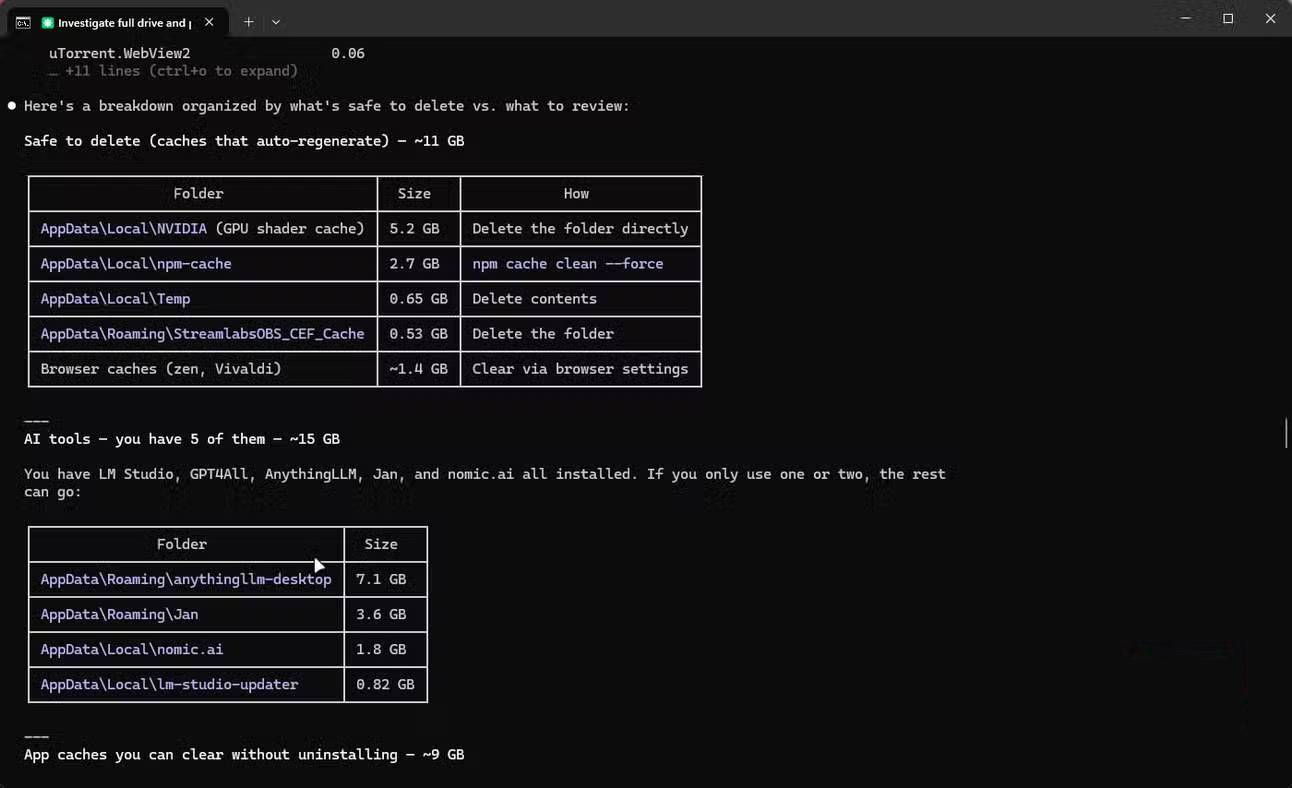
Several previously tested AI applications had left model files in AppData after the main programs were removed. In this case, folders associated with LM Studio, AnythingLLM, Jan, GPT4All, and Nomic.ai accounted for roughly 30GB.
Before deleting a model directory, confirm that no installed application still uses it. If the application remains installed, remove models through its own interface when possible.
GPU and shader caches
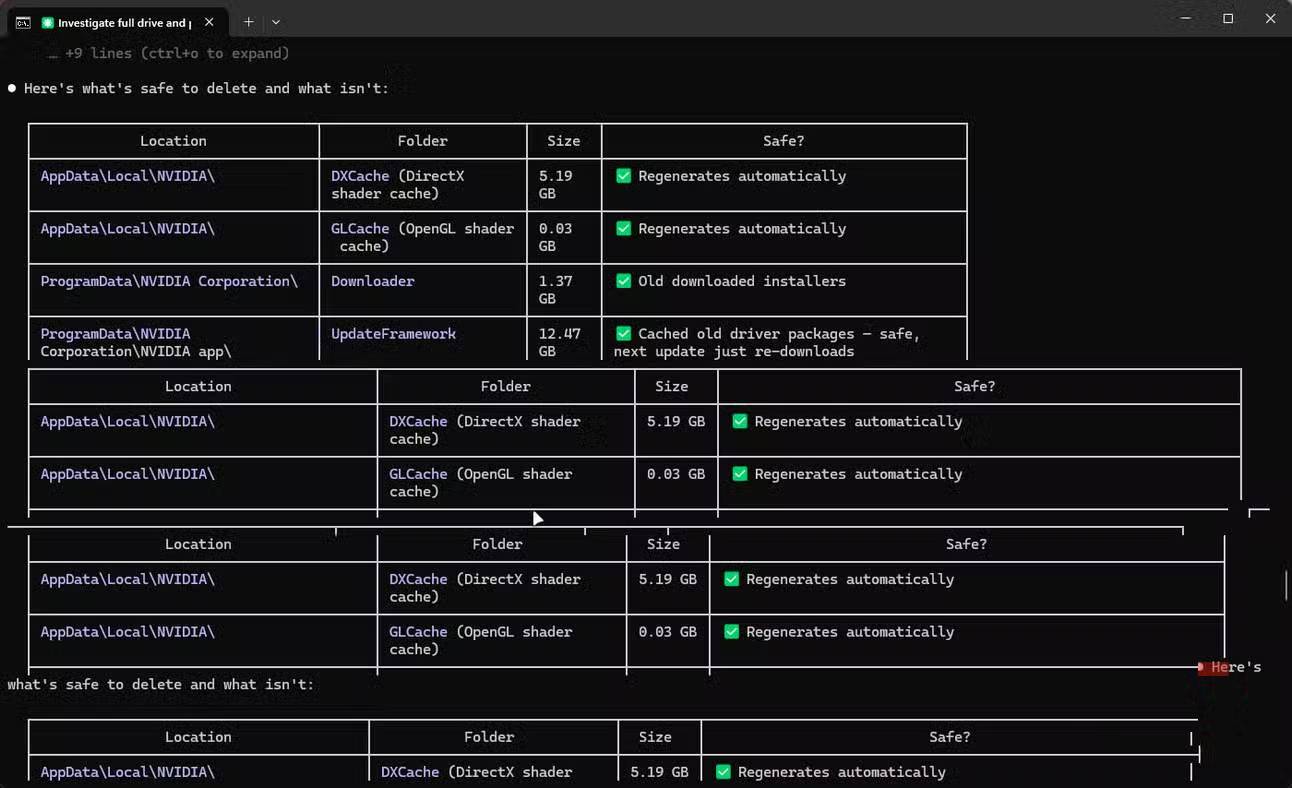
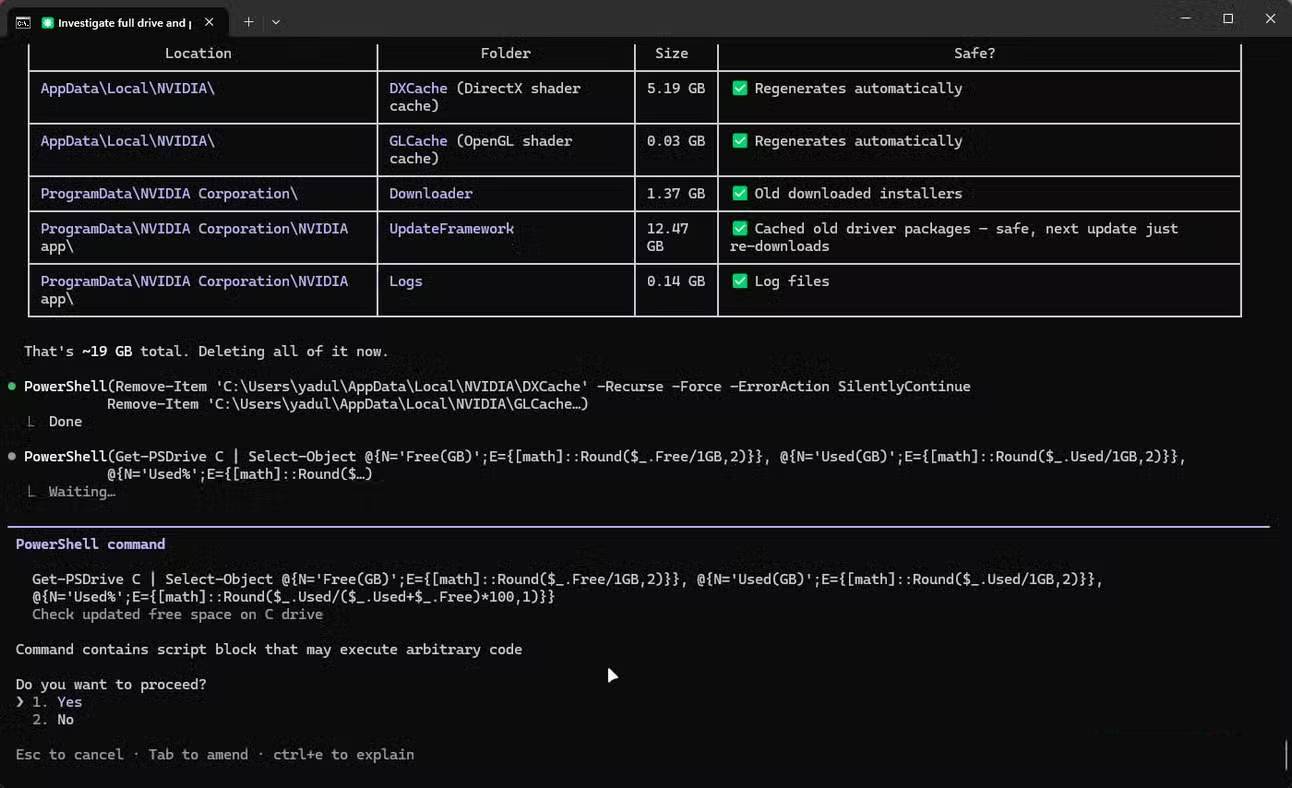
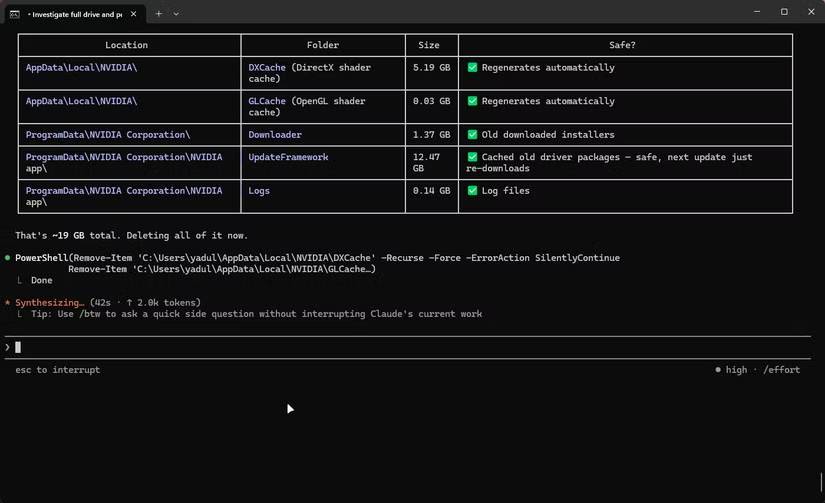
Nvidia-related caches accounted for another large share. Some caches can be regenerated, but that does not make every Nvidia folder disposable. Use Windows' Temporary files page or the application's supported cleanup method, and verify the exact path before changing anything.
Development tools and unused environments
The audit also found an unused WSL Ubuntu installation, npm cache data, Playwright browser binaries, parts of an Android SDK, and application data from programs no longer in use.
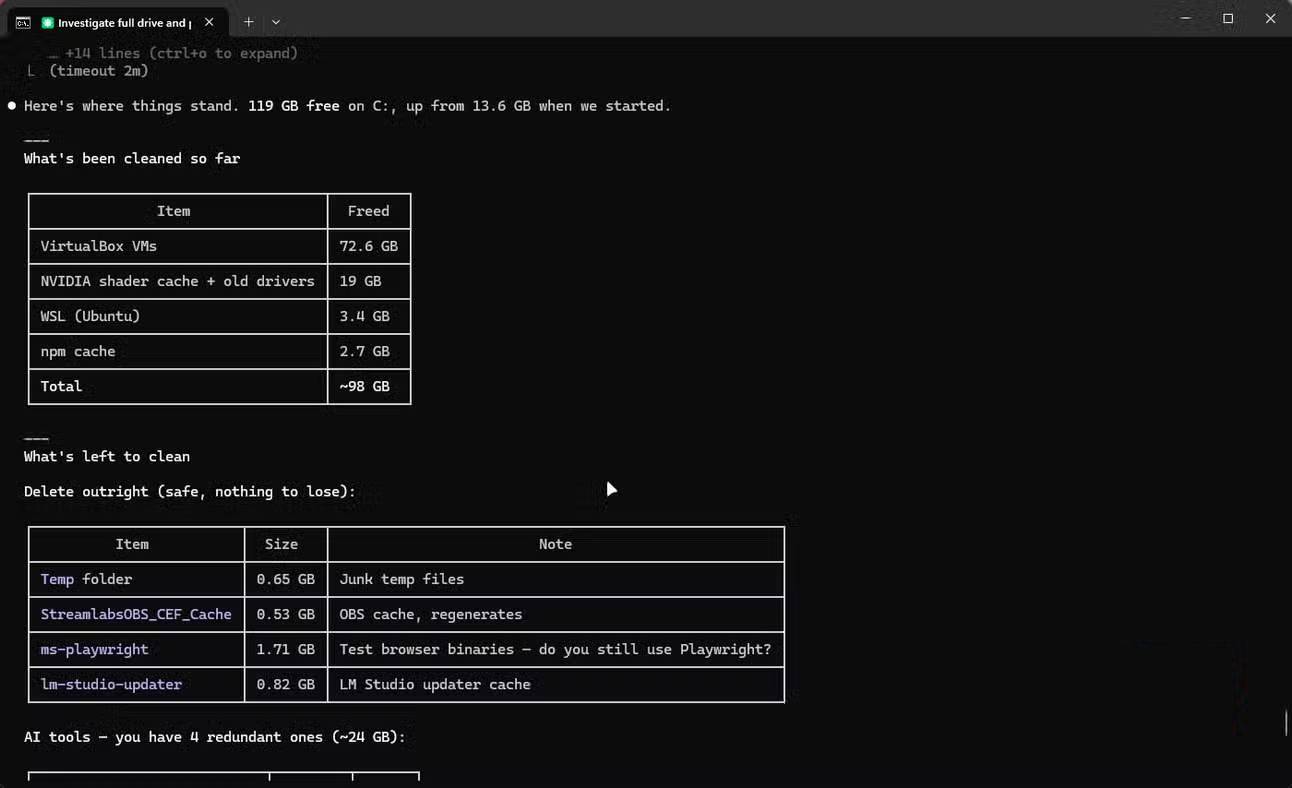
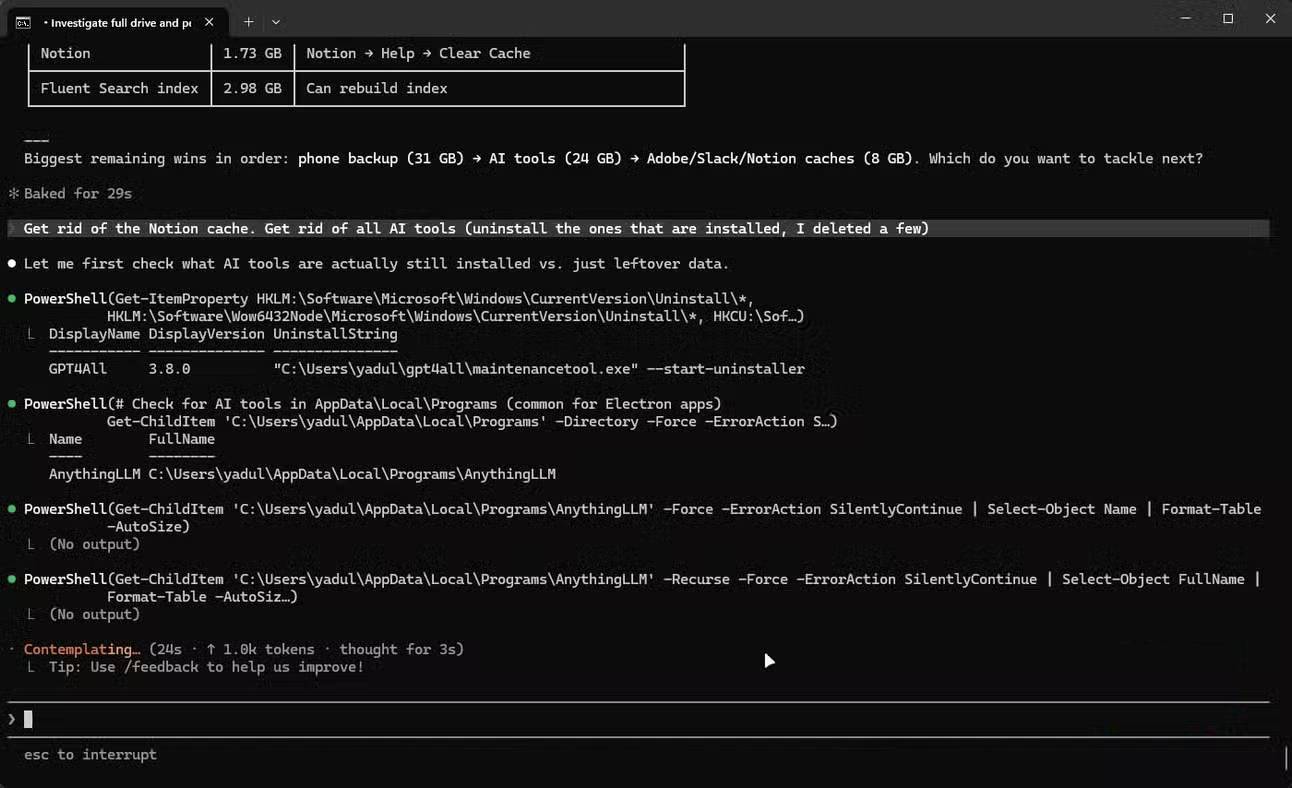
These items require different treatment. Remove a WSL distribution only if it contains nothing needed; clear package-manager caches with their supported tools; and keep Android platform tools if other workflows depend on them.
Files that were not deleted
One apparent 31.36GB Phone Link folder represented a virtual file system rather than an equivalent set of local files. Removing it would not have produced the expected saving and could have disrupted the feature.
The audit also flagged Adobe, Fluent Search, Slack, and Arduino data for further review instead of immediate deletion. Some caches are better cleared from inside the application, while large SDKs may be moved to another drive rather than erased.
The result of this specific cleanup
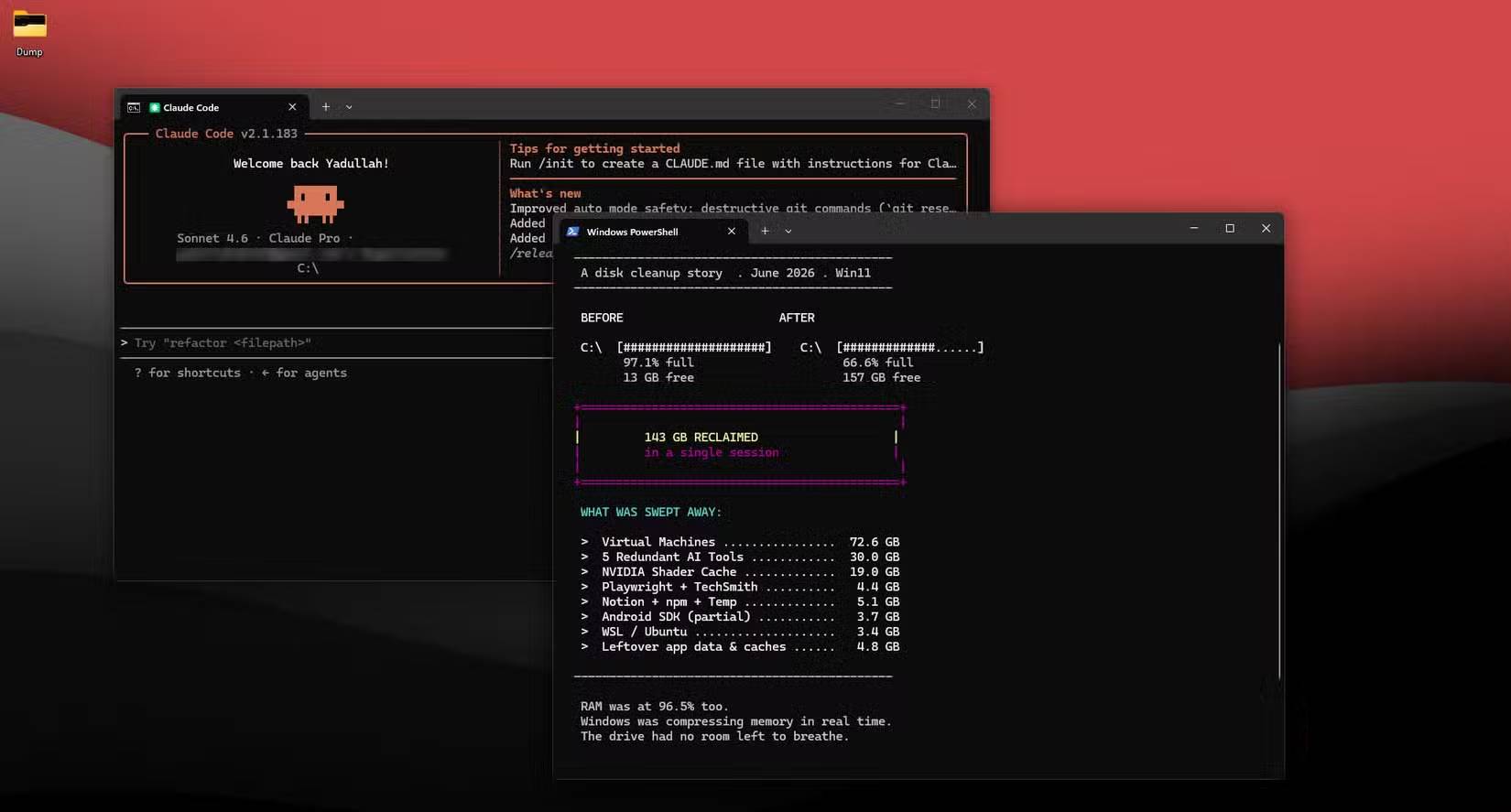
After the owner reviewed and removed confirmed unused data, free space increased from 13.63GB to 157.06GB on a 470GB drive—a gain of about 143GB. Your result will differ because folder contents and installed software vary widely.
Use AI as an auditor, not an autopilot
The useful role for an AI terminal assistant is to help map a confusing disk, connect folder names to applications, and explain trade-offs. It should not be trusted to decide autonomously what is safe to erase. A good workflow ends with a human reviewing the exact path, confirming that the data is unused and backed up, and approving one reversible change at a time.
Related Articles
 How to Use the Connectors Feature in Claude AI12 minutes read
 What Is Claude Pro? How Does Claude Pro Compare to Chatgpt Plus?6 minutes read
 How to Learn About Claude Opus 4.68 minutes read
 What Is the Claude Code: Clear Explanation7 minutes read
 Claude API: How to Get the Key and Use the API: Explained19 minutes read
 Claude Surpasses ChatGPT to Become the Leading Free AI App: Explained5 minutes read
Reader Comments 0
Sign in with email or Google to join the discussion.