Table of Contents
If the Copilot button disappears from Word, Excel, or another Microsoft 365 app, first confirm that the app is signed in with the account that has Copilot access. A license change, an expired subscription, an Office update problem, disabled connected experiences, or an administrator policy can all remove the button.
Copilot availability varies by Microsoft 365 plan, app, region, and organization. Do not assume that buying any Microsoft 365 subscription will add Copilot to every desktop application; check the benefits listed for the specific account and plan.
1. Confirm the signed-in Microsoft account
Open the affected Office app and select File > Account. Check the email address shown under the account or product information. If you use both personal and work accounts, make sure the app is using the one that includes Copilot.
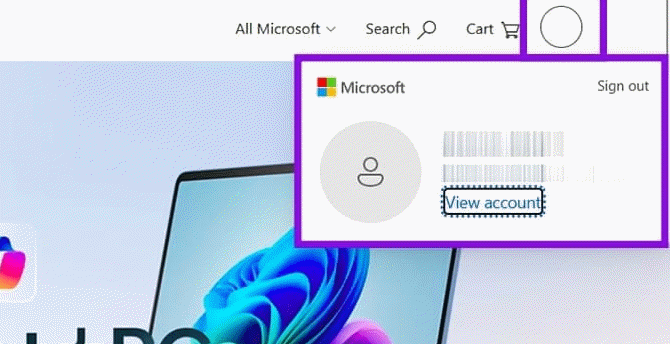
You can also open your Microsoft account page, select your profile picture, and choose View account.
2. Check the subscription or Copilot license
Open the Subscriptions or Licenses and apps section for the account. Confirm that the relevant Microsoft 365 subscription is active and that its listed benefits include Copilot in the app you are trying to use.
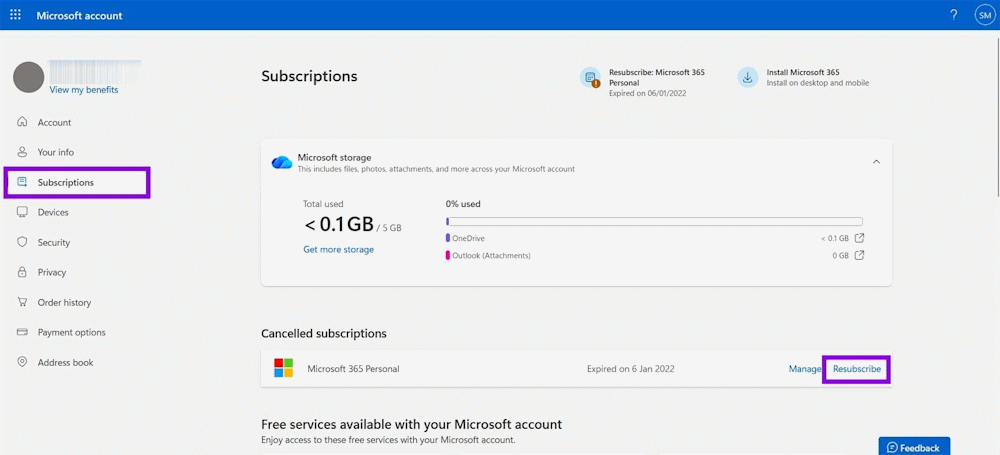
For a work or school account, the license may be assigned by an administrator rather than purchased directly. Contact the organization's Microsoft 365 administrator if the entitlement is missing or recently changed.
3. Refresh the Office license
After a renewal or license assignment, the desktop app may still have old account information cached. In an Office app, go to File > Account and use Update License if that option appears. Then close all Office apps, reopen the affected app, and sign in again if prompted.
4. Install Office updates
An outdated or partially updated installation may not display the current Copilot interface. In Windows, open an Office app and select File > Account > Update Options > Update Now. Restart the app after the update finishes.
If Update Options is unavailable on a managed computer, updates may be controlled by your organization.
5. Enable connected experiences
Copilot relies on Microsoft's connected services. In an Office app, open File > Account, then select Manage Settings under Account Privacy. Review the settings for optional connected experiences and experiences that analyze content.
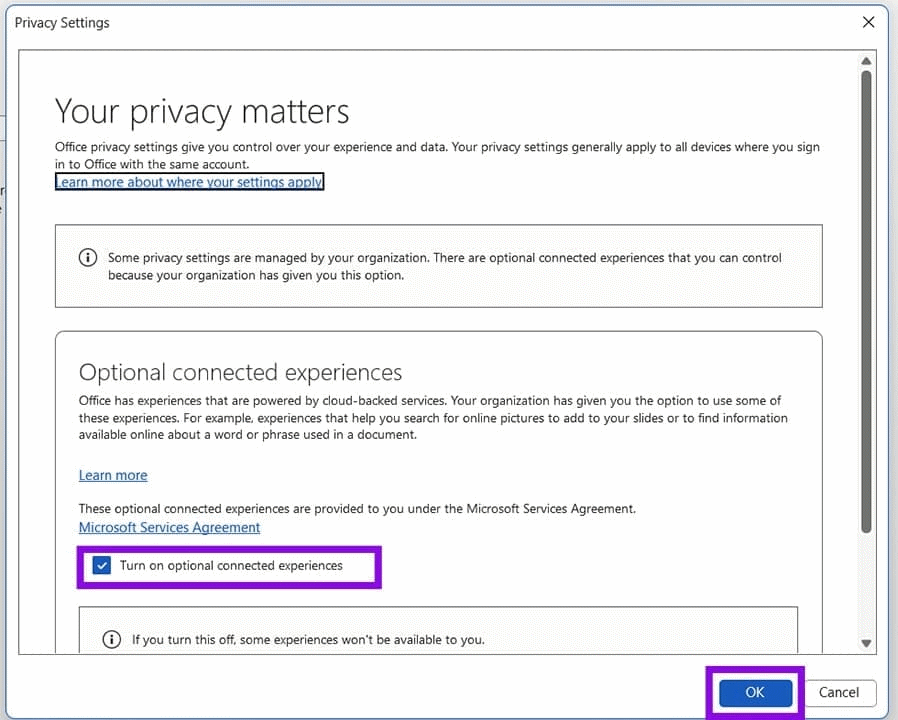
If these controls are disabled and locked, an administrator has probably set an organization-wide privacy policy. Do not change managed settings without approval.
6. Check whether the app and document are supported
The Copilot control can vary between the web and desktop versions of Microsoft 365, and not every feature is available in every app. Also check whether the document is opened in a supported format and whether you are online.
7. Consider administrator policy or a temporary service issue
Organizations can restrict Copilot, connected experiences, or update channels. If several colleagues lose the button at the same time, ask the Microsoft 365 administrator to review license assignments, policies, and service health.
What to do if the button is still missing
Record the affected app, app version, signed-in account type, and where Copilot is still available—for example, on the web but not the desktop. That information will help Microsoft support or an administrator distinguish a licensing issue from an installation or policy problem.
Related Articles
 How to Add Copilot to Microsoft Office 365: Practical Guide4 minutes read
 Claude for Microsoft 365 vs Copilot: Should You Switch?13 minutes read
 Microsoft Copilot Has a Copilot Button and Here's How to Use It4 minutes read
 How Is Copilot Pro Different from Copilot? Should I Upgrade Explained7 minutes read
 7 Reasons Copilot Is Worth Using7 minutes read
 Instructions for Using Copilot in Outlook: Complete Overview5 minutes read
Reader Comments 0
Sign in with email or Google to join the discussion.