Table of Contents
It's very simple to see who you've been following on Instagram, without having to download your Instagram account data.
How to find out when you started following someone on Instagram through this article.
Step 1:
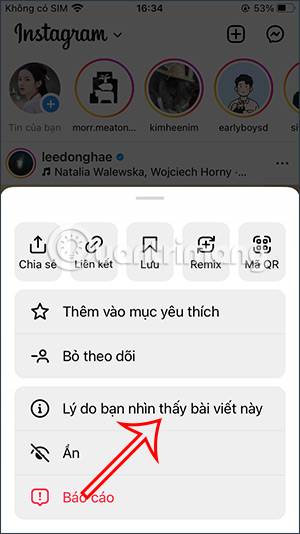
To view the timestamp of a post from the Instagram account you want to see the follow time, tap the three-dot icon in the upper right corner of the screen.
The interface shown below will now appear; we click on "Why you are seeing this post."

Step 2:
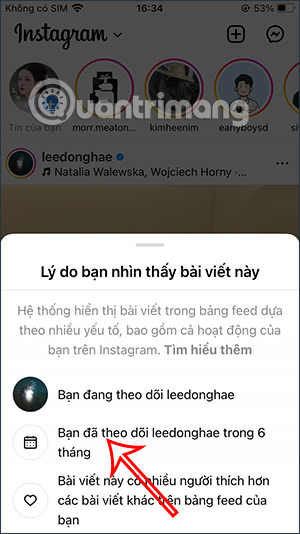
At this point, you will see information, including how long you have been following this Instagram account.
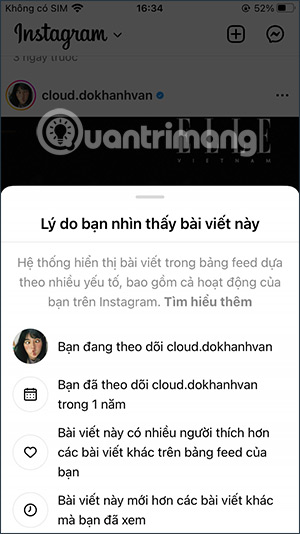
We continue this process with the accounts you want to check the time we tracked.
How to schedule your follow time on Instagram
Step 1:
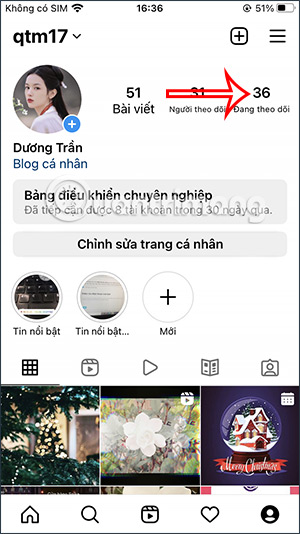
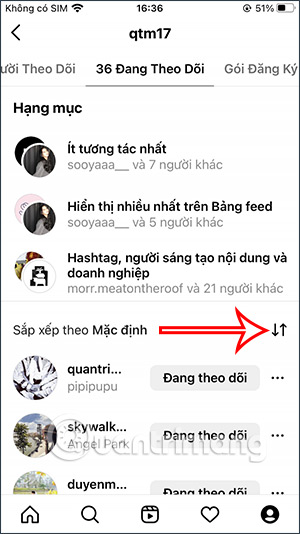
On your Instagram account interface, tap on the "Following" section.
Switching to the new interface, users will see a list of people they are following, with the most recent interactions displayed at the top. Tap the two-arrow icon to adjust the order.
Step 2:
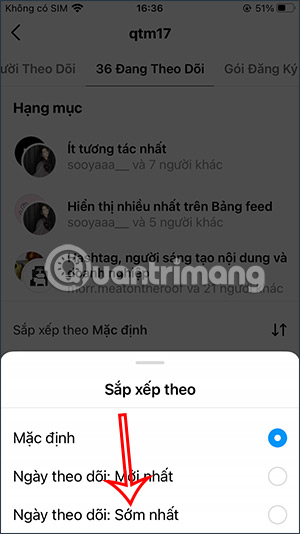
This will display the option to rearrange the list of Instagram accounts you are following. We will tap on Follow Date: Earliest.
Step 3:
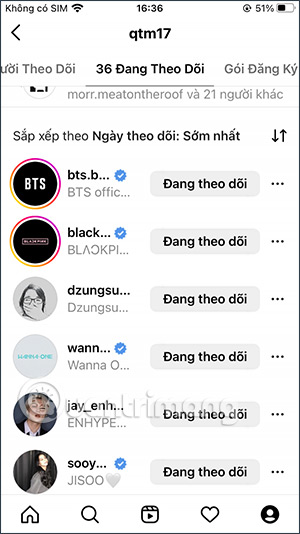
The results will show the Instagram accounts you followed earliest at the top.
Related Articles
 12 Tips to Make It Easier for You to Master Instagram8 minutes read
 How to Use Instagram for New Users: Instagram Use9 minutes read
 Instagram Account Is Hacked, This Is All You Need to Do13 minutes read
 How to Set up Privacy Mode on Instagram: Instagram Tips6 minutes read
 Standard Photo Sizes on Instagram4 minutes read
 How to Capture an Instagram Post Screen Without Being Sent a5 minutes read
Reader Comments 0
Sign in with email or Google to join the discussion.