Table of Contents
Google Flow Music, formerly ProducerAI, lets you describe a song in a chat, listen to the result, and refine it with follow-up instructions. Google's Labs directory lists the current name and entry point. The screenshots below show the earlier ProducerAI interface, so some labels may look different in your account.
Create a song from a prompt
- Open Flow Music and sign in. Follow the Flow Music link from Google Labs. Start a new song or conversation in the music studio.
- Describe the result you want. Specify genre, mood, tempo, instruments, whether you want vocals, and the subject or language of the lyrics. For example: “Create a mellow acoustic song with fingerpicked guitar and a gentle vocal about a rainy train ride; keep the chorus simple.” You can use the TipsMake guide to music prompts for more ideas.
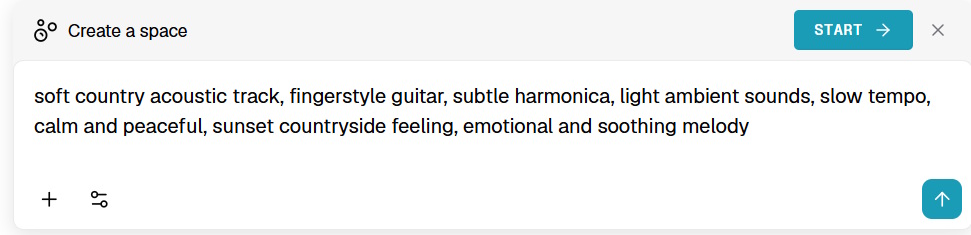
Submit the prompt and wait for the song. Play it all the way through before making changes: check whether the words are intelligible, the mood matches the brief, and the ending feels complete.
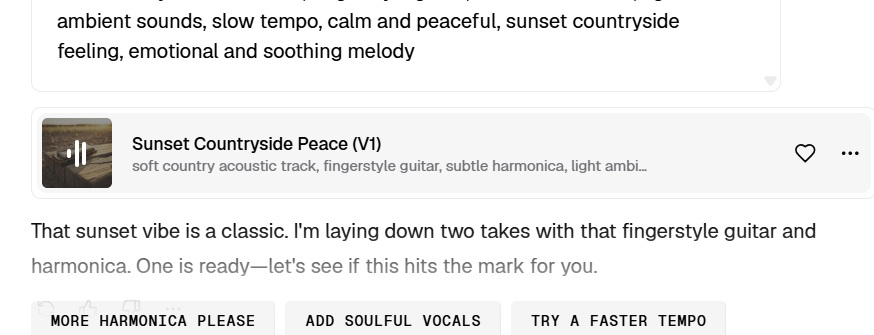
Download or make a music video
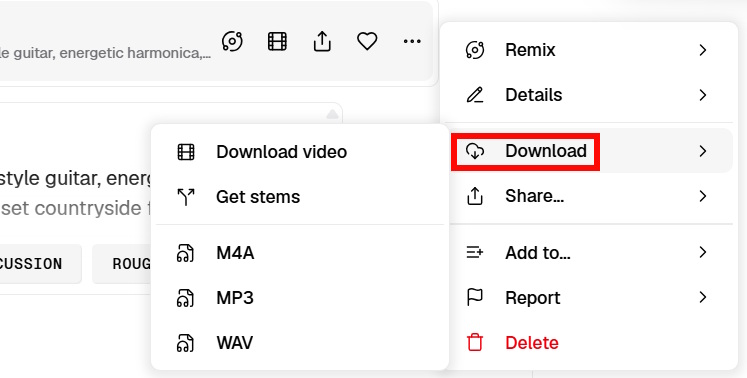
Open the song's options menu or download control to see the audio formats currently offered to your account. The earlier interface pictured here offered M4A, MP3, and WAV. Choose a format you can edit or play in your intended app, then save the file locally.
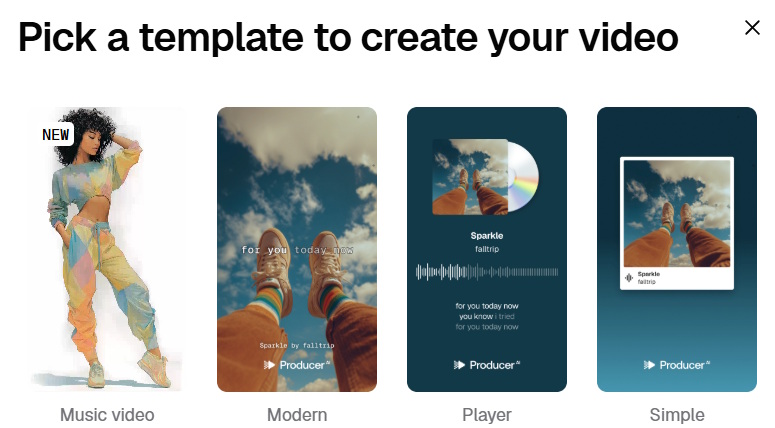
If a music-video option is available, select a template or describe the visuals, preview the result, and use the video download control. Google describes Flow Music as a studio for both songs and music videos; the available controls and credits can vary by plan.
Remix and refine the song
For a promising result that needs changes, open the song's options and choose Remix. In the interface shown below, Start Session opens the editing workspace.
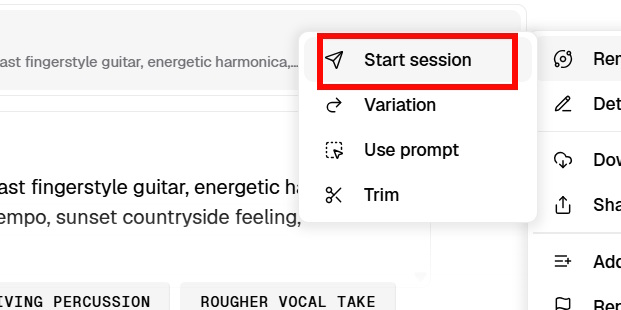
Change one thing at a time so you can tell what improved. Ask for a quieter percussion part, a different vocal delivery, a stronger chorus, or revised lyrics, then generate and compare the new version with the original. The pictured controls also allow adjustments to lyrics, sound, and intensity.
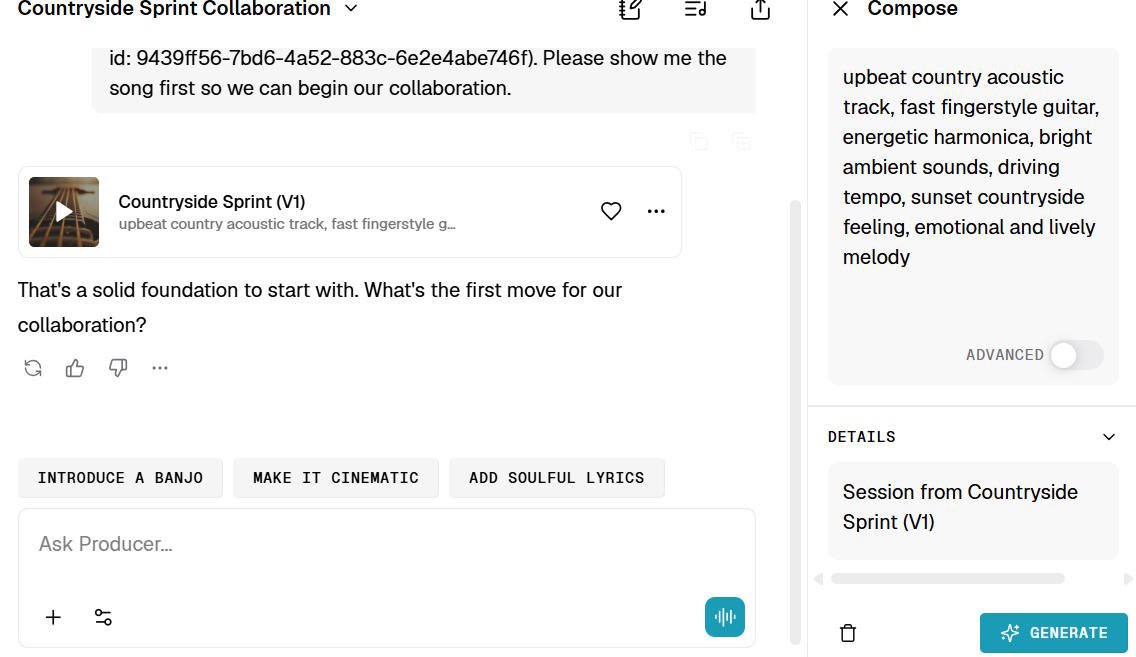
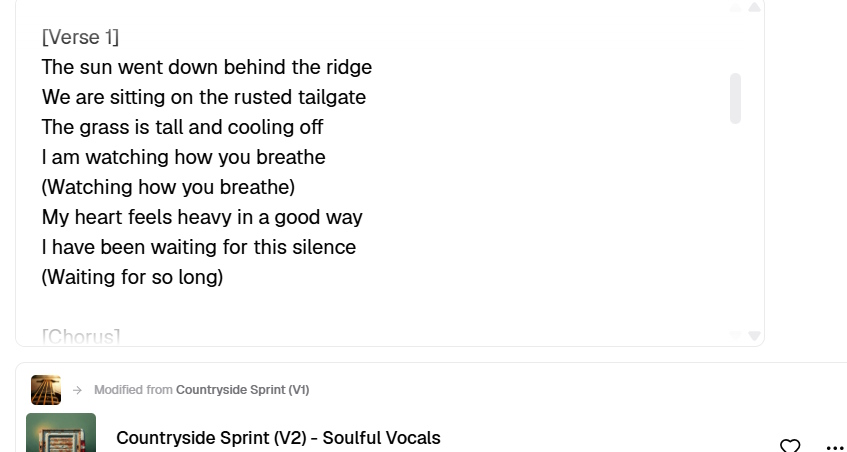
If you want words but have no draft, give the producer a theme and ask it to propose lyrics. Read the lyrics before using them and revise awkward lines or unwanted names and claims. The example below shows a lyrics-focused iteration.
Before publishing or using a track commercially, check the current Flow Music help and plan terms for your account. Check the permitted uses for your specific plan before distributing the track. If you want a different workflow, see TipsMake's MusicFX DJ overview.
Related Articles
 How to Write Vietnamese in Proshow Producer3 minutes read
 How to Make Music Waves with Proshow Producer: Step-by-Step Guide5 minutes read
 Guide to Writing Prompts for Creating Professional-quality AI Music6 minutes read
 How to Create an AI Song with AI Music Maker13 minutes read
 How to Become a Film Producer: Step-by-Step Guide14 minutes read
 How to Use Proshow Producer to Create Video from Photos, Create8 minutes read
Reader Comments 0
Sign in with email or Google to join the discussion.