Table of Contents
MusicMaker.IM can create a song draft from a text description, custom lyrics, or uploaded audio. Basic mode is the quickest route to an idea; Custom mode gives you separate controls for lyrics, style, title, vocals, and instrumental output. Generated music is not automatically “copyrighted” or cleared for every use, so review the service’s current license and use original inputs.
Before generating a track
- Write original lyrics or use material you have permission to adapt.
- Avoid asking for an exact copy of a living artist, released song, signature melody, or recognizable voice.
- Decide whether you need a demo, background instrumental, social clip, or commercially released track.
- Check credit cost, public/private generation settings, download access, and commercial-use terms for your plan.
1. Open the AI Song Maker
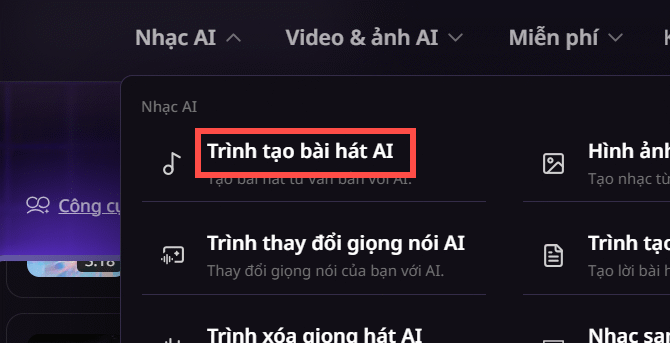
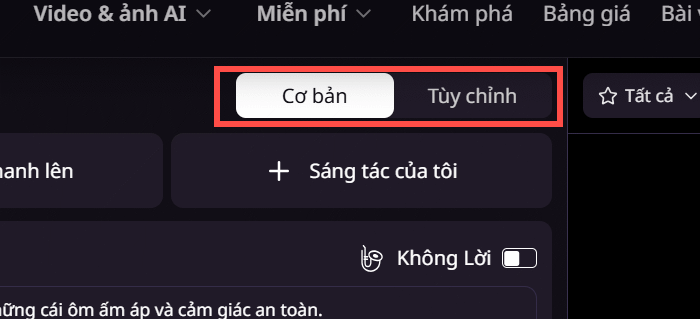
Visit MusicMaker.IM, create an account, and open Music AI > AI Song Maker. Choose Basic for a prompt-led generation or Custom when you want to supply more of the song structure.
2. Create a quick draft in Basic mode
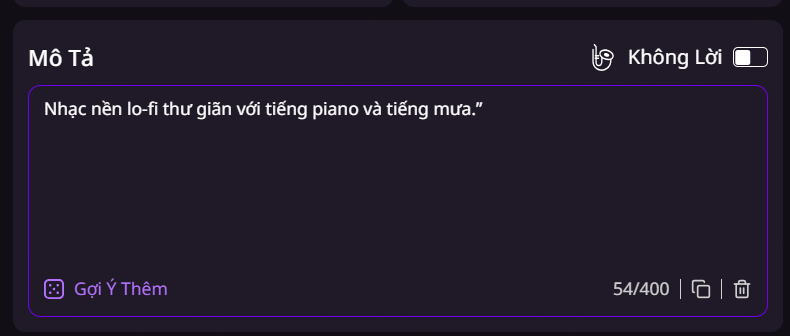
Describe the sound you want, including genre, mood, tempo, instruments, vocal or instrumental preference, and intended use. A useful prompt might be: Warm lo-fi instrumental for a study video, 80 BPM, soft electric piano, muted drums, gentle bass, no vocals, seamless ending.
If you upload audio, confirm that you own it or have permission to modify it. Review the selected model and the credit cost shown beside Generate, then create the draft.
3. Use Custom mode for lyrics and vocal direction
Custom mode provides dedicated fields for lyrics, music style, title, and vocal preference. Label sections such as [Verse], [Chorus], and [Bridge] when the interface supports structured lyrics. Keep style instructions concrete: name instruments, energy, tempo range, and production character rather than requesting an exact artist imitation.
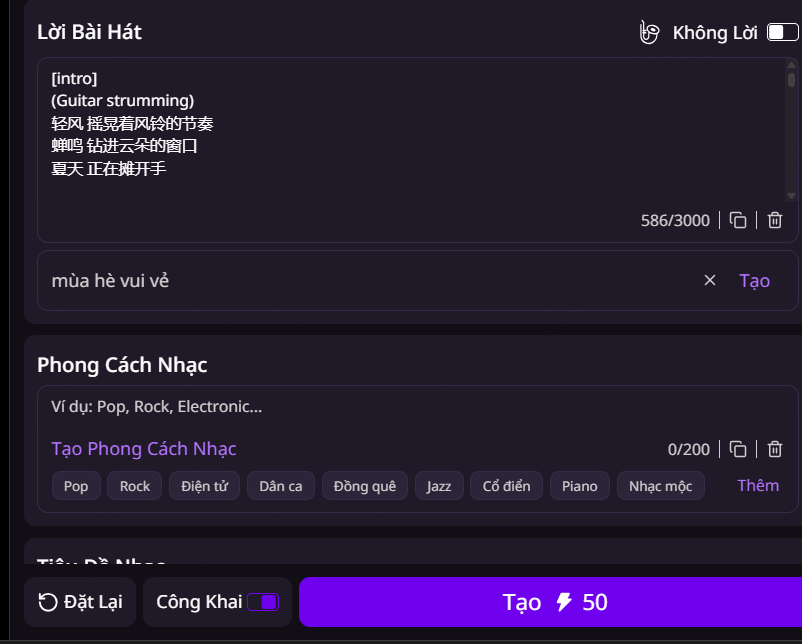
If you want background music, enable the instrumental option instead of leaving an empty lyric field. Proofread lyrics before generating because regenerating after a small typo can consume more credits.
4. Compare and refine the results
The service may return more than one version. Listen to each from beginning to end and compare the melody, structure, vocal clarity, transitions, and ending. If the result misses the brief, revise one or two prompt elements at a time so you can tell what improved it.
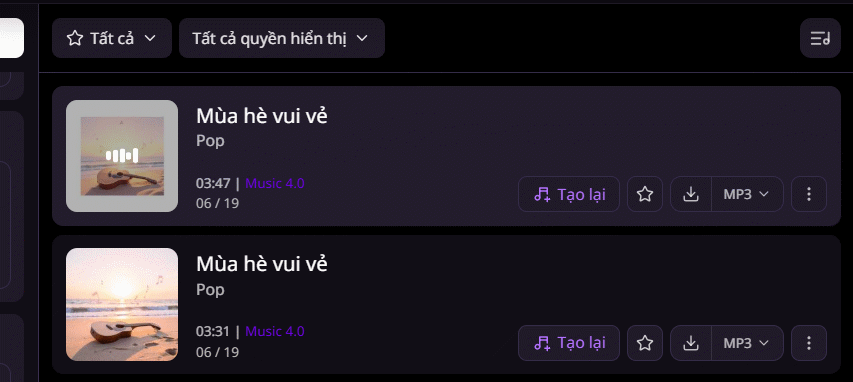
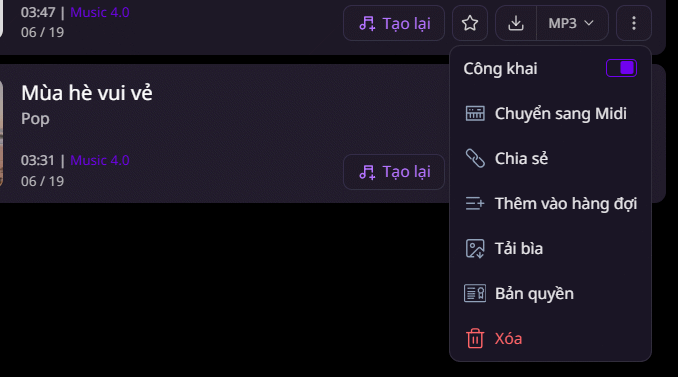
Use the save or download control for the version you want to keep. The three-dot menu may contain additional actions such as extending, remaking, sharing, or managing the track; the available options depend on the current model and plan.
Check the track before publishing
Listen for distorted vocals, abrupt edits, accidental lyrical changes, and suspiciously familiar melodies. Keep a copy of your prompt, lyrics, plan receipt, and the license that applied when the track was generated. MusicMaker.IM separates free and paid features, and its commercial license governs eligible commercial use; “royalty-free” does not mean there are no conditions.
AI output can be a useful starting point, but editing the arrangement, mix, lyrics, or performance can make the result more distinctive and easier to document as part of your own creative process.
Related Articles
 How to Detect AI-Generated Music With MusicMaker9 minutes read
 How to Create Ringtones on Android as You Like with Ringtone Maker6 minutes read
 YouTube Updates 'Erase Song' Tool to Remove Copyrighted Music3 minutes read
 How to Create an Animation on Android Using DU GIF Maker9 minutes read
 Click: How to Use Windows Movie Maker14 minutes read
 Make Videos, Photo Albums with Windows Movie Maker5 minutes read
Reader Comments 0
Sign in with email or Google to join the discussion.