Table of Contents
This guide provides a clearer, better-organized overview of Fix 'Is Not Accessible & Access Is Denied' Error. It focuses on the essential facts, practical steps, and common questions readers are most likely to have.
Overview
With the issue " Library-ms " the library (Documents, Videos, Music, Pictures) on your computer cannot be accessed, you can reinstall Windows and it will go away, but with the issue "is not accessible & Access is denied" that you encounter Yes, even if you reinstall the operating system, it cannot be fixed. So to fix it, follow the steps below.  Fix "is not accessible & Access is denied" error Step 1:Right-select the folder or drive with the issue message and select Properties
  Step 2:At the Security Tab, select Edit
  Step 3:Select Add
  Step 4:Enter " Authenticated users " then choose Ok .
  Then " Authenticated Users " appears. select Ok To close all windows and check the results.
  So with the above article, we have shown you how to fix the issue is not accessible & Access is denied. In addition, to fix system errors, you can use error fixing software on our website such as: 7 Quick Fix, XP Quick Fix, FixWin. Wish you success!
FAQ
What is the main point of Fix 'Is Not Accessible & Access Is Denied' Error?
With the issue " Library-ms " the library (Documents, Videos, Music, Pictures) on your computer cannot be accessed, you can reinstall Windows and it will go away, but with the issue "is not accessible & Access is denied" that you encounter Yes, even if you reinstall the operating system, it cannot be fixed.
Why might the details change over time?
Software versions, prices, policies, services, and product availability can change. Check the official source before making a purchase or changing important settings.
How can I use this information safely?
Follow official instructions, verify downloads and claims, back up important data, and avoid sharing passwords or sensitive account information.
Related Articles
 Instructions for Fixing Access Denied Errors During File or27 minutes read
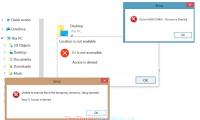 How to Fix 'Access Is Denied' Error on Windows 105 minutes read
 Access Is Denied Error Windows 10 - the Fastest Way to Fix It Explained20 minutes read
 How to Delete Files or Folders That Report Access Is Denied Errors: Complete8 minutes read
 5 Most Common Windows Errors and This Is a Fix11 minutes read
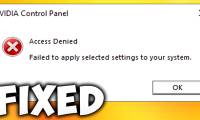 NVIDIA Control Panel: Complete Guide9 minutes read
Reader Comments 0
Sign in with email or Google to join the discussion.