Table of Contents
Google Photos is getting a Touch Up face editing toolkit, which includes six face editing options so you can change any feature on your face from eyes, teeth to eyebrows, lips.
Edit Face on Google Photos Overview
Google Photos is getting a new Touch Up face editing tool when you upgrade to version 7.56.0.839465534. Touch Up includes six face editing options so you can retouch any feature on your face from eyes and teeth to eyebrows, lips, and more.
Touch Up is located in the Actions tab of the Google Photos editor. When you first tap it, you'll be introduced to the editor and asked to download your data. Once installed, you'll be taken to a dedicated Touch Up interface with face editing options.
Each effect will open up its own slider, allowing you to fine-tune the intensity of the effect. Just select the area you want to edit, drag the slider, and save when you're done.
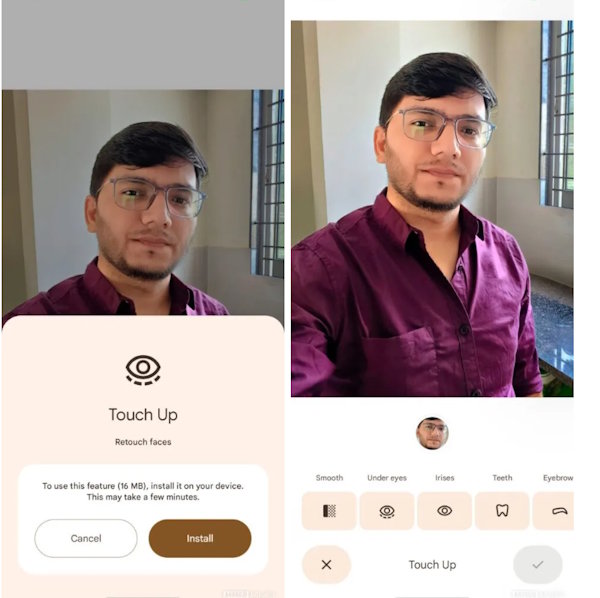
One of the best things about this tool in Google Photos is that it can handle editing individual faces in group photos. Instead of applying the effect to everyone at once, Google Photos will automatically detect each face and let you edit them individually. This feature currently supports up to six faces in a single shot.
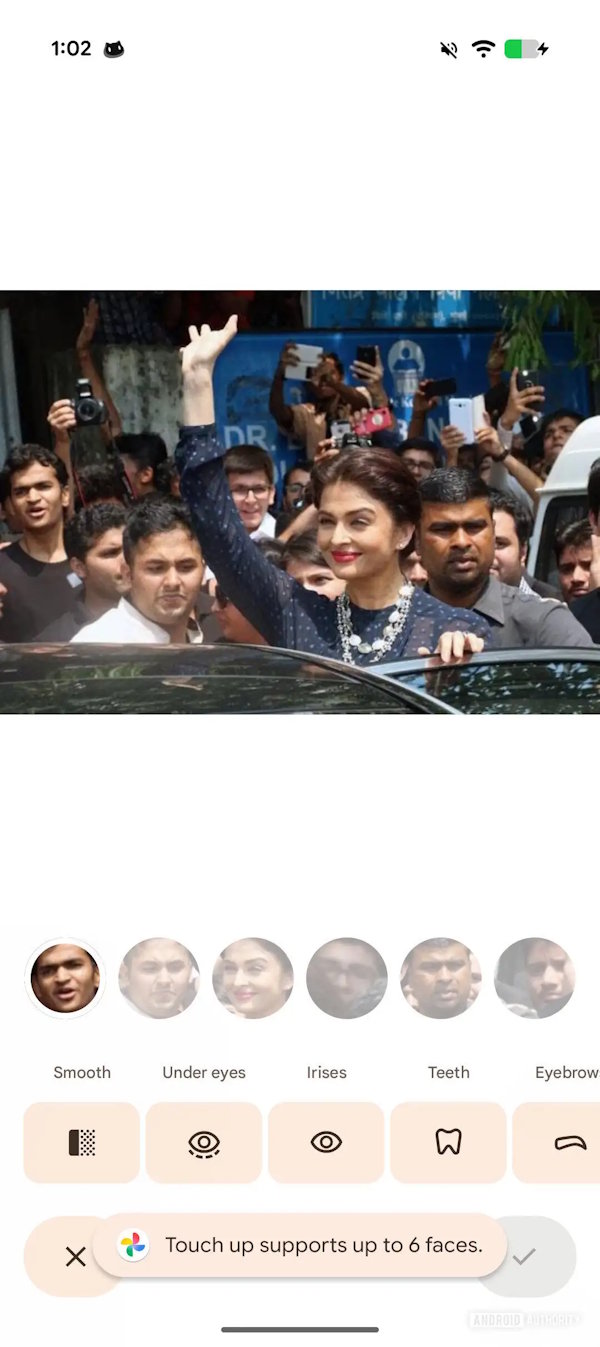
If your photo has more than six faces, you'll see a prompt saying the feature only supports six. You can't delete or edit any detected faces, but the ability to control them on a per-person basis puts this tool ahead of most built-in photo editors.
FAQ
What should you know about the face editor on Google Photos explained?
In practical terms, Google Photos is getting a Touch Up face editing toolkit, which includes six face editing options so you can change any feature on your face from eyes, teeth to eyebrows, lips.
Why does the face editor on Google Photos explained matter?
The article highlights that touch Up is located in the Actions tab of the Google Photos editor.
What is the main takeaway?
The main takeaway is that instead of applying the effect to everyone at once, Google Photos will automatically detect each face and let you edit them individually.
Related Articles
 How to Use the Editor Tool in Google Photos for Web: Complete Guide7 minutes read
 How to Label Faces on Google Photos: Step-by-Step Guide11 minutes read
 How to Manually Tag Faces in Google Photos5 minutes read
 5 Settings That Make Using Google Photos Easier: Explained8 minutes read
 How to Use AI Image Editor to Edit Photos with AI: Clear Instructions5 minutes read
 Instructions for Using Google Photos on Windows 105 minutes read
Reader Comments 0
Sign in with email or Google to join the discussion.