Table of Contents
To connect n8n to OpenAI, create an API key for an OpenAI Platform project and store it in an n8n credential. Do not use your ChatGPT password or expect a ChatGPT subscription to cover API usage: ChatGPT and the OpenAI API have separate access and billing.
Before you create the key
- Sign in to the OpenAI API platform and select the project that will own the automation.
- Configure API billing and appropriate project limits.
- Decide who should be allowed to edit the n8n credential and workflow.
- Have a password manager or another approved secret store ready.
OpenAI's official API quickstart is the best place to confirm the current account and key-creation flow because dashboard labels can change.
1. Create a project API key
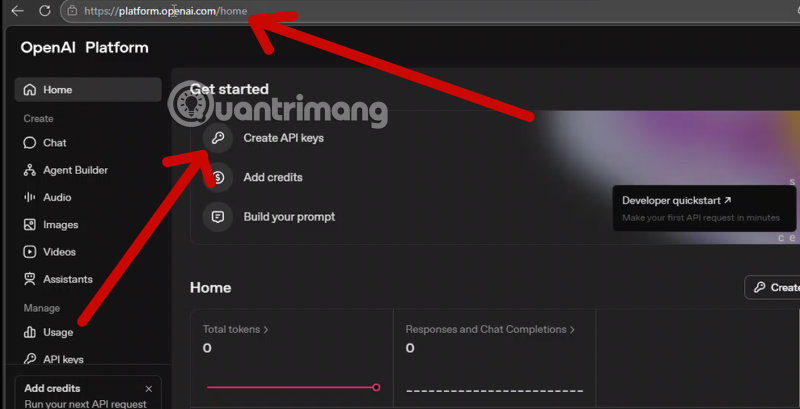
Open the OpenAI Platform dashboard and go to the API key area for the intended project. Select the option to create a new secret key.
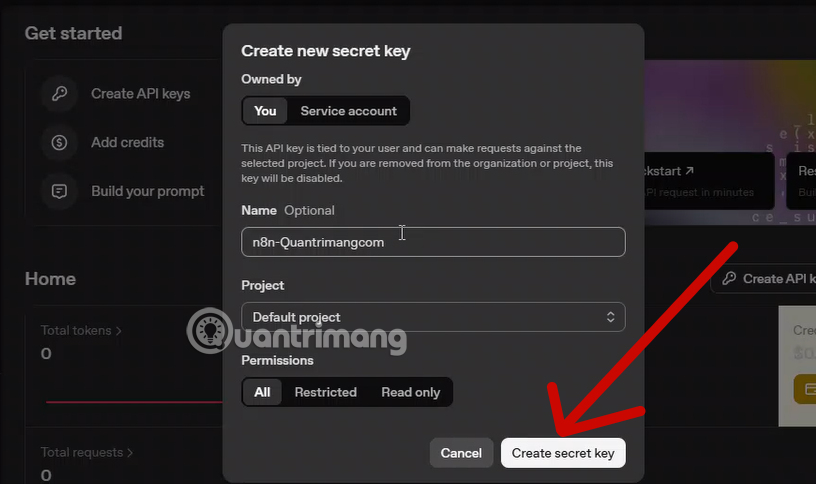
Give the key a descriptive name, such as n8n-support-workflow. A clear name makes it easier to identify and revoke later. If the dashboard offers permission controls, grant only the access the workflow needs instead of choosing broad access by default.
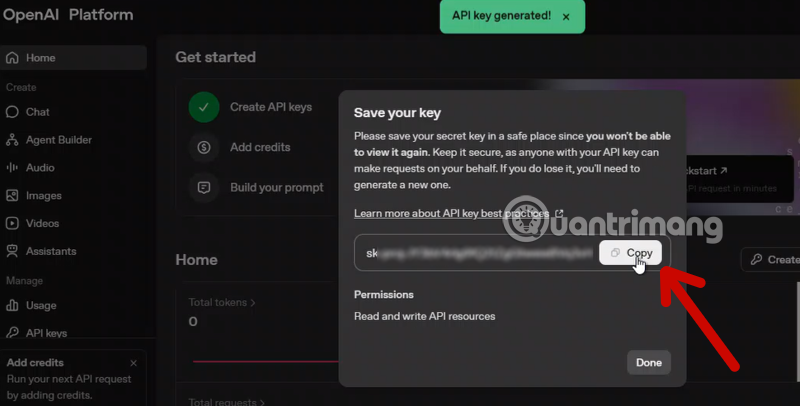
Create the key and copy it immediately. The full secret normally cannot be displayed again. Store it in a password manager or directly in n8n's protected credential form; do not place it in notes, email, chat, screenshots, or ordinary workflow fields.
2. Add the key to n8n
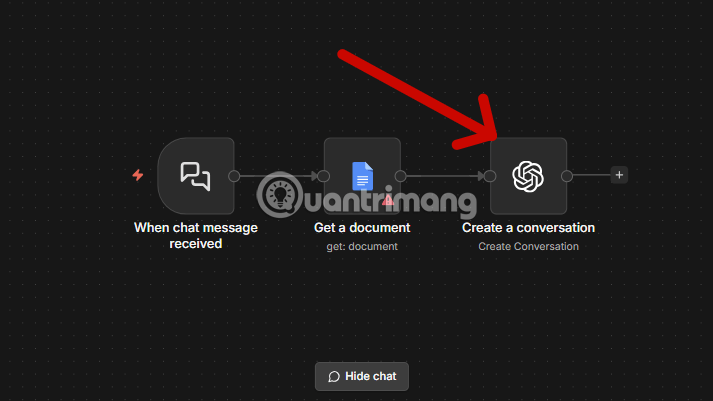
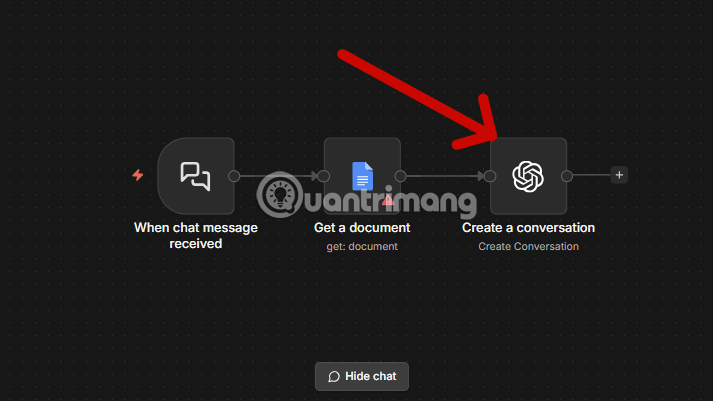
Open the workflow that will call OpenAI and add or select an OpenAI node. In its credential selector, create a new OpenAI credential.
Choose the OpenAI account credential type shown by your n8n version.
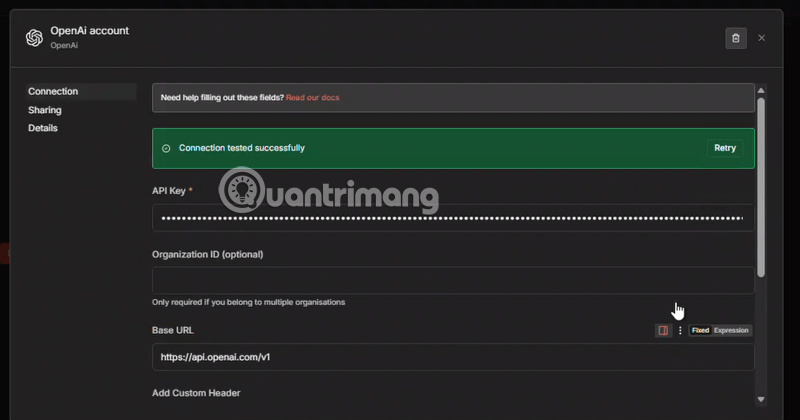
Paste the copied secret into the API Key field. Keep the key only in the credential store so n8n can inject it at runtime without exposing it in the node's prompt or input data.
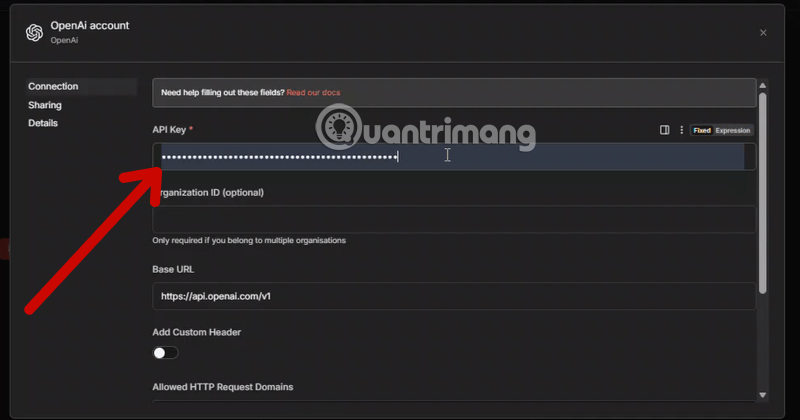
If n8n shows an Organization ID field, leave it blank unless your OpenAI account setup specifically requires one. Avoid copying an unrelated organization or project identifier into this field.
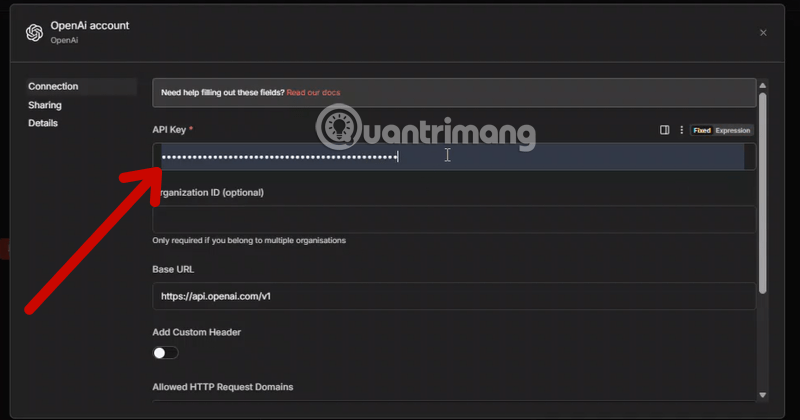
For a direct OpenAI connection, keep the standard API base URL shown by n8n unless you intentionally use a compatible gateway or another provider. A custom base URL changes where the secret and requests are sent, so verify the operator before using one.
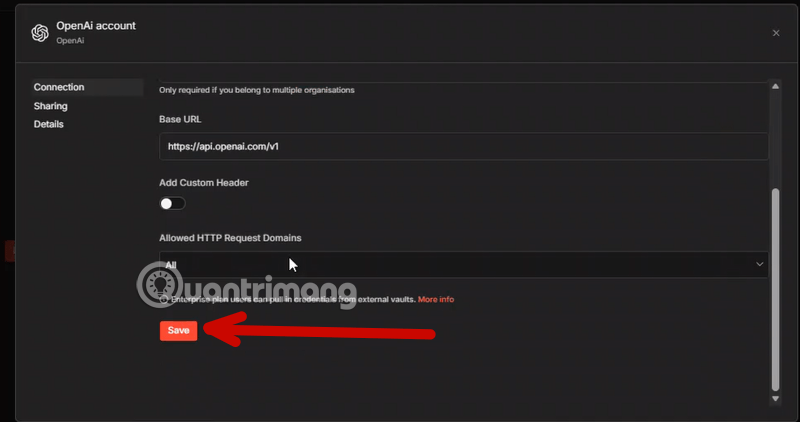
Save the credential and run n8n's connection test. A successful test confirms that n8n can authenticate, but you should still execute the actual OpenAI node with a small input to verify its selected model and operation.
Troubleshoot a failed n8n connection
Invalid or exposed key
Copy the key without spaces or missing characters. If the secret has appeared in a public workflow, log, repository, screenshot, or message, revoke it in the OpenAI Platform and create a replacement. Editing the leaked text is not enough because copies may still exist.
API billing is not active
A ChatGPT subscription does not fund API requests. Check the API platform's billing and usage pages for the project or organization associated with the key. Do not rely on old articles that promise a specific amount of trial credit; eligibility and terms can change.
Permission or model access error
The credential test may succeed while a particular operation fails. Confirm that the key's project permissions allow the requested endpoint and that the selected model is available to the project. Also check whether the node is using an obsolete model name copied from an older workflow.
Rate limit or usage limit
Rate limits and spending controls can reject otherwise valid requests. Inspect the exact error returned by n8n, then reduce request frequency, add a bounded retry with backoff for transient errors, or adjust an authorized project limit. Never loop retries indefinitely.
Network or custom endpoint problem
A self-hosted n8n instance needs outbound HTTPS access to the configured API host. Check proxy, firewall, DNS, and TLS settings. If a custom base URL is present, verify it carefully; do not send an OpenAI key to an unknown endpoint.
Secure the credential after setup
- Use a separate project or key for important workflows so access and usage are easier to audit.
- Restrict who can view, edit, export, or execute the workflow.
- Do not print credentials in logs or pass them between nodes as workflow data.
- Set appropriate usage alerts and review activity regularly.
- Revoke keys that are unused, exposed, or tied to former team members.
- Test a replacement key before revoking an active one when planned rotation must avoid downtime.
Once authentication works, configure the OpenAI node with a small test input, inspect the complete response, and add error handling before activating the workflow. A green credential test verifies access; it does not by itself prove that the full automation is safe or correct.
Related Articles
 How to Use the ChatGPT API: a Complete Guide from a to Z12 minutes read
 8 Little ChatGPT Automations That Make Every Day More Enjoyable9 minutes read
 Detailed Instructions on How to Use Webhook Trigger in N8n7 minutes read
 How to Create Quizzes on ChatGPT5 minutes read
 How to Implement Chatgpt in Django4 minutes read
 How to Register ChatGPT, Register Chat GPT Easiest, Most Detailed3 minutes read
Reader Comments 0
Sign in with email or Google to join the discussion.