Table of Contents
This guide provides a practical overview of Delete Photo Album Music Files with Tag & Rename, including its main features, benefits, limitations, and important considerations.
In this guide, I will guide you how to delete photos on album of music files by Tag & Rename application.
Step 1: Download and install the application.
You can download and install the Tag & Rename application to the system or you can download the Portable version to use the application directly without installation.
Step 2: Run the Tag & Rename application.
The interface of the application looks quite complex but not too difficult to use, the main interface is as follows:
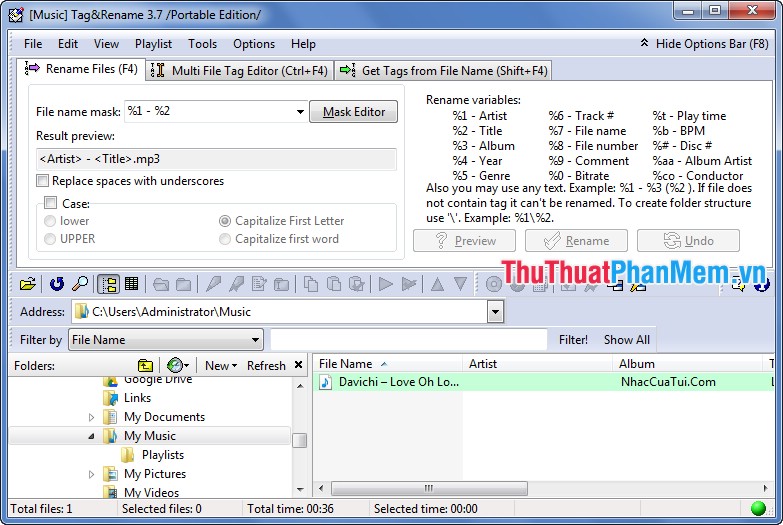
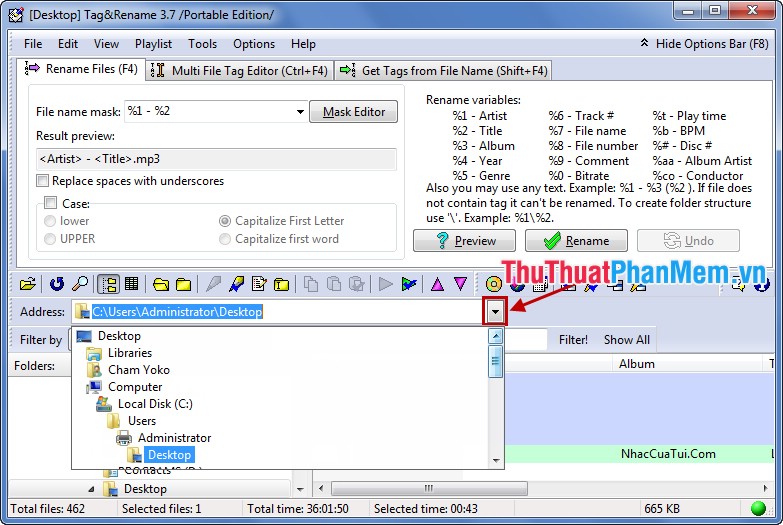
Step 3: Select the folder containing the music files to delete the illustrations.
At the Address you select the arrow as shown below and select the folder containing music.
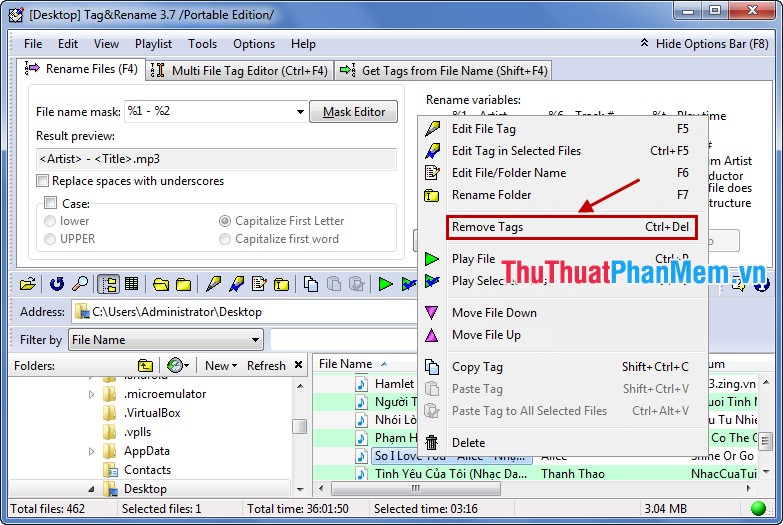
Step 4: The playlist displays, right-click on the music file to delete the illustrations and choose Remove Tags .
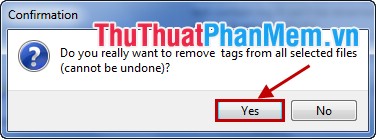
Confirmation dialog box Confirmation you choose Yes .
With the above way you can delete the artwork on the album, the information of music files. To add the necessary information for the music file, you can double-click on the song name. Tag Editor dialog box appears, you can add artwork, more information for music files if desired.
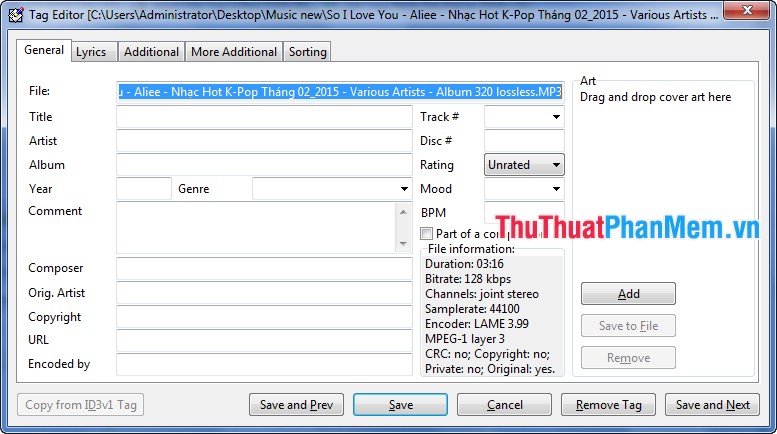
With the simple steps above, you can use Tag & Rename to delete tags, delete information and illustrations of music files. Good luck!
FAQ
What should I know about Delete Photo Album Music Files with Tag & Rename?
Focus on the key features, requirements, limitations, and practical use cases explained in this guide.
How do I get the best results with Delete Photo Album Music Files with Tag & Rename?
Follow the recommended steps, use current software or information, confirm compatibility, and review settings before major changes.
Are there any risks or limitations?
Potential limitations depend on compatibility, data quality, cost, privacy, support, and how the product or method is used.
Related Articles
 How to Rename Photo Albums on Facebook: Create Facebook Photo Album4 minutes read
 How to Quickly Delete Photo Albums on iPhone, iPad and Mac4 minutes read
 How to Add Mp3 Album Covers in Windows 106 minutes read
 How to Create and Share iCloud Photo Album on iPhone or iPad3 minutes read
 How to Create Photo Album in PowerPoint3 minutes read
 How to Lock Hidden Photo Albums on iPhone3 minutes read
Reader Comments 0
Sign in with email or Google to join the discussion.