
Technology
How to enable the right-click menu in Windows Terminal
Enable Windows Terminal's supported context-menu setting, apply it to one profile or all profiles, and troubleshoot when right-click still pastes.
Browse more Explore clear technology guides, practical tips and useful insights that help you understand devices, software and digital services.
Enable Windows Terminal's supported context-menu setting, apply it to one profile or all profiles, and troubleshoot when right-click still pastes.
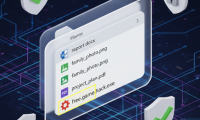
Make file-name extensions visible, recognize misleading names and icons, and understand why an extension is a useful clue rather than proof that a file is safe.

Follow the beat, choose a suitable difficulty, record your reaction, and check the app publisher and camera permissions before sharing a video.
See how RegCool adds undo history, search, bookmarks, snapshots, and backup tools, and why those features do not make every registry change safe.

Check Football League 2026's teams, competitions, controls, offline-play claims, and official store listings before installing the mobile football game.
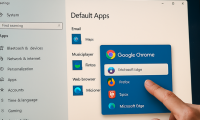
Set Chrome, Firefox, Brave, or another installed browser as your Windows 10 default, test the change, and fix common problems with missing apps or links.

Use a simple task, context, and format template to write AI prompts, with examples for emails, studying, and creative work plus checks for unreliable answers.
Run a steam-train animation, reveal APT and Aptitude jokes, inspect sudo's optional messages, and format a local Nmap scan as leetspeak.
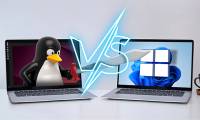
Keep Windows applications while using Linux directly on your hardware. Compare dual boot with a virtual machine or WSL, and plan storage, backups, and encryption before installing.
WinApps displays applications from a Windows VM alongside Linux apps. Understand its requirements, configure Podman and FreeRDP, and test the connection before adding shortcuts.
Cache-aware scheduling can keep related Linux tasks near shared CPU data. Here is what changes, where the 44% benchmark result came from, and why gains vary.
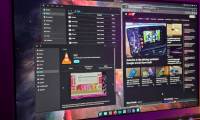
System76's Rust-based COSMIC desktop replaces Pop!_OS's GNOME interface. See how its tiling, panels and themes work, and what to check before switching.
Compare Pantheon, GNOME, COSMIC, KDE Plasma and Cinnamon for a dock, workspace overview and Mac-like layout, including their customization tradeoffs.

Understand the software freedom debate, KDE and GNOME's origins, and the systemd split—and how these choices still affect Linux users.
Set up task-based workspaces, create a simple Bash alias, and use desktop search to reach applications and files with fewer steps.
Find what is filling your Linux drive, clean package caches, review unused packages, and manage journal logs and Timeshift snapshots safely.
Lubuntu may reduce desktop overhead, but battery condition and hardware support still matter. Check capacity, power settings and real runtime before switching.
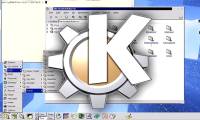
MiDesktop brings KDE 1's classic interface to current Linux systems. Check its beta limitations, toolkit and project-maintained packages before trying it.
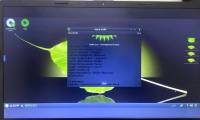
Bodhi Linux offers a minimal desktop built around Moksha. See its menus, shelves and workspaces, plus hardware and support checks for an older computer.
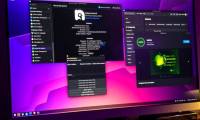
Nobara adds gaming and creator tools to a Fedora-based desktop. Compare editions, check GPU support, use its updater and assess game compatibility before switching.