
Technology
10 Practical Ways to Use Generative AI in Everyday Work and Life
Use AI to visualize ideas, summarize sources, organize notes, translate text, transcribe meetings, and draft documents—with checks for accuracy and privacy.
Browse more Explore clear technology guides, practical tips and useful insights that help you understand devices, software and digital services.
Use AI to visualize ideas, summarize sources, organize notes, translate text, transcribe meetings, and draft documents—with checks for accuracy and privacy.

Understand how a perceptron combines inputs, weights, and a bias to make a binary prediction, then see its learning rule and linear limitations.

Ask for assumptions, calculations, evidence, and a concise rationale so you can inspect a complex AI answer without relying on a hidden reasoning transcript.

Create a Gemini quiz from a topic or uploaded study material, specify question quality and feedback, then verify every answer before using it.

Use Notion AI Meeting Notes to transcribe a meeting, add agenda context, generate a summary, and verify decisions and action items before sharing.

Upload a PDF, paste selected text, use OCR for scans, or add page images for charts—then verify summaries with page and section references.
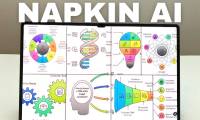
Import or paste lesson content in Napkin AI, generate a suitable mind map, correct its structure and labels, and export it for slides or handouts.

Review what the current Nimbly Clean listing claims, why All files access matters, how to verify the developer, and safer ways to free Android storage.

Select adjacent, nonadjacent, or all Outlook messages on Windows, Mac, the web, Android, and iPhone, then apply bulk actions safely.

A just-for-fun 2026 zodiac happiness ranking with a constructive theme and practical reflection prompt for every sign—without invented percentages.

Compare AI tools by task, source quality, editing control, privacy, integrations, and cost, then use a simple test to choose the best fit for your workflow.

Upload a photo to ChatGPT, describe the object and the background that should replace it, then refine and inspect the result before downloading.
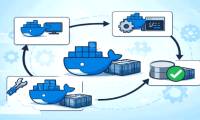
Use docker commit to capture a container's writable layer as a new image. This guide fixes the command syntax, explains excluded volume data, and shows when a Dockerfile is the better choice.

Create evenly spaced fill-in lines or dot leaders in desktop Word without typing periods by hand. Set one tab stop, choose the dot leader, and reuse it across paragraphs.

Fish Eat Fish: GO! is a free-to-play mobile action game about eating smaller fish, avoiding larger predators, and competing in online events. See its core loop, beginner tactics, and official store links.

Find the systemd unit, user session, device, or mount delaying shutdown, inspect the previous boot's journal, and fix the cause before shortening any timeout.

See how SD Maid 2/SE finds app remnants, caches, duplicates, and large files on Android, plus the permissions, exclusions, and deletion checks that protect important data.

Learn how i3 arranges windows on X11, install it on Linux Mint or Ubuntu, choose a safe login session, use the core shortcuts, and decide whether tiling fits your workflow.

Review FE ONLINE 2.0 features, published cash-loan eligibility and cost examples, the application process, Übank integration, and checks to complete before borrowing.

Create personalized letters, invitations, certificates, labels, or emails in Word by connecting an Excel list, inserting merge fields, previewing records, and generating the final documents.