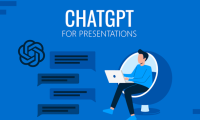
Guide to creating presentation slides using ChatGPT
Currently, users can create slides on ChatGPT through Thinking mode, a mode that provides in-depth analysis of the documents you upload and offers more professional feedback to users.

Browse more Explore technology news, emerging trends and practical insights into the products, platforms and innovations shaping the digital world.
Currently, users can create slides on ChatGPT through Thinking mode, a mode that provides in-depth analysis of the documents you upload and offers more professional feedback to users.
In AI and machine learning projects, Python decorators are incredibly useful but often underestimated tools.
This tutorial demonstrates how to build a complete, production-style LLM workflow using Promptflow in a Colab environment.
Gemini can now create and export Word, Excel, and PDF files directly from chat.
Turn a repeatable Gemini in Chrome prompt into a named Skill, run it on the active page or selected tabs, and design safer outputs with clear constraints.
Limit Gemini and smart features in Gmail, Workspace, Chrome, and Google Search, including what can and cannot be disabled.
Install Claude Code in VS Code, give it useful project context, review multi-file edits, run tests, and control permissions safely.
Compare 10 Claude Code repositories for workflows, skills, subagents, templates, and agent internals, with guidance on choosing and installing them safely.
Understand ChatGPT workspace agents, their connected apps, skills, memory, schedules, sharing, permissions, testing, and safe rollout.
Turn a reading passage into editable open-ended questions in Twee, adjust the learner level, check question quality, and share the activity.
A practical framework for AI product design: define outcomes, map uncertainty, build feedback and recovery paths, evaluate quality, and monitor impact.
Generate level-appropriate English discussion questions in Twee, add target vocabulary, edit weak prompts, and turn the result into a classroom activity.
Use AI as a questioner, critic, and production assistant while preserving problem framing, independent ideas, judgment, and responsibility.
Use Twee to generate a level-appropriate classroom dialogue from a topic or source text, then edit the result for natural speech, useful vocabulary, and a clear speaking task.
Translate selected pages or an entire Canva presentation, preserve a copy of the source design, and check terminology, layout, fonts, and reading order before sharing.
Understand direct and indirect prompt injection, when it can cause real harm, and how users and organizations can reduce exposure with permissions, confirmation, isolation, and monitoring.
Upload a room photo, define the layout and furniture constraints, generate design variations, and turn the best concept into a measured plan without mistaking an AI image for a construction drawing.
See where OpenClaw can help with alerts, coding, research, memory, multi-agent work, and business operations, plus the permissions and review controls each workflow needs.
Upload a clear palm photo, ask ChatGPT for a transparent explanation of traditional palmistry symbolism, and keep the result separate from medical, financial, or life decisions.
Turn a lesson concept into an interactive Canva Code website, then refine the prompt, verify the educational content, test the controls, and publish safely.