 HOME
HOME System
 Windows 10
 Windows 11
 Fix computer error
 Ghost - Install Win
 Wifi tips
 Speed up the computer
- Install Win 7 from your hard drive, no need for USB, install Win disk
 Installing Win 7 from your hard drive is a way to install the operating system directly on your hard drive without a USB drive or a Win drive. Useful when you do not know how to
 - Instructions for installing Windows 7 from DVDTo install Windows 7 operating system on a computer, we can use the DVD from the publisher. So is installing Windows 7 from DVD different from installing Win 7 from USB or HDD?
- Instructions on how to ghost Windows 7 using USBBesides Onekey Ghost you can ghost Win 7 using USB boot created from Hiren's BootCD. Below is a detailed guide for you to ghost Windows 7.
- How to convert fixed and mobile hard drives in VirtualBoxVirtualBox allows you to select an automatically or fixed allocated hard drive when creating a new virtual hard disk file. Portable and fixed hard drives are fast to use, but only
- How to run Chrome OS from USBIf you want to experience Chrome OS, you don't need to buy a Chromebook. There is a simple way to help you experience this operating system on Windows, macOS or Linux computers
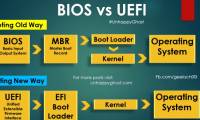
- Things to note when using UEFI instead of BIOSNew Windows 8 computers do not use the traditional BIOS, but instead are UEFI firmware like the Macs that had been years ago. How you can perform common system tasks has changed.
- 5 tips for using the BIOS to help you master your computerMost computer users often don't care much about the BIOS. However, when the problem occurs, you need to tweak a setting and don't know how. You will wonder what the BIOS is?
- Instructions for creating USB Multiboot start multiple operating systemsUSB multiboot is a USB boot containing many operating systems that can help you boot into many operating systems from a USB device. This is how to create multiboot USB for you.
- Create Windows portable, install Windows on USB without softwareCreate Windows portable on USB or install Win on USB to be able to use the Windows version you like on any computer, just plug in the USB with the Windows portable version and
- Reinstalling Windows does not need to format the hard driveWhat will you do when Windows crashes? Of course, the most common is still to reinstall the operating system. Many people still regularly format the hard drive every time they do
- Tips for installing Windows 7 on a new MacBookApple is always rigid about backward compatibility and support with older software and hardware. However, users still have a way to install the Windows operating system on a new
- Norton Ghost integration on Hiren's Boot disk 13.xIt can be said that Hiren's Boot Rescue CD is a commonly used tool because it is continuously updated by the software and new features. However, recently many users Hiren's Boot
- Set up and install Windows 8 on VirtualBoxThe emergence of Windows 8 has made the user community 'staggering' constantly since yesterday. In the following article, we will show you how to install Windows 8 Developer
- Experience after installing Windows 7Reinstalling the operating system means that your computer will be completely 'empty'. At this point, you need to proceed to 'rebuild' the structure of the entire system so that
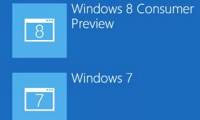
- Create dual boot system of Windows 7 and Windows 8The official appearance of Windows 8 recently has made users curious about the operating system's new features and interfaces. But make sure it takes a long time before we can
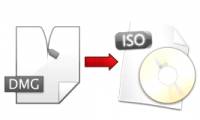
- Instructions to change DMG file to ISO fileDMG image file format is the most common file storage format used to distribute software on Mac OS X. However, Windows PC cannot read this file. Therefore, to extract the contents
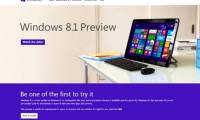
- How to download and install Windows 8.1 PreviewMicrosoft has officially released the Preview (preview) of Windows 8.1 - the first major update for Windows 8. Here are the steps to download and install Windows 8.1.
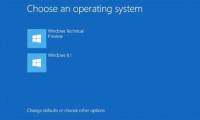
- Parallel installation of Windows 10 with Windows 7 or 8You want to experience the hot features on Windows 10, but don't want to completely replace the current version of Windows. Therefore the best solution in this case is to install
- How to create USB HirenBoot fastest use XBoot1 USB boot has a lot of uses, can help you quickly restore the operating system, data storage, hard drive division ... So how to create a Hiren Boot USB quickly and conveniently
- How to create Windows All In One installer?Owning a USB device with the installation of many different versions of Windows will be very convenient when you can choose the right version for different computer configurations.


Most viewed
- How to update to Windows 10 Creators Update without losing data.
- Instructions on how to successfully install Windows 7 on a virtual drive.
- How to reset your Windows 7 computer to factory settings.
- How to quickly remove the Windows 10 license key notification.
- System Requirements for installing Windows 10 April 2018 Update
- Download link for Windows 10 April 2018 Update ISO
- How to install Windows 10 Fall Creators Update
- How to install Windows XP Service Pack 3 (SP3) easily and quickly.


 Free Tools
 Mac OS X
 Hardware
 Game
Game Tech info
 Technology
 Science
 Life
Life Application
 Electric
 Program
 Mobile