Table of Contents
Ant Download Manager (AntDM) and Internet Download Manager (IDM) are Windows download managers with browser integration, segmented transfers, queues, resume support, and media detection. IDM is the more focused choice for conventional web downloads and a familiar workflow. AntDM is more attractive if you want a continuing free tier or built-in torrent, HLS, DASH, and media-conversion tools.

Important: The interface screenshots in this article come from much older releases, including an early AntDM beta and IDM 6.x. Use them to understand the workflow, not to identify the current version or exact feature set.
AntDM vs IDM at a glance
| Criterion | Internet Download Manager | Ant Download Manager |
|---|---|---|
| Platform | Windows | Windows |
| Licensing model | Time-limited trial, then a paid license | Full-feature trial, then limited free mode or paid Pro license |
| Browser integration | Official IDM Integration Module; broad Chromium and Firefox support | Companion browser extension plus application integration |
| Standard file downloads | Strong queue, category, scheduler, and resume workflow | Queue, category, scheduler, and resume tools |
| Streaming formats | Media panel for supported unprotected streams | Explicit HLS and MPEG-DASH capture plus FFmpeg-based media processing |
| Torrents and magnet links | Not a BitTorrent client | Built-in BitTorrent and magnet-link support |
| Audio extraction | Depends on the available media stream and site | Built-in video-to-MP3 conversion tools |
| Best fit | People who prioritize a mature conventional download workflow | People who want broader media/P2P features or a usable free tier |
Features and prices change, so verify the current plans on the IDM website and AntDM website before choosing.
Interface and ease of use
Internet Download Manager
IDM organizes tasks, queues, downloads, categories, scheduling, options, and registration in a traditional desktop layout. Its toolbar and category tree make common actions visible without opening many panels.

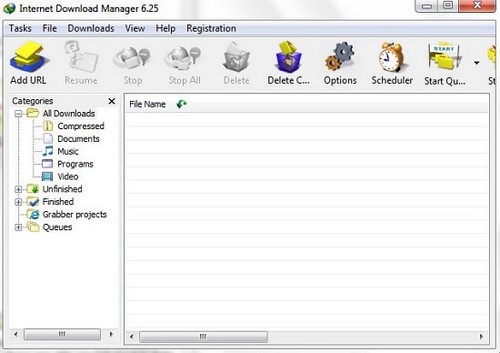
This conventional design is easy to learn if you frequently add direct URLs, pause and resume transfers, sort files into categories, or run scheduled queues. Current IDM releases also offer interface customization and light or dark themes.
Ant Download Manager
AntDM's current product is substantially newer than the 0.x beta shown below. The older icon-heavy toolbar could be unclear without tooltips, but current releases provide a more developed settings and media workflow.

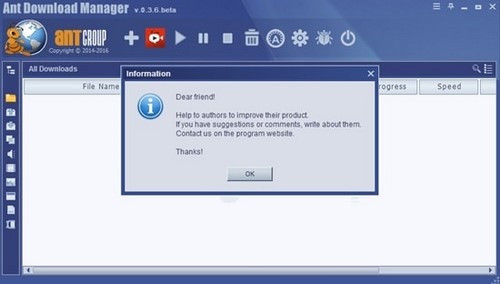
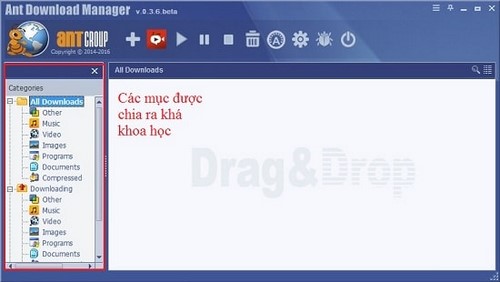
AntDM separates ordinary downloads, media capture, and torrent tasks. That breadth is useful, but people who only need direct HTTP downloads may find the extra controls unnecessary.
Standard downloads, queues, and scheduling
Both applications split eligible files into segments, resume transfers when the server permits range requests, organize downloads, and integrate with browsers. Neither can exceed the source server's limit or the capacity of your internet connection.
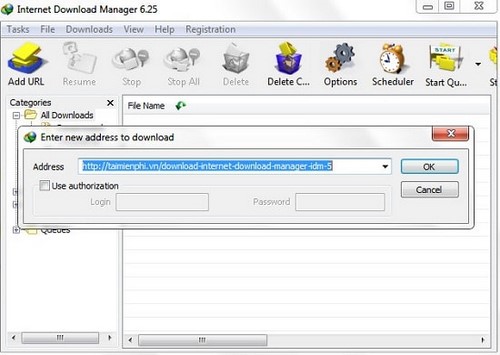

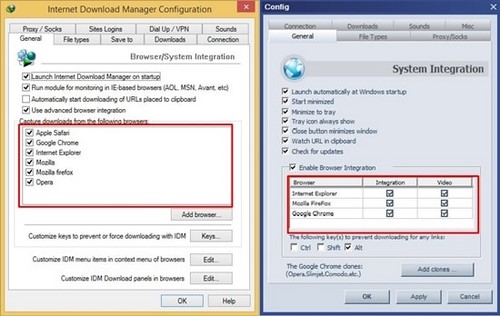
IDM's strengths are its straightforward scheduler, multiple queues, categories, site grabber, speed limiter, and mature browser handoff. AntDM also schedules and categorizes transfers, while adding P2P downloads and more media-processing controls.
A “virus check” option in a download manager does not make the application an antivirus. It normally passes the completed file to security software you already installed. Keep Windows Security or another reputable security product enabled regardless of which manager you use.
Browser and video capture
Both products use companion browser integration to detect eligible file and media requests. A capture panel does not guarantee that a stream can be downloaded. Sites change frequently, and encrypted or DRM-protected streams should not be bypassed.
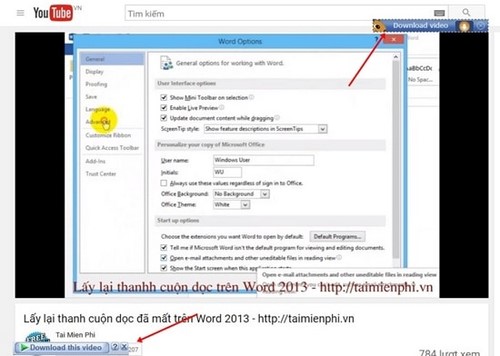
IDM presents a Download this video panel for supported web players. AntDM advertises dedicated handling for MP4, HLS playlists, and MPEG-DASH manifests and can use FFmpeg-based processing to merge or convert compatible media streams.
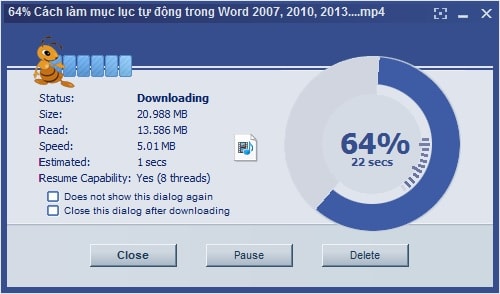
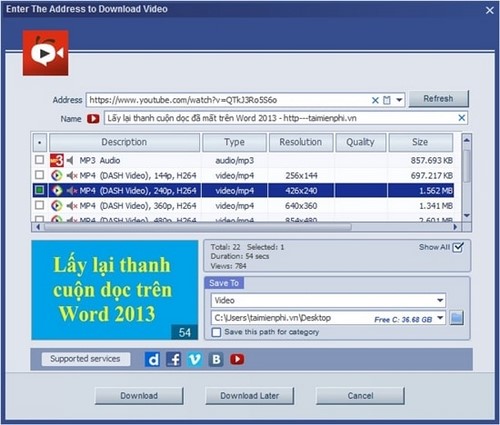
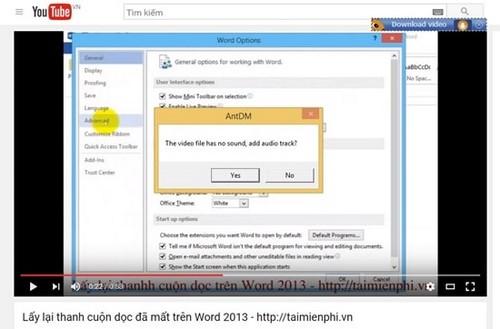
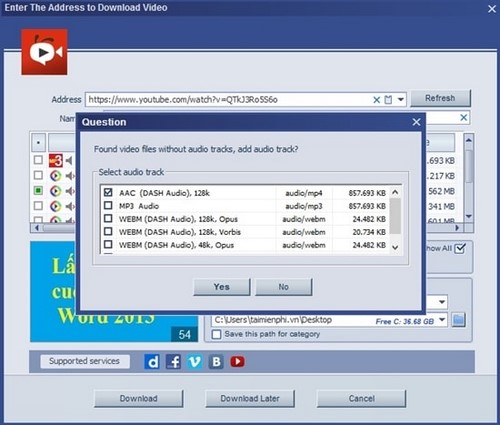
Some services deliver video and audio separately. AntDM may download both and merge them; a failure can occur when a stream is encrypted, incomplete, or incompatible. IDM likewise does not circumvent copy protection. Download only material you are authorized to save.
Speed: do not rely on a single old test
The original comparison used one large-file test and attributed IDM's result to a fixed number of threads. That conclusion is too broad. Download speed depends on:
- the source server and its connection limits;
- the file size and whether range requests are supported;
- latency, packet loss, Wi-Fi quality, and ISP congestion;
- the number of segments configured;
- security scanning, disk speed, VPNs, and proxies;
- whether media must be merged or transcoded after transfer.
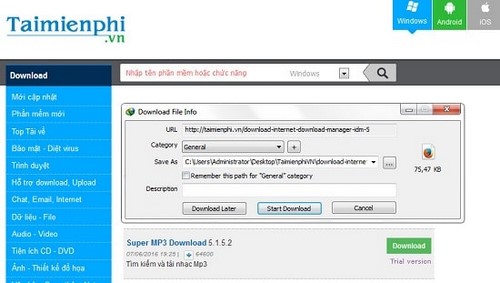
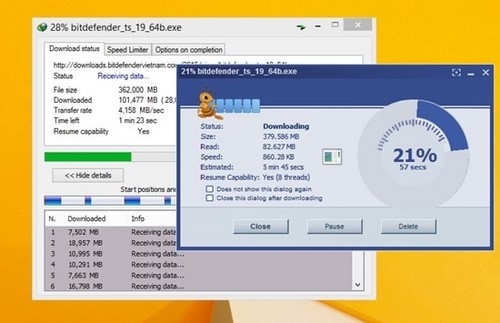
For a fair comparison, download the same large, authorized test file from the same server at similar times, reset both applications to default connection settings, repeat the test, and compare median completion times. Excessive segments can reduce reliability or trigger server throttling.
Licensing and installation safety
- IDM: the official site offers a time-limited trial; continued use requires a license.
- AntDM: the vendor documents a full-feature trial that falls back to a feature-limited free mode, with Pro licenses for the complete feature set.
- Download either installer only from its official site and verify the publisher before running it.
- Use only the extension linked by the product's official support page. Look-alike extensions can misuse broad browser permissions.
- Avoid cracks, preactivated packages, and “silent” repacks.
Which one should you choose?
- Choose IDM if you mainly download ordinary web files, value a familiar interface and mature queue/scheduler workflow, and are comfortable buying a license after the trial.
- Choose AntDM if you need torrent and magnet support, explicit HLS/DASH handling, integrated media conversion, or a continuing free mode with limitations.
- Choose neither if your browser already handles your downloads reliably or if you need a cross-platform tool; both products are Windows-focused.
For setup details, read what IDM does and how to install it. A lighter alternative is covered in the Neat Download Manager guide.
The practical winner depends on the workload: IDM is the simpler recommendation for conventional Windows downloads, while AntDM offers the broader all-in-one feature set. Test both official trials with the same legal files before paying.
Related Articles
 Link Internet Download Manager 6.38-build-17 minutes read
 Neat Manager 1.3/1.8.0, Download Neat Download Manager4 minutes read
 Top 8 Best Free Download Support Tools for Windows8 minutes read
 Fix IDM Errors Automatically Download Music on Browsers4 minutes read
 Latest Kuroku's Basket Showdown Codes and How to Redeem Codes4 minutes read
 How to Limit Download Speed of IDM4 minutes read
Reader Comments 0
Sign in with email or Google to join the discussion.