Table of Contents
The safest way to create an MP3 from a YouTube video is to download a video you uploaded or otherwise have permission to use, then extract the audio locally. Third-party services such as X2Convert may change domains, show misleading download buttons, or request risky browser extensions, so they should not be the default method.
Copyright and platform rules still apply. Converting a publicly viewable video does not give you permission to copy its music. Use your own upload, public-domain material, or content covered by a license or explicit permission. YouTube Premium downloads are for offline playback inside YouTube and are not exported as MP3 files.
Best method: Download your own upload and convert it locally
Step 1: Download the video from YouTube Studio
- Sign in to YouTube Studio.
- Select Content in the left panel.
- Find your video, open its three-dot menu, and select Download.
YouTube's official help page documents this option for videos uploaded from your account. If you still have the original camera or editing file, use that instead because it normally retains better quality than a platform download.
Step 2: Extract the audio
A graphical video converter is easiest for most people: add the downloaded MP4, choose MP3 as the output, select a sensible quality, and export. Compare options in the MP4-to-MP3 converter guide.
If you already use FFmpeg, this command selects the first audio stream, removes video, and encodes a variable-quality MP3:
ffmpeg -i "input-video.mp4" -vn -map 0:a:0 -c:a libmp3lame -q:a 2 "output-audio.mp3"-vnexcludes video.-map 0:a:0selects the first audio stream explicitly.-q:a 2requests high-quality variable-bitrate MP3 encoding.
If the source already contains AAC or Opus audio, converting it to MP3 is another lossy encode. Choosing “320 kbps” cannot restore detail that was not present in the source.
Using X2Convert: legacy workflow and risks
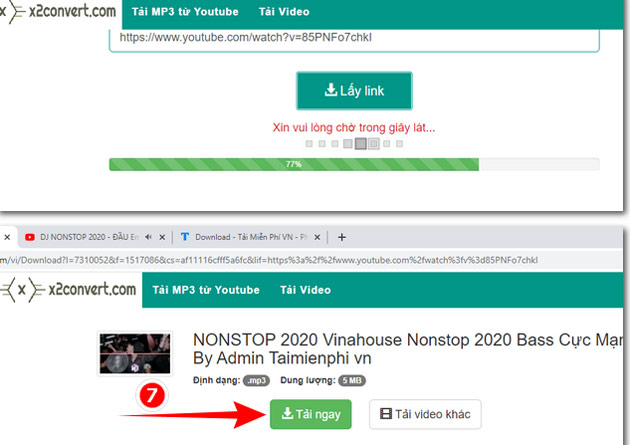
The screenshots below show the older X2Convert web workflow. The service's availability, ownership, interface, advertising, and safety can change. Proceed only for authorized content, keep browser protection enabled, and stop if the page asks you to install software, enable notifications, or sign in to Google.
- Open the authorized YouTube video and copy its URL from the address bar or Share menu.
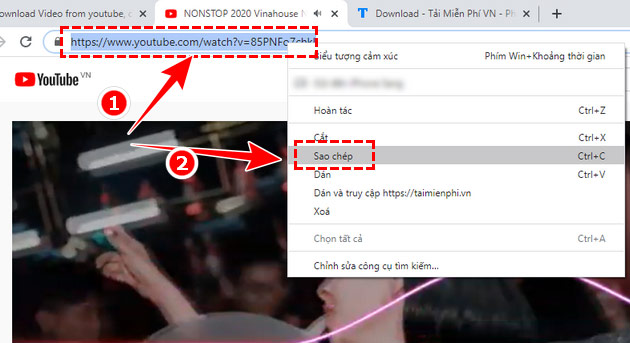
- Open the X2Convert site by typing the known address carefully. Do not follow look-alike search ads.
- Paste the URL into the site's conversion field.
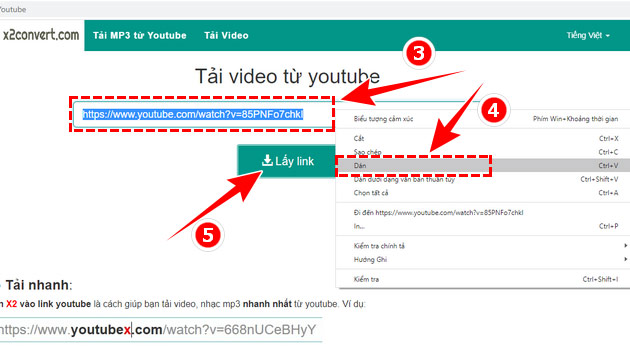
- Select an audio output only after checking that the button belongs to the converter rather than an advertisement.
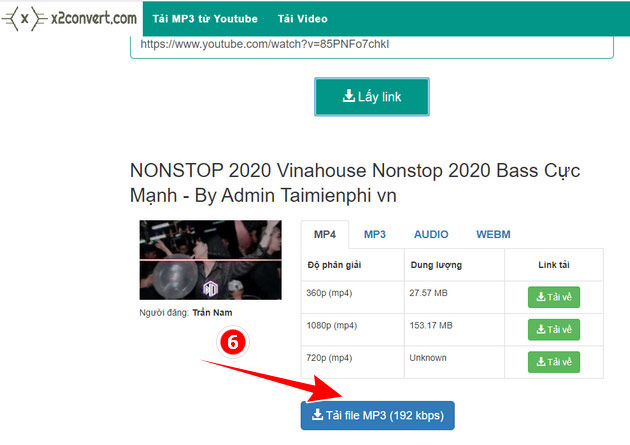
- Review the generated filename and extension before downloading.
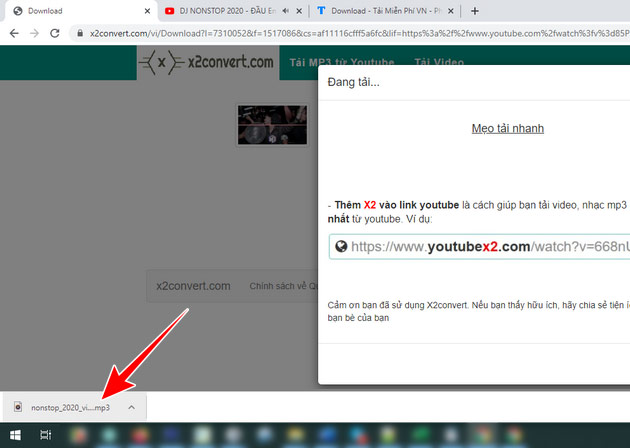
- Find the file in the browser's Downloads panel, scan it, and verify that it is actually an audio file before opening it.
Methods to avoid
- Tampermonkey scripts from an unknown site: a user script may read or alter pages you visit. The original article's extension method has been removed because its current code and permissions cannot be verified.
- Editing the word “x2” into a YouTube URL: this redirects away from YouTube and makes it easier to land on a look-alike domain. Use a clearly verified address instead.
- Browser notification prompts: conversion does not require notification permission.
- “Codec” or downloader executables: a web conversion should not require an unrelated installer.
- Google sign-in prompts: never give a converter your Google password or verification code.
If the MP3 has poor quality or no audio
- Play the downloaded video first to confirm it has an audio track.
- Try a local converter rather than converting the already compressed stream again online.
- If the video has several audio tracks, select the correct track during conversion.
- Keep a lossless or original master when audio quality matters; create MP3 only as a delivery copy.
- Do not rename an MP4 file to
.mp3; that changes the filename, not the media format.
For other local choices, compare video-to-MP3 converter applications. Local conversion keeps the media off an unknown server and is more predictable than a changing URL-based service.
Related Articles
 How to Download 320Kbps MP3 Music from YouTube3 minutes read
 Download Youtube Music, 13 Ways to Download MP3 From YouTube28 minutes read
 Extract Music From Youtube Without Needing Software on Your10 minutes read
 How to Download Music, Videos on Youtube to Your Phone Extremely Fast and6 minutes read
 Convert YouTube MP3 Files: What You Need to Know9 minutes read
 3 How to Download and Download Mp3 from YouTube Extremely4 minutes read
Reader Comments 0
Sign in with email or Google to join the discussion.