Table of Contents
The Pinterest mobile app can download eligible full-screen video Pins when the creator allows it. That built-in option is the safest choice. For other public videos that you own or have permission to copy, a third-party link downloader may work on Android, iPhone, or a computer, but it should never require your Pinterest password.

Use content responsibly: A downloadable file is not a license to repost, edit, monetize, or remove attribution. Confirm that you own the video, have the creator's permission, or have another valid right to use it. Pinterest's terms also prohibit unauthorized ways of accessing content.
Use Pinterest's built-in video download
In the Pinterest app, open a full-screen video Pin, tap the share icon on the right, and then tap the download icon. The option appears only where video downloads are supported and the creator has enabled them. The file is saved to the device's gallery or Photos library.
If the icon is absent, do not treat that as a technical error. The Pin type, creator setting, account, app version, or region may make it unavailable. Pinterest explains the supported image and full-screen-video options in its official download guide.
Download an authorized Pinterest video on Android
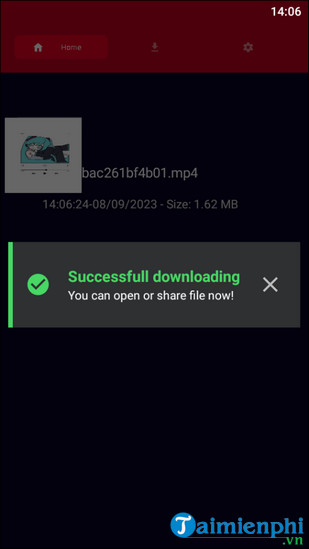
The following screenshots show an older third-party Android app called Video for Pinterest. App availability and menus can change, so verify the current developer, recent reviews, and requested permissions in Google Play before installing anything.
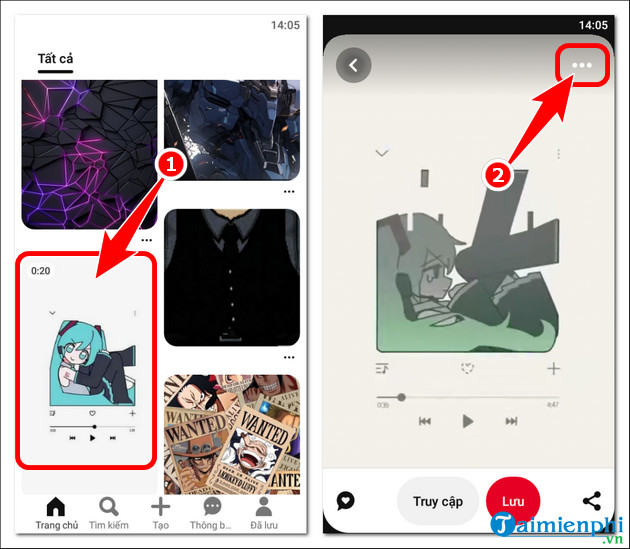
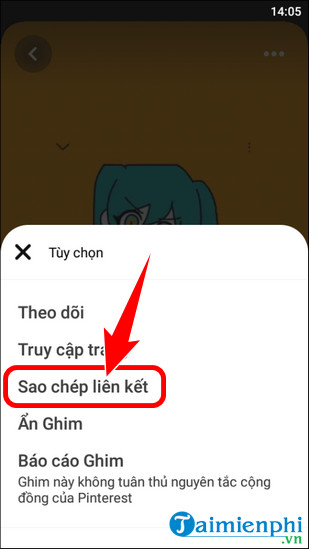
- Open the video Pin, tap the three-dot or share menu, and choose Copy link.
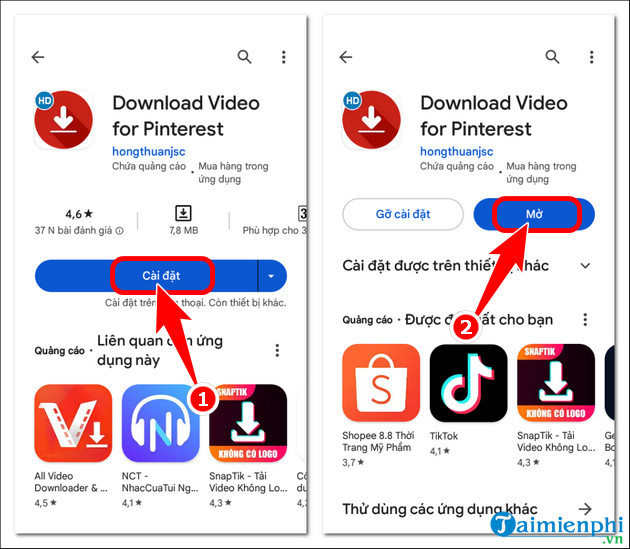
- Install a reputable Pinterest video downloader from Google Play if you have decided to use one. Do not sideload an APK from an advertisement or unknown mirror.
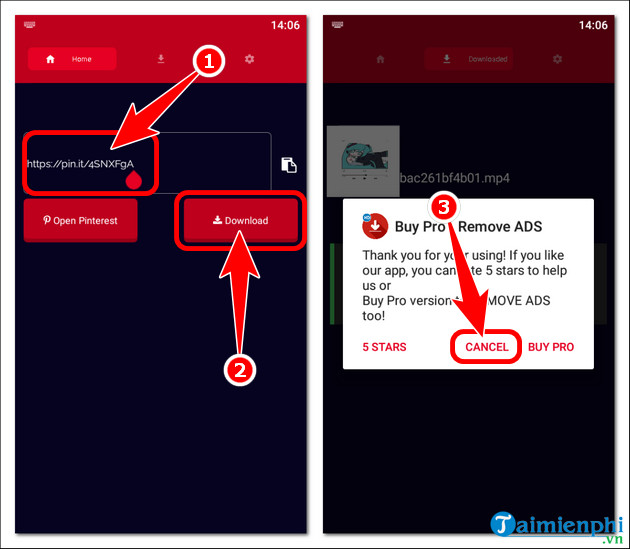
- Paste the copied public Pin URL into the app and tap Download. Close unrelated pop-ups.
- When the app reports completion, check the Downloads folder or Gallery. Open the file with the device's normal video player.
Download an authorized Pinterest video on iPhone
A current iPhone browser can save many normal downloads directly to the Files app. The older workflow below uses Documents by Readdle and its built-in browser; use it only if Safari does not handle the file conveniently.
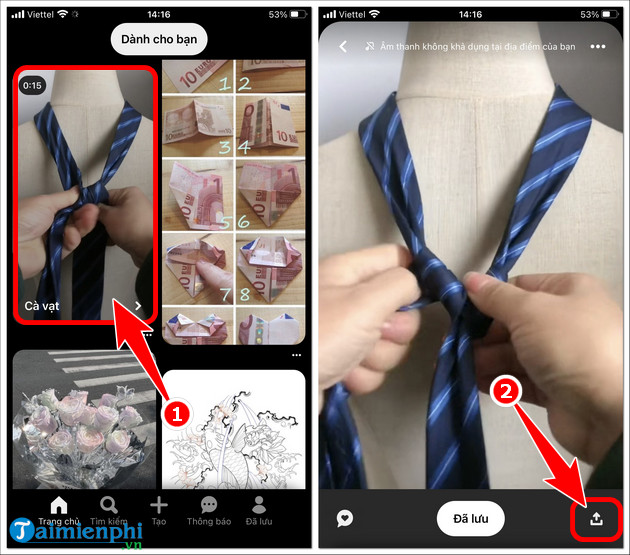
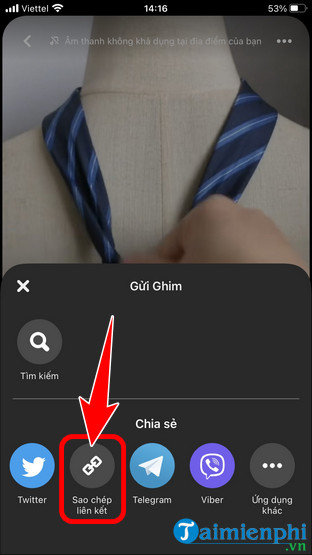
- Open the video Pin, tap Share, and choose Copy link.
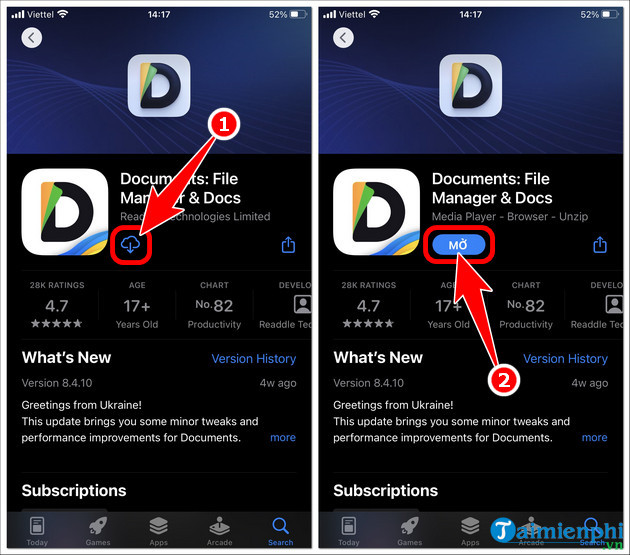
- If needed, install Documents from the official App Store and open its browser. Do not grant access to all photos unless the final save step requires it.
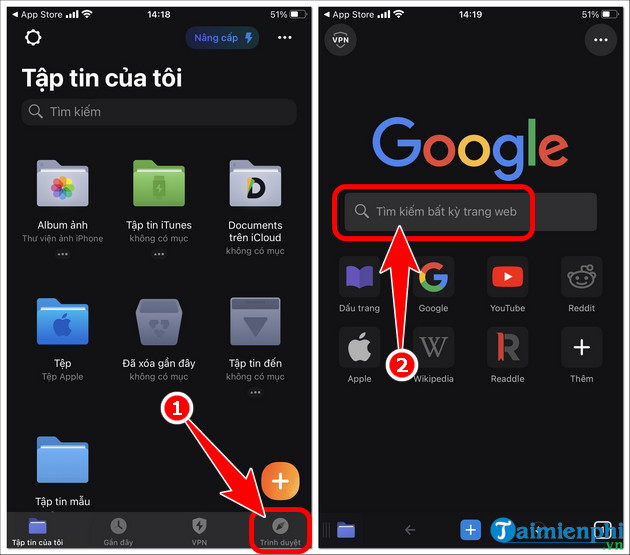
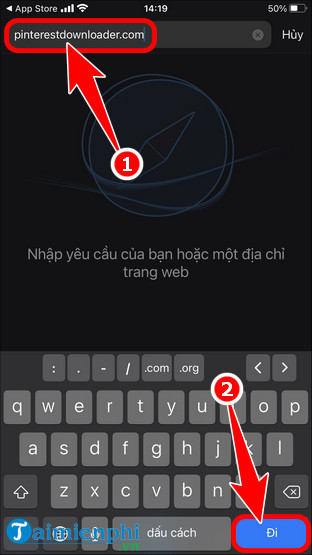
- Open the third-party downloader you trust. The screenshot uses PinterestDownloader.com; its availability and safety can change, so check the spelling and leave if the browser displays a warning.
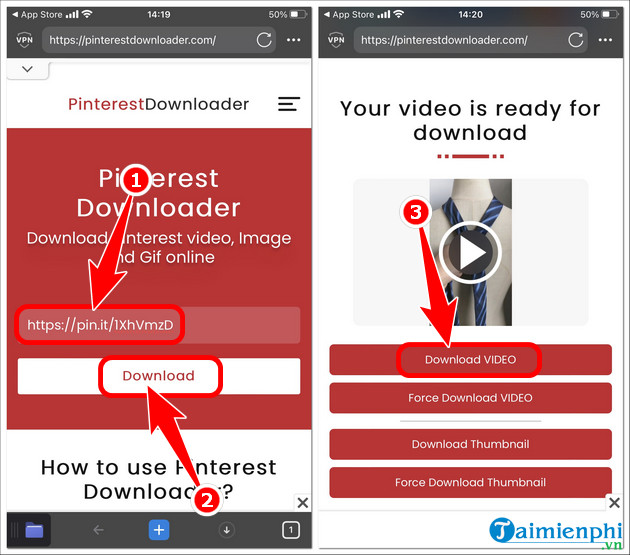
- Paste the Pin URL, start processing, and select the normal video download rather than any unrelated software or notification prompt.
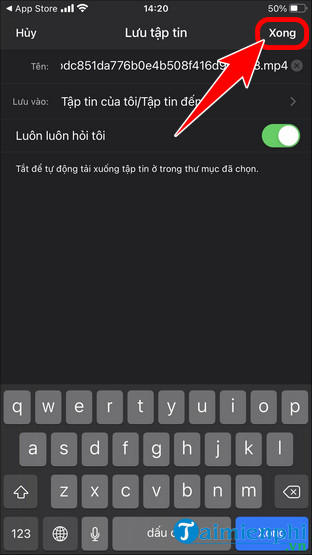
- Confirm the filename and save location, then tap Done.
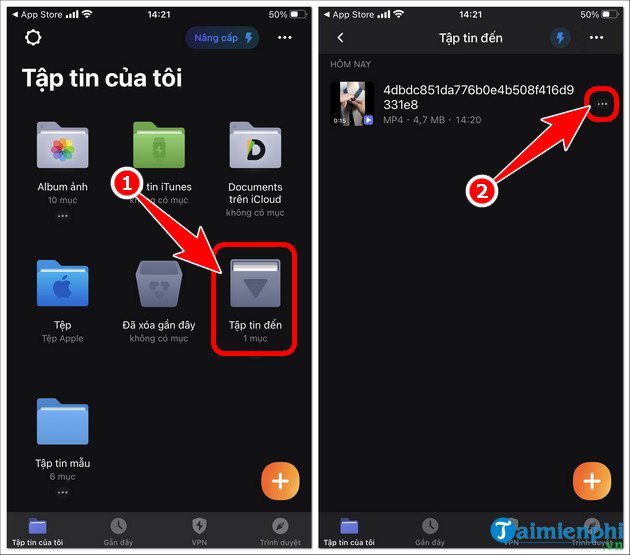
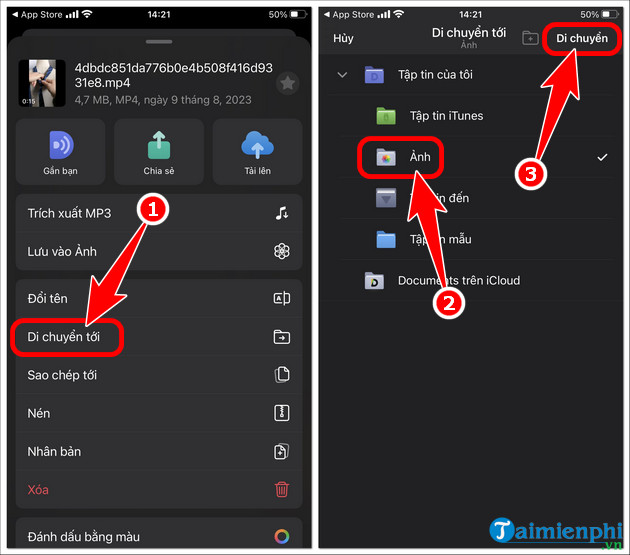
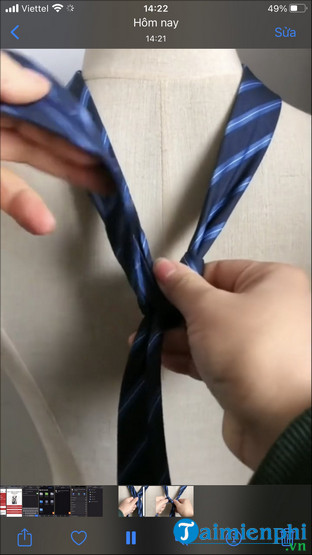
- In Documents, open the downloaded file's menu and choose Move or Share > Save Video. Select Photos only if you want the clip in the Photos library.
Download an authorized Pinterest video on a PC
- Open Pinterest in a browser and display the video Pin.
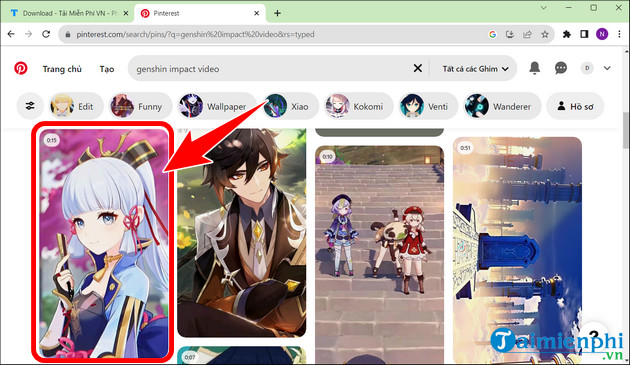
- Select the share icon and choose Copy link.
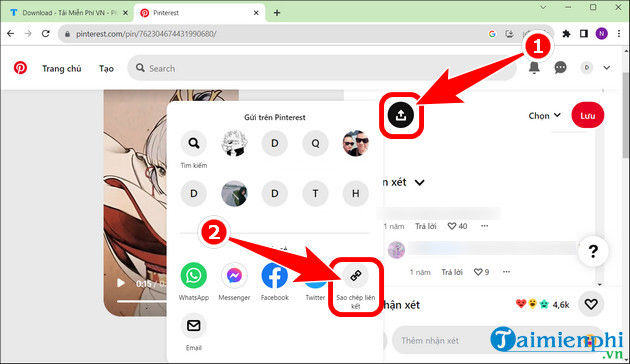
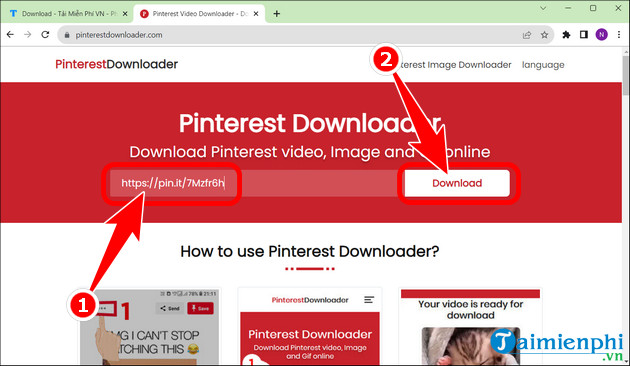
- Open a reputable link downloader and paste the public Pin URL. Do not sign in to Pinterest through the third-party page.
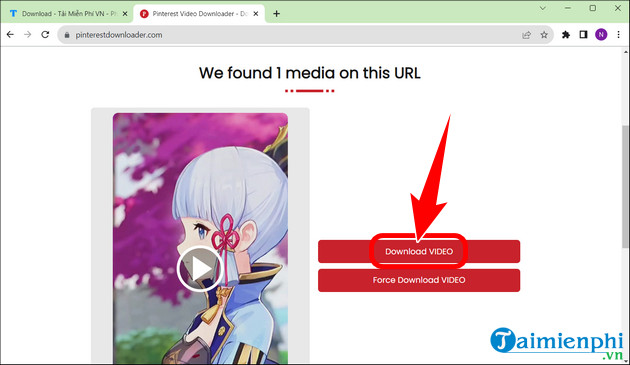
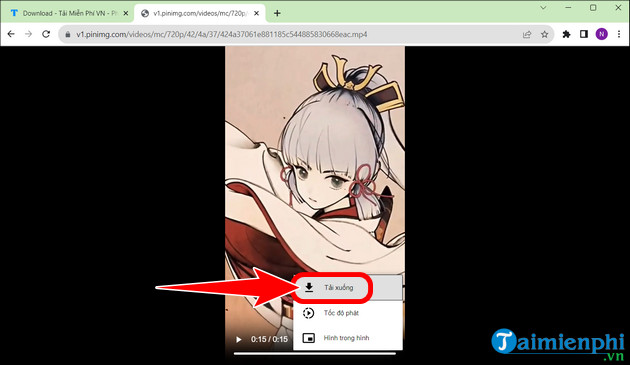
- Select the video result. If the browser opens the video in a new tab, use the player's menu and choose Download.
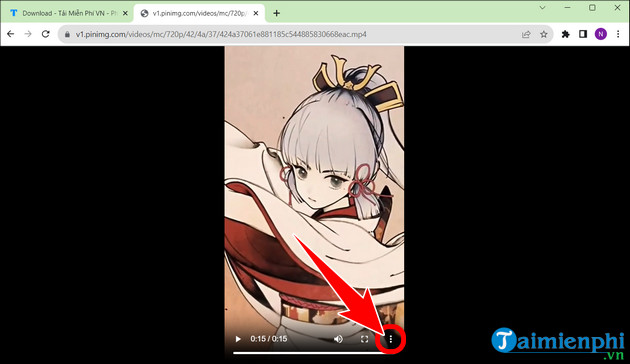
- Give the file a clear name and save it as the offered video format. Do not merely rename an unknown file extension to
.mp4.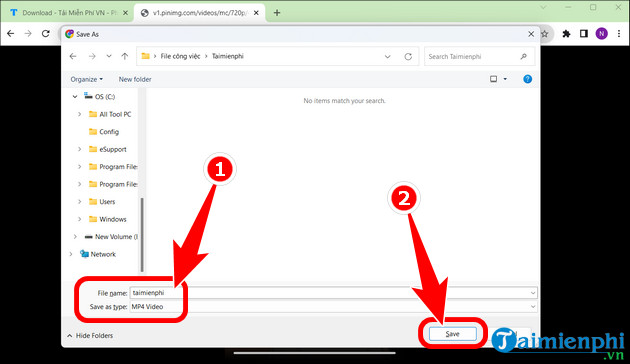
Security and troubleshooting checks
- Never enter a Pinterest password, payment details, or verification code into a video-downloader page.
- Reject prompts to install a browser extension, configuration profile, “codec,” or notification subscription.
- Do not bypass private accounts, paywalls, or creator download settings.
- If a copied link fails, make sure the Pin is public and still available, then copy the link again.
- If you own the video, retrieve the original from your camera, editor, or backup for better quality.
New to the service? Start with creating a Pinterest account. After saving an authorized clip, choose a trusted player from the guide to free desktop video players. Do not re-upload downloaded material merely to grow a profile or promote a brand unless its license explicitly permits that use.
Related Articles
 Instructions for Downloading Facebook Videos on iOS and Android8 minutes read
 12 Helpful Ways SEO Tips on Pinterest14 minutes read
 What Is Pinterest? How to Use It?8 minutes read
 How to Download YouTube Videos to iPhone Phones12 minutes read
 How to Download YouTube Videos to Android Smartphones3 minutes read
 Download Videos on Tiktok Without Logo on IPhone, Android and PC8 minutes read
Reader Comments 0
Sign in with email or Google to join the discussion.