Table of Contents
Redeem codes inside Basketball Showdown on Roblox, formerly listed as Kuroku’s Basket Showdown. Open the lobby’s Codes menu and enter one code at a time. The game decides whether a code is still valid.
Reported codes and rewards
The following rewards are listed by the Basketball Showdown code tracker. Availability can change without notice.
| Code | Reported reward |
|---|---|
BK | 500 Cash |
YOSVFX | 500 Cash |
KUROKUSHOWDOWN | 1,000 Cash |
CRACKOP | 500 Cash |
basketball | 1,500 Cash |
RELEASE | 1,250 Cash |
How to redeem a code
- Open the exact Roblox experience linked above. If the experience prompts you to meet a requirement, check the game’s current instructions and creator community.
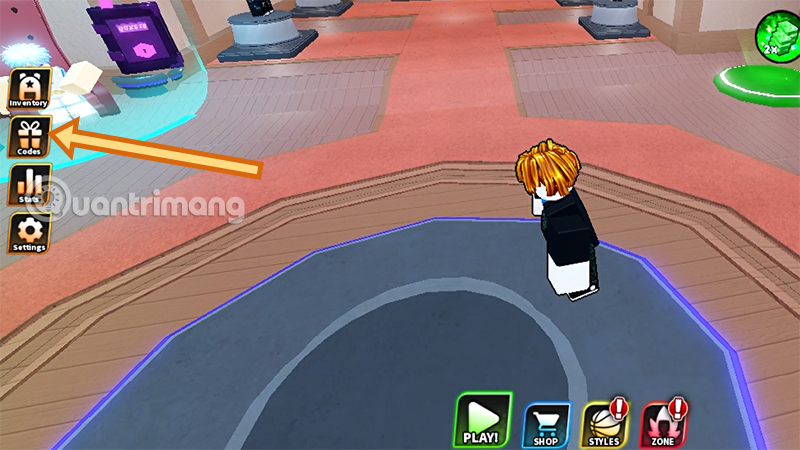
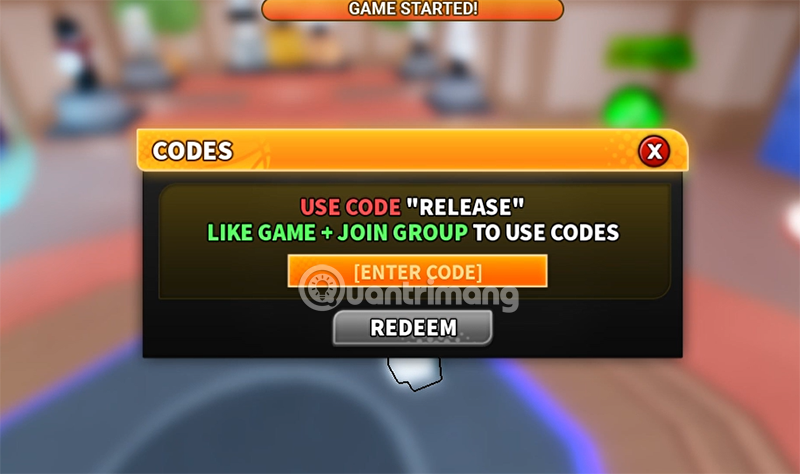
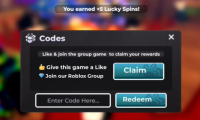
- In the lobby, choose Codes on the left. Paste a code into Enter Code without extra spaces.
- Choose Redeem and check the in-game result.
If the code fails
Match the spelling and capitalization, verify you’re in the right game, and check whether you’ve already redeemed it. Some codes expire. Look for newer announcements in the developer community linked from the game listing. In-game rewards never require you to enter your Roblox password on a code website.


Reader Comments 0
Sign in with email or Google to join the discussion.