While Mac users stick with iTunes, Windows users have built-in options like Windows Media Player or Groove Music but they can easily search for other preferred music players.
However, if you are a music connoisseur, the search will be more difficult when you want to listen to high-resolution audio (Hi-res) in FLAC, MQA or DSD format. This article will suggest some Hi-res music playback software options on Windows for you to choose from.
1. Hysolid
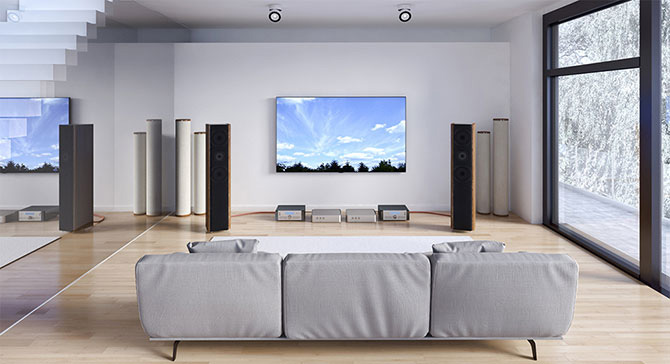
If your PC is connected to a quality Hi-Fi system, Hysolid could be exactly what you're looking for. This is not a traditional music player software, it turns your PC into a music player controlled by an iOS or Android device. You just need to sit on the sofa, choose your favorite song and the computer will play it through the Hi-Fi system.
Hysolid can play most high-resolution formats. The app is compatible with PCM audio, including WAV and FLAC up to 384 kHz as well as DSD from 2.8 MHz to 11.2 MHz in DSF format. Hysolid can also display the operating mode of the USB DAC you are using.
2. MusicBee
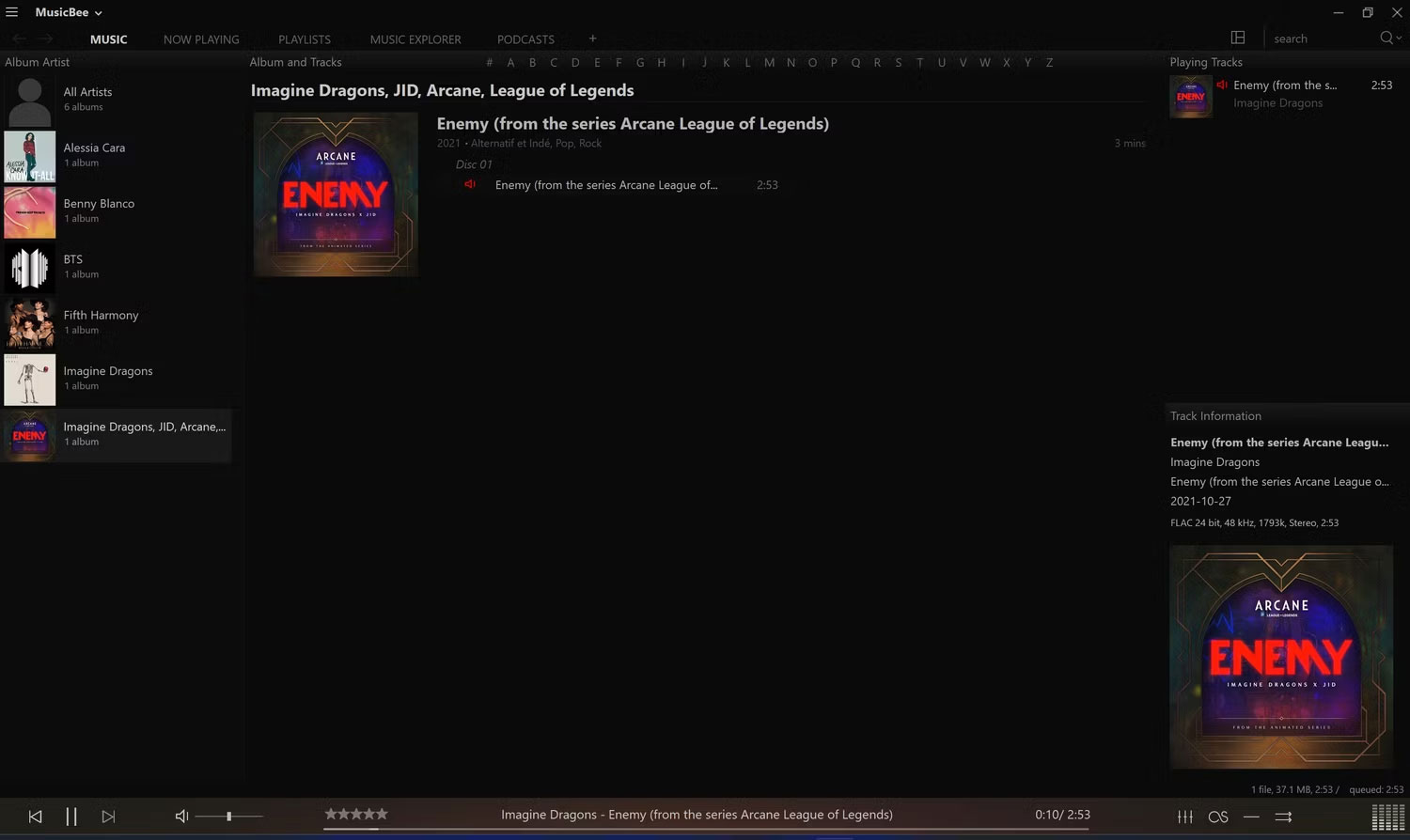
MusicBee is what you need if you want a simple and clean interface without sacrificing speed. It's a lightweight app that opens instantly but is still packed with features. You can adjust the sound with a 10-band or 15-band equalizer and DSP effects. Not all software can do this, but MusicBee can use a high-end sound card if you have one available on your computer.
MusicBee also supports gapless playback, logarithmic volume scaling, normalized volume streaming, and Android device syncing. Additionally, if you have previously used WinAmp with plugins, you can import those plugins into MusicBee to improve your listening experience. This music player includes skins, Last.fm support, CD ripping tool, and many other features.
3. Amarra Luxe
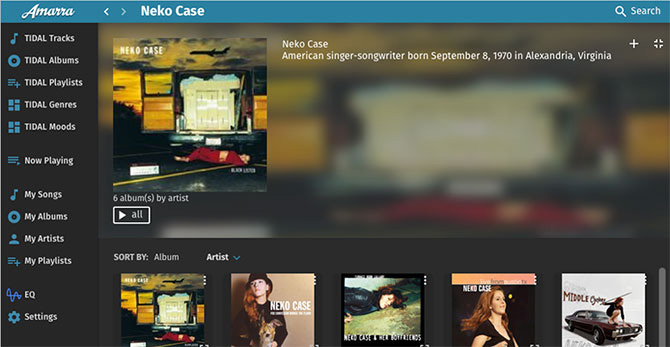
Amarra Luxe is a premium music streaming application, so it is not cheap but in return it is packed with features. The software supports high-resolution audio formats such as FLAC, MQA and DSD.
This is also a handy application if you want to stream high-resolution audio. In addition to being able to play music from your collection, Amarra Luxe can stream from Tidal and Qobuz. If you want to control all your music with one app, no matter where it comes from, this might be what you're looking for.
4. Audirvana

Audirvana allows you to control the audio stream from source to output. If you have a powerful computer that can handle great audio, this is an option worth considering. For example, Audirvana supports running higher-performance algorithms to reduce the load on the signal processor and avoid overload.
This application also supports VST3 plugins that help in adjusting the sound. Audirvana isn't a cheap option, but the sheer power of the app is worth the money.
5. Foobar2000
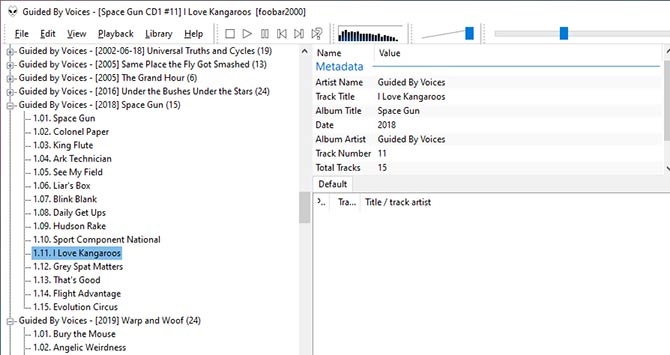
One of the most popular music streaming software for Windows, Foobar2000 is a household name. The software has a slightly dated interface but it's fast, configurable, and most importantly, it's free. While it's not the only free music streaming app on this list, it is the only one that resembles a traditional media player.
Foobar supports FLAC, but not DSD. To get support for this format, you need to use the DSDIFF add-on. When you use it, you will find this to be a powerful audio player.
6. Jriver

This music player software supports DSD and PCM lossless formats. It can also use ASIO or WASAPI, transmitting perfect audio to your DAC.
Jriver has other features that stand out from other music players like the audiophile-grade crossfeed option. This feature makes sound heard through headphones more natural, like hearing it from speakers in the room.
7. Roon
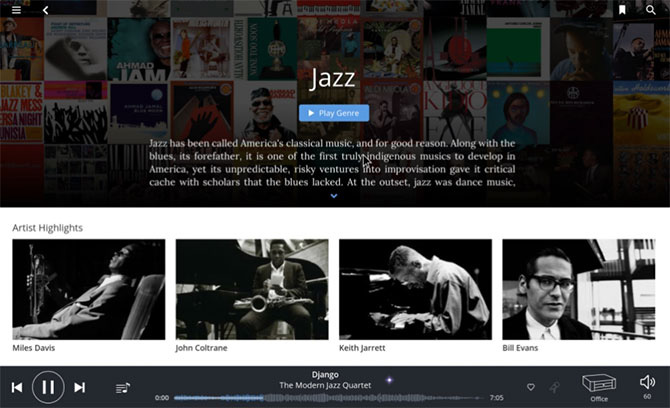
Most high-resolution music software focuses on sound quality, but Roon focuses on something else, something that's been lacking in the electronic music transition. Roon aims to introduce a searchable music 'magazine'.
This software does not only apply this technique to music stored on the computer. It can do this with music played from a local NAS or even streamed from Tidal.
8. JPLAY FEMTO
http://jplay.eu/download/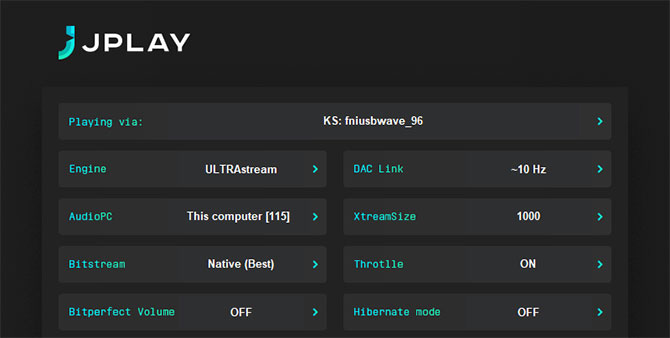
If you are a music lover, you cannot ignore this software. JPLAY FEMTO was developed with the aim of optimizing everything to transmit the audio signal from the source to your DAC with the highest possible quality. This feature supports PCM, DSD audio and it can even improve the sound quality of Tidal and Qobuz.
Like Hysolid, this is not music streaming software but a server. You can use it with UPnP compatible applications and software. Developers recommend Bubble UPnP for Android, Kinsky for Windows, macOS and iOS.
Among other features, JPLAY FEMTO includes Hibernate mode to reduce background noise emitted from your computer.
Finding the right Hi-res music player is great, but it won't mean much if you don't have Hi-res music to listen to. These apps will also play your MP3 collection, but if you have a great audio setup, you'll get more out of it by purchasing high-quality audio files.
When it comes to buying music, there are several online stores to choose from. Then there are streaming services that are also starting to offer Hi-res audio. Some of the most popular services include Tidal, Qobuz, and Deezer.
Hope this article is useful to help you choose the most suitable Hi-res music player software.




Reader Comments 0
Sign in with email or Google to join the discussion.