Table of Contents
High-Resolution Audio, or Hi-Res Audio, generally describes digital audio distributed at a resolution above the 16-bit/44.1kHz CD format, commonly 24-bit/96kHz or 24-bit/192kHz. It does not guarantee a good recording, an audible improvement, low distortion, or “studio-quality” playback. The master, conversion, headphones or speakers, room, fit, and listening level still matter more.
Hi-Res Audio, lossless, and Hi-Fi
These terms answer different questions:
- Hi-Res Audio: Is the sample rate or bit depth above the common CD format, or does the product meet a certification program's technical criteria?
- Lossless: Can the original digital samples be reconstructed without the information loss of a lossy codec?
- Hi-Fi: Does the playback chain aim for faithful, low-noise, low-distortion reproduction?
A CD-quality FLAC file is lossless but not normally called hi-res. A high-sample-rate file can still come from a poor, clipped, or upsampled master. A product with a Hi-Res Audio logo demonstrates specified capabilities; the logo does not certify that every song or listener will sound better. See the high-fidelity audio guide for the complete playback chain.
What sample rate does
Sample rate is the number of amplitude samples taken per second. Under the sampling theorem, a properly band-limited digital system can represent frequencies below half its sample rate. CD's 44.1kHz rate therefore covers frequencies slightly above the usual human audible range.
Higher rates give production tools more room for filtering, processing, time stretching, and certain nonlinear effects. During playback, 96kHz or 192kHz does not “take smaller snapshots between missing pieces” in a way that automatically creates audible detail. A correct converter reconstructs the continuous band-limited waveform.
What bit depth does
Bit depth controls the number of quantization levels and the theoretical dynamic range of linear PCM. In production, 24-bit recording provides valuable headroom and a low noise floor while levels are captured and processed. For delivery, 16-bit audio with proper dither already supports a very wide dynamic range.
A 24-bit file does not force music to be more dynamic. If the master is aggressively limited, the extra bits do not restore dynamics that were removed. Playback volume and ambient noise can also mask very quiet detail.
Common file formats
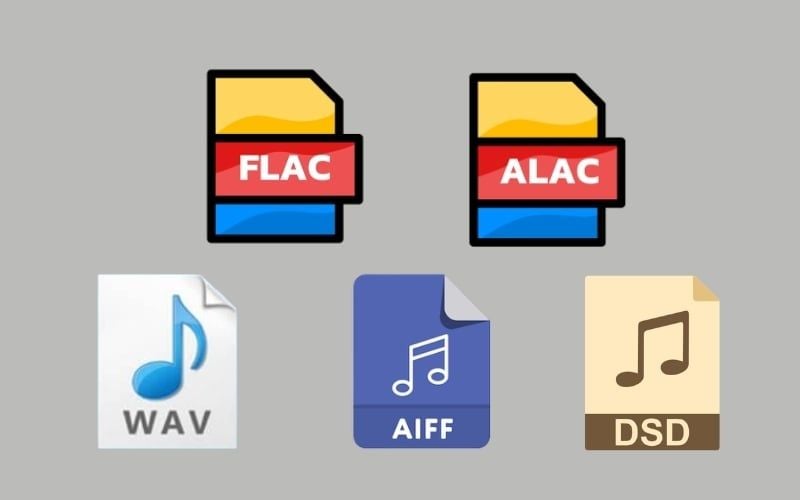
- FLAC and ALAC: lossless compression; smaller than uncompressed PCM while decoding to the same samples.
- WAV and AIFF: containers commonly used for uncompressed PCM; metadata support varies by workflow.
- DSD: a one-bit, high-rate format with a different noise-shaping and processing workflow; it is not inherently superior to well-implemented PCM.
- MP3, AAC, and similar codecs: lossy formats that discard information according to a psychoacoustic model. A good encode can still be transparent to many listeners.

File extension does not prove source quality. A 24-bit/192kHz file created by upsampling a CD master contains more samples but no new recorded information.
Does Hi-Res Audio improve games?
High sample-rate support does not add positional information, eliminate latency, filter noise, or reveal footsteps. Game audio depends on the engine, mix, dynamic range, HRTF or spatial rendering, output mode, and headphones. A stable low-latency path and accurate frequency response are more useful than a Hi-Res logo.
Likewise, content creators benefit from suitable project sample rates, 24-bit or floating-point production formats, calibrated monitoring, and a controlled workflow—not from converting every final file to the largest available rate.
Do you need an external DAC?
A DAC converts digital samples to an analog signal. Every analog headphone output already has one. An external DAC or DAC/amp is useful when the existing output has audible hiss, interference, insufficient voltage or current, poor volume control, unsuitable output impedance, or no required connection.
| Criterion | Built-in output | External DAC/amp |
|---|---|---|
| Cost and clutter | No additional device | Extra device, cable, and cost |
| Noise | Can be excellent or noisy depending on design | Can be excellent or noisy depending on design |
| Headphone power | Varies widely | Choose a model measured for the intended load |
| Hi-res file support | Often supports common rates; check specifications | Useful when the built-in path cannot accept the needed format |
| Expected benefit | Keep it if it is clean and powerful enough | Buy to solve a verified limitation |
Supporting 24-bit/192kHz is easy for modern hardware and does not by itself indicate converter quality. Measured noise, distortion, output power, output impedance, and driver stability are more informative.
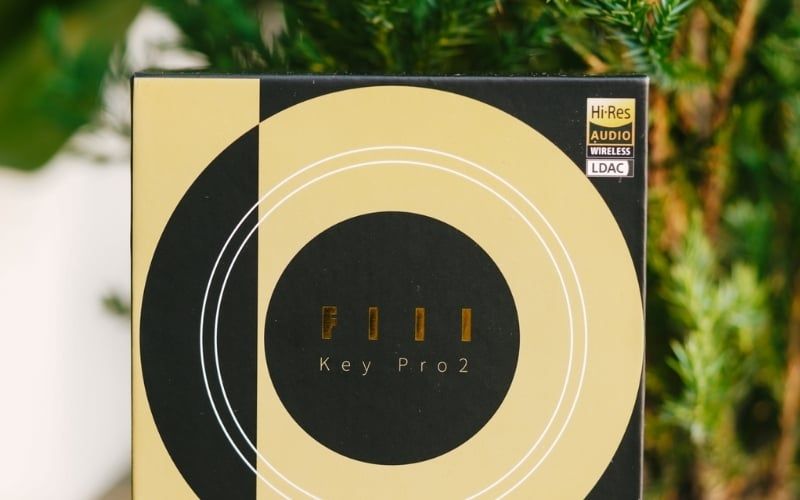
Headphones and speakers do not need ultrasonic sound to be excellent
Some Hi-Res certification programs require an output response extending to 40kHz. Human audibility does not extend that high for most listeners, and ultrasonic extension does not guarantee accurate response in the audible band. Frequency response, distortion, channel matching, directivity, fit, and room interaction are more useful buying criteria.
The amplifier must also match headphone impedance and sensitivity. A Hi-Res label does not mean a high-impedance headphone is easy to drive; use the impedance-matching guide.
Hi-Res Audio over Bluetooth
Standard Bluetooth Classic Audio normally applies a codec rather than sending the original PCM file bit-for-bit. Some high-bitrate codecs are marketed or certified for high-resolution wireless playback, but radio conditions, device support, fallback behavior, and codec implementation affect the result.
Bluetooth can sound excellent without being lossless. Conversely, a high-resolution codec badge does not fix poor tuning. Confirm the codec on both source and headphones and read the Bluetooth audio explanation before relying on the core version number.
Set up Hi-Res playback without unnecessary expense
- Choose a well-mastered release; use lossless delivery when convenient.
- Set the player and operating system to a compatible rate, or allow the player to switch rates if that workflow is reliable.
- Avoid several layers of resampling, EQ, and “enhancement” unless they serve a specific purpose.
- Use the current headphone output first. Add an external DAC/amp only for a measured or audible problem.
- Spend first on headphones or speakers, fit, room placement, and recordings; they create larger differences.
- Compare formats with level-matched, blind testing if the purchase depends on an audible claim.

Hi-Res Audio is a valid distribution and hardware capability, not a shortcut to realism. A clean CD-quality master on accurate headphones can outperform a poor 192kHz release, and a modest transparent DAC can outperform an expensive device chosen only for its maximum sample rate.
Related Articles
 How to Manage and Improve Sound Quality in Windows 1011 minutes read
 Apple Audio Lab: Complete Guide6 minutes read
 4 Tips to Improve Your Computer Sound Quality5 minutes read
 How to Fix Errors Without Sound in Ubuntu6 minutes read
 5 Best Sound Quality Enhancement Software for PC5 minutes read
 Fix Windows Sound Loss: Ways to Troubleshoot Audio on Windows 1012 minutes read
Reader Comments 0
Sign in with email or Google to join the discussion.