Table of Contents
This guide compares 5 leading Best Deleted Data Recovery Software 2020, focusing on useful features, compatibility, ease of use, and overall value.
1. Easeus Data Recovery Wizard
Download software link: https://www. easeus. com/datarecoverywizardpro/
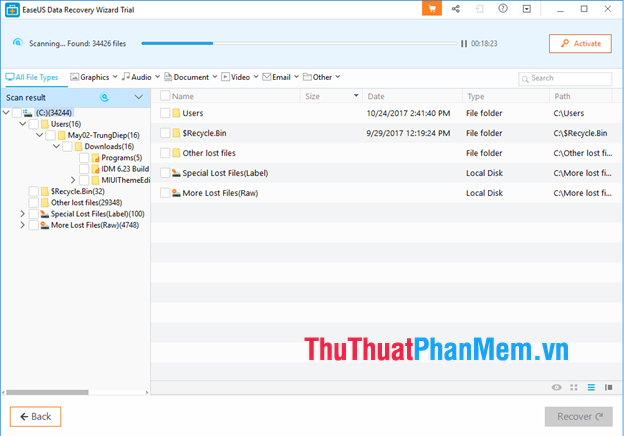
This is one of the best data recovery software you should use. With the Easeus Data Recovery Wizard, you can recover data on an area of a hard drive, a folder, or an external device of your choice. Data files when restored will be classified into formats such as: Photos, music, videos, emails, and other file types. This will help you easily find the lost files quickly. With an intuitive and user-friendly interface, especially a very powerful recovery feature, this will be a software that you cannot ignore.
2. Recuva software
Link to download the software: https://www. piriform. com/recuva
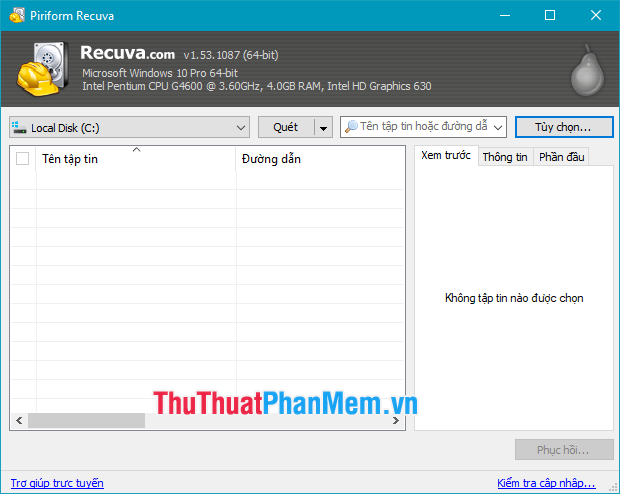
Recuva allows us to retrieve any type of data lost on the computer, due to causes such as deleted, hidden viruses. , recover data on memory cards, iPods, MP3 players., from corrupted or formatted drives. it even helps to recover deleted emails.
Recovering data with Recuva is very easy because the interface of the software is very simple and easy to see and especially supports the Vietnamese language so you can use all the functions of the software without encountering any problems. shy. In addition, this software is completely free so it will be a very good option for those who cannot afford it.
3. Wondershare Data Recovery Software
Download link: https://datarecovery. wondershare. com
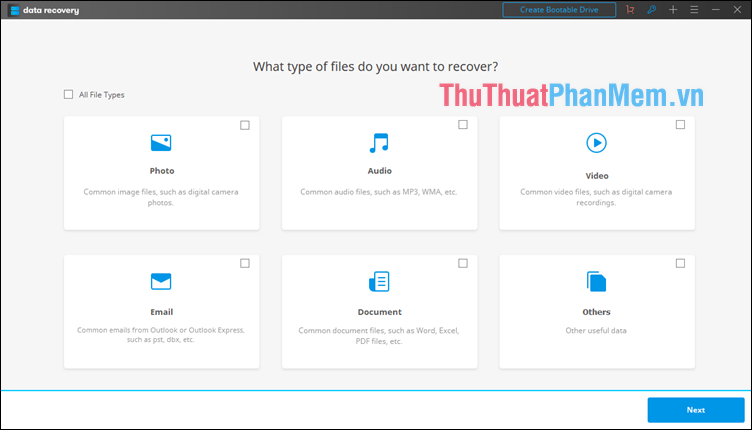
Wondershare Data Recovery is a famous and very effective data recovery software trusted by users. This software has a very nice and modern interface, especially the intuitive menus so users can use this software easily. Wondershare Data Recovery supports users to recover the lost data on the computer with advanced search technology and efficient recovery analysis algorithms. This software helps recover various data formats, on many devices such as USB, external hard drives, mobile phones, digital cameras, iPods, MP3 / MP4 players, etc. With these advantages Above, this will be a software that you cannot ignore.
4. Undelete Plus software
Link to download the software: https://www. undeleteplus. com/
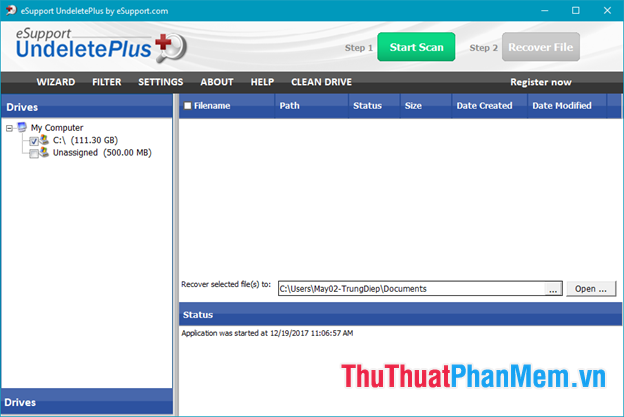
Undelete Plus is also rated as one of the best data recovery software today and is used by many people. This software has the advantage of supporting the recovery of many different file formats on different types of devices. Especially, the recovery speed is quite fast even for large files. In addition, Undelete Plus also has some good features such as arranging recovery files according to the level of re-creation, supporting file recovery due to unreachable partition failure, hard drive cleaning feature, etc. Undelete Plus is also a completely free software, so it will be a good choice for you.
5. Recover My Files software
Download link: http://www. recovermyfiles. com/data-recovery-software-download. php
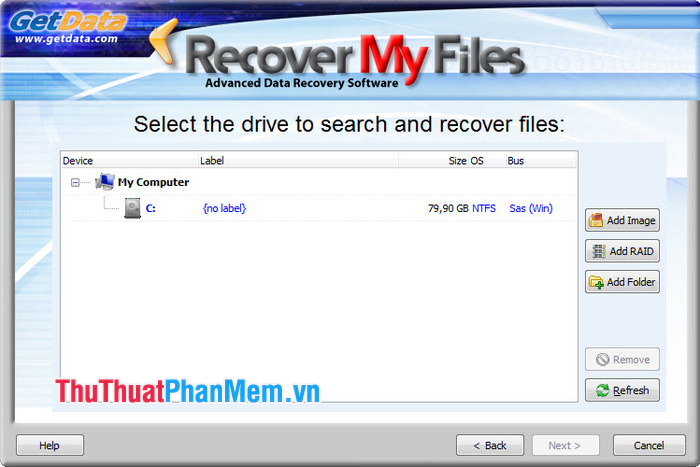
Recover My Files is a software that can help you recover accidentally deleted files very effectively. With Recover My Files, you can easily recover deleted documents, quickly recover data due to ghost partition mistakenly. Support options of the format to be deleted is image file, audio file or setup file. Recover My Files lets you choose between a simple file recovery or an entire drive recovery. Including external drives, this is an extremely useful feature for people who have encountered or partially unintentionally formatted drives. Recover My Files runs relatively fast, especially when recovering lost or deleted files, and is quite easy to navigate even for basic users.
Above TipsMake. com introduced to you 5 best data recovery software 2020. Hope this article will help you. Thank you for watching the article!
FAQ
How should I choose among Best Deleted Data Recovery Software 2020?
Compare compatibility, essential features, ease of use, security, support, and total cost rather than choosing only by popularity.
Are free options suitable for everyday use?
Free tools can be sufficient for basic needs, but advanced features, commercial use, or priority support may require a paid plan.
What should I check before installing or using one?
Verify the official source, system requirements, recent updates, privacy practices, and support for your device and file types.
Related Articles
 21 of the Best Data Recovery Software Programs to Effectively Retrieve Deleted29 minutes read
 Effective Data Recovery Software on Computers16 minutes read
 Recover Deleted Data - Recover Data That Was Ghost, Format15 minutes read
 Itop Data Recovery: Complete Guide5 minutes read
 Premium Seagate File Recovery Software, a $$ 100 Data Recovery3 minutes read
 Free License Aiseesoft Data Recovery Data Recovery Software9 minutes read
Reader Comments 0
Sign in with email or Google to join the discussion.