Table of Contents
This guide compares 5 leading Best C Programming Software 2020, focusing on useful features, compatibility, ease of use, and overall value.
1. Sublime Text software
Download link: https://www. sublimetext. com/3

The Sublime Text editor is the best editor on the market. This is an exclusive software with a focus on features. Not only is it a great option for a powerful IDE, but it is also very lightweight, helping to get the job done efficiently and accurately. This software supports cross-platform operating systems such as Windows, MAC and Linux, in addition, it also has a very nice interface. Sublime text comes with advanced code editing features that allow you to autofill, autocomplete, functions referenced in a file, multiple selections, split editing, and more.
2. Notepad ++ software
Download link: https://notepad-plus-plus. org/download/v7.5.6. html
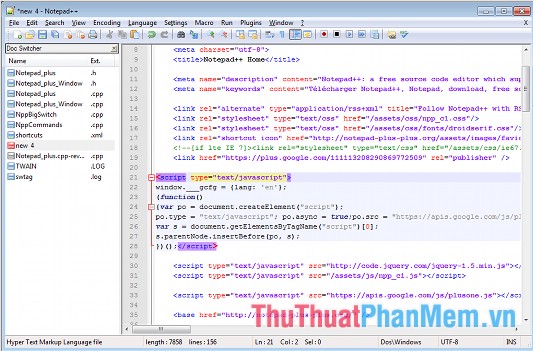
Notepad ++ is a free programming language editing tool that supports many different programming languages such as ASP, PHP, Java, C, Python, Jsp. Notepad ++ is not Windows Notepad. Thanks to Notepad ++, now the source code editing and inserting a code code is faster and more compact than ever, saving time and effort for programmers. Besides, it also comes with syntax highlighting that helps many languages including PHP, JavaScript, HTML and CSS. Combined with a built-in FTP plugin it lets you connect to the server and can easily edit your files directly without leaving the editor.
3. Atom software
Download link: https://atom. io
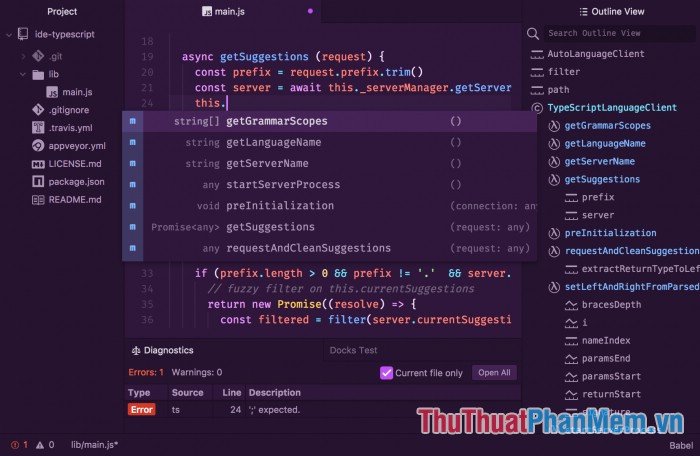
Atom is a newly created text editor and is well received by the developers in the programming community because of its many worthwhile features. Atom is open source software, not only free to use, but also users can view and change the source code of the software. You are also free to contribute to the community by developing this text editor software. In addition, it also has quite a nice interface.
4. Visual Studio Code software
Download link: https://code. visualstudio. com/Download

This is a Microsoft product, and please note that VS Code is completely different from VS (Visual Studio). It is simply a Text Editor rather than a complete IDE. And in terms of relatives, VSC is Atom's 'cousin' but developed by Microsoft, because it is based on GitHub's Project Electron. And so it naturally supports both Windows, Mac and Linux rather than just Windows or Mac OS like Visual Studio.
5. Vim software
Download link: https://www. vim. org/download. php
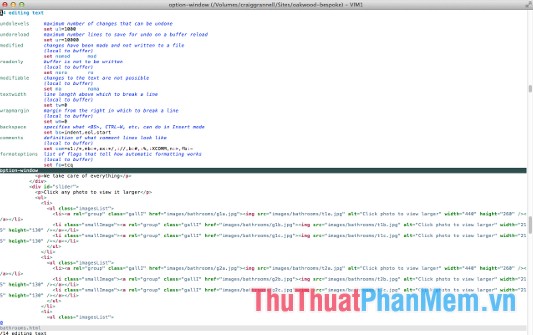
This is a powerful editor on all operating systems, Linux, Windows, Unix. Vim has a very high configuration built to allow effective text editing. The program's editor because it is very useful in programming. Vim can be embedded in powerful IDEs such as Visual Studio or Qt Creator, Eclipse, etc. Vim can also be used directly on the graphics platform by gVim or from the terminal.
Above TipsMake. com introduced to you 5 best C programming software 2020. Hope through the article you will choose for yourself the right software. Good luck!
FAQ
How should I choose among Best C Programming Software 2020?
Compare compatibility, essential features, ease of use, security, support, and total cost rather than choosing only by popularity.
Are free options suitable for everyday use?
Free tools can be sufficient for basic needs, but advanced features, commercial use, or priority support may require a paid plan.
What should I check before installing or using one?
Verify the official source, system requirements, recent updates, privacy practices, and support for your device and file types.
Related Articles
 Do You Know What Programming Language Is?7 minutes read
 Set of Multiple Choice Questions About Programming with P124 minutes read
 Beginners of Computer Programming Need to Focus on What?10 minutes read
 Set of Multiple Choice Questions for Programming with P15 Prize5 minutes read
 Set of Multiple Choice Questions About Programming with P10 Prize5 minutes read
 Set of Multiple Choice Questions About Programming with P7 Prize3 minutes read
Reader Comments 0
Sign in with email or Google to join the discussion.