Table of Contents
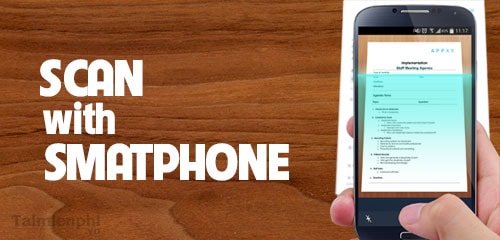
A dedicated photo-scanning app can correct perspective, crop print edges, and reduce reflections more reliably than a quick camera snapshot. The best choice depends on whether you need glare removal, fast batch capture, cross-platform support, or on-device processing.
Quick comparison
| App | Platforms | Best for | Important consideration |
|---|---|---|---|
| Google PhotoScan | Android, iPhone | Glare-resistant scans of individual prints | Multiple capture points take more time |
| Photomyne | Android, iPhone | Scanning and organizing many photos | Some capabilities require payment |
| Pic Scanner Gold | iPhone, iPad | Private, on-device multi-photo scanning | Apple devices only; paid app |
1. Google PhotoScan: best for reducing glare
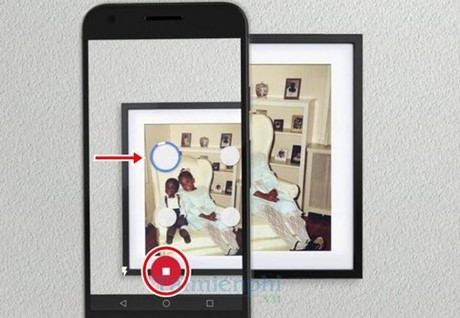
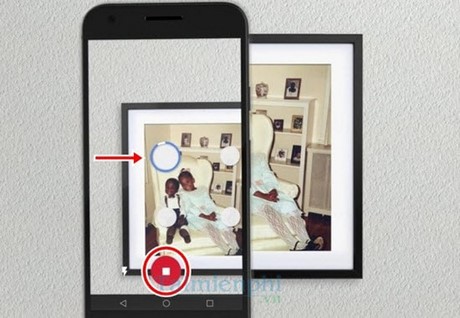
PhotoScan by Google Photos guides you through several captures of the same print, then combines them to reduce glare. It also detects edges, corrects perspective, rotates the image, and crops the result.
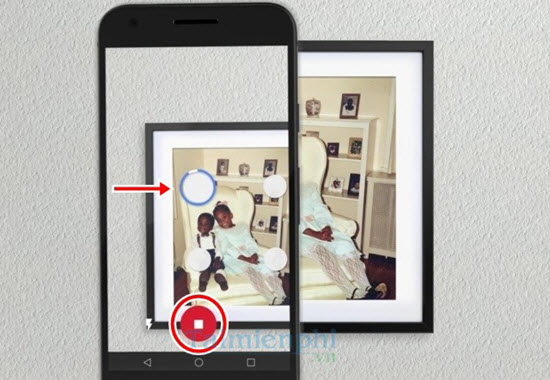
Use it when glossy paper or album plastic creates bright reflections. Hold the phone directly over the print, keep the photo inside the frame, and move to each guide point without tilting the device. Review the corners before saving. PhotoScan is available from the official app stores for Android and iPhone.
If you keep the results in Google's ecosystem, these Google Photos tips can help with organization and backup.
2. Photomyne: best for scanning a collection quickly
Photomyne is designed for batches and album pages. It can detect more than one print in a capture, split them into individual images, crop and rotate them, and organize scans into albums. It also offers tools for adding dates, names, locations, and notes.
This is the practical choice for a box of family photos when speed and cataloging matter. Scan one photo at a time when maximum capture detail is more important than throughput. Photomyne is available for Android and iPhone, but check the current free limits and subscription or purchase terms before starting a large archive.
3. Pic Scanner Gold: best for on-device iPhone scanning
Pic Scanner Gold can capture multiple prints or an album page, separate the photos, and apply cropping and enhancement on the device. It is aimed at iPhone and iPad users who prefer a one-time purchase and local processing instead of a scanning subscription.
It is not available for Android, and any optional backup destination should still be reviewed separately. Before digitizing an entire collection, make several test scans and confirm that the exported resolution and file format suit your printing or archiving needs.
What happened to the older recommendations?
An earlier version of this article included CamScanner. CamScanner remains a document-scanning app, but its workflow is optimized for receipts, forms, notes, and PDFs rather than reflective printed photographs. It can capture a photo in a pinch, yet PhotoScan or a dedicated batch photo scanner is usually a better fit.
The former Shoebox photo storage service is no longer a current recommendation. Its historical app offered photo capture, tagging, and cross-device organization, but it shut down and should not be installed from an unofficial archive.
How to get better scans
- Wipe the phone lens and gently remove dust from the print.
- Use soft, even light from both sides; avoid direct overhead reflections.
- Place the photo on a plain, contrasting surface and keep it flat.
- Hold the phone parallel to the print rather than shooting at an angle.
- Check focus, crop, color, and faces before moving to the next photo.
- Keep both the original scan and a separately edited copy.
Protect the archive
A scanning app is not a complete backup system. Export the files in their highest practical quality, add approximate dates and names while relatives can still identify the people, and keep at least two copies in different locations. If faded scans need careful improvement, compare the methods in this guide to photo-enhancement tools, while retaining the unaltered scan as the archival master.
Related Articles
 4 Apps Taking Pictures on Smartphones Are Popular with Young7 minutes read
 These Framed Art Apps for Phones: Photo Framing Apps5 minutes read
 Photo Scanning Applications Are Effective on Smartphones4 minutes read
 5 Best Automatic Photo Backup Apps for Android7 minutes read
 7 Popular Barcode Scanning Apps on Phones Worth Trying10 minutes read
 Top 5 Best Photo Collage Apps on Smartphones7 minutes read
Reader Comments 0
Sign in with email or Google to join the discussion.