Table of Contents
You do not need Photoshop for every image-editing job. GIMP is the closest option here for detailed layer-based editing, Pixlr works in a browser, Paint.NET keeps Windows editing simple, Seashore covers basic Mac work, and Canva is strongest for template-driven graphics.
These products are not identical replacements. Some are free and open source; others use freemium plans that can limit exports, assets, storage, or AI features. Check the current terms before committing a large project.
Quick comparison
| Editor | Platform | Best for | Main trade-off |
|---|---|---|---|
| GIMP | Windows, macOS, Linux | Detailed raster editing and layers | More time to learn |
| Pixlr | Web; mobile apps | Fast browser edits | Free-plan and online-service limits |
| Paint.NET | Windows | Quick desktop editing with layers | Not available for macOS |
| Seashore | macOS | Lightweight layer-based edits | Smaller toolset than GIMP |
| Canva | Web and apps | Social graphics, posters, and templates | Not a full pixel editor |
1. GIMP: best for advanced free desktop editing
GIMP is a free, open-source image editor for Windows, macOS, and Linux. It supports layers, masks, selections, color correction, painting tools, and plug-ins, making it the strongest choice in this list for complex photo manipulation.
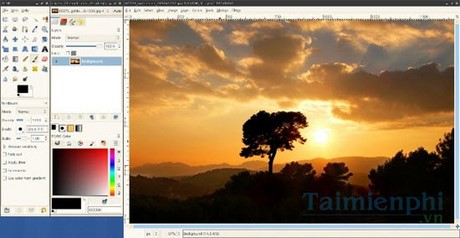
GIMP can fit a serious editing workflow, but its interface and terminology take time to learn. Camera RAW files are commonly developed through a compatible RAW processor before or during import rather than handled as a simple built-in workflow. Start with this beginner GIMP photo-editing guide, and download the app from the official GIMP site.
2. Pixlr: best for editing in a browser
Pixlr provides browser-based editors that can crop, retouch, combine layers, remove backgrounds, and perform other quick tasks without installing a desktop program.
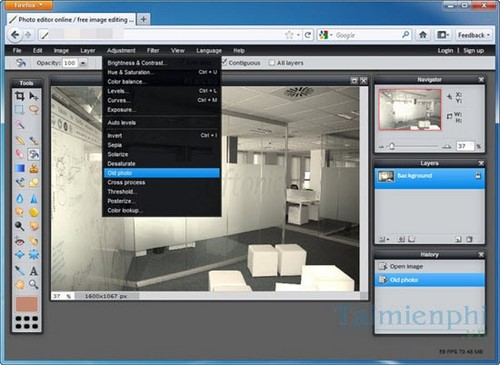
It is convenient on a shared or low-storage computer, but uploading images to a cloud service may not suit confidential work. The free experience can include ads or usage limits, while some tools require a paid plan. Open the official Pixlr editor and check the current plan before relying on it for repeated exports.
3. Paint.NET: best for straightforward Windows edits
Paint.NET is a Windows-only raster editor with layers, selections, adjustments, effects, and a plug-in system. It is easier to approach than GIMP and works well for screenshots, simple composites, cleanup, and everyday image adjustments.
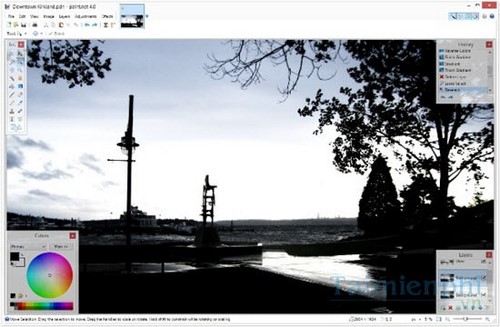
It is not designed as a complete Photoshop substitute, and uncommon or camera RAW formats may require a compatible plug-in or a separate converter. Read this overview of Paint.NET, then use the official Paint.NET download page to review current Windows requirements.
4. Seashore: best for lightweight Mac editing
Seashore is a macOS image editor for basic work with layers, transparency, selections, text, gradients, and brushes. It suits users who want more control than a simple markup tool without GIMP's broader interface.
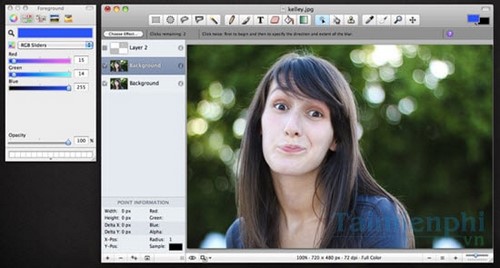
Its feature set is intentionally smaller, so advanced retouching, publishing, or RAW workflows may require another app. The maintained project's information is available on the Seashore project page.
5. Canva: best for template-based design
Canva is primarily a design platform rather than a Photoshop-style pixel editor. It is useful for social posts, posters, presentations, cards, simple collages, and other layouts built from templates, text, and reusable elements.
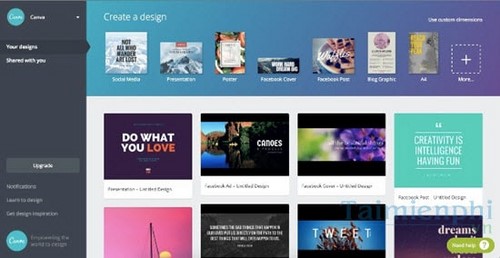
Choose it when layout speed matters more than precise selections or pixel-level retouching. The service has free and paid content, and cloud uploads may be unsuitable for sensitive images. Compare it with other browser options in this guide to online photo editors.
Which alternative should you choose?
- Choose GIMP for the broadest free desktop toolset.
- Choose Pixlr for a quick edit on a computer where you cannot install software.
- Choose Paint.NET for approachable Windows editing with layers.
- Choose Seashore for lightweight image work on a Mac.
- Choose Canva for templates, branded graphics, and fast layouts.
For more choices beyond these five, see the broader Photoshop alternatives comparison.
Related Articles
 The Top Photoshop Alternatives: Best Options Compared11 minutes read
 4 Garageband Alternatives for Windows 106 minutes read
 minutes read
 9 ChatGPT and Generative AI API Alternatives for Developers: Top Picks and12 minutes read
 Cheap Backup Tips to Replace When You Run Out of iCloud Storage9 minutes read
 Adobe: From Photoshop CS7 Does Not Support Windows XP4 minutes read
Reader Comments 0
Sign in with email or Google to join the discussion.