Table of Contents
Fotor is available as a Windows desktop app as well as a web editor. For the safest installation, download it from Fotor's official site, verify that the installer comes from the expected publisher, and review each setup option instead of relying on an old third-party installer.
Compatibility: Fotor's current Windows page lists Windows 10 and Windows 11. If your computer runs an older release, use the web editor or choose another supported application.
Install the current Fotor app
- Open the official Fotor for Windows page and select the Windows download.
- When the download finishes, open the installer from your browser's Downloads list or the Downloads folder.
- If Windows displays a security prompt, confirm that the app name and verified publisher match the Fotor download you requested. Cancel if the details look unexpected.
- Read the license, privacy, analytics, shortcut, and startup options shown by the current installer. Accept only the choices you want.
- Complete setup, launch Fotor, and sign in only if the feature you intend to use requires an account.
Some tools and assets may be limited to a paid plan or may require an internet connection. Check the current labels in the app before beginning a time-sensitive project.
What the older installer looked like
The screenshots below document a legacy Fotor setup wizard. They remain useful for identifying the general sequence, but the current installer may use different screens and wording.
1. Open the installer
The older Windows package used an executable file. Always open the file you obtained directly from the official source, not a similarly named file from an unknown download site.
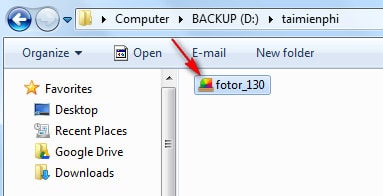
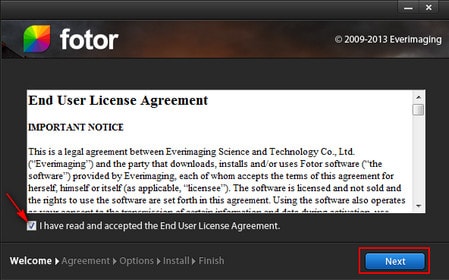
2. Review the license
The wizard displayed the terms before installation. Read the current agreement and continue only if you accept it.
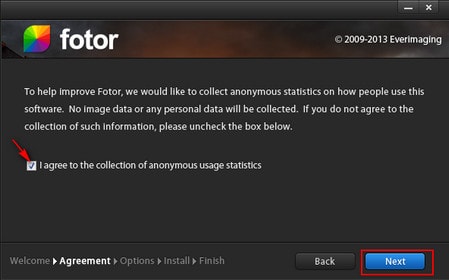
3. Choose privacy and analytics settings
An older version offered a usage-data option. Do not rely on the historical description of what was collected; review the wording and privacy link in the installer you are actually using, and disable optional collection if that is your preference.
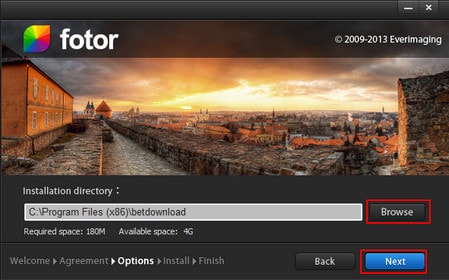
4. Select the installation location
The default location is appropriate for most people. Choose a different folder only if you understand the storage and permission implications.
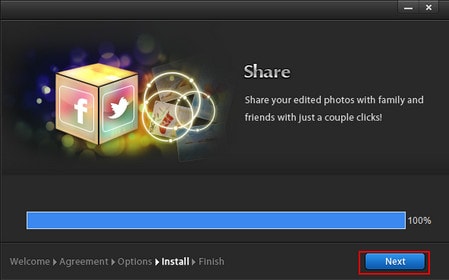
5. Let setup complete
Wait for installation to finish. Avoid closing the wizard or restarting Windows while files are being copied.
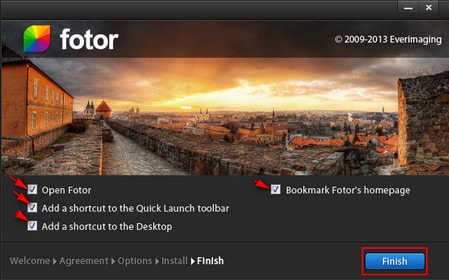
6. Review shortcuts and finish
The legacy wizard offered launch, desktop shortcut, Quick Launch, and browser bookmark choices. Select only the shortcuts you will use, then click Finish.
Start a photo edit or collage
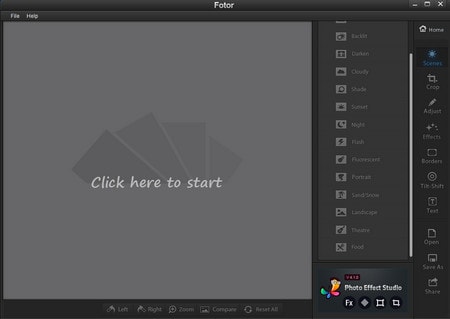
Open Fotor and choose the editor for a single image or the collage workspace for multiple photos. Import copies of the source images, make the changes, and use the app's download or export control to save the result.
For a practical comparison of collage choices, see photo collage software for computers and phones. If you do not want to install an app, Fotor is also covered in this guide to free online photo editors. You can also compare it with other free desktop photo editors.
If Fotor will not install
- Download a fresh installer from the official page rather than reusing an old copy.
- Install pending Windows updates, restart the computer, and try again.
- Check that enough disk space is available and that security software has not quarantined the download.
- If the publisher or signature cannot be verified, stop and obtain the installer again from the official source.
Related Articles
 How to Change Photo Size on Fotor Online Application5 minutes read
 Top 5 Best Photo Collage Apps on Smartphones7 minutes read
 How to Combine Photos on Software Collageit6 minutes read
 Why Fotor Is Our Favorite Affordable AI Photo Editing App7 minutes read
 The Best Photo Compositing Software on Computers, Iphone, Android9 minutes read
 3 Applications Create Scrapbooks for Professional Photos You've6 minutes read
Reader Comments 0
Sign in with email or Google to join the discussion.