Table of Contents
This guide provides a clear, practical overview of "Tips for Sharing Google Calendar with Someone Who Doesn't Have a". It organizes the most useful details, explains important considerations, and highlights the steps or choices that matter most.
How to Share Google Calendar with Everyone
Step 1:
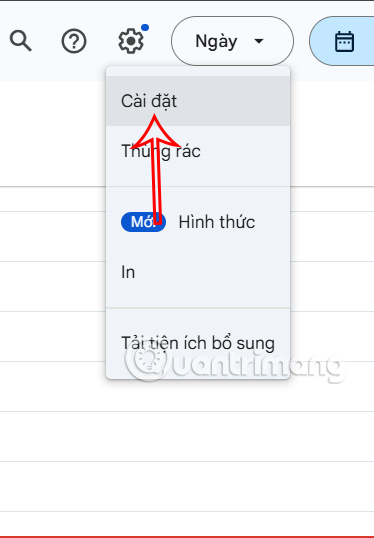
First, you access Google Calendar, then select the gear icon and select Settings in the displayed list.
Step 2:
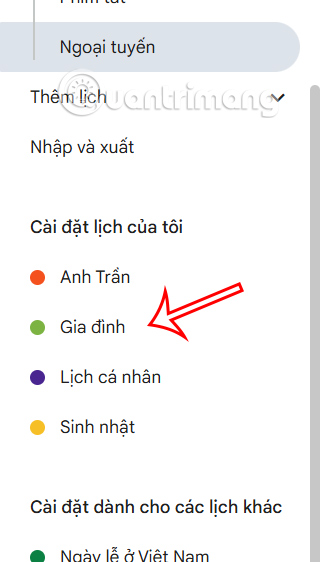
On the left side of the interface in Settings for my calendar, select the calendar you want to share with others.
Step 3:
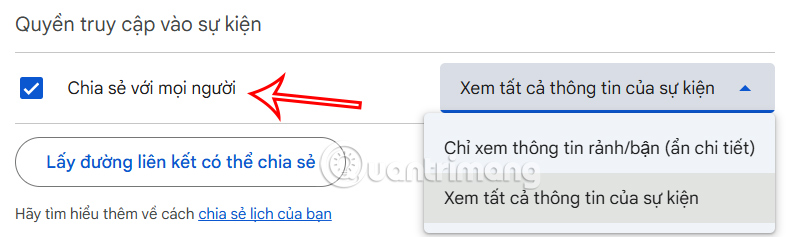
Looking at the content next to Event access , we check Share with everyone so that everyone can receive the shared calendar.
Step 4:
Continue looking to the left, we select Calendar integration .
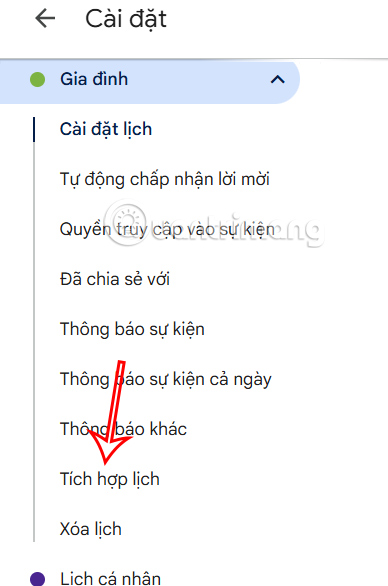
Look right to the side and you will see a line Public Address in iCal format , copy this URL and send it to the person you want to share with.
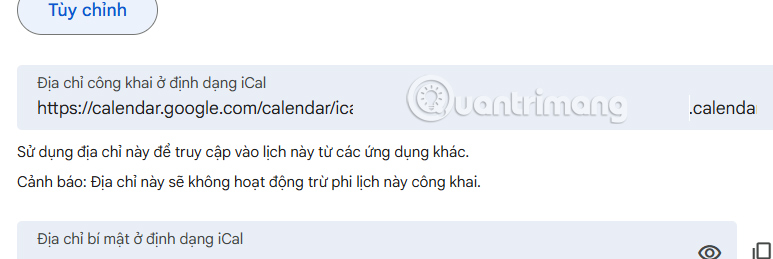
With this URL copied, simply send it to the person you want to share it with in any way they can easily access including accessing it from their iPhone.
FAQ
How to Share Google Calendar with Everyone?
First, you access Google Calendar, then select the gear icon and select Settings in the displayed list.
What does this guide cover?
This guide explains tips for sharing Google Calendar with someone who doesn't have a, including the main steps, important details, and practical considerations.
Who is this guide for?
It is designed for readers who want a clear, practical overview and a reliable process they can follow without unnecessary complexity.
Related Articles
 Making Google Calendar More Useful with These Free Calendar7 minutes read
 List of Shortcuts for Google Calendar3 minutes read
 How to Use Google Calendar from A - > Z8 minutes read
 Instructions for Adding Color to the Calendar on Google Calendar4 minutes read
 Instructions for Using Calendar with Google Calendar in Windows4 minutes read
 Guide to Managing Jobs with Google Calendar in Gmail5 minutes read
Reader Comments 0
Sign in with email or Google to join the discussion.