Table of Contents
Choose Ollama if you want a command-line-first model runner that is easy to script, automate, and connect to applications. Choose LM Studio if you want a polished desktop interface for discovering, downloading, testing, and serving local models. The distinction is no longer simply “CLI versus GUI”: LM Studio also has a CLI, headless service, SDKs, and APIs, while Ollama offers an interactive menu, integrations, local APIs, and optional cloud models.
Neither tool is universally faster. Performance depends more on the model, quantization, context length, runtime, GPU acceleration, and available memory than on the appearance of the application.
Ollama vs. LM Studio at a glance
| Area | Ollama | LM Studio |
|---|---|---|
| Best fit | Developers, scripts, services, repeatable workflows | Desktop exploration, visual model management, local chat |
| Primary experience | Terminal and integrations | Graphical desktop app |
| CLI | Built around the ollama command | Provides the lms CLI and headless llmster service |
| Local API | Native API at localhost:11434/api | REST and OpenAI-compatible endpoints, commonly on localhost:1234/v1 |
| OpenAI compatibility | Compatible with parts of the OpenAI API | Supports Responses, Chat Completions, Embeddings, and other documented endpoints |
| Model workflow | Pull from Ollama's model library or import supported files and adapters | Discover models through Hugging Face integration or import local models |
| Formats and runtimes | Managed model packages; imports include GGUF and Safetensors workflows | GGUF with llama.cpp; MLX support on Apple Silicon |
| Customization | Modelfile, CLI flags, APIs, and integrations | Presets, per-model defaults, prompt templates, GUI controls, SDKs, and APIs |
| Offline use | Local models work locally after download | Local chat, document chat, and local server can work offline after download |
| Optional online features | Ollama Cloud models and web-connected capabilities | Model discovery/downloads, web search, LM Link, and cloud inference options |
| Platforms | macOS, Windows, and Linux | macOS, Windows, and Linux with documented hardware requirements |
What Ollama does best
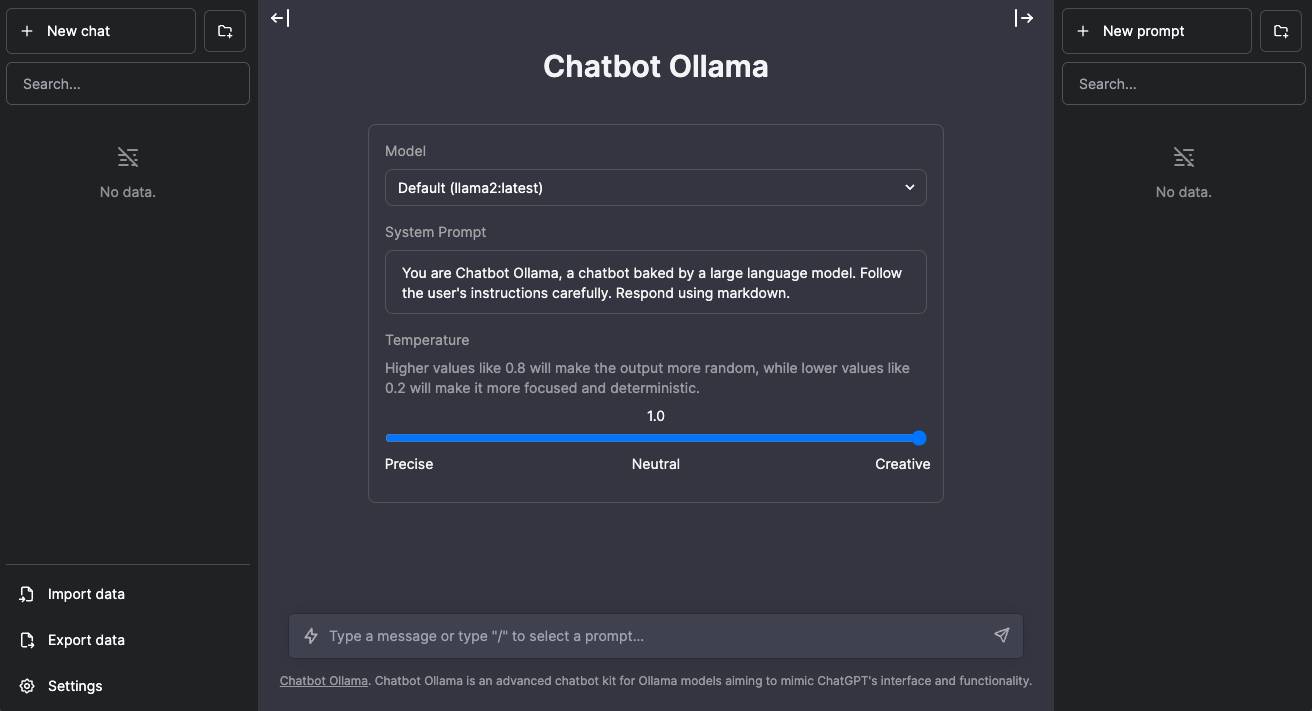
Ollama's official quickstart presents a terminal-centered workflow: install Ollama, run the interactive menu, choose a model, and start chatting. A first local run can be as simple as:
ollama run gemma4That simplicity is valuable for automation. A script, editor, agent, web application, or back-end service can call the local Ollama process without depending on a desktop chat window.
Local API and application integration
After installation, Ollama's native API is served by default at http://localhost:11434/api. Official Python and JavaScript libraries are available, and the documented OpenAI compatibility layer helps some existing clients connect by changing their base URL.
Compatibility is not a promise that every OpenAI feature behaves identically. Confirm the endpoint, parameters, streaming, tool use, structured output, embeddings, vision, and error behavior your application actually needs.
Modelfile customization
An Ollama Modelfile is a blueprint for creating a customized model package. It can define the base model, runtime parameters, prompt template, system message, adapters, license text, and example message history. This makes configuration reviewable and repeatable.
A Modelfile changes how a model is packaged and prompted; it does not automatically train a new foundation model or guarantee that the output is safe or accurate.
Where Ollama is less convenient
- People uncomfortable with terminals may prefer a GUI-first workflow.
- Its model-library approach is more curated than browsing the full range of community uploads directly.
- Building a polished chat, document, or evaluation interface often requires another application.
- Using cloud-tagged models changes the privacy and network assumptions of a local-only setup.
What LM Studio does best
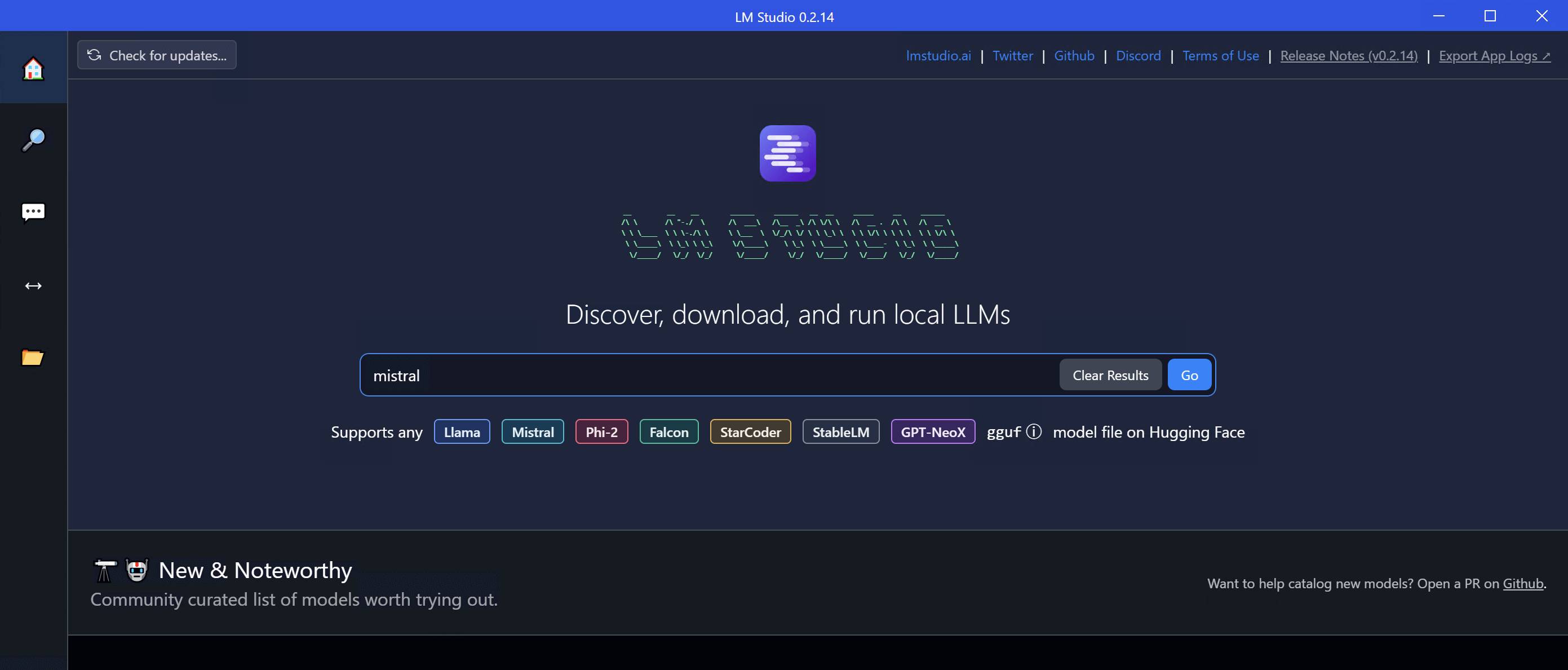
LM Studio combines model discovery, downloads, chat, presets, document chat, runtime management, and server controls in a desktop interface. It is easier to inspect a model's size, quantization, memory estimate, prompt template, and output settings before loading it.
The app is not limited to manual chat. Current documentation also describes:
- The lms command-line tool for chat, downloads, model and daemon management, and server control
- A headless llmster service
- Python and TypeScript SDKs
- MCP support for connecting tools to compatible local models
- Local REST and OpenAI-compatible APIs
- LM Link for routing workloads across supported devices
Offline chat and document use
LM Studio's offline documentation says downloaded local models, document chat, and the local inference server can operate without an internet connection. Model search and downloads require connectivity, and optional web or cloud features naturally contact external services.
“Runs locally” still requires operational care. An MCP server, browser tool, cloud model, network-exposed local server, or third-party client can send data elsewhere. Audit the entire workflow, not only the model runner.
OpenAI-compatible server
LM Studio documents endpoints for Responses, Chat Completions, Completions, Embeddings, Models, structured output, and tool use. Existing clients can point to a local base URL such as http://localhost:1234/v1. See the official OpenAI-compatible API guide for the current endpoint list.
Where LM Studio is less convenient
- The desktop app uses more interface and management components than a minimal runner.
- A GUI can hide configuration differences unless you save presets and document them.
- Model discovery exposes many community uploads, so users must check publisher, format, license, quantization, and prompt template carefully.
- Optional cloud and web features mean that not every LM Studio workflow is offline.
Performance: test the same workload
A fair benchmark must use the same model weights, quantization, context length, prompt, output length, and hardware acceleration. Otherwise, the result measures different workloads rather than Ollama versus LM Studio.
| Metric | Why it matters |
|---|---|
| Time to first token | How quickly the response begins |
| Tokens per second | Generation throughput after startup |
| Peak RAM and VRAM | Whether the model fits without heavy swapping |
| Prompt-processing speed | Important for long documents and large context windows |
| Load time | Important when models are frequently started and stopped |
| Output quality | Confirms that faster settings did not materially hurt the task |
GUI overhead is rarely the whole story. Backend version, GPU drivers, layer offloading, model architecture, context size, and background applications can all change the result.
Hardware and model sizing
Local models must fit within available system memory, dedicated VRAM, or a combination supported by the runtime. Larger models and longer contexts use more memory. A smaller quantized model that fits comfortably can feel faster and more reliable than a larger model that constantly swaps to disk.
LM Studio currently recommends at least 16 GB of RAM for typical use and at least 4 GB of dedicated VRAM on Windows, while noting that requirements depend on the model. Ollama also provides platform-specific hardware guidance. Check the current requirements before downloading large model files.
- Close memory-heavy applications before benchmarking.
- Start with a small instruct model and a modest context.
- Keep enough free disk space for model downloads and temporary files.
- Use supported GPU drivers and verify that acceleration is active.
- Do not assume a model name alone identifies its size or quantization.
Privacy: local does not always mean offline
| Action | Expected network behavior |
|---|---|
| Chat with a previously downloaded local model | Can remain on the device when no connected tool or remote client sends data elsewhere |
| Search for or download a model | Requires network access |
| Use an Ollama cloud model | Sends the request to Ollama's cloud service |
| Use LM Studio cloud inference or web search | Uses an online service under the applicable terms |
| Expose a local API to the LAN | Other devices may be able to submit prompts if access is not secured |
| Enable MCP or external tools | Data flow depends on every connected server and tool |
For a broader view of these tradeoffs, read TipsMake's comparison of offline AI versus online AI. Keep sensitive prompts local, bind servers only to necessary interfaces, require authentication where supported, and review logs and model licenses.
Which one should you choose?
Choose Ollama when:
- You work mainly in a terminal or automated development environment.
- You want a simple local service for scripts, editors, agents, or back-end applications.
- You prefer repeatable text configuration through Modelfiles.
- You want a curated model-pull workflow and straightforward local API.
Choose LM Studio when:
- You want to browse, compare, download, load, and chat with models visually.
- You need document chat or parameter controls without building a separate interface.
- You still want a local API, CLI, SDK, or headless mode alongside the GUI.
- You use GGUF models or Apple's MLX runtime and want runtime management in one app.
Use both when:
It can be reasonable to explore and benchmark models in LM Studio while using Ollama for a scripted application—or the reverse. Avoid storing duplicate multi-gigabyte model files unless the two tools need different formats or packages.
If you are exploring a wider local stack, see TipsMake's guide to open-source AI applications for everyday use.
A practical five-step test
- Choose one task you actually perform, such as summarizing a local document or generating code.
- Select one model and quantization that fit comfortably in your hardware.
- Run the same prompt, context length, and output limit in both tools.
- Record speed, memory use, output quality, setup effort, and error handling.
- Test the intended integration and confirm network traffic matches your privacy requirement.
Bottom line
Ollama remains the cleaner choice for terminal-first automation and application integration. LM Studio remains the easier visual environment for discovering, testing, and managing local models, but it now also offers serious developer tooling. Choose based on the workflow you will maintain—not on a blanket claim that one is always faster, more private, or more capable.
Related Articles
 Stop Struggling with LM Studio's Mock-Up UI! Switch to Ollama!6 minutes read
 What Is Ollama?: What You Need to Know6 minutes read
 Ollama (Desktop Application)11 minutes read
 What Is LM Studio? What Are Its Applications?6 minutes read
 VS Code 1.122: a Guide to Using Offline AI with Ollama and Local Modeling7 minutes read
 6 Notable Differences Between Mac Studio and Mac Pro10 minutes read
Reader Comments 0
Sign in with email or Google to join the discussion.