Table of Contents
Microsoft Copilot Studio is a graphical, low-code environment for building and managing AI agents, workflows, and agent flows. An agent can answer questions from approved knowledge, follow structured topics, call tools, react to triggers, and publish to supported channels. It can also extend Microsoft 365 Copilot for a specific organization's data and tasks.
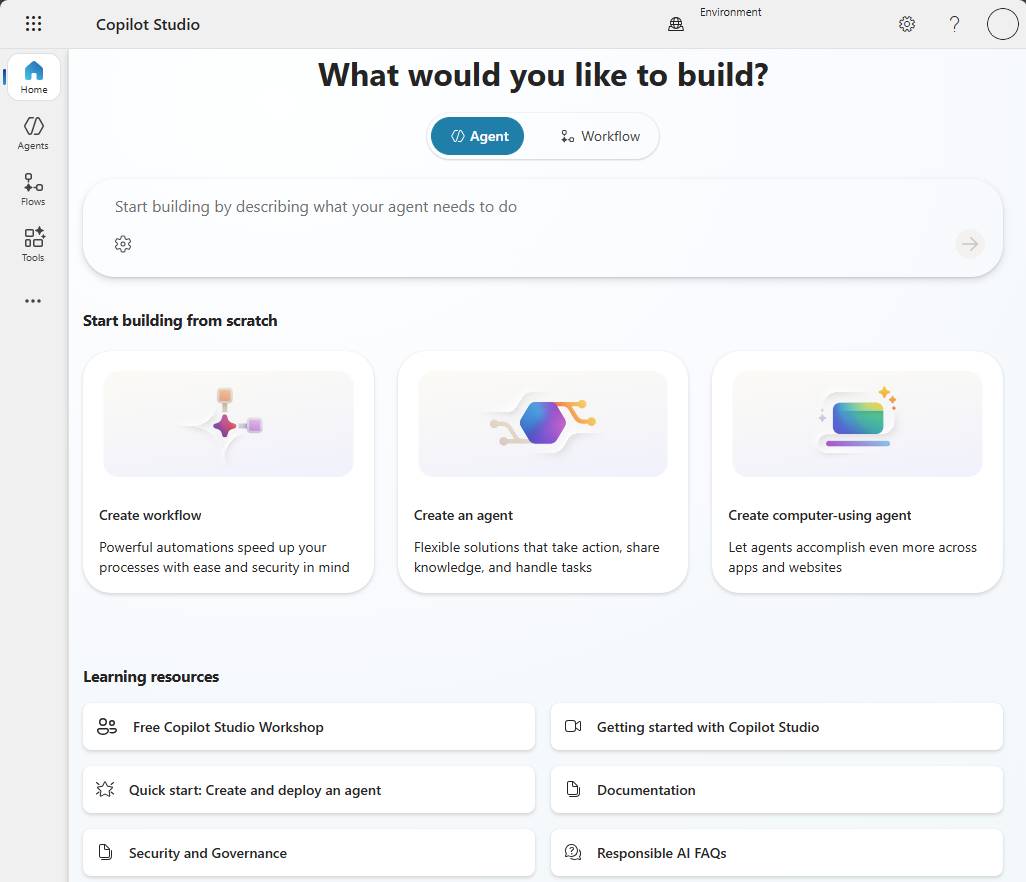
What a Copilot Studio agent contains
- Instructions: the role, boundaries, tone, and decision rules the agent should follow.
- Knowledge: approved websites, SharePoint content, Dataverse data, files, or other sources used to ground answers.
- Tools: connectors, flows, prompts, APIs, or other agents that can retrieve data or take actions.
- Topics: authored conversation paths with messages, questions, conditions, variables, and actions.
- Triggers: events that can start autonomous work without a user typing a chat message.
- Channels: destinations such as Teams, Microsoft 365 Copilot, websites, or supported Azure Bot Service channels.
Generative orchestration can choose among available knowledge, topics, and tools based on the user's request. A deterministic topic remains useful when the exact sequence matters—for example, collecting required fields before submitting a service request.
Agents versus workflows and agent flows
An agent interprets a request or event and coordinates the resources configured for it. An agent flow is a structured automation format in Copilot Studio, with an authoring experience similar to Power Automate. A newer workflow format may also be available depending on rollout and harness.
Flows can run as standalone automations or be attached to an agent as tools. They are a better fit for repeatable steps, system integrations, calculations, approvals, and operations that require a predictable input and output. Agents and flows can work together: the agent handles language and intent, while the flow performs the controlled business process.
Example: store-information agent
A retailer could add store documents as knowledge and create a Store Hours topic. A general question such as “When does the downtown store open?” may be answered from grounded knowledge or routed to the topic. The topic can ask which location the customer means, evaluate conditions, and return the correct hours and contact details.
If the agent can change an appointment or issue a refund, it also needs an authenticated tool, input validation, confirmation, error handling, and auditability. Natural-language understanding does not replace authorization.
How to access Copilot Studio
The main authoring experience is the Copilot Studio web app. After June 2026, Microsoft retired agent creation in the Copilot Studio for Teams app and redirects makers to the web app.
A standalone Copilot Studio license provides the broader agent-authoring and publishing experience, subject to capacity and feature licensing. A Teams plan included with some Microsoft 365 subscriptions uses the web app but is limited to classic orchestration and publishing to Microsoft Teams. Exact entitlements and billing can change, so check the current licensing page before committing to an architecture.
When to extend Microsoft 365 Copilot
An extension is a good fit when users already work in Microsoft 365 Copilot and need specialized instructions, organizational knowledge, or actions inside that experience. It can reuse the Microsoft 365 Copilot chat entry point rather than creating a separate destination.
When to create a standalone custom agent
Choose a standalone agent when you need one or more of the following:
- A dedicated web, mobile, customer-service, or branded experience.
- Multiple channels or an audience outside Microsoft 365 Copilot.
- Custom authentication, business logic, APIs, connectors, or triggered actions.
- Structured topics, variables, entities, and end-to-end conversation control.
- An agent that can be called by another supported agent.
Plan before building
- Define the audience, task, owner, and success measure.
- Choose the minimum knowledge and tools required.
- Classify the data and decide authentication and access controls.
- Select a Power Platform environment and apply data policies.
- Build a small path, then test the Copilot Studio agent with expected, adversarial, and unauthorized-user cases.
- Publish to a limited audience, monitor failures, and expand only after review.
Our creation and publishing tutorial covers the authoring steps. Administrators should also review Copilot Studio security and governance controls.
Accessibility and high-risk uses
Copilot Studio follows Microsoft's accessibility patterns, but the maker is responsible for testing the finished agent and every published channel with the target users and assistive technologies.
Microsoft states that Copilot Studio is not a medical device, is not a substitute for professional medical advice or judgment, and must not be used for emergencies. The agent you create is your product or service, and you are responsible for its design, deployment, warnings, and compliance.
See Microsoft's current Copilot Studio overview for the latest harnesses, workflows, and availability.
Related Articles
 Key Concepts - Security and Administration in Copilot Studio5 minutes read
 Create and Deploy Agents in Microsoft Copilot Studio9 minutes read
 Ensure Compliance with Copilot Studio's Regulations11 minutes read
 Storing Geographic Data in Copilot Studio6 minutes read
 Frequently Asked Questions About Copilot Studio Security8 minutes read
 Add Copilot Connectors to Copilot Studio Agents8 minutes read
Reader Comments 0
Sign in with email or Google to join the discussion.