Table of Contents
AutoGPT is an open-source platform for building, deploying, and running AI agents. Instead of answering one prompt at a time, an AutoGPT agent can follow a workflow made of multiple steps, use connected tools, and run on demand, on a schedule, or in response to a trigger.
The project has changed substantially since the experimental Auto-GPT demos that attracted attention in 2023. Current AutoGPT documentation focuses on a platform with a visual agent builder, reusable blocks, deployment, and run monitoring. Older explanations that describe it only as “ChatGPT that prompts itself” are incomplete.
What does AutoGPT do?
An AutoGPT workflow begins with an outcome and a defined set of steps or blocks. Depending on how it is configured, an agent might collect information, transform data, draft content, update a connected service, or pass a result to another step.
The important word is configured. An agent does not automatically receive unrestricted access to the internet, your computer, email, or payment accounts. It can act only through the models, tools, integrations, credentials, and permissions made available to its workflow.
AutoGPT vs. ChatGPT
| Area | AutoGPT | ChatGPT |
|---|---|---|
| Primary interaction | Build and run agents or workflows | Have an interactive conversation and use available tools |
| Task structure | Steps, branches, loops, triggers, and connected blocks can be defined in advance | The user normally directs work through messages and follow-up requests |
| Execution | Can run on demand, on a schedule, or when an event triggers it | Usually starts from a user request, although available automation features depend on the product and plan |
| Deployment | Agents can be built for repeatable workflows and monitored as runs | Chats are generally oriented around individual or continuing conversations |
| Technical control | Supports self-hosting and a visual builder; setup requirements vary | Most users access a managed web, mobile, or desktop interface |
Both products can use language models and tools, so their capabilities can overlap. The practical distinction is the workflow: AutoGPT is designed around agents that own a repeatable process, while ChatGPT is designed around direct collaboration with a user.
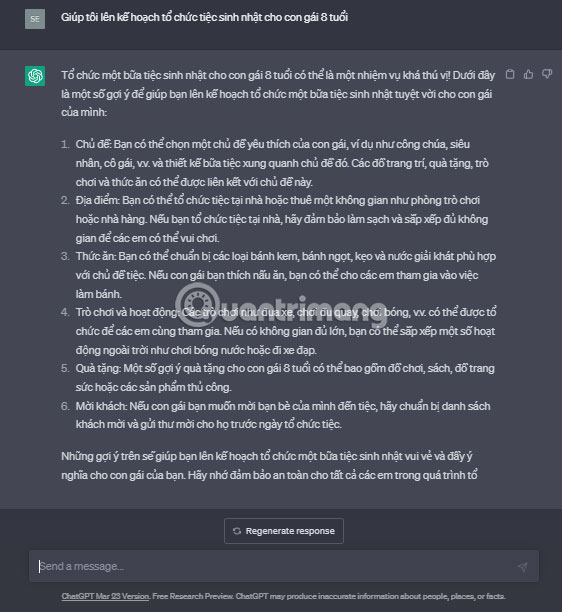
How an AutoGPT agent works
- Define the outcome. State what should be produced or changed and the conditions that count as success.
- Design the workflow. Add blocks for model calls, data processing, decisions, external services, and human review.
- Provide scoped access. Configure only the integrations and credentials the workflow needs.
- Test with controlled inputs. Inspect each step's inputs and outputs before allowing wider use.
- Choose how it starts. A run may be launched manually, scheduled, or connected to an event.
- Monitor results. Review logs and failures, then revise the workflow when the output is unreliable.
Language-model output can vary, so a production workflow should not depend on the model behaving perfectly. Validation blocks, clear error handling, usage limits, and approval steps are especially important before an agent can send messages, modify records, publish content, or spend money.
Practical uses
- Research monitoring: collect updates from defined sources, summarize changes, and flag items for review;
- Content operations: turn approved source material into a draft, run checks, and route it to an editor;
- Lead preparation: organize permitted business information and prepare a research brief without automatically contacting anyone;
- Support workflows: classify requests, look up documentation, and draft responses for human approval;
- Data processing: accept structured input, transform it, and send validated output to another system.
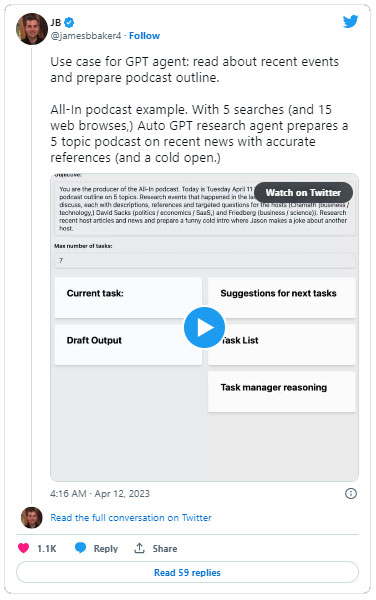
These are possible workflow patterns, not promises that an agent will perform them accurately without setup. Investment analysis, medical decisions, legal work, and other high-stakes uses require authoritative data and qualified human review.
Hosted platform or self-hosting?
AutoGPT offers an open-source codebase that technical users can self-host as well as a managed platform. Self-hosting can provide more infrastructure control, but it also makes you responsible for installation, updates, secrets, network access, logs, backups, and model or service costs.
A hosted service reduces infrastructure work but introduces its own account, pricing, data-handling, and integration considerations. Review the current terms and documentation for the option you choose; pricing and included usage can change.

Risks and safeguards
The more tools an agent can use, the larger the potential impact of an error. A badly scoped instruction could send an unfinished message, overwrite data, expose confidential information, repeat an action, or consume more paid API usage than expected.
- Use least-privilege credentials and separate testing accounts.
- Keep secrets out of prompts, logs, and shared workflow files.
- Require human approval before publishing, sending, purchasing, deleting, or changing access.
- Set time, cost, retry, and rate limits.
- Validate external content because a webpage or document may contain misleading instructions.
- Record inputs, outputs, tool calls, and errors where privacy rules permit.
Where to start
Use the official AutoGPT GitHub repository for the current open-source project and the AutoGPT documentation for platform concepts and setup guidance. Avoid old installation tutorials unless they match the current release and repository structure.
Start with a low-risk workflow that produces a draft or report without modifying external systems. Once its outputs are consistently useful, add integrations one at a time and preserve a human checkpoint for consequential actions.
Related Articles
 ChatGPT Launches Group Chat Feature: Supporting Smart Collaboration With4 minutes read
 Learn About ChatGPT-4o: Features, Benefits and How to Use It: Complete Guide7 minutes read
 What Is ChatGPT Pro? Is It Worth It in 2026?8 minutes read
 How to Convert ChatGPT-5 to ChatGPT-4o3 minutes read
 How to Use the ChatGPT API: a Complete Guide from a to Z12 minutes read
 How to Personalize ChatGPT 5 for a More ChatGPT 4-Like Experience8 minutes read
Reader Comments 0
Sign in with email or Google to join the discussion.