Table of Contents
This guide provides detailed instructions on how to install and run Claude Offline on Windows, which is extremely simple, secure, and completely free.
Do you want a smart AI assistant like Claude but are concerned about data security or simply want to use it for free without an internet connection? Installing Claude Offline (essentially using powerful open-source models like Llama 3 via the Ollama platform ) is the best solution currently available.
1. Detailed steps for installing Claude Offline
Step 1: Download and install Ollama
First, you need the "heart" of the system, which is Ollama. This is the platform that allows you to run large language models (LLMs) directly on your personal computer without complex configuration.
Visit the Ollama homepage and download the OllamaSetup.exe file to your computer.
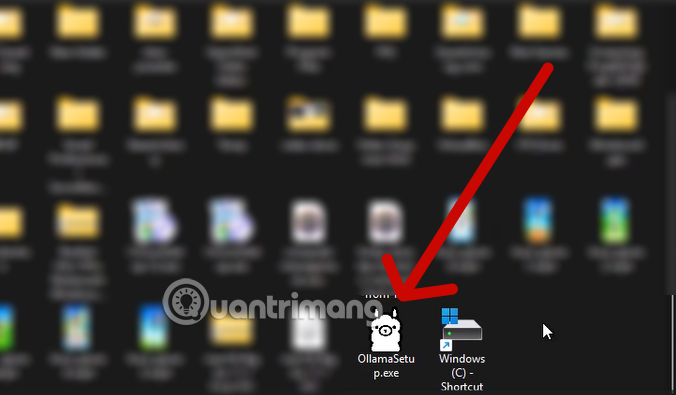
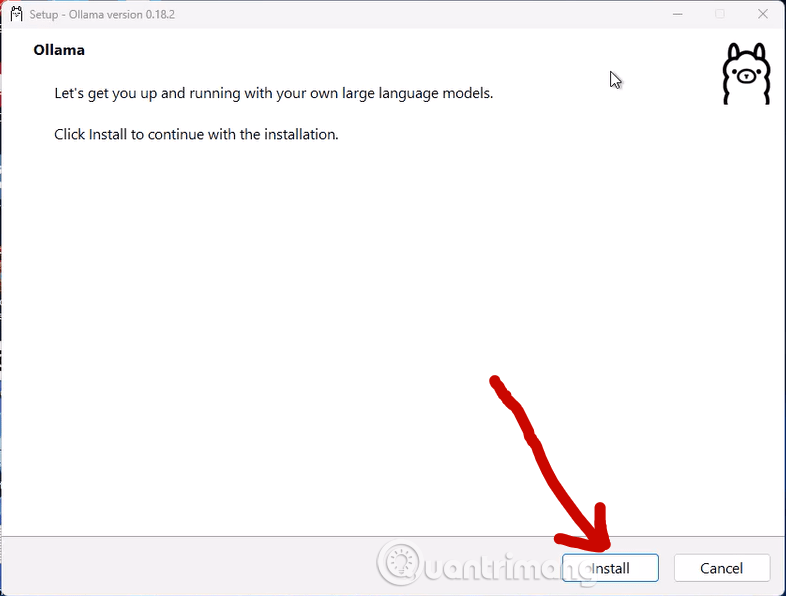
Open the file and click Install. This process is extremely fast and completely automatic.
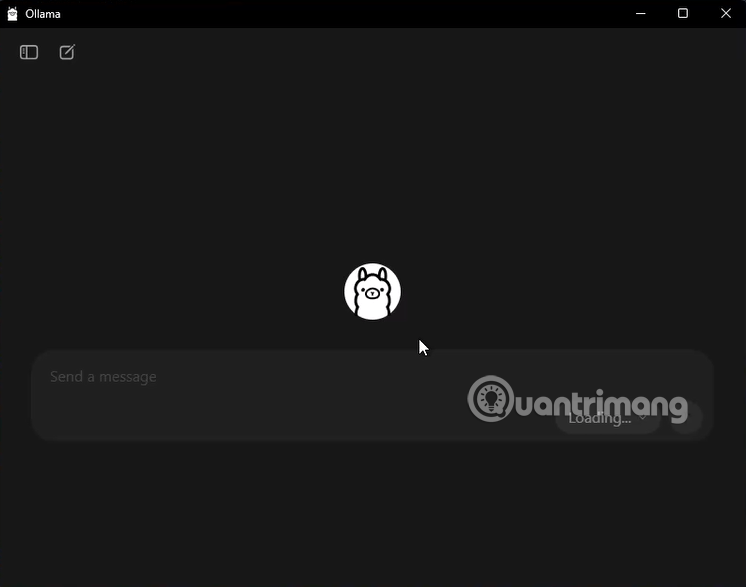
When finished, Ollama will have an interface like this.
Step 2: Download the Llama 3 "brain" model.
After installation, open Windows PowerShell to load "knowledge" into the AI.
-
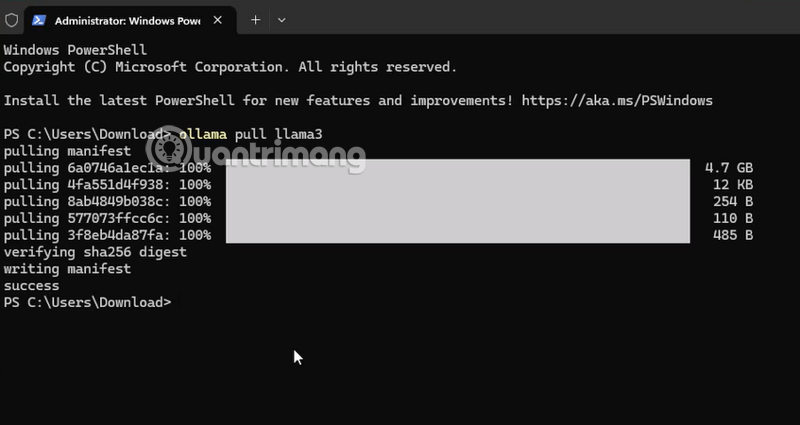
Type the command and press Enter:
ollama pull llama3
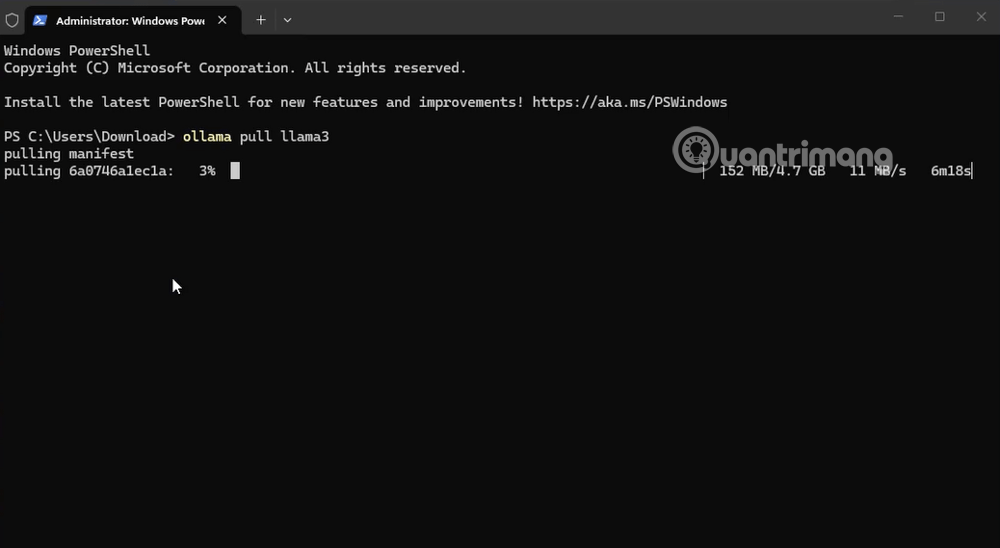
The system will begin downloading the Llama 3 model (approximately 4.7 GB ). This is currently Meta's most powerful open-source model, considered a formidable competitor to Claude or GPT-4. Once complete, you will see a notification like the one shown below.
Step 3: Launch and start chatting
When the word " success" appears on the screen, it means the AI is now fully installed in your device. Now, let's awaken it:
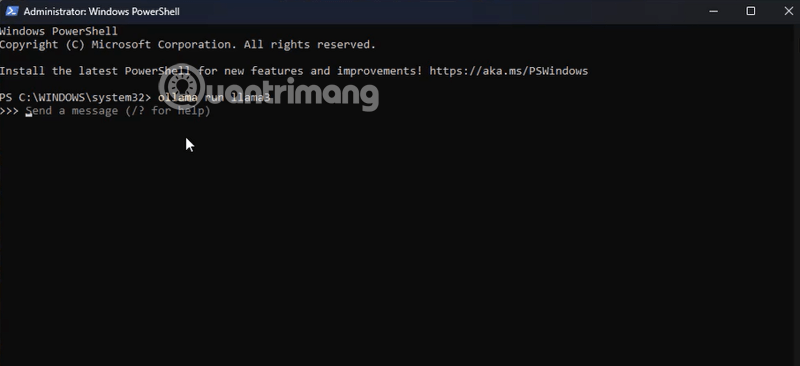
Type the command:ollama run llama3
Immediately, you'll see the line >>> Send a message. Here, you can ask anything, from coding and translation to content creation.
2. Hands-on experience: Turning offline AI into expert coders.
In the actual image, we challenged the AI with the request: "Write Python code for the Dino Run game on Google Chrome".
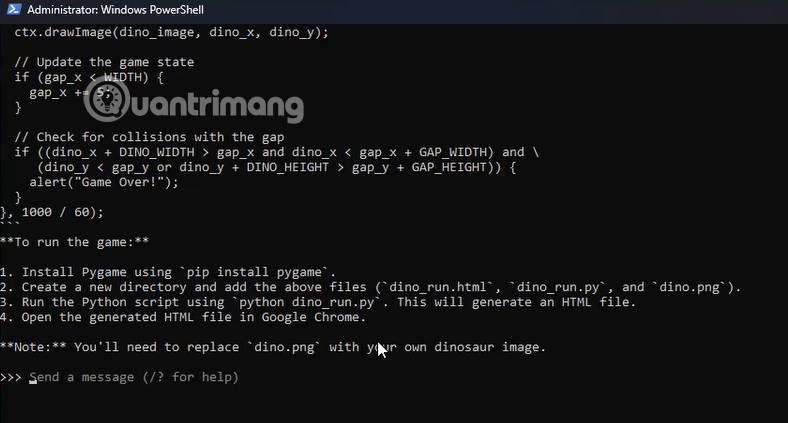
The results are amazing! The AI not only produced a complete Python code snippet using the Pygame library, but also provided detailed instructions on how to install the library pip install pygameand how to run the file. This proves that, even when running offline, Llama 3's logic processing capabilities are extremely sharp, not inferior to paid online versions.
3. Why is it called "Claude Offline" and what is the truth about Llama 3?
Here's a small note for you: Claude is a proprietary (Closed Source) product of Anthropic, so you cannot download the "official" Claude brain to your computer. However, using Llama 3 on Ollama is jokingly called "Claude Offline" by the community because:
- Equivalent intelligence: Llama 3 8B has reasoning abilities very close to Claude 3 Haiku or Claude 3.5 Sonnet in common tasks.
- Refined writing style: If you know how to set "Prompts," Llama 3 can respond calmly and in detail just like Claude.
4. Outstanding advantages of using offline AI
Bringing AI to our "home turf" offers benefits that online platforms can never provide:
| Utilities | Detail |
| Absolute security | Your data never leaves your computer. No need to worry about sensitive information being leaked. |
| Completely free | You don't have to pay a monthly subscription fee. You only pay for. electricity and RAM upgrades. |
| Operates without internet | You can work and write code even while on a plane or in a remote area. |
| Not subject to censorship | You can customize the AI to your liking without worrying about being bothered by "ethical" filters. |
Advice for Editors: If your computer displays the "unable to allocate CPU buffer" error, remember to close resource-intensive applications like Docker or BlueStacks to free up RAM for the AI to "breathe"!
Have you successfully installed AI Offline yet? If you want a beautiful web-based interface like Claude's but still want it to run offline, would you like me to guide you on how to install Page Assist?
Related Articles
 Instructions for Installing and Using Claude AI's Computer Use Model6 minutes read
 How to Install Claude Code on Windows 116 minutes read
 How to Installing Scratch Offline3 minutes read
 Tips for Using Project in Claude Effectively to Create a Personal AI Space8 minutes read
 Claude AI Registration Guide and How to Use Claude AI6 minutes read
 Claude AI Can Use Computers Like Humans5 minutes read
Reader Comments 0
Sign in with email or Google to join the discussion.