Table of Contents
You can change a Spotify password from the account page when you know the current password. If you have forgotten it—or signed up with Google, Apple, Facebook, or a phone number and do not have a Spotify password—use Spotify's password-reset page instead.
Choose a long, unique password that you do not use for any other service. A password manager is safer than an easy-to-guess number sequence.
Change your Spotify password when you can sign in
- Open Spotify in a desktop browser or go to your account page and sign in.
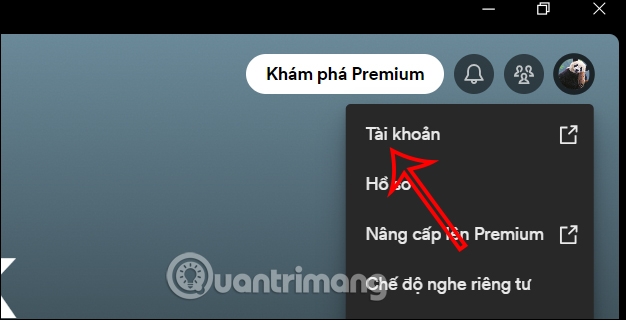
- Select your profile picture, then choose Account.
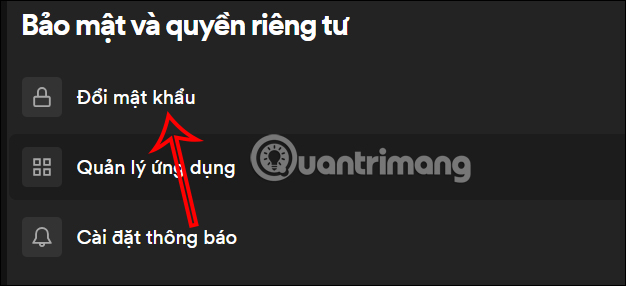
- In the account page, open Security and privacy and select Change password.
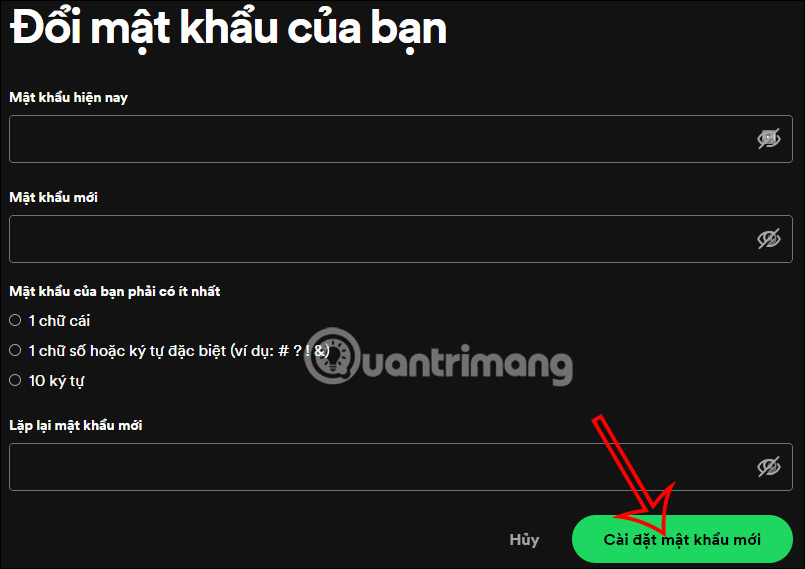
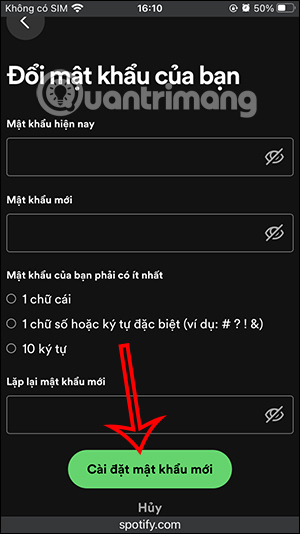
- Enter the current password, enter the new password twice, and select Set new password.
If the menu names differ slightly, use Spotify's official password help page. The account settings are web-based, so the same route works from a computer or a phone browser.
Change your Spotify password on a phone
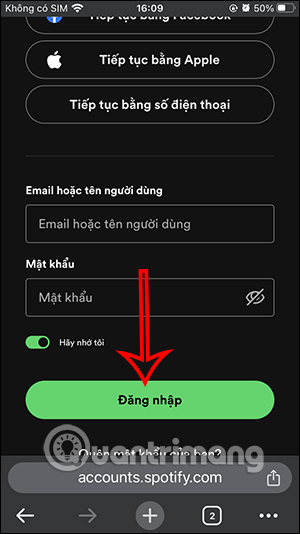
The Spotify mobile app may open the relevant account setting in your browser. You can also go directly to the Spotify account page in Safari, Chrome, or another mobile browser:
- Sign in to the Spotify account page.
- Open Security and privacy.
- Select Change password.
- Enter the current and new passwords, then save.
Reset the password if you cannot sign in
- Open Spotify's password reset page.
- Enter the email address or username associated with the account.
- Open the message from Spotify and follow its reset link.
- Set a new password that has not been used elsewhere.
If the email does not arrive, check spam, junk, and filtered folders, then try another address you may have used. Spotify accounts can also be created with Google, Apple, Facebook, Samsung, or a phone number. If a reset link is invalid, request a new one and open it in a private or incognito browser.
If the account may be compromised
- Reset the Spotify password immediately.
- Change the password for the associated email, Apple, Facebook, or Google account if it was reused or may also be compromised.
- On the Spotify account page, go to Security and privacy and choose Sign out everywhere.
- Review third-party apps with account access and remove anything unfamiliar.
- Check the email address, subscription, playlists, and recently played content for unauthorized changes.
Spotify notes that “Sign out everywhere” does not cover some partner devices, such as speakers, consoles, and TVs; remove those through the apps-access page as needed. For additional recovery steps, use Spotify's official hacked-account guide.
Related Articles
 What to Do When Forgot Spotify Password? How to Reset3 minutes read
 How to Change Garena Password Quickly and Easily9 minutes read
 Instructions for Customizing Music Quality on Spotify4 minutes read
 Change Wi-Fi Password: How to Change Vnpt Wi-Fi Password5 minutes read
 How to Transfer Spotify Interface to Vietnamese3 minutes read
 Change These Settings as Soon as You Sign up for Spotify!7 minutes read
Reader Comments 0
Sign in with email or Google to join the discussion.