Article on the subject of "new features windows terminal"
-

Windows Terminal can now automatically launch configurations as administrator
microsoft has officially released a new version of windows terminal 1.13, which comes with a long-awaited feature that allows automatic launch of profiles as an administrator.
-
Notable changes in Windows Terminal ver 0.11
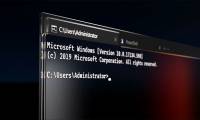
windows terminal is a command-line interface application released by microsoft in late may 2019
-
Windows Terminal is about to have a retro version with a 'classic' interface.
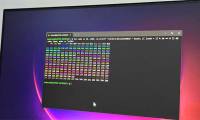
windows terminal will receive a series of 'classic' retro-style crt effects.
-
Notable changes in Windows Terminal ver 0.11
windows terminal is a command-line interface application released by microsoft in late may 2019
-
Windows Terminal is about to have a retro version with a 'classic' interface.
windows terminal will receive a series of 'classic' retro-style crt effects.
-
Windows Terminal can now automatically launch configurations as administrator
microsoft has officially released a new version of windows terminal 1.13, which comes with a long-awaited feature that allows automatic launch of profiles as an administrator.
-
How to customize Windows Terminal application
with the new windows terminal application, windows finally has a tabbed terminal that can run command prompt, powershell and bash in the same window. and it's highly customizable, you can even set animated gifs as wallpapers.
-
How to reset Windows Terminal to default settings on Windows 10
windows terminal allows you to customize many different setup options. this is also the highly appreciated factor of this tool. however, if i have made too many changes to the windows terminal and want to revert to the default settings, what should i do? ,
-
6 ways to fix Windows Terminal not opening error
windows terminal is a pretty effective tool as it allows you to type in a variety of command line tools for both windows 10 and 11. this sounds good as long as you can open it.
-
How to make Windows Terminal the default Terminal application and its benefits
you can set windows terminal as your default terminal application whenever you launch command prompt or powershell.
-
Why use Windows Terminal instead of Command Prompt?
windows terminal handles everything command prompt does, plus the workflow features linux users have loved for decades.
-
How to enable Windows 11 Terminal right-click menu
for many terminal users, enabling the right-click menu improves your ability to use both command prompt and powershell features.
-
How to set Windows Terminal to always open with Command Prompt on Windows 11
windows terminal is a great application on windows 11 for you to access operating system commands. windows terminal is a powerful all-in-one solution for programmers as well as professional users.
-
How to customize Terminal on Mac
if you use terminal on a mac, you should change the look and some other features of this window for better productivity.
-
6 interesting terminal commands on Mac
terminal is a handy utility, often found on unix-based computers, such as linux and macos. there are many interesting things to do in the terminal. regardless of your experience, you can use these great terminal commands on mac.
-
Microsoft released Windows Terminal with many interesting advantages
in the framework of the ongoing build 2019 conference, microsoft has released official information about the new console for windows 10 in a more modern way, called windows terminal.
-
How to enable transparent background on Windows Terminal
windows terminal is the main command line experience to run command prompt, powershell, as well as linux on windows 10. besides the ability to set custom themes and change the background color, you can also apply acrylic background to add effects. crystal-clear.
-
How to use Terminal on a Mac
terminal on mac is a command line interface that allows you to use unix commands to complete some tasks much faster than using a graphical user interface (gui). with the terminal command, you can open files, improve your mac's performance, and more. here's how to use terminal on mac, including some
-
5 best alternatives for Terminal application on macOS
the default terminal application on macos works very well, but it is not the only option available. whether you are looking for a new tool with more features, or a more customizable, more interesting application, there are many options.
-
How to Install Windows Terminal on Windows 10
windows terminal is an open source application that allows you to open multiple console tabs in the same window.
-
8 best free Terminal Emulator apps for Android
terminal emulator applications on android are handy when you want to execute commands within the android operating system just like on linux.
-
How to enter and exit Focus Mode in Windows Terminal
focus mode in windows terminal is often useful when working with projects that require extreme concentration. this feature blocks all notifications and distractions so you can work without interruption.
-
Windows Terminal will soon become the default terminal emulator in Windows 11
the terminal emulator is a factor that greatly affects the user experience when using the command prompt or powershell shell on windows.
 Home
Home Tech info
 Technology
 Science
 Life
Life Application
 Electric
 Program
 Mobile
 System