Table of Contents
Touch typing is the ability to enter text without searching for each key. The fastest way to learn it is to use consistent finger zones, practice accurately for short sessions, and review the keys you miss. Software can guide the process, but it cannot compensate for rushed or incorrect movements.

1. Learn the keyboard in small groups
Do not try to memorize the entire keyboard in one session. Begin with the home row, then add a pair or small group of keys from the upper and lower rows. Keep your eyes on the screen and use an on-screen guide when you forget a position.
A practical sequence is:
- F, J, and the space bar
- D, K, then S, L
- A and ; to complete the home row
- Upper-row letters
- Lower-row letters
- Shift, punctuation, and numbers
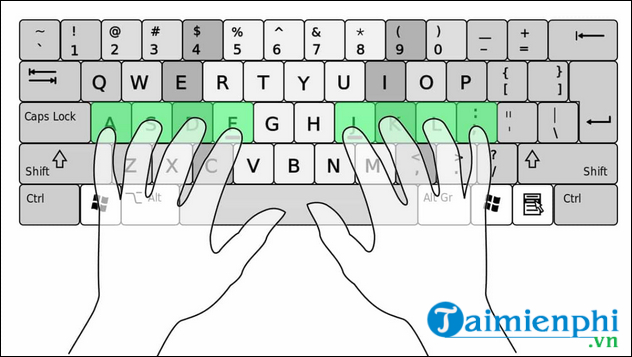
2. Use the correct finger zones
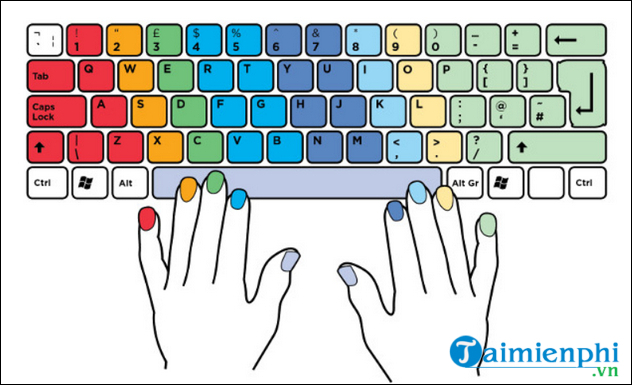
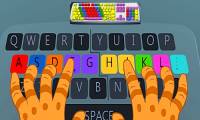
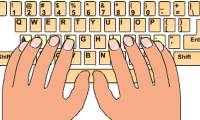
Rest the left fingers on A, S, D, F and the right fingers on J, K, L, ;. The raised marks on F and J let your index fingers find the home row without looking down.
| Finger | Left-hand keys | Right-hand keys |
|---|---|---|
| Little finger | Q, A, Z and nearby controls | P, ;, / and nearby controls |
| Ring finger | W, S, X | O, L, . |
| Middle finger | E, D, C | I, K, , |
| Index finger | R, F, V, T, G, B | Y, U, H, J, N, M |
| Thumb | Space bar | |
Number and punctuation positions vary with keyboard layout. Match the on-screen tutor to your physical keyboard rather than following a diagram for a different layout.
3. Set up a comfortable typing position
Place the keyboard directly in front of you at a height that lets your shoulders stay relaxed. Keep your wrists mostly straight, support your back, and position the screen so you can read it without repeatedly bending your neck. There is no need to force a rigid pose; a comfortable, neutral position is the goal.
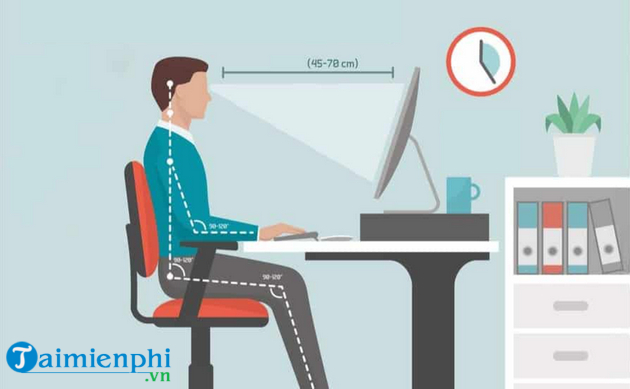
Stop if you feel pain, numbness, or persistent tingling. Adjust the workstation and seek qualified medical advice if symptoms continue.
4. Practice accuracy before speed
Work for 10–15 minutes several days a week. Repeat a lesson when you still need to watch your hands or when the same mistakes recur. A high WPM score is not useful if corrections consume the time you saved.
Use F and J to reset your hand position. After each keystroke, return the finger to the home row instead of letting both hands drift across the keyboard.

5. Choose a typing tutor
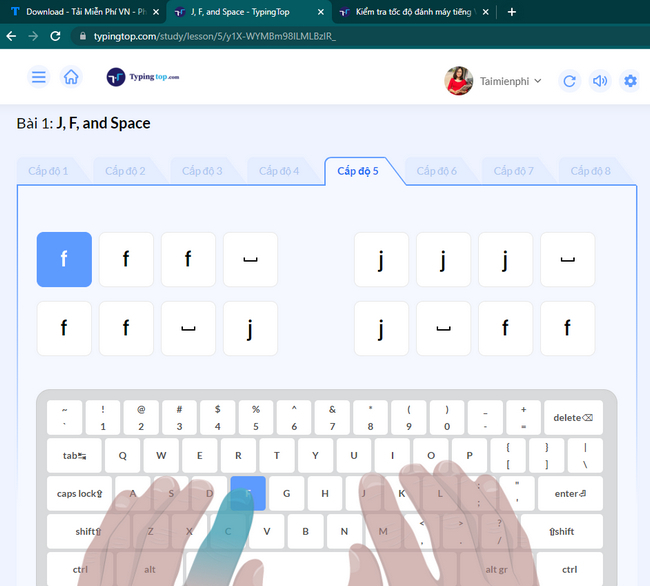
Typingtop
Typingtop is a browser-based tutor with lessons, tests, goals, games, and progress tracking. It is convenient when you practice on several computers and do not want to install software.
TypingMaster
TypingMaster is a Windows tutor with structured courses, tests, games, and weak-key analysis. The current product has limited free access and paid license options, so check the latest terms before installing.
RapidTyping
RapidTyping is a free Windows tutor available as an installer and portable package. It provides guided lessons, finger animation, results, custom exercises, and classroom support.
Touch Typing Study
Touch Typing Study runs in a browser and supports many languages and keyboard layouts. It includes progressive lessons, tests, games, and numeric-keypad practice.
10 Finger BreakOut and Mario Teaches Typing
These legacy games can make key recognition entertaining, but they were built for old systems. 10 Finger BreakOut may not run correctly on current Windows, while Mario Teaches Typing requires DOSBox and legally obtained game files. Use them only if you understand the compatibility and download risks.
6. Measure progress consistently
Take two or three tests with the same language, duration, keyboard, and correction rules. Record WPM and accuracy, then use the middle score as your baseline. Retest weekly rather than after every lesson.
TipsMake's list of online typing tests helps you select a tool. For more detail, compare touch-typing websites, follow the RapidTyping setup guide, or review TypingMaster installation.
A 15-minute daily routine
- 2 minutes: warm up with home-row combinations.
- 8 minutes: complete a structured lesson targeting one key group.
- 3 minutes: type a realistic paragraph with punctuation.
- 2 minutes: review errors and record the result.
Advance when accuracy is stable, not merely when a tutor unlocks the next level. Consistent technique turns key positions into automatic movements; occasional long practice sessions do not.
Related Articles
 Top Websites for Practicing 10-Finger Typing and Improving Keyboard Speed11 minutes read
 Tux Typing - Free Typing Practice Tool for Kids: Main Insights6 minutes read
 5 Best 10-finger Typing Software That Is Easy to Download and Fastest4 minutes read
 How to Luyen Go 10 Delicious12 minutes read
 How to Practicing Fast and Efficient 10-Finger Typing for Beginners7 minutes read
 How to Practicing Fast Keyboard Typing, Effective 10-finger Typing7 minutes read
Reader Comments 0
Sign in with email or Google to join the discussion.