Table of Contents
This updated guide examines Please Download Farming Simulator 19, a Very Good Farm Management and organizes the essential facts, background, and practical takeaways in clear American English.
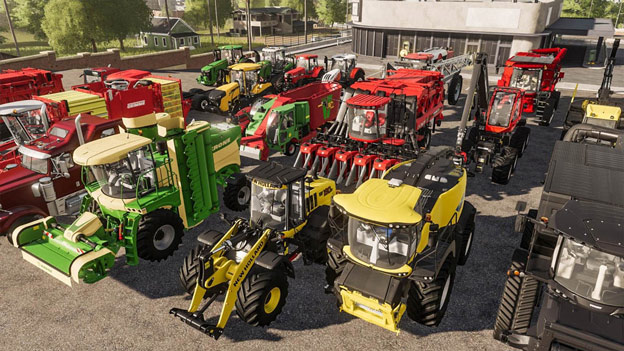
In Farming Simulator 19, the game's graphics have been upgraded with more beautiful visual effects.
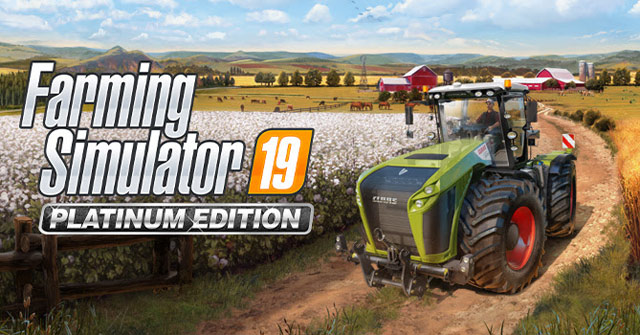
In addition to harvesting crops, Farming Simulator 19 also offers players many other activities such as raising cattle and poultry (pigs, cows, chickens, sheep.), riding horses to explore the lands. nearby, expand your farm.
Recommended configuration
- Windows 7 (64-bit) or higher.
- CPU Intel Core i3-2100T @ 2.5GHz or AMD FX-4100 @ 3.6 GHz (or higher).
- GPU Nvidia Geforce GTX 650, AMD Radeon HD 7770 (or higher).
- 4GB RAM (or higher).
- DirectX Version 9.0.
- Storage 20 GB available space.
Today, the farm management game Farming Simulator 19 costs $ 14.99, being free on Epic Games Store until February 6, 2020. If you like this game genre, please download it quickly before the promotion ends.
How to download Farming Simulator 19 for free
Step 1: Sign up for an Epic Games account if you haven't already.
https://www.epicgames.com/id/loginStep 2: Download and install Epic Games Launcher on your computer by following the link below.
- Download Epic Games Launcher for Win / Mac
Step 3: Open Epic Games Launcher -> select Store -> click Get a free game to play every week -> select "Farming Simulator 19" -> click GET to proceed with payment for 0 VND - > click on Place Oder -> finally, wait for the payment process to complete.
Step 4: Click the Library item -> click the Install button below the avatar image of "Farming Simulator 19" -> download and install the game.
You can also add this game to the library by logging in directly on the internet browser (Mobile / PC) and clicking the link below.
https://www.epicgames.com/store/en-US/product/farming-simulator-19/homeFAQ
What is Please Download Farming Simulator 19, a Very Good Farm Management about?
It provides a structured overview of free simulation games, explains the main context, and highlights practical takeaways for readers.
Why does this topic matter?
Understanding the main concepts helps readers evaluate the issue, avoid common mistakes, and make better-informed decisions.
How should readers use this information?
Use the guidance as a practical starting point, confirm details that may have changed, and follow current product, safety, or security recommendations.
Related Articles
 Invite to Download Slime Rancher, an Exciting Farm Management Game5 minutes read
 Download Supermarket Simulator5 minutes read
 Download Hundred Days –– Winemaking Simulator for Free4 minutes read
 Latest Fat Simulator Code: What to Know4 minutes read
 How to Download and Play Lawn Mowing Simulator for Free4 minutes read
 Mobile Games: 5 Best Farm Games on Android and iOS4 minutes read
Reader Comments 0
Sign in with email or Google to join the discussion.