Table of Contents
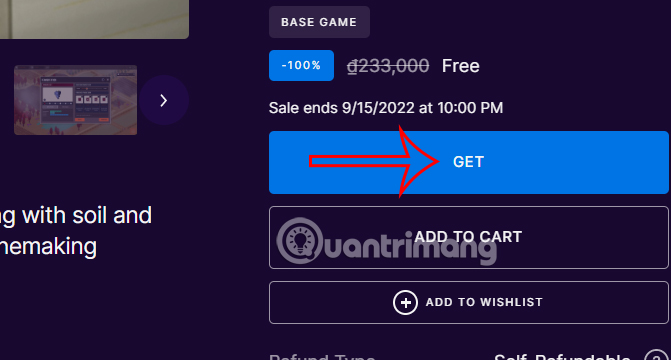
Hundred Days: Winemaking Simulator is a management game about running a winery, from choosing vines and caring for a vineyard to producing, bottling, and selling wine. A 2022 Epic Games Store giveaway has ended, so check the current store price or demo availability rather than expecting the full game to be free.
What you do in Hundred Days
You begin with a small winery and make decisions that affect both wine quality and the business. The game combines vineyard work, production choices, equipment upgrades, sales, and long-term planning.
- Analyze soil and choose grape varieties suited to the available land.
- Prune vines, manage vineyard work, and respond to pests or disease.
- Monitor ripeness and decide when to harvest.
- Choose production methods, including fermentation inputs and processing steps.
- Decide how long to age a wine and how to store it.
- Design bottles and labels for the finished product.
- Build sales channels and match products to different customer segments.
- Invest revenue in tools, facilities, and production capacity.
The simulation is designed to be approachable, but each decision influences later results. New players can learn the production loop gradually, while experienced simulation players can focus on efficiency, quality, and market strategy.
Where to get the game
Use the official Epic Games Store listing or the official Steam listing. Prices, discounts, demos, downloadable content, and operating-system support can change, so review the selected store page before adding anything to your account.
- Sign in to the store and confirm that the listing is published by Broken Arms Games.
- Review the current price, edition, downloadable content, supported languages, and system requirements.
- Purchase the game or choose the demo if the selected store currently offers one.
- Open the corresponding Epic Games or Steam launcher.
- Find the title in your library, select Install, choose a location, and wait for the download to finish.
If you manage games across several services, compare these PC game launchers and library organizers.
PC requirements
The official stores list slightly different minimum specifications. Check the exact platform you will use. The Steam page currently lists:
- Operating system: 64-bit Windows 7 or later for the game; the current Steam client itself supports Windows 10 and later.
- Processor: Intel Core i3 at 2.5 GHz or an equivalent AMD Athlon.
- Memory: 4 GB RAM.
- Graphics: NVIDIA GeForce 700 series or an equivalent AMD Radeon.
- DirectX: Version 11.
- Storage: 2 GB available space.
The Epic listing provides separate Windows and macOS requirement tabs. Always follow the live store requirements rather than copying specifications from an old promotion.
Before starting a new winery
- Begin with a manageable number of vineyard tasks instead of expanding every system immediately.
- Read how each grape variety and soil condition affects the production plan.
- Balance quality improvements with cash flow; equipment and aging can delay revenue.
- Track the market for the style of wine you are producing before increasing volume.
- Use the tutorial and in-game explanations rather than assuming the game models every real-world winemaking detail.
Hundred Days trailer
Related Articles
 Download Supermarket Simulator5 minutes read
 How to Download and Play Lawn Mowing Simulator for Free4 minutes read
 Please Download Farming Simulator 19, a Very Good Farm Management3 minutes read
 Latest Fat Simulator Code: What to Know4 minutes read
 How to Play Supermarket Simulator to Increase Sales5 minutes read
 How to Download Bus Simulator Indonesia on a Computer, PC5 minutes read
Reader Comments 0
Sign in with email or Google to join the discussion.