Table of Contents
This guide organizes the entries in "Must-Have Windows Desktop Visual Enhancement Tools" and explains what each option, idea, or example offers. It also highlights practical details that matter when comparing the choices.
1. Wallpaper Engine
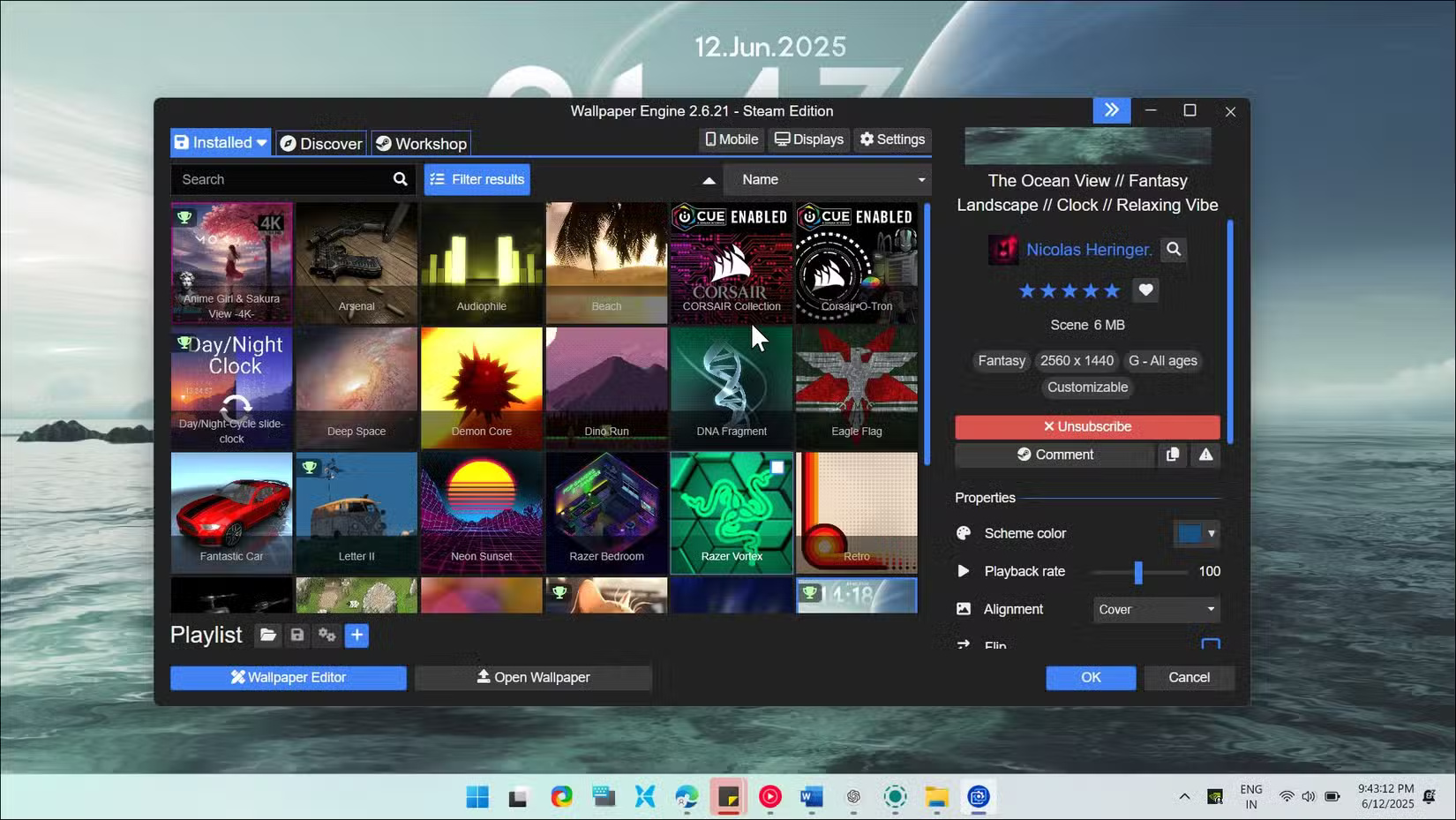
Many people prefer static wallpapers. But when you want a change, Wallpaper Engine brings your desktop to life with dynamic and interactive wallpapers that react to music, the time of day, or even your system performance. This premium app, available on Steam and other PC game stores, is arguably the best live wallpaper engine for Windows.
What makes Wallpaper Engine special is its huge workshop library. With over a million community-created wallpapers, you'll find everything from delicate animated landscapes to full audio visualizers. Many people especially like the parallax effect wallpapers that add depth as you move your mouse, and the interactive wallpapers that react when you select them.
2. TranslucentTB
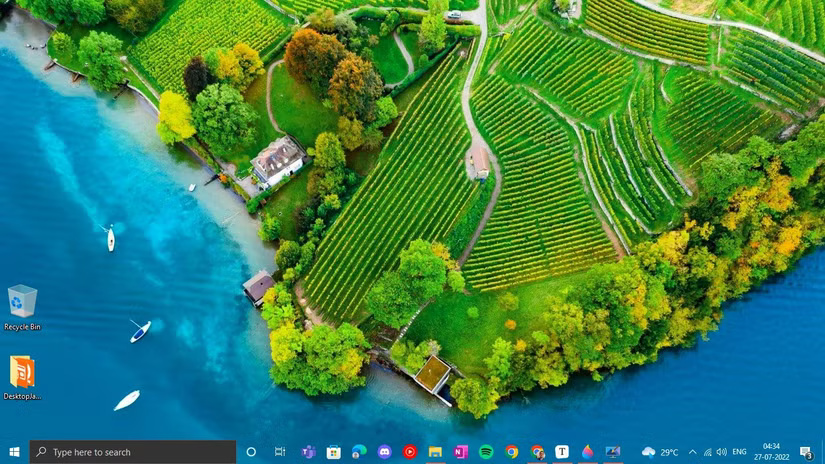
Want a beautiful live wallpaper that covers your entire screen, but are frustrated by your taskbar blocking part of your view? TranslucentTB fixes that with a simple trick. This free, open-source tool makes your taskbar transparent, creating a cleaner, more modern look that lets your wallpaper shine.
TranslucentTB offers more than just a basic transparency effect. You can set effects for different taskbar states. For example, you can have a taskbar that is completely transparent when it's in the background, but slightly opaque when you have a window open. Or maybe you choose a solid color when a maximized window is active.
3. Windhawk
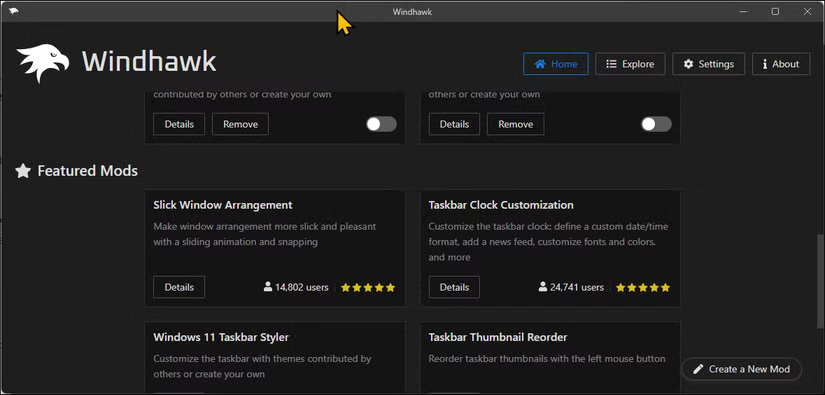
Windhawk offers a collection of community-created Windows mods. While it adds some cool new features, it also lets you fix some of the annoyances of Windows 11. For example, you can restore the vertical taskbar that Microsoft removed, placing it on either side of the screen with adjustable width settings. The Taskbar Height and Icon Size mod fixes those annoyingly small 24x24 icons by letting you shrink them to a proper 32x32 size.
Windhawk has several other mods that can make minimal tweaks to default Windows functionality, such as adding a better dark mode to Notepad, restoring the classic context menu in File Explorer, or always showing the Start button on the left.
4. Rainmeter
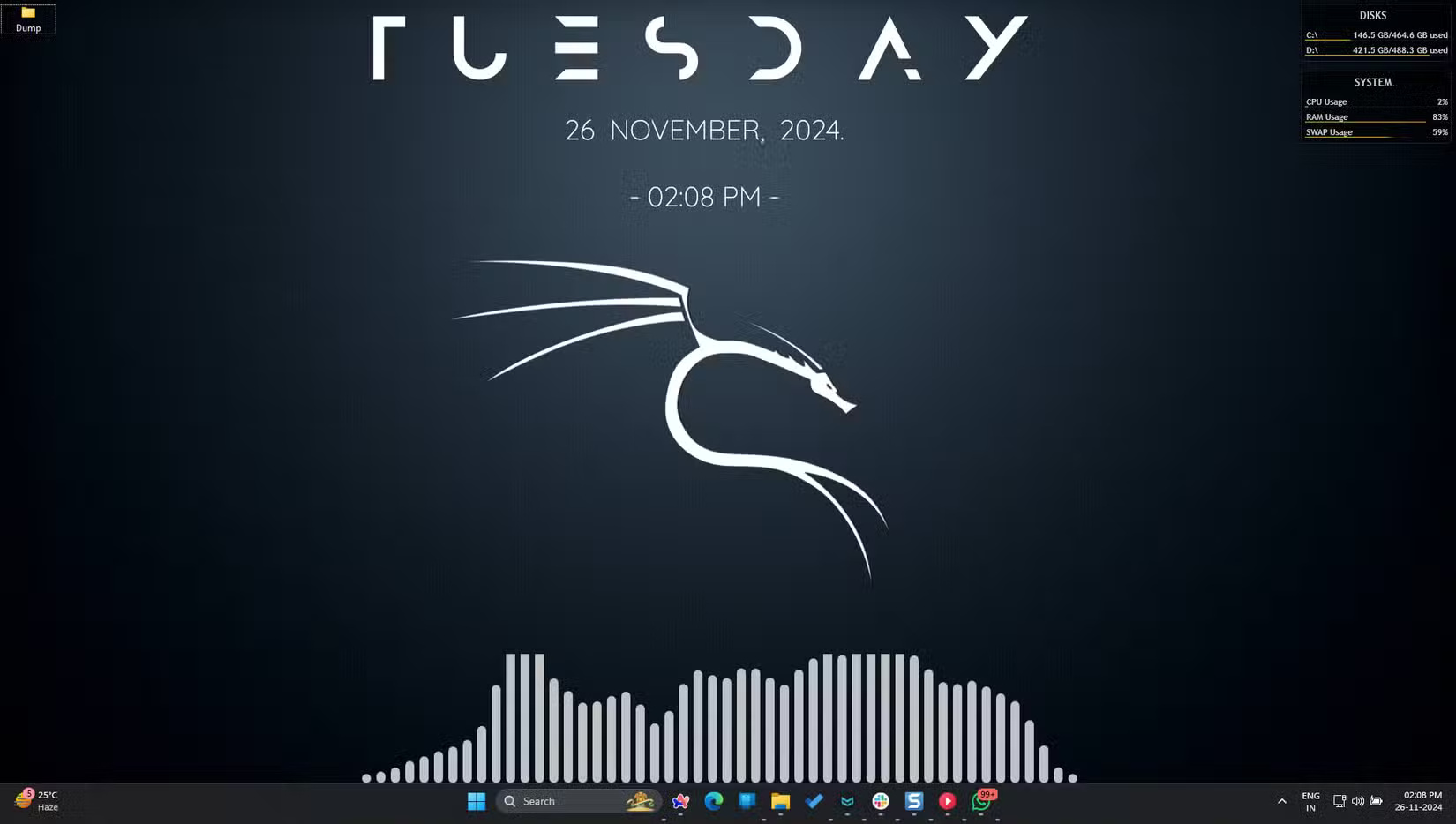
All of the above customization options focus on one aspect of your Windows PC. Rainmeter, on the other hand, wants to do it all and more. This free, open-source platform lets you display custom skins on your desktop. From system monitors to weather displays and music visualizers to application launchers, Rainmeter lets you completely customize your Windows desktop.
Themes are at the heart of Rainmeter; there are thousands of them available online, and finding the perfect setup for your desktop can be a joy. Each theme is fully customizable via simple text files, allowing you to easily change colors, sizes, fonts, and behaviors (even if you're a casual user).
5. Start11
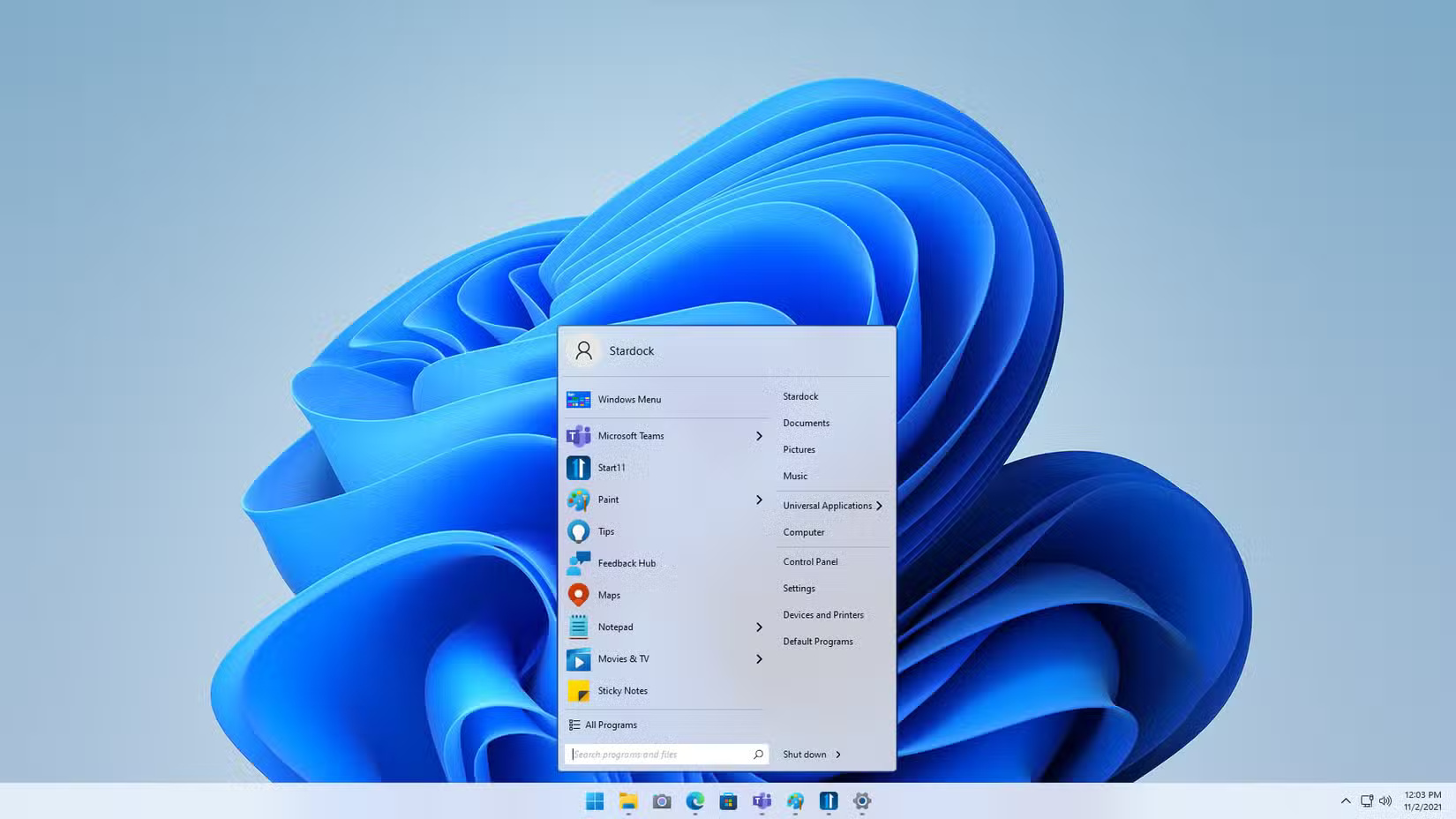
Don't like what Microsoft did to the Start menu in Windows 11? For a fee, Start11 lets you tweak the Start menu to your liking. You can restore the classic Start menu styles from Windows 7 or 10, or create something completely new.
Whether you want a centered menu with rounded corners or prefer a full-screen launcher like Windows 8 (but with real functionality), Start11 makes it easy to design a menu that suits you. You can even have different Start menu styles on different monitors, if you're running a multi-monitor setup.
Unlike some Start menu replacements, Start11 plays nicely with Windows 11 features. Windows Search still works, and all your pinned apps carry over. You can even pin any folder, limited to the base folders (Documents, Pictures, Music, Videos, etc.) on the default menu.
6. Seelen UI
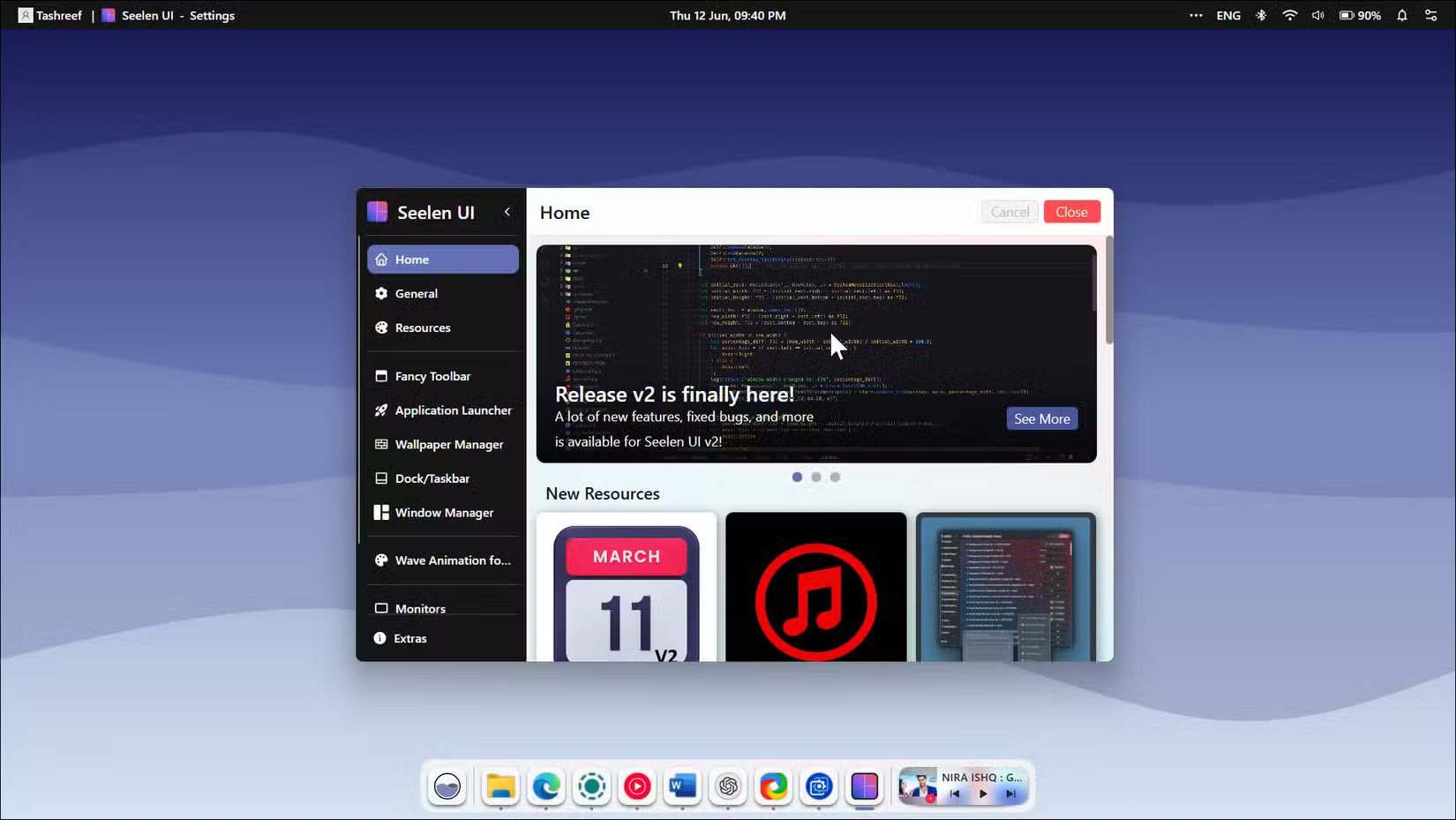
Seelen UI is a custom desktop environment for Windows, inspired by the user interfaces of Linux and macOS. This free, open-source tool offers a wide range of widgets, themes, icon packs, sounds, wallpapers, and plugins to customize your desktop.
Seelen UI is also highly customizable. You can rearrange toolbar elements, move the dock to any side of the screen, and even enable Tiling Window Manager, which automatically snaps windows side by side depending on the application on your screen. However, many people still prefer Windows Snap Layouts for its ease of use.
FAQ
What should you know about 1. Wallpaper Engine?
Many people prefer static wallpapers. But when you want a change, Wallpaper Engine brings your desktop to life with dynamic and interactive wallpapers that react to music, the time of day, or even your system performance. This premium app, available on Steam and other PC game stores, is arguably the best live wallpaper engine.
What should you know about 2. TranslucentTB?
Want a beautiful live wallpaper that covers your entire screen, but are frustrated by your taskbar blocking part of your view? TranslucentTB fixes that with a simple trick. This free, open-source tool makes your taskbar transparent, creating a cleaner, more modern look that lets your wallpaper shine.
What should you know about 3. Windhawk?
Windhawk offers a collection of community-created Windows mods. While it adds some cool new features, it also lets you fix some of the annoyances of Windows 11. For example, you can restore the vertical taskbar that Microsoft removed, placing it on either side of the screen with adjustable width settings. The Taskbar Height and.
What should you know about 4. Rainmeter?
All of the above customization options focus on one aspect of your Windows PC. Rainmeter, on the other hand, wants to do it all and more. This free, open-source platform lets you display custom skins on your desktop. From system monitors to weather displays and music visualizers to application launchers, Rainmeter lets you.
Related Articles
 How to Install Visual Studio Using Parallels Desktop on a Mac5 minutes read
 10 Best AI Photo Enhancers in 2026 for Every Use17 minutes read
 8 Free AI Image Upscaling Tools7 minutes read
 Best AI Image Upscalers: 5 Tools Compared12 minutes read
 How to Change Visual Effects Settings in Windows 108 minutes read
 10 Tips for Microsoft's Cross-platform Code Editing Tool - Visual3 minutes read
Reader Comments 0
Sign in with email or Google to join the discussion.