Table of Contents
An AI image upscaler enlarges a raster image and predicts detail that may make the result look cleaner. It can improve a small web graphic, illustration, product photo, or print draft, but it cannot recover information that was never captured. Fine text, faces, patterns, and documentary evidence may be reconstructed incorrectly.
The strongest choice depends on privacy, hardware, volume, and how much control you need. Use the comparison below as a starting point, then test the same representative image in more than one tool.
Quick comparison
| Tool | Best for | Processing | Main trade-off |
|---|---|---|---|
| Upscayl Desktop | Free local upscaling on Windows, macOS, or Linux | On your computer | Speed depends heavily on compatible graphics hardware |
| ImgUpscaler | Fast browser-based 2× or 4× enlargement | Cloud upload | Free, batch, and plan limits can change |
| Pixelcut | Simple web, product, and social-image workflows | Cloud upload | Automatic enhancement offers less technical control |
| Topaz Gigapixel | Photographers who want model comparison and detailed controls | Desktop, with some cloud features depending on workflow | Paid software with substantial hardware requirements |
| SuperImage | Experimental local Android upscaling | On-device | Original open-source repository is archived and no longer maintained |
Best AI image upscalers
Upscayl: best free desktop option
Upscayl is a free, open-source desktop upscaler for Windows, macOS, and Linux. It runs models locally, so a user who chooses the desktop app does not need to upload private photos to a third-party server. The separate Upscayl Cloud service is an online product.
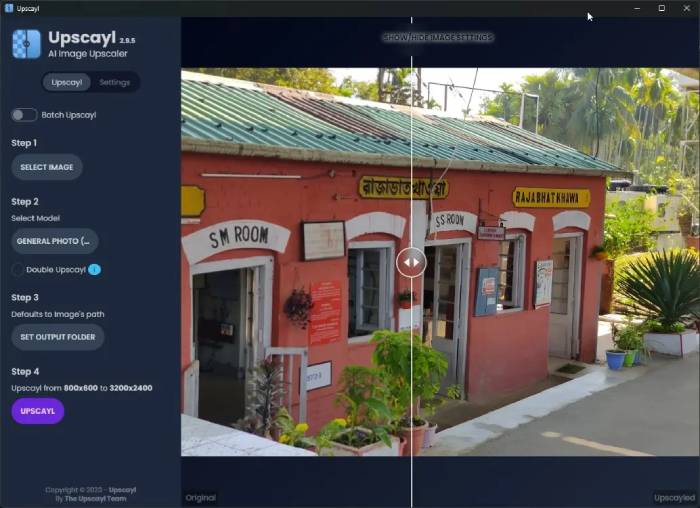
The desktop app is a good fit for individual images and batch jobs when the computer has suitable GPU support. Different models suit photographs and digital artwork differently, so compare a crop containing hair, text, edges, and fine texture before processing a large folder.
Choose it if: local processing, open-source software, and a zero-cost desktop workflow matter most.
Watch for: long processing times on weak hardware, high memory use with large images, and artificial texture from an unsuitable model.
ImgUpscaler: convenient browser processing
ImgUpscaler accepts JPG, PNG, and WebP images in a browser and offers 2× or 4× enlargement. Its current official site describes single-image free use and paid batch processing; plan prices and credit limits should be checked immediately before subscribing.
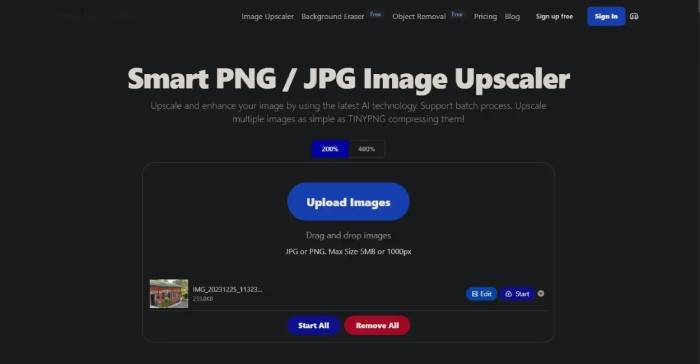
The service states that uploaded images and results are automatically deleted within 24 hours. That policy is helpful, but an online tool still receives the file. Do not upload confidential client work, identification documents, private family photos, or unreleased product images unless the service’s current privacy and contractual terms meet your requirements.
Choose it if: you want a quick online result without installing software.
Watch for: upload privacy, credit limits, and the need for paid batch processing.
Pixelcut: simple product and social images
Pixelcut’s image upscaler is integrated with a broader set of image tools aimed at product photos, marketing assets, and social content. The web tool accepts common formats and automates much of the enhancement process; bulk workflows are a separate higher-volume feature.
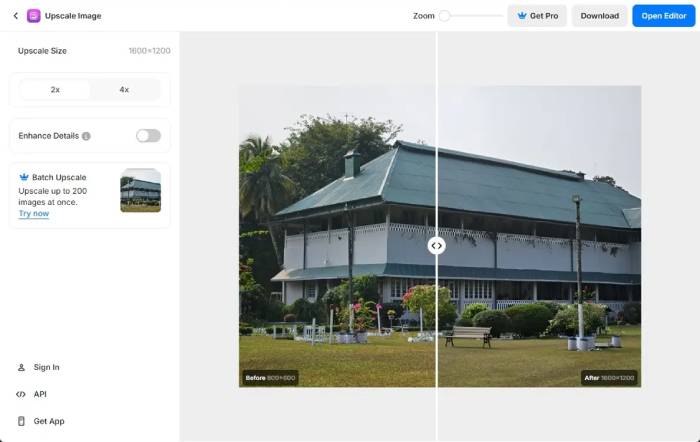
Automatic sharpening can help a small product photo or social asset, but inspect edges, logos, packaging text, skin, and repeated patterns at 100% view. A visually crisp result may contain invented details.
Choose it if: speed and a simple creator-oriented workflow matter more than fine model control.
Watch for: over-sharpening, altered product details, and current export or batch limits.
Topaz Gigapixel: detailed professional controls
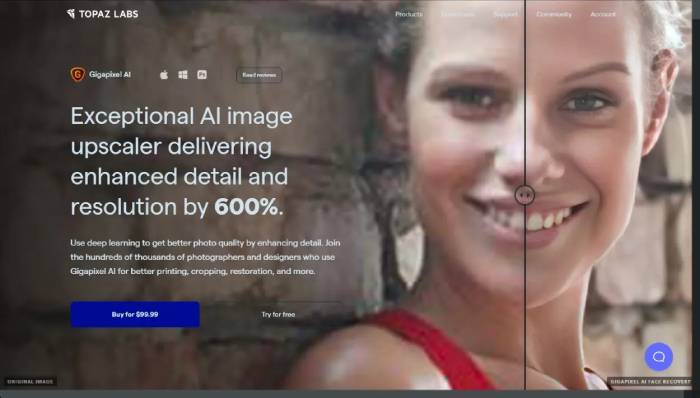
Topaz Gigapixel is a paid desktop product aimed at larger or professional upscaling workflows. Its toolset includes multiple AI models, model comparison, face-related controls, and settings for different image types.
It is most useful when you need to compare models and tune a result rather than accept one automatic enhancement. Check the current system requirements before purchase: high-resolution and generative workflows can require significant RAM, storage, and graphics capability.
Choose it if: you regularly prepare photographs or artwork for large output and need more control.
Watch for: cost, demanding hardware, processing time, and generative detail that may not match the original subject.
SuperImage: a legacy open-source Android option
SuperImage was built as an Android application using Real-ESRGAN and on-device GPU processing. Its original repository says it requires Android 7 or later plus Vulkan or OpenCL support.
The repository was archived in November 2023 and is read-only, so it should not be presented as an actively maintained cross-platform recommendation. Existing users can still study or test it, but new users should consider maintenance status, Android compatibility, download provenance, and security before installing an old build.
How to choose an upscaler
- Private images: prefer a reputable local desktop tool and confirm it does not send telemetry or files you do not intend to share.
- Illustrations or anime: test a model trained for clean lines; a photo-oriented model may add unwanted texture.
- Faces: compare with the original. Face recovery can create a plausible person who does not accurately match the subject.
- Logos and text: recreate vector logos or retype text when possible. Upscaling is not a dependable substitute for the original asset.
- Print: choose the physical dimensions and required pixels first. “4K” or “8K” labels do not by themselves guarantee acceptable print quality.
- Large batches: check automation, output naming, color profile handling, transparency, and whether the tool can resume a failed job.
A fair way to compare results
- Keep the untouched original.
- Choose one representative image with faces, fine edges, texture, and any important text.
- Upscale every candidate to the same pixel dimensions.
- Disable extra sharpening or face recovery for the first comparison.
- Inspect both the full image and 100% crops.
- Check for halos, plastic skin, repeated texture, distorted letters, and changed object details.
- Print a small proof if print is the final destination.
What AI upscaling cannot fix
Upscaling may improve presentation, but it does not prove identity, reveal a hidden license plate, restore an unreadable document, or create reliable forensic evidence. For old family photos, keep the original scan and label the enhanced copy. For product, medical, legal, or news images, disclose material alterations and never let generated detail change the factual meaning.
For most users, Upscayl is the sensible first test because its desktop version is free and local. Use ImgUpscaler or Pixelcut for convenience, and consider Topaz Gigapixel when repeated professional work justifies the cost and hardware.
Related Articles
 10 Best AI Photo Enhancers in 2026 for Every Use17 minutes read
 8 Free AI Image Upscaling Tools7 minutes read
 7 Tools to Improve Low Resolution on Videos8 minutes read
 What Is the Difference Between Dpi, Ppi, Resolution and Image4 minutes read
 HMD Officially Launched Nokia 1.3 Cheap3 minutes read
 Image Resolution - the Deciding Factor for Fine Print7 minutes read
Reader Comments 0
Sign in with email or Google to join the discussion.