Table of Contents
Learn how to giving offline presentations on Canva with clear steps, practical tips, and troubleshooting guidance for a reliable result.
How to give an offline presentation on Canva
Step 1
First, click on the "Projects" section in Canva to open the projects you have created in Canva.
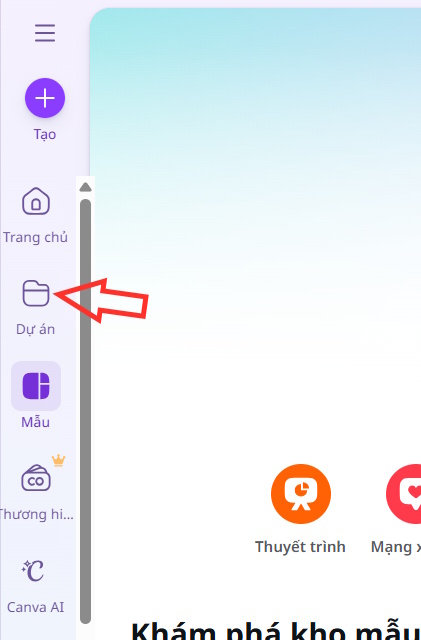
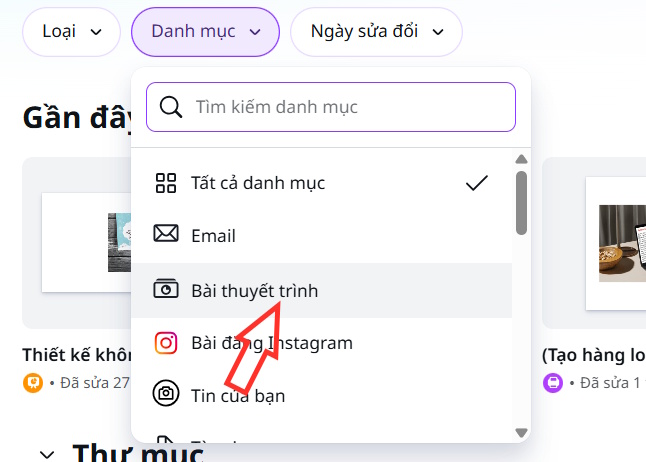
Look to the side, click on Categories, then select Presentations to open the presentations you've created in Canva.
Step 2
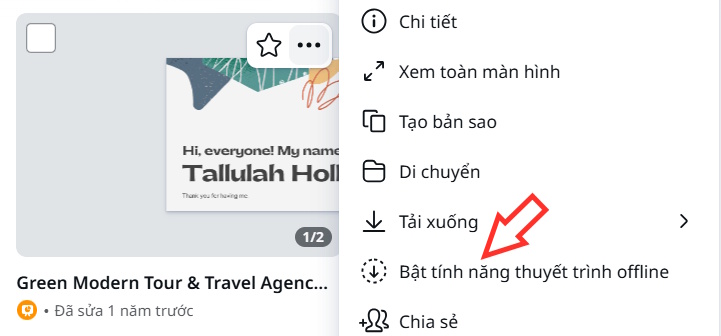
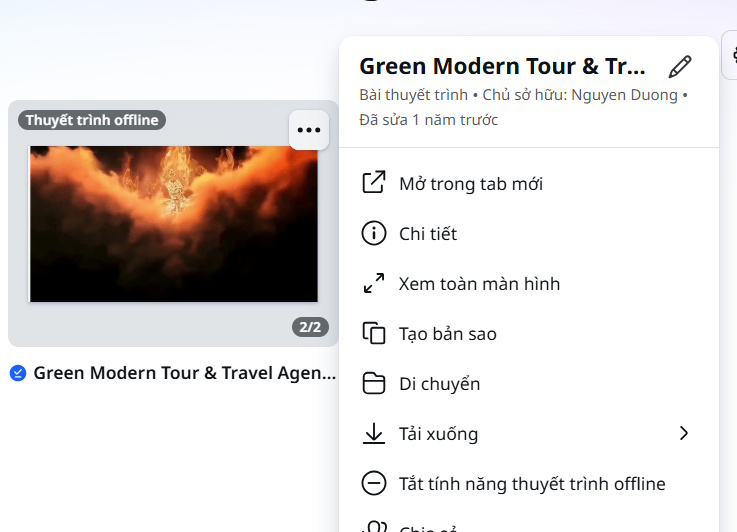
To display the presentation content, click the three-dot icon next to the presentation you want to use offline , then select Enable offline presentation .
Step 3
Immediately afterward, the process of putting the presentation offline began.
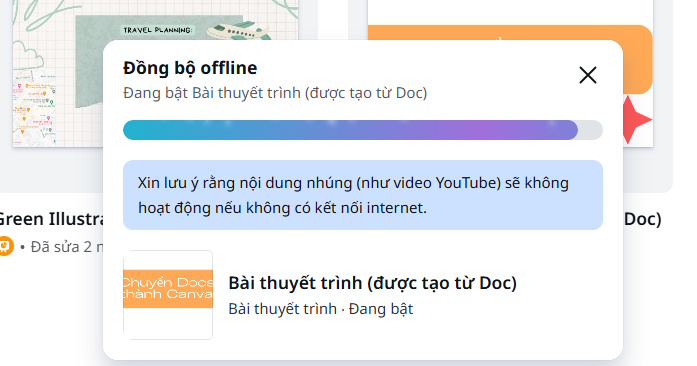
Now, click on the Projects section , then select the three horizontal lines icon , and then choose "Use offline" to proceed.
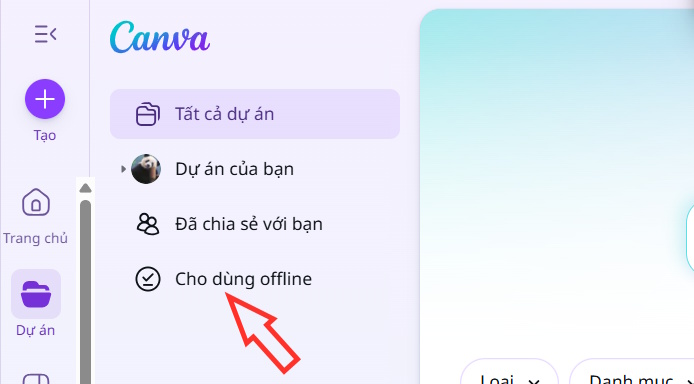
Step 4
Now we can immediately see the Canva presentations in offline mode.
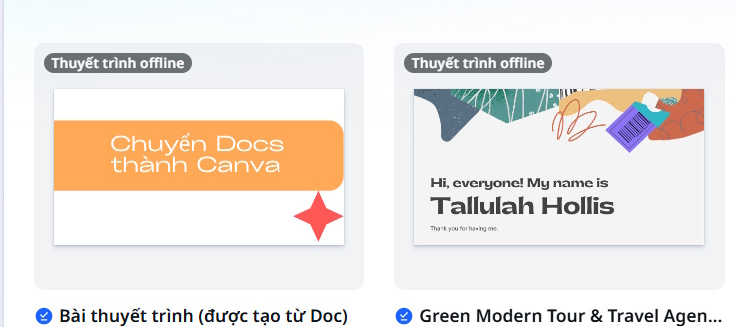
Now, if your computer suddenly loses its internet connection, you can immediately use the presentation offline. Click on the three-dot icon next to the offline presentation, and you'll see an options menu as shown in the image, where you can turn off offline mode for this presentation.
Final Thoughts
Use this guide as a practical checklist for how to giving offline presentations on canva. Work through the steps in order, verify each result, and adjust the options to match your needs.
FAQ
What do you need before following this How to Giving Offline Presentations on Canva guide?
Review the required tools, accounts, settings, or materials mentioned in the article. Learn how to giving offline presentations on Canva with clear steps, practical tips, and troubleshooting guidance for a reliable result.
What are the main steps for how to giving offline presentations on canva?
Follow the sections in order, especially How to give an offline presentation on Canva, Step 1, Step 2. Complete each step before continuing and verify the result as you go.
What should you do if the process does not work as expected?
Recheck the prerequisites, update the relevant app or service, review the settings, and repeat the step that caused the issue. Use any troubleshooting notes included in the guide.
Related Articles
 How to Create Professional Presentations in Canva11 minutes read
 How to Create Presentation Slides Using Canva AI5 minutes read
 Guide to Creating 3D Designs Using AI in Canva4 minutes read
 Guide to Designing Posters in Canva AI4 minutes read
 Instructions for Creating QR Codes on Canva3 minutes read
 How to Translating Presentation Slides in Canva AI3 minutes read
Reader Comments 0
Sign in with email or Google to join the discussion.