Table of Contents
Install Adobe Illustrator through Adobe's Creative Cloud desktop app, not a repackaged installer. This provides the licensed application, required updates and an official path to the previous versions Adobe still makes available. Never disable antivirus protection or accept an installer that offers to change your browser homepage.

Check the computer first
Compare your device with Adobe's current Illustrator technical requirements before downloading. For the current desktop release, Adobe lists 8 GB RAM as the minimum and recommends 16 GB. Storage, operating-system, processor, GPU and display requirements vary by platform and release, so use the live Adobe page rather than an old specification screenshot.
- Install current operating-system and graphics-driver updates.
- Keep more free disk space than the installer minimum because temporary files and projects need room.
- Use an administrator account or your organization's approved software portal.
- Make sure you can sign in with the Adobe account tied to your subscription, trial, school or employer.
Install the current Illustrator release
- Download the Creative Cloud desktop app from Adobe.
- Open the verified installer and complete the Creative Cloud setup.
- Sign in with the correct Adobe account.
- Open the Apps tab, find Illustrator, and select Install.
- Follow the onscreen prompts. Do not install unrelated browser add-ons or change security settings.
- When installation finishes, open Illustrator from Creative Cloud or the operating system's app launcher and allow it to activate.
Install an available previous version
Do not search file-sharing sites for Illustrator 2019, 2020, 2021 or 2022. Creative Cloud shows the earlier builds currently available to your account:
- Open Creative Cloud desktop.
- Find Illustrator and open its More actions menu.
- Select Other versions.
- Find the required version and select Install.
Adobe says Creative Cloud may show only available previous major versions. If a particular old release is absent, that does not authorize downloading an unofficial copy.
Keep an older version during an update
Creative Cloud removes the previous version by default when it installs a new major release. To retain one, open Creative Cloud Preferences, go to Apps, enable Auto-update as appropriate, open the application's Advanced options, and turn off Remove older versions. Organization-managed accounts may not expose every option.
Common installation problems
Illustrator is missing from the Apps tab
Confirm that the account has an Illustrator entitlement and that a school or employer has assigned the license. Refresh or restart Creative Cloud after signing in again.
The system is incompatible
Check the exact OS, CPU instruction, GPU, VRAM and display requirements for the Illustrator version you selected. Install only a version that Adobe makes available and that your system can run.
The download stalls or the installation fails
- Restart the computer and Creative Cloud desktop.
- Check disk space and network stability.
- Install pending OS updates and use current GPU drivers from the hardware vendor.
- Record the exact error code and use Adobe's install troubleshooting rather than repeatedly downloading third-party packages.
The app opens but behaves incorrectly
Test with a new document, update the application, and reset preferences only after backing up custom workspaces, actions and settings.
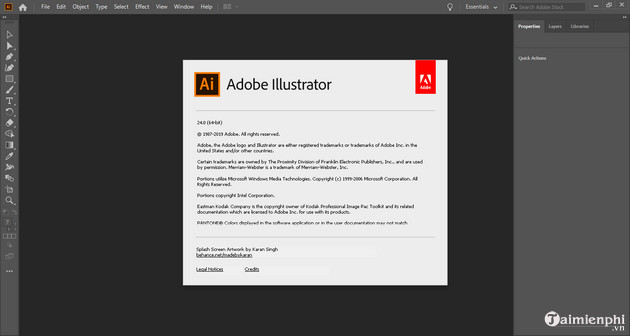
Why the old installer steps were removed
The original article used a non-Adobe archive, recommended disabling Windows Defender and showed an installer offering to set hi.ru as the homepage. Those are strong warning signs for bundled or modified software. A legitimate Illustrator installation does not require weakening antivirus protection or accepting unrelated browser changes.
Use Adobe's official Creative Cloud app installation guide, Illustrator requirements, and previous-version instructions. If Illustrator is not suitable, compare Illustrator alternatives, review free design tools, or see how to reset Illustrator preferences.
Related Articles
 Adobe Illustrator: Complete Guide: Download Adobe Illustrator 2021.26.04 minutes read
 What Is Adobe Illustrator? Learn Adobe Illustrator for What5 minutes read
 What Is Adobe Illustrator?6 minutes read
 Tutorial Drawing. 'Unicorn' in Adobe Illustrator11 minutes read
 AI Software Shortcuts: Common Adobe Illustrator Shortcuts9 minutes read
 Getting to Know Adobe Illustrator14 minutes read
Reader Comments 0
Sign in with email or Google to join the discussion.