Table of Contents
This article examines October 2018 Update Updates Causes an Error on the Mapped Network Disk. It presents the main facts, practical implications, and key points in a clearer, easier-to-follow format.
Understanding October 2018 Update Updates Causes an Error on the Mapped Network Disk
The clutter around updating Windows October 2018 version Update is almost over, but still not perfect with a few bugs left. Microsoft has confirmed that mapped network drives fail after the computer updates to the new OS and restarts. It was not until 2019 that this error was resolved.
ZDNet reported on this error: In the early days of the release of Windows 10 1809 in early October, IT experts found that Windows File Explorer showed mapped network drives.
'When testing the new update, it looks like everything is fine, except that all drives mapped to a Windows 2012 file server are disconnected (Red x) after reboot or logoff/on', one IT expert said. Many others also encountered the same error.
'It's okay to open the mapped drive. But if you open the file placed in drive A and have a link to the file in the mapped drive B, the error is'.
The mapped network drive is often used on domains and large networks so normal users will not see this error. Microsoft has also come up with some temporary solutions. On the status page of Windows 10 version 1809, 'Microsoft is finding a solution and will update in 2019'.
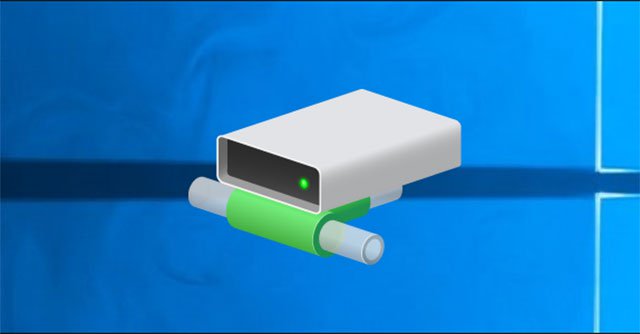 The mapped network drive will be disconnected after updating the OS.
October 2018 Update also has several other errors such as 'compatibility error' with Trend Micro's OfficeScan or Worry-Free Business Security. This version of Windows requires anti-virus software to use 'protection process' so Trend Micro will not be able to handle it immediately. OS will be blocked on machines running this software until Trend Micro releases the patch.
There is another bug on AMD's Radeon HD2000 and HD4000 GPU machines. The Edge may stop working on the PC running the graphics processor mentioned above, the lock screen will not be normal and you will see the error INVALID_POINTER_READ_c0000005_atidxx64.dll.
Microsoft blocked updates on the hardware-based machines while looking for solutions. AMD does not support these GPUs, so Microsoft will have to solve the problem on its own. And Trend Micro's problem is their fault, so they can't blame Microsoft.
Overall, this is a challenge with 'Windows as a service'.
- Windows is not a service, it's just an operating system, don't update it too much like that!
- The official ISO Windows 10 October (1809) is available from Microsoft, please download and experience.
- Microsoft began releasing October 2018 Update after the delay.
FAQ
What is the main point of October 2018 Update Updates Causes an Error on the Mapped Network Disk?
The clutter around updating Windows October 2018 version Update is almost over, but still not perfect with a few bugs left. Microsoft has confirmed that mapped network drives fail after the computer updates to the new OS and restarts.
Why is October 2018 Update Updates Causes an Error on the Mapped Network Disk important?
October 2018 Update Updates Causes an Error on the Mapped Network Disk matters because it can affect how readers understand, choose, use, or respond to the subject discussed in the article.
What should readers verify about October 2018 Update Updates Causes an Error on the Mapped Network Disk?
Check the date, product or software version, compatibility, and any current guidance before acting, especially when technology, security, health, or pricing is involved.
Related Articles
 The Latest Windows 10 October Update Has a Serious Error, Microsoft Must Cooperate with Apple to Fix7 minutes read
 Microsoft Claims That Deleting the Data of Windows 10 October 2018 Update Will Never Happen Again4 minutes read
 How to Fix 100% Disk Error on Windows 10 Creator Updates5 minutes read
 Windows 10 October 2018 Update and New Highlights Will Appear5 minutes read
 How to Scan Mapped Network Drives with Windows Defender6 minutes read
 Microsoft Began Releasing October 2018 Update After the Delay4 minutes read
Reader Comments 0
Sign in with email or Google to join the discussion.