Table of Contents
Learn how to use quicksnap on instagram similar to locket with clear steps, practical tips, and troubleshooting guidance for a reliable result.
How to use Quicksnap on Instagram to take quick photos
Step 1
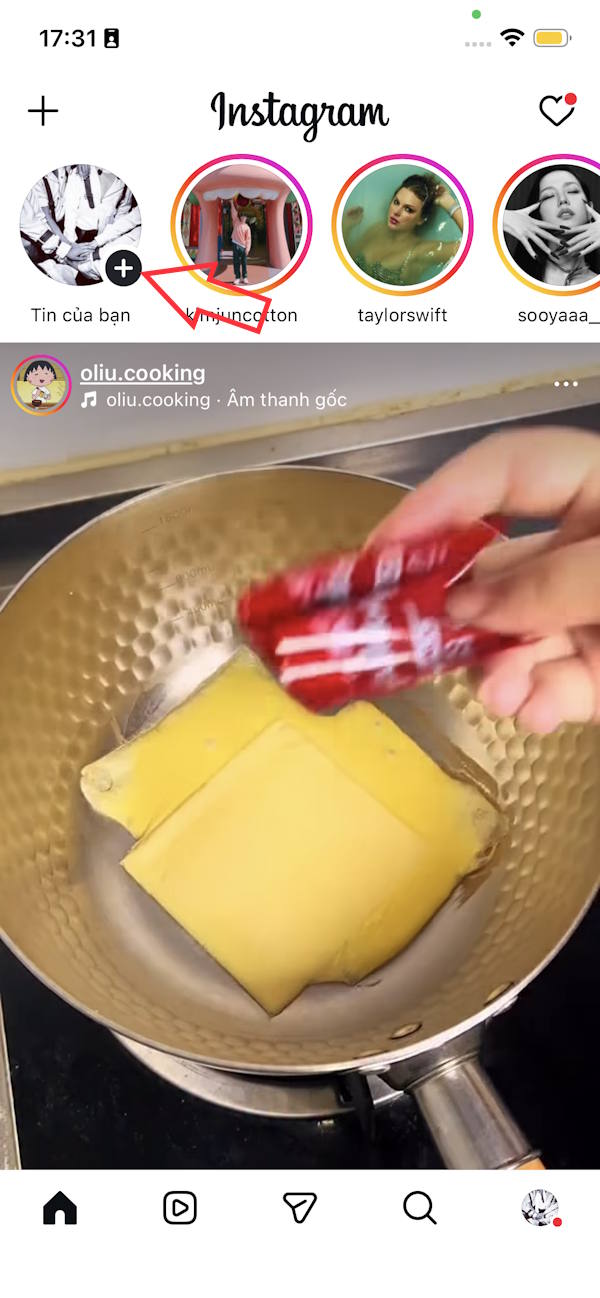
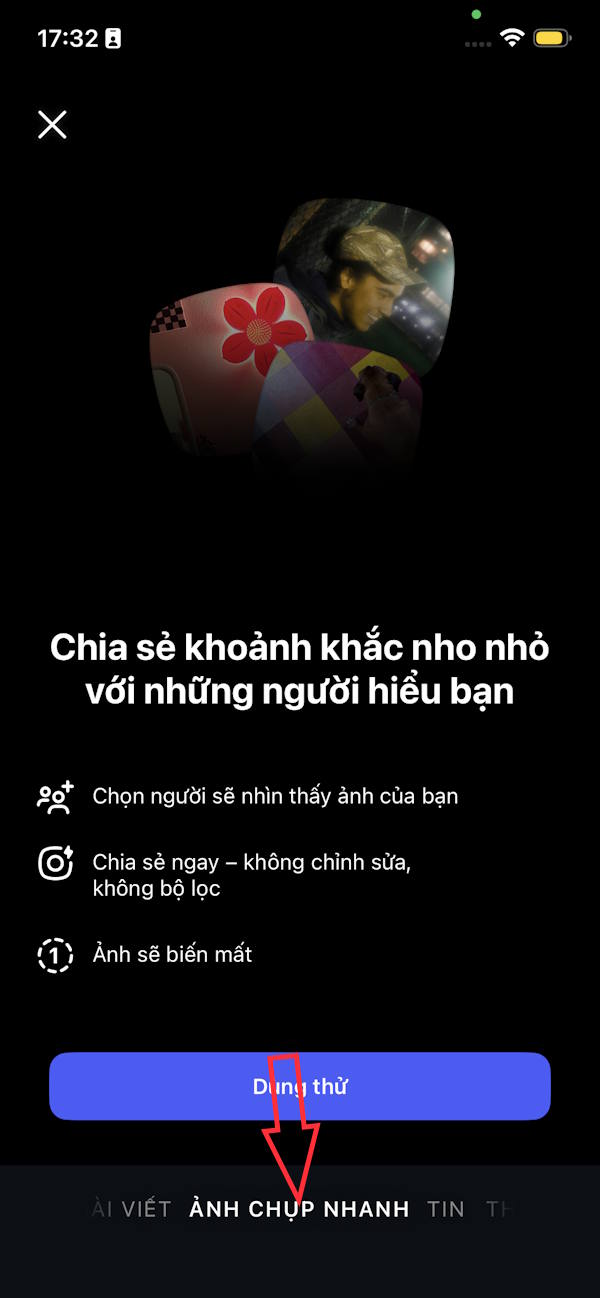
You upgrade the application to the latest version then click on the plus sign to create new content. Now you click on the Snapshot mode to see basic information about this Quicksnap feature on Instagram, you can click Try it to test if you want.
Step 2
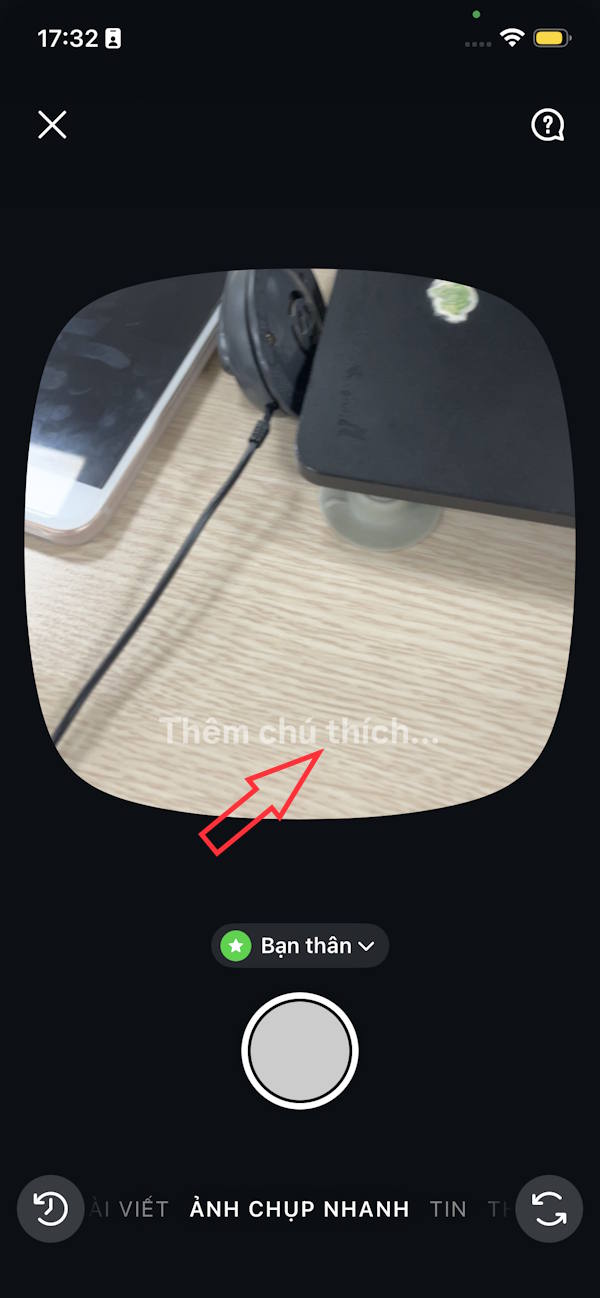
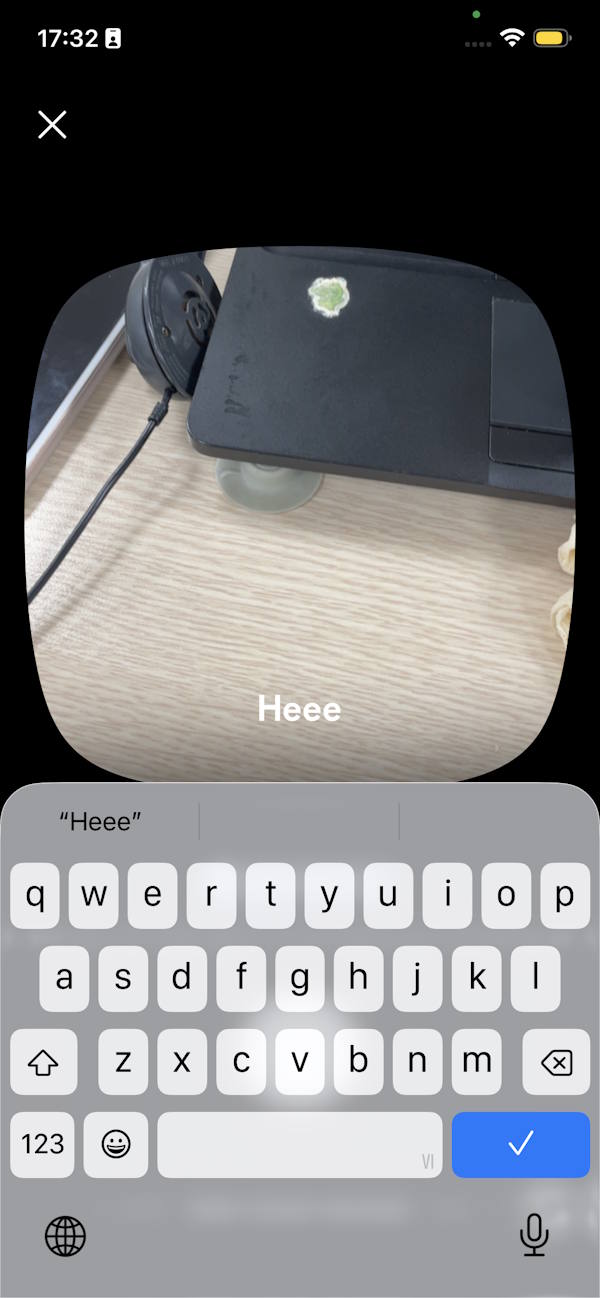
In the snapshot interface you enter a note first.
Step 3
Next we adjust the audience that sees this Instagram snapshot . Then we take a photo directly. The first time you share Instagram asks if you are sure you want to share with this audience. Click Share to send and you're done.
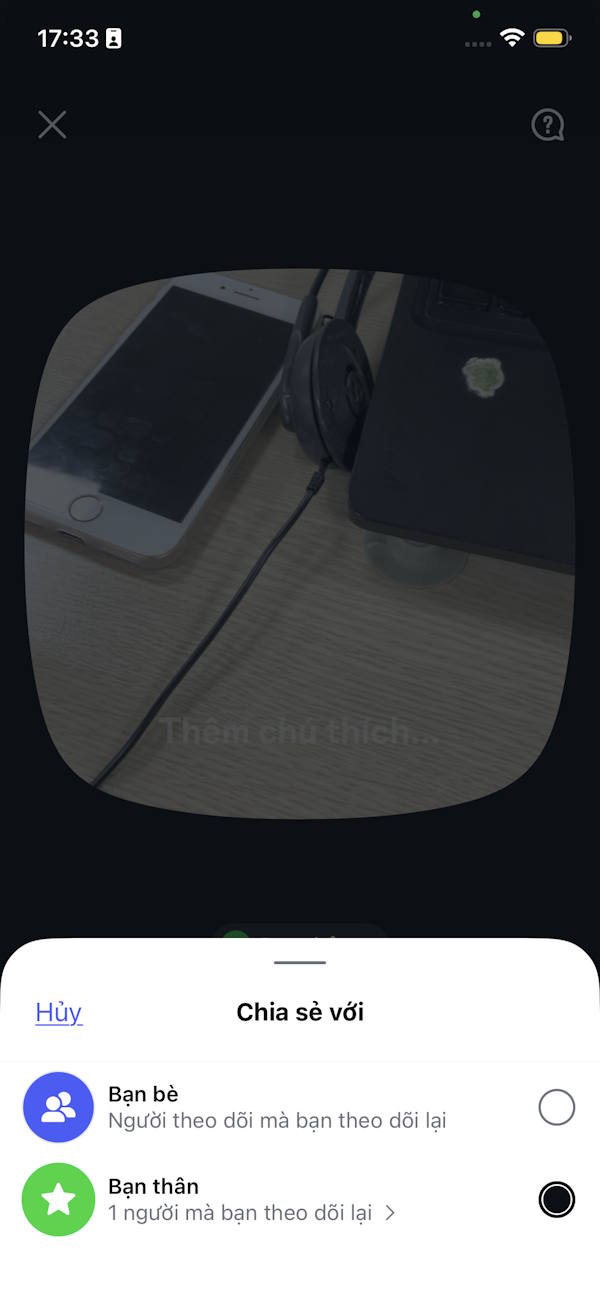

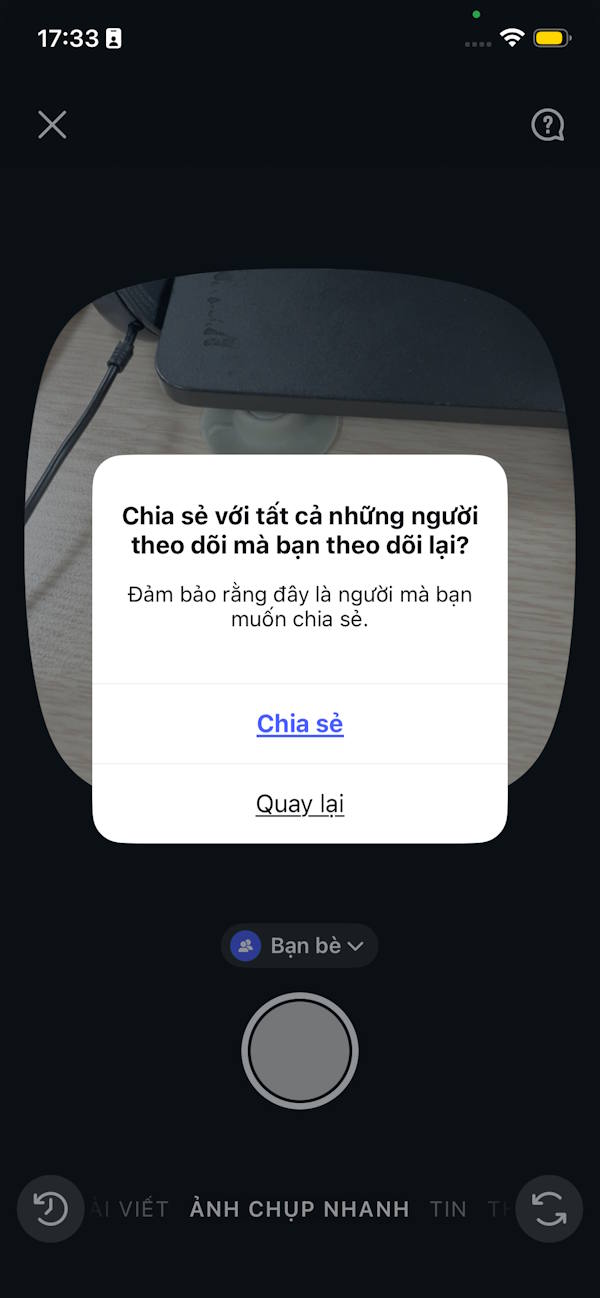
Step 4
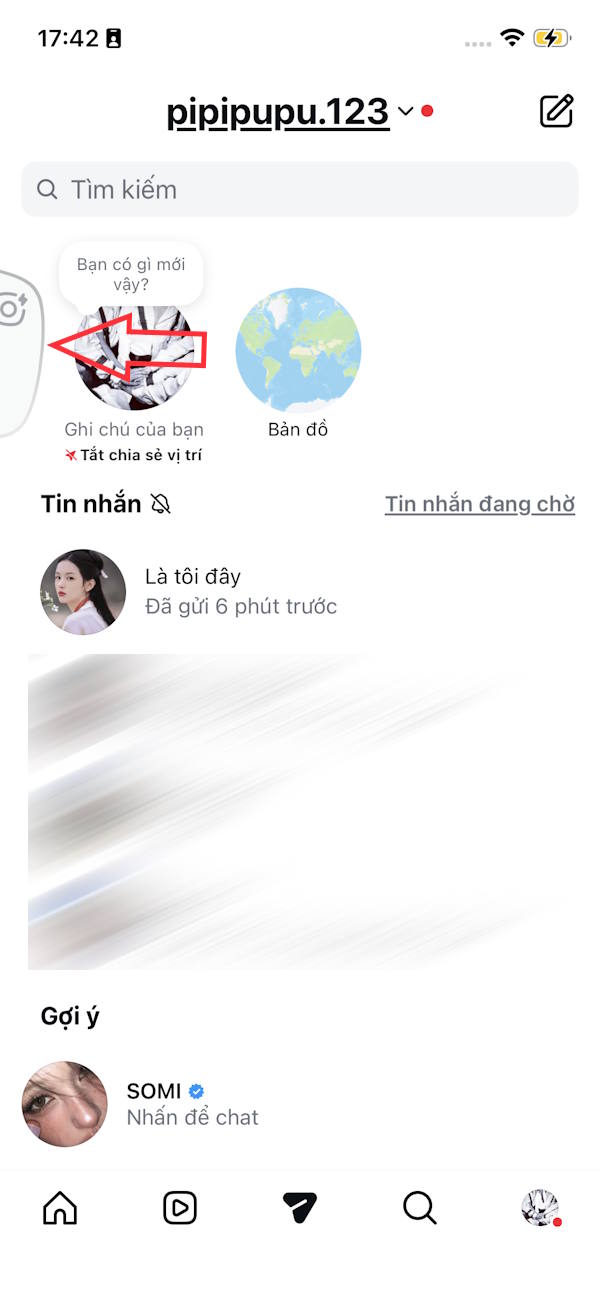
Everyone in the sharing audience you set up will immediately see the snapshot in the messages view on the left side.
Step 5
All Instagram Quicksnaps are saved. Tap the history icon in the bottom left corner. Tap an existing photo , then tap the 3-dot icon in the right corner of the photo.
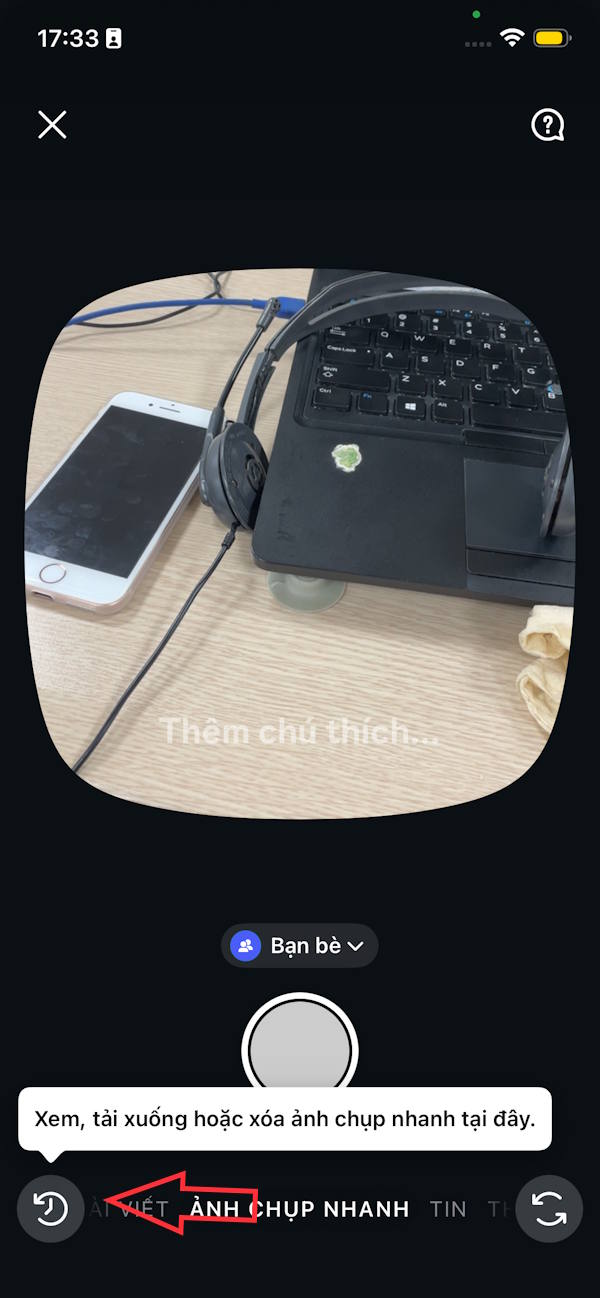

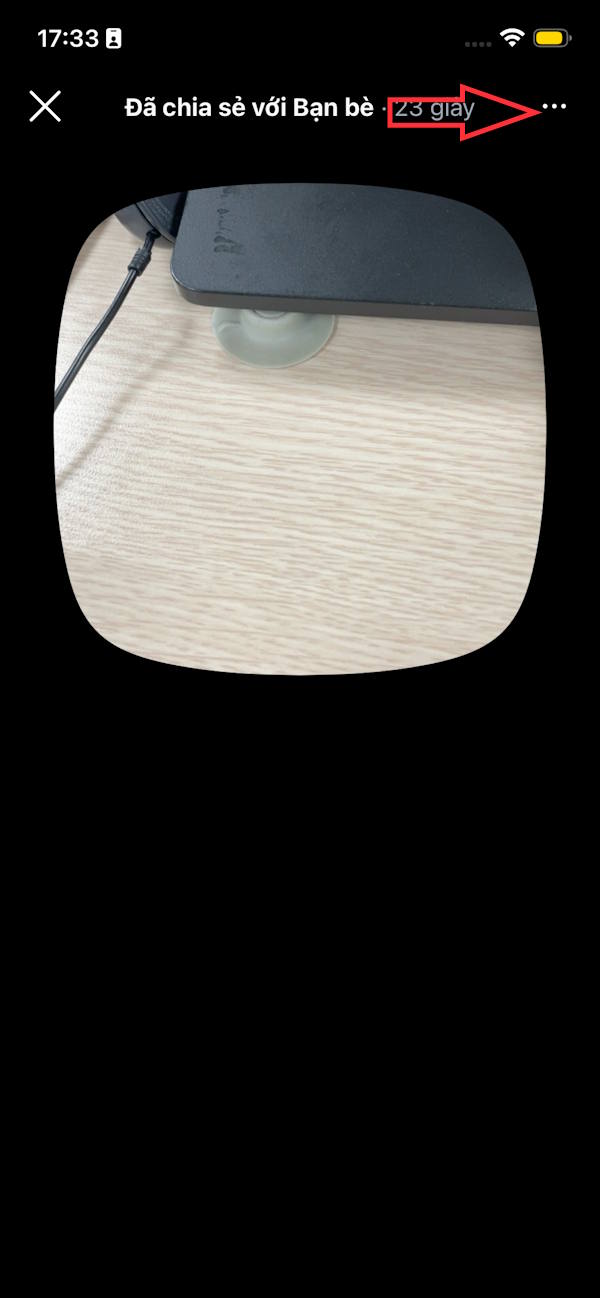
You then have the option to delete or download this photo to an album on your phone.

Video tutorial on using Quicksnap on Instagram
Final Thoughts
Use this guide as a practical checklist for how to use quicksnap on instagram similar to locket. Work through the steps in order, verify each result, and adjust the options to match your needs.
FAQ
What do you need before following this How to Use Quicksnap on Instagram Similar to Locket guide?
Review the required tools, accounts, settings, or materials mentioned in the article. Learn how to use quicksnap on instagram similar to locket with clear steps, practical tips, and troubleshooting guidance for a reliable result.
What are the main steps for how to use quicksnap on instagram similar to locket?
Follow the sections in order, especially How to use Quicksnap on Instagram to take quick photos, Step 1, Step 2. Complete each step before continuing and verify the result as you go.
What should you do if the process does not work as expected?
Recheck the prerequisites, update the relevant app or service, review the settings, and repeat the step that caused the issue. Use any troubleshooting notes included in the guide.
Related Articles
 How to Use Locket Widget to Share Recently Taken Photos in a Snap4 minutes read
 Learn About Locket: a Snapchat Alternative to Sharing Photos with4 minutes read
 How to Use Locket Widget on iPhone4 minutes read
 How to Quickly Delete Instagram Search History3 minutes read
 12 Tips to Make It Easier for You to Master Instagram8 minutes read
 How to View Story Memories on Instagram3 minutes read
Reader Comments 0
Sign in with email or Google to join the discussion.