Table of Contents
Explore instructions to turn off facebook photo album sharing permission.
How to turn off Facebook photo album sharing
Step 1
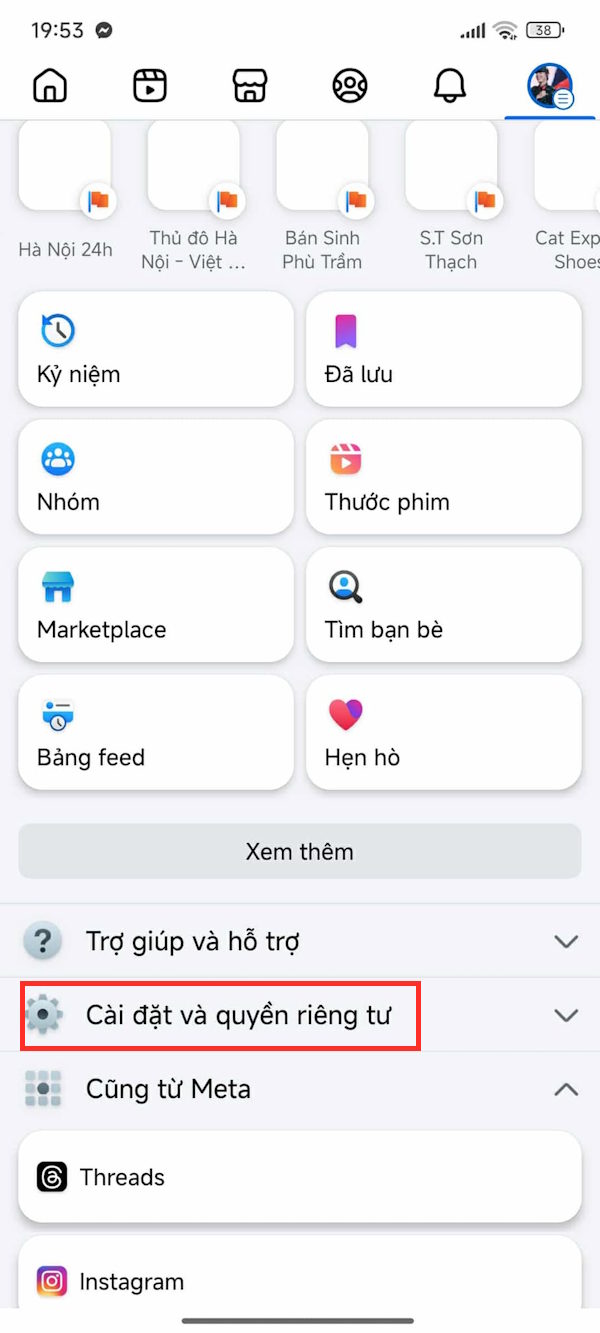
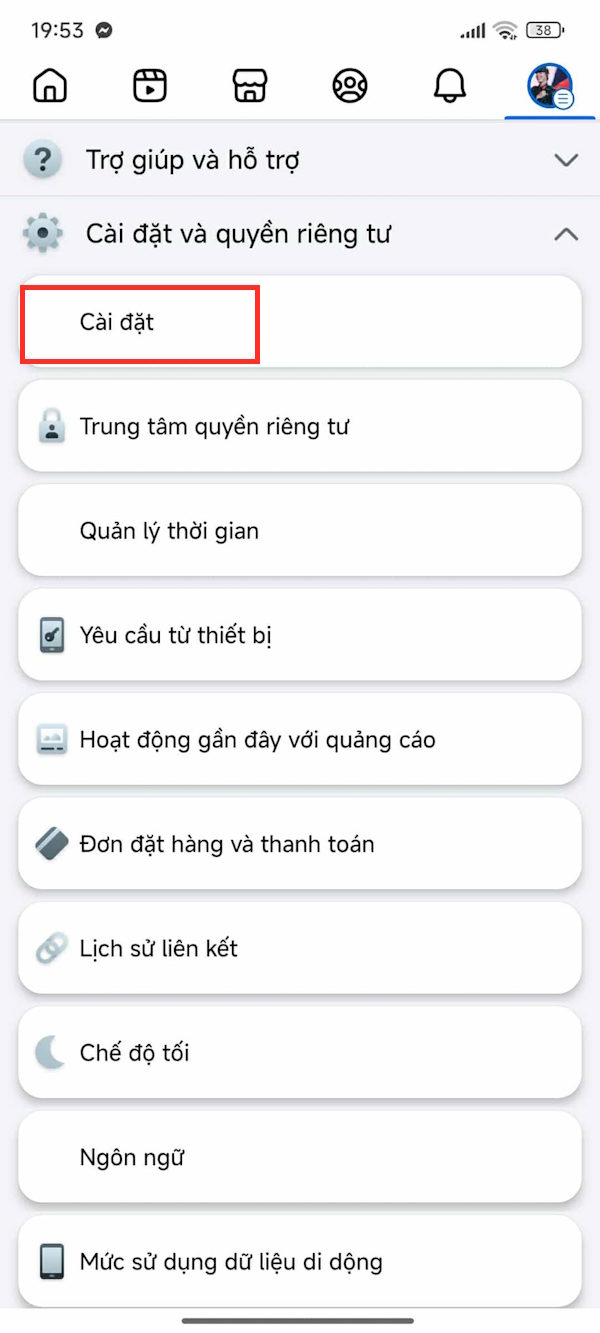
First, click on the 3-dash icon , then in the new interface, click Settings and Privacy . Next, click Settings to proceed with the adjustment.
Step 2
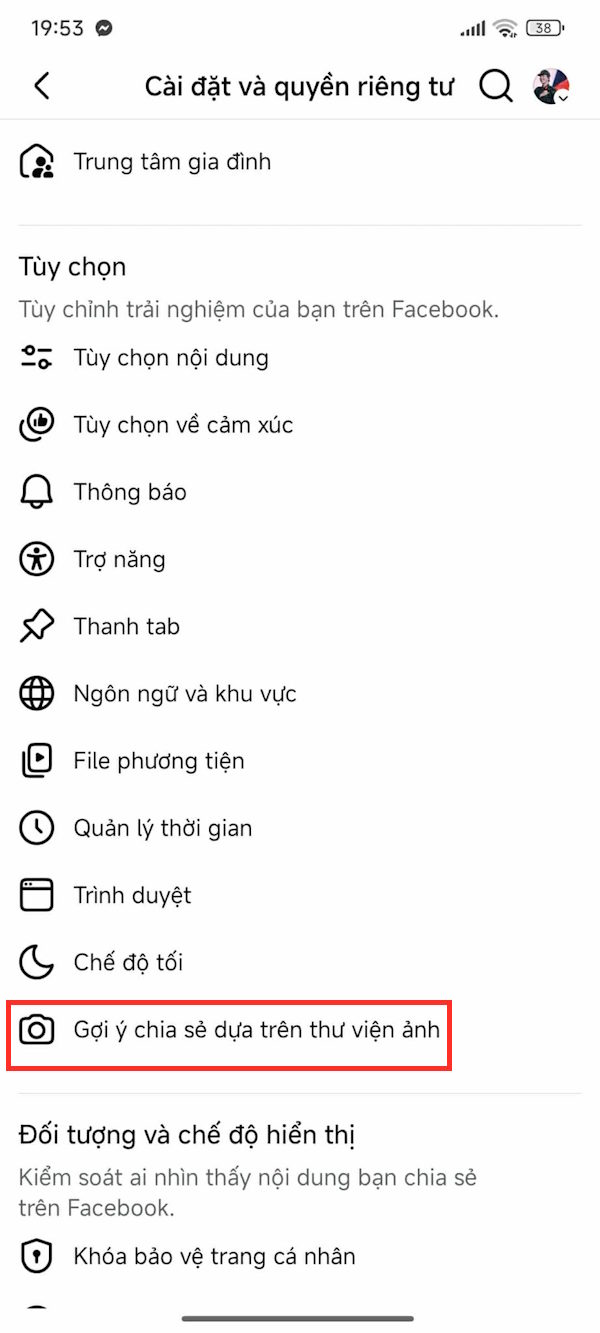
Go to the Facebook settings interface, scroll down to the Options section and click on Library-based sharing suggestions.
Step 3
This setting is always on by default so that Facebook suggests sharing photos and videos from your personal albums on your phone while you browse Facebook. Turn this setting off to turn off Facebook's photo album sharing.
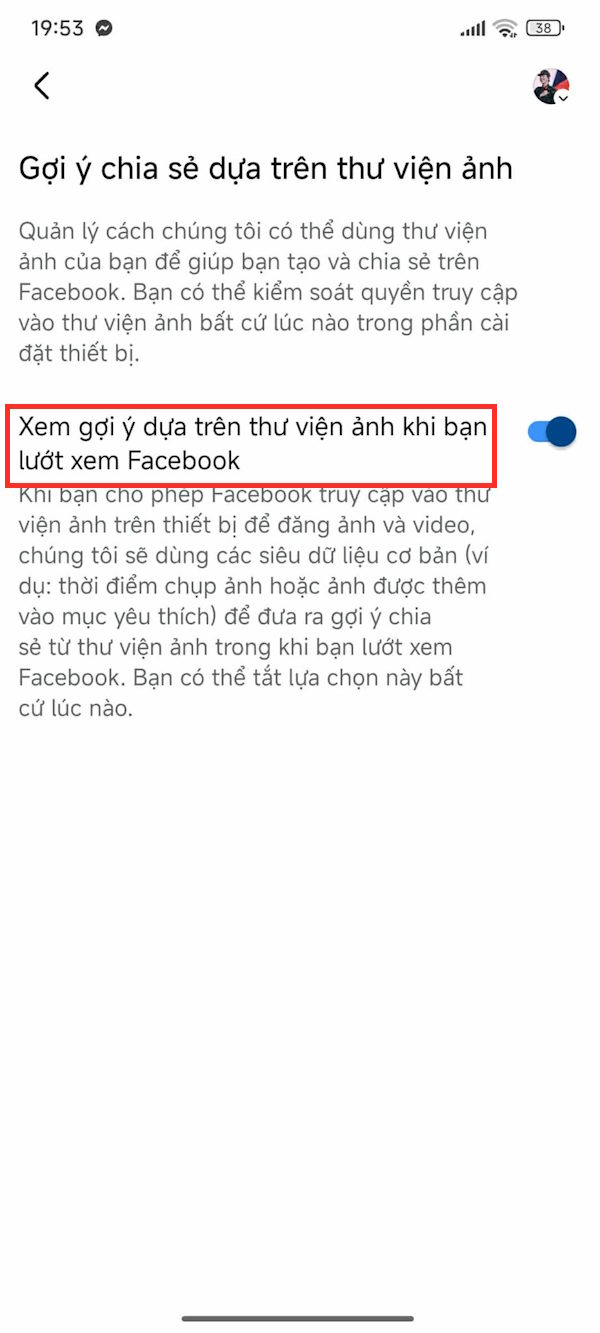
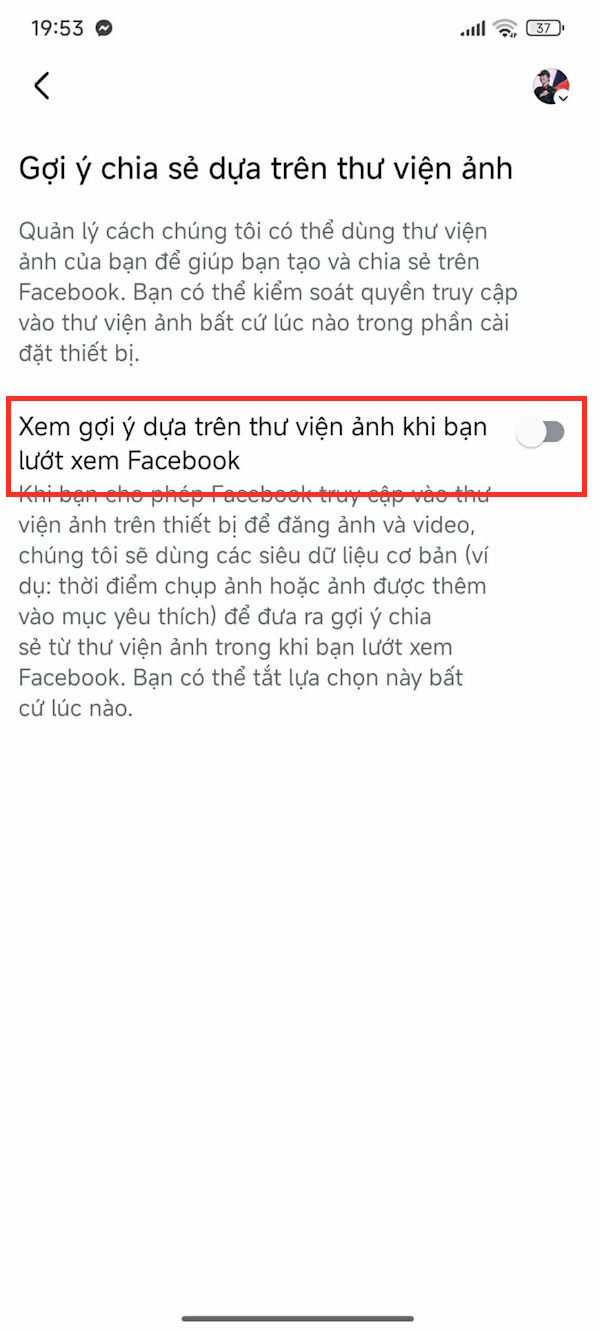
So when you browse Facebook, you will no longer see suggested posts sharing photos and videos from your personal albums.
Final Thoughts
Understanding instructions to turn off facebook photo album sharing permission makes it easier to evaluate the information and apply the most relevant recommendations. Focus on the key points above and verify details that may change over time.
FAQ
What is instructions to turn off facebook photo album sharing permission?
Explore instructions to turn off facebook photo album sharing permission.
What key points does this article cover?
The article focuses on How to turn off Facebook photo album sharing, Step 1, Step 2, with practical explanations and examples.
How can you use this information in practice?
Use the explanations to compare options, verify important details, and make a more informed decision. Apply the recommendations that best match your goals and situation.
Related Articles
 How to Disable Facebook's Album Sharing Permissions: Step-by-Step Guide3 minutes read
 How to Rename Photo Albums on Facebook: Create Facebook Photo Album4 minutes read
 How to Turn Off Album Sharing on iPhone: Practical Guide5 minutes read
 Download / Download the Entire Facebook Photo Album to Your4 minutes read
 How to Lock Hidden Photo Albums on iPhone3 minutes read
 How to Create and Share iCloud Photo Album on iPhone or iPad3 minutes read
Reader Comments 0
Sign in with email or Google to join the discussion.