Table of Contents
Each group chat on Telegram has its own link. When people click on the group, they will have the option to join the Telegram group immediately.
How to get the Telegram group link on your phone.
Step 1:
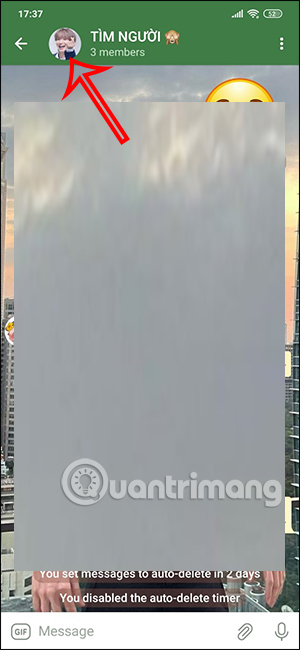
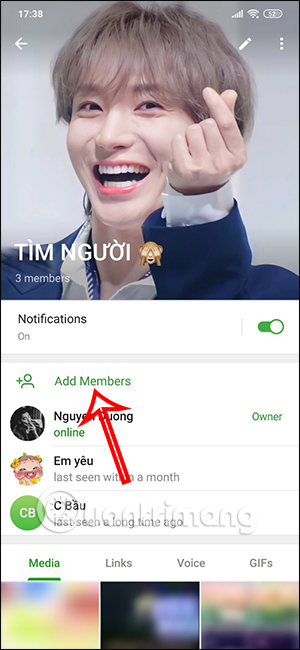
Click on the Telegram group you want to get the group link for. Then click on the group's profile picture. On the group information screen, click on "Add Members" at the bottom.
Step 2:
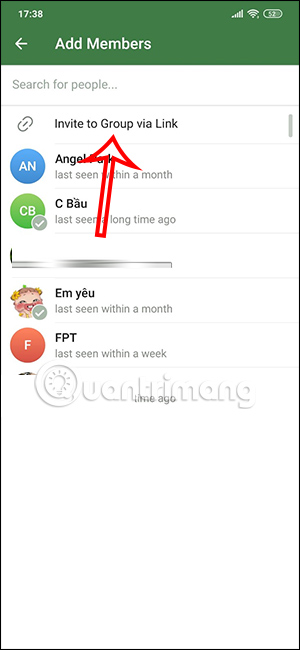
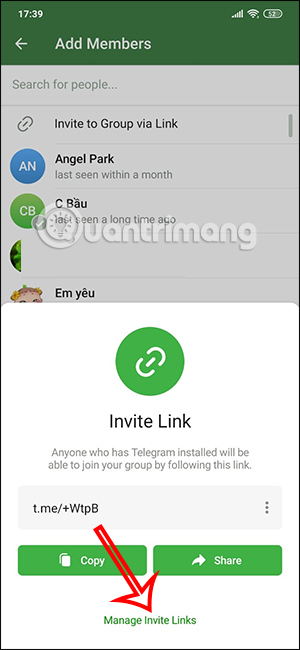
Next, click on "Invite to Group via Link" to get the group link. Immediately below, you will see the group link that you can copy and send to anyone who wants to join the chat group.
If you want to adjust the participants, click Manage Invite Links below.
Step 3:
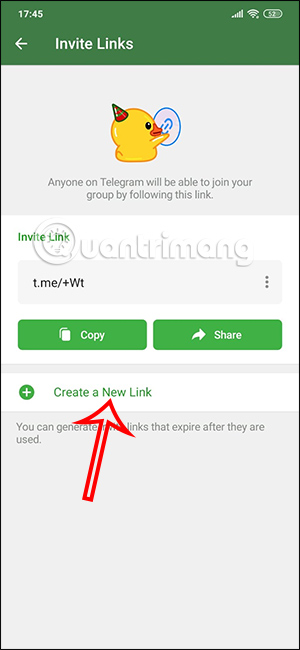
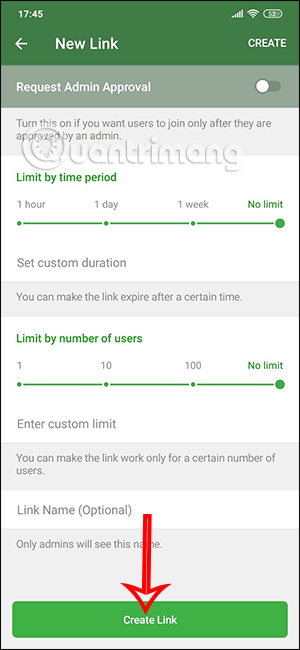
Next, click on "Create a New Link" to create a link for this group. You will then see several options for setting up the link; you can adjust things like the time limit for accessing the link, and the number of participants (whether or not).
Instructions on how to get group links on Telegram PC
Step 1:
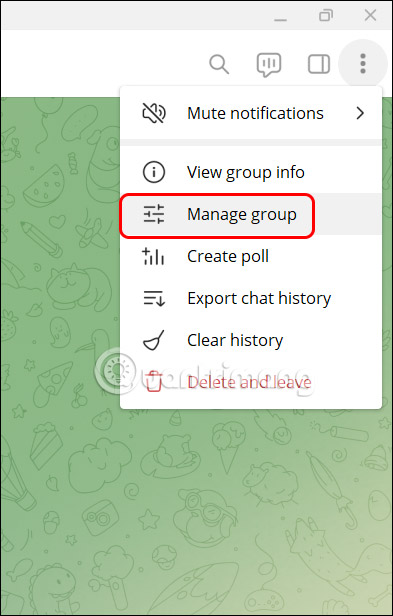
On the Telegram PC group interface, users click the three-dot icon and then select Manage group.
Step 2:
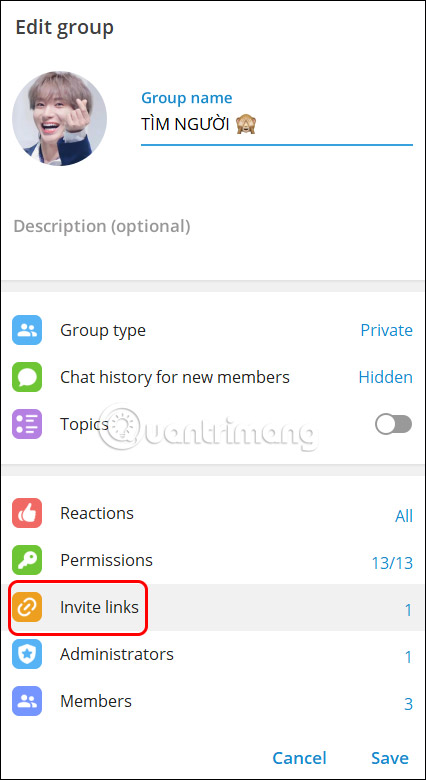
At this point, you will see information about the Telegram chat group. Click on the "Invite links" option to view the Telegram group link.
Step 3:
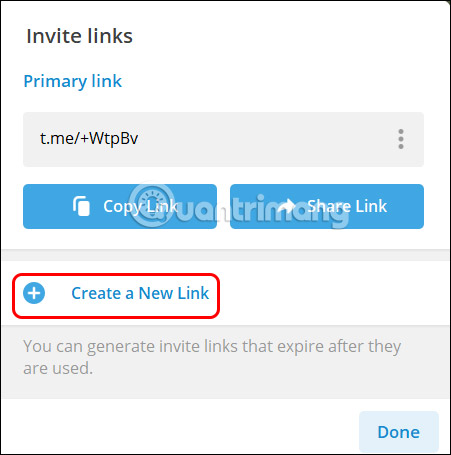
The result will show you a Telegram group link that we can share with others. Below, click on "Create a New link" to set limits for the group link.
Step 4:
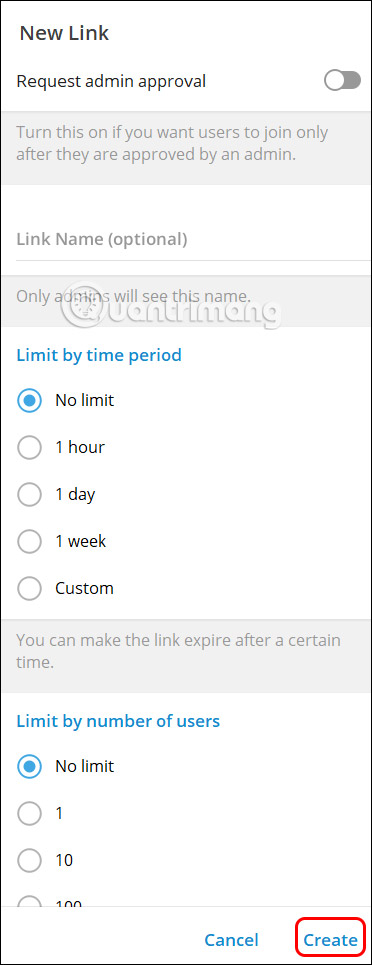
We will set time limits for joining the link as well as the number of people who can join the chat group if needed, then click Create below to create a new link for the Telegram chat group.
Related Articles
 Delete Group on Telegram: Instructions for Deleting Groups on Telegram4 minutes read
 Steps to Block Others from Adding to Telegram Group3 minutes read
 How to Create a Telegram Group Topic for Discussion4 minutes read
 Block Others from Adding You to a Telegram Group: Step-by-Step Guide4 minutes read
 How to Fix Telegram Group Not Showing Error: Step-by-Step Guide4 minutes read
 How to Hide Telegram Group Members List: Step-by-Step Guide3 minutes read
Reader Comments 0
Sign in with email or Google to join the discussion.